

AI Video Marketing Workflows: Create High-Quality Ads Fast
Oct 15, 2026

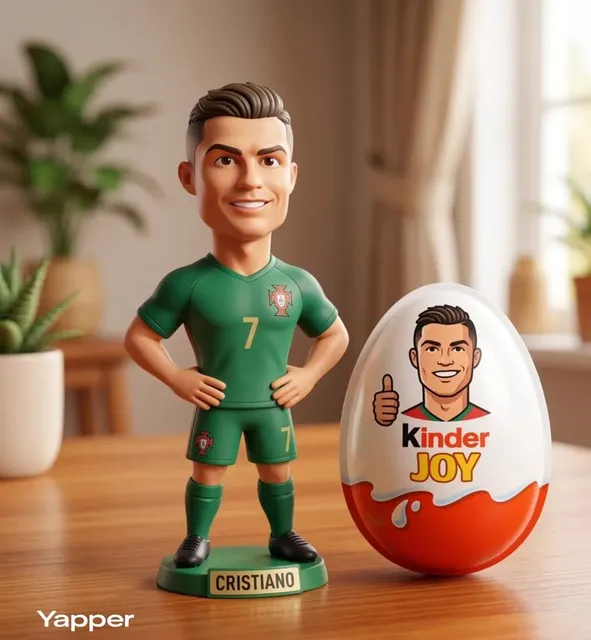
Video is no longer one channel among many. It is the default surface where attention happens, and that shift has broken the economics of traditional production. A single polished commercial used to justify a shoot day, a crew, and a week of editing. Today a brand is expected to publish several variations a week across vertical feeds, horizontal placements, landing pages, and email. The only way to meet that cadence without diluting quality is to rebuild the pipeline itself, using generative tools as production infrastructure rather than as novelty generators.
This guide walks through a complete AI video marketing workflow: how to scope a concept, write prompts that behave like shot lists, lock visual consistency, batch variations, run quality control, and adapt one idea across every format that matters. It is written for marketers, creative leads, and small production teams who need repeatable output rather than one-off experiments.
Why AI Video Marketing Changed the Production Math
The old constraint was money. The new constraint is judgment. When generation is cheap, the bottleneck moves from "can we afford to make this?" to "which of these forty options is actually good, and does it match the brand?"
Three changes drive this shift.
Iteration cost collapsed. Re-rendering a scene, swapping a background, or testing a different opening hook used to require a reshoot. Now it requires a prompt edit and a few minutes of compute. That changes creative strategy: instead of defending a single concept, you can test six hooks against one another and let performance data decide.
Consistency became programmable. Earlier generation tools excelled at single striking images but struggled to hold a character, product, or palette steady across shots. Modern pipelines support sequential generation with reference locking, which means a narrative can stay coherent from the first frame to the last. For advertising, tutorials, and episodic social content, that coherence is the whole game.
Non-specialists entered the room. A social manager can now produce a passable cut without waiting in an editor's queue. That is powerful and dangerous in equal measure. Without guardrails, an organization can produce a high volume of visually inconsistent material that erodes brand recognition faster than it builds reach.
The practical takeaway: treat AI as a production layer with defined inputs, review gates, and output standards. Teams that do this publish faster and look more consistent. Teams that treat it as a magic button publish a lot of forgettable video.
The End-to-End Workflow: From Brief to Published Cut
A reliable AI video pipeline has five stages. Skipping any one of them shows up as rework later.
1. Clarify the job the video must do
Before opening any tool, write one sentence that names the audience, the platform, and the desired action. "A 15-second vertical spot for lapsed subscribers on Instagram that drives a free-trial click" is a brief. "A cool brand video" is not.
Attach three constraints to the brief: duration, aspect ratio, and the single message that must survive if everything else is cut. Constraint forces decisions early, when changes are cheap.
2. Write the script as a shot list, not prose
Generative video responds best to visual description, not dialogue-heavy scripts. Convert your concept into a shot list where each line describes what the camera sees, how it moves, and what mood it carries.
A useful line format: subject, action, environment, camera behavior, lighting, and style reference. Six to twelve lines is enough for a thirty-second piece. Keep each shot to a single idea; models handle composed scenes poorly when a line tries to do three things at once.
3. Lock keyframes before you animate
This is the step most teams rush. Generate still frames for every shot first, review them as a contact sheet, and only then animate the winners. Iterating on stills is fast and inexpensive; iterating on finished motion clips is slow and demoralizing.
When a frame is approved, save its exact prompt and any reference image. That saved combination becomes your consistency anchor for every later shot featuring the same character, product, or location.
4. Animate with deliberate motion
Motion should serve meaning. A slow push-in signals seriousness; a handheld drift signals authenticity; a hard whip pan signals energy. Choose one dominant motion pattern per video and repeat it. Mixed motion styles read as amateur editing rather than creative range.
Generate short clips, then trim to the strongest two seconds. Long generative shots tend to drift in detail, and the drift is more visible than the extra runtime is valuable.
5. Assemble, sound-design, and caption
Editing is where AI footage becomes a video. Cut on motion, not on a fixed beat, unless the piece is music-led. Add sound design before music: room tone, a whoosh on transitions, a subtle impact on the product reveal. Sound is what makes generated footage feel filmed.
Finally, burn in captions or export a subtitle file. A large share of vertical video is watched muted, and uncaptioned clips lose viewers in the first two seconds.
Choosing Tools for Each Stage of the Pipeline
No single tool wins every stage. Map your stack to the work.
| Stage | What to look for | Practical notes |
|---|---|---|
| Concept and scripting | Fast ideation, variation generation | General chat assistants are fine here; speed matters more than polish |
| Keyframe generation | Reference locking, style consistency, aspect-ratio control | Test with your own product images, not stock demos |
| Motion generation | Short-clip quality, camera control, temporal stability | Evaluate on faces, hands, and text — the three hardest elements |
| Voice and narration | Natural pacing, tone control, multilingual output | Always listen for odd emphasis on brand names |
| Editing | Timeline speed, caption tools, template reuse | The best editor is the one your team already knows |
| Asset management | Versioning, prompt history, approval states | Save prompts next to outputs or consistency dies |
When evaluating a new tool, run the same three-shot test every time: a product close-up, a person speaking to camera, and a wide environment shot with motion. Compare results side by side against your current stack. A tool that is impressive on landscapes but unstable on faces is not ready for marketing work.
Budget decisions should follow the same logic. If a tool saves four hours per week of editing time but adds two hours of cleanup, it is not saving anything. Measure cycle time from brief to approved cut, not feature count.
Prompt Patterns That Keep Output On-Brand
Prompting for marketing video is closer to art direction than to conversation. You are specifying a look, not asking for a favor.
The four-part prompt frame
Build every prompt from four blocks:
- Subject — who or what, with enough specificity to avoid generic results.
- Environment — location, time of day, weather, background activity.
- Camera — lens feel, framing, movement, depth of field.
- Look — lighting, palette, film stock or render style, mood.
A prompt like "a ceramic coffee cup on a stone counter, morning light, shallow depth of field, slow push-in, warm neutral palette, soft shadows" is far more controllable than "beautiful coffee cup scene." The second asks the model to make creative choices you have not delegated.
Negative prompts and guardrails
List what you never want: distorted hands, floating objects, on-screen text, logos you do not own, harsh color shifts. Reusing the same negative list across a campaign is one of the cheapest consistency wins available.
Reference images and style locks
When a tool supports image references, feed it a frame you already approved rather than describing the look again in words. Reference-driven generation reproduces palette and texture far more reliably than adjectives. Keep a small library of approved reference frames per brand: one product hero, one lifestyle scene, one graphic treatment.
Hybrid aesthetics
Blending two visual directions — mostly clean 3D rendering with a small amount of hand-drawn texture, for example — can differentiate a brand. Do it deliberately and document the ratio in your prompt template so the next person can reproduce it. Accidental hybrid looks read as errors.
Building a Repeatable System: Batching, Templates, and Review Gates
Individual good videos are luck. Repeatable good video is process.
Batch by asset type, not by campaign. Generate all keyframes for a month of content in one session, then all motion clips in another. Context-switching between prompting and editing is expensive.
Maintain a prompt template library. Store templates for recurring formats: product reveal, testimonial-style cut, tutorial step, announcement teaser. Each template should include the prompt frame, negative list, aspect ratio, and target duration.
Define two review gates. Gate one is the contact sheet of keyframes. Gate two is the rough cut with sound. Approving at these two points prevents the expensive scenario where a finished video is rejected for reasons that were visible in frame one.
Assign ownership. One person owns visual consistency, one owns the publishing calendar, one owns performance review. On small teams one person can hold two roles, but not zero.
Version everything. Name files with campaign, format, and version number. Keep the prompt that produced each file in a shared document. Six weeks later, when a winning ad needs a sequel, that history is the difference between fast and starting over.
Quality Control Checklist Before Anything Publishes
Run this list against every cut. It takes three minutes and prevents most embarrassing launches.
- Brand marks: logo crisp, correctly sized, not distorted by upscaling.
- Text on screen: legible at phone size, inside safe areas, spelling verified by a human.
- Faces and hands: no warping, no extra fingers, no mismatched eye direction.
- Product accuracy: color, label, and proportions match the real item.
- Audio: consistent loudness across cuts, no clipped music, narration synced.
- Captions: accurate, timed within a frame or two, contrast sufficient on light backgrounds.
- First two seconds: a clear hook, brand or product visible, no dead frames.
- Last two seconds: a call to action that matches the destination page.
- Aspect ratio and duration: correct for each placement, not letterboxed by accident.
- Rights: music, voice, and any stock element properly licensed for commercial use.
If a cut fails two or more items, fix and re-review rather than publishing and patching.
One Concept, Many Formats: Distribution Without Duplication
The efficiency of AI video comes from adapting a single concept, not from making unrelated videos quickly. A forty-second master piece can yield a fifteen-second vertical hook, a six-second bumper, a square feed cut, and a still image for a landing page hero.
Build adaptation into the shoot plan. Frame wide enough that vertical crops do not cut off the subject. Record or generate alternate opening lines for different audiences. Produce a clean version without captions for platforms that add their own.
Sequence releases deliberately. Lead with the format where your audience is largest, then repurpose with small edits for secondary channels a few days later. Reusing the same footage is fine; repeating identical captions across platforms is not.
Track performance at the hook level. If variant A outperforms variant B, the difference usually lives in the first two seconds, not the middle. Log which hooks worked so your prompt templates get sharper over time.
Common Mistakes That Kill AI Video Campaigns
Chasing novelty over clarity. A stunning visual effect that does not explain the product wastes the viewer's attention. Clarity first, flourish second.
Ignoring the first frame. Many teams generate a beautiful sequence and then realize no usable opening frame exists. Design the hook shot explicitly.
Letting style drift within a campaign. Slight palette and lighting changes between videos make a series feel like unrelated ads. Lock references.
Over-relying on default voices. Synthetic narration is fine, but default settings across every video create a sameness that audiences tune out. Vary pacing, or use a human voice for flagship pieces.
Publishing without captions. Muted viewing is the norm. This is the single most common avoidable error.
No measurement loop. If you do not record which prompts and hooks performed, you are guessing every week instead of compounding knowledge.
Treating outputs as final. Generated footage almost always needs trimming, color matching, and sound work. Budget time for the finishing pass.
Where Human Craft Still Decides the Outcome
Generative tools have absorbed a remarkable amount of production labor, but they have not absorbed taste, structure, or accountability. A model can produce a convincing shot of a person walking through a city at dusk. It cannot decide that the video should open on the product instead of the city, that the second beat should be a pause rather than a cut, or that the campaign should not run at all because the offer is weak.
Strategy, sequencing, and restraint remain human work. So does the final judgment call: does this piece represent the brand accurately, and would we be comfortable if it reached ten times the expected audience?
Teams that thrive with AI video treat the technology as a fast, tireless production assistant with no judgment. The judgment is the product.
FAQ
How long does an AI-assisted video take from brief to publish?
A simple vertical piece with a clear concept can move from brief to approved cut in a single working day once templates exist. Complex narratives with multiple characters, product accuracy requirements, and voiceover usually take two to four days. The first video in a new format always takes longest, because you are building the reference library and prompt templates at the same time.
Can AI video hold a consistent character across multiple scenes?
Yes, with the right approach. Generate an approved keyframe of the character first, then reuse it as an image reference for every subsequent shot, keeping the descriptive text identical. Small wording changes to hair, clothing, or lighting will cause visible drift, so keep prompt text for locked elements unchanged between shots.
What should I check before publishing AI-generated footage?
Brand marks, on-screen text, hands and faces, product accuracy, audio loudness, caption timing, and the strength of the first two seconds. Also verify that music and voices are licensed for commercial use. Most post-publication fixes are expensive; a three-minute checklist before publishing prevents nearly all of them.
Is AI video good enough for paid advertising?
For short-form social placements, yes, when the concept is clear and the finishing pass is real. Audiences respond to relevance and clarity more than to production budget. For premium brand films and regulated categories, human oversight and additional verification remain necessary, and some platforms require disclosure of synthetic media.
How do I stop every video from looking the same?
Vary two variables at a time, not ten: hook structure and camera behavior are usually enough. Keep palette, typography, and sound signature constant so the brand stays recognizable. Sameness comes from copying the same beat sheet repeatedly, not from using consistent visual identity.
Do I still need an editor if I use generative tools?
Yes, or someone performing the editor's role. Assembly, pacing, sound design, and color matching determine whether generated clips feel like a video or like a demo reel. Editing is now the highest-leverage skill in an AI video workflow, and it is the step most often under-resourced.
How should I organize prompts and assets?
Keep a shared document per campaign with the brief, the shot list, the exact prompt used for each approved frame, and the reference images. Name files by campaign, format, and version. This turns a one-time success into a repeatable asset, and it makes handoffs to new team members straightforward instead of archaeological.
Bringing It Together
The teams producing the best AI-assisted video marketing are not the ones with the most tools. They are the ones with the tightest loop between concept, generation, review, and measurement. They keep reference libraries, they write prompts like shot lists, they review keyframes before animating, and they never publish without captions and a sound pass.
Start smaller than you think you should. Pick one recurring format — a weekly product tip, a monthly announcement — and build the pipeline around it until it runs without friction. Then expand. Speed is not the goal by itself; speed with consistency is what turns video from an expensive campaign into a dependable growth channel.

Alexander
More Blogs
Read MoreVidu Q4 Alternatives: 4K AI Video Models Compared (2026)
Vidu Q4 alternatives compared: Kling 4.0, Seedance 2.5, Wan 3.0, and Runway Gen-4 — 4K support, input modes, durations, audio, and what each costs in credits on Domer.
Top 4K AI Image Generators in 2026: 5 Models Compared on Real Costs
The top 4K AI image generators on Domer compared: Flux 3 Klein, Nano Banana 2.1, GPT Image 2.5, GPT Image 2, and Nano Banana Pro — 4K credit costs, reference limits, and speed.
Nano Banana 2.1 vs GPT Image 2.5: Which Image Model Should You Use? (2026)
Nano Banana 2.1 vs GPT Image 2.5 Flare compared: credit costs per resolution, aspect ratios, reference images, text rendering, and which tasks fit each model.