
Create
AI Video Mirroring: Create Symmetrical Effects That Last
Oct 15, 2026
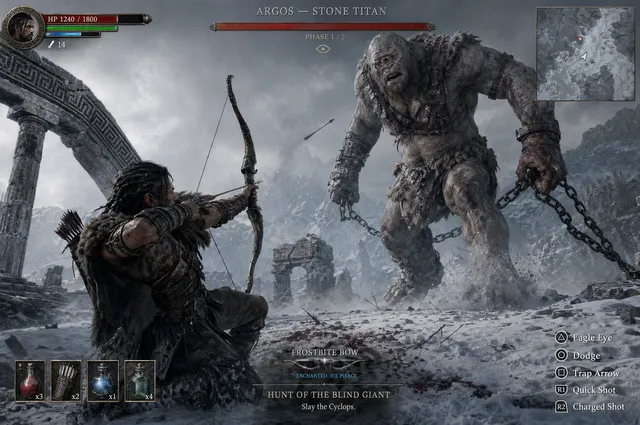

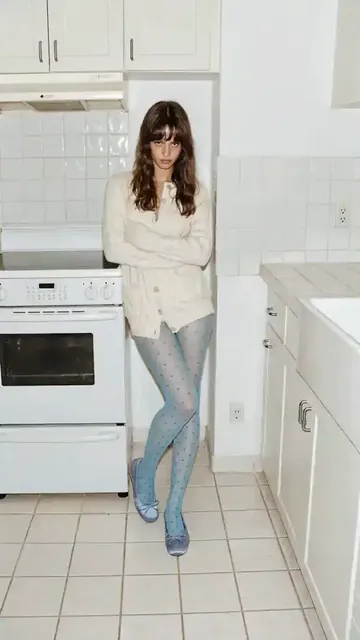
Video mirroring is a simple idea with a huge creative range. You take a clip, duplicate it, flip it across an axis, and combine the original and the reflection into one frame. The result can be hypnotic, elegant, uncanny, or chaotic. AI-assisted tools have made the process faster by handling tracking, blending, upscaling, and edge repair. But speed is not craft. A mirrored shot only works when the axis, motion, color, and rhythm support the idea you are trying to express.
What Video Mirroring Really Does
Mirroring creates symmetry by reflecting part of the frame across a fixed line. That line can be vertical, horizontal, diagonal, radial, or custom. When the reflection is seamless, viewers see a new space that feels larger than the original footage. When the reflection is obvious, the effect looks like a filter. The difference usually comes from planning and refinement, not from the render button.
AI video tools add another layer. They can detect faces, track objects, match colors, fill missing pixels, and smooth seams between mirrored halves. That means you can spend less time nudging masks and more time deciding what the symmetry should do for the story. The best results still depend on choosing the right shot, the right axis, and the right amount of repetition.
The Main Symmetry Styles and When to Use Them
Not every mirroring effect needs the same setup. The style you choose changes how the audience reads the image. A single vertical mirror feels like a portal. A horizontal mirror feels like a reflection on water. A radial mirror feels like a kaleidoscope or a dream sequence.
Horizontal mirroring
Horizontal mirroring flips the image top to bottom. It works well for skies, water, architecture, and symmetrical faces. It can also make a landscape feel like a fantasy world. Use it when the top and bottom of the frame have similar texture or color. If the upper half is busy and the lower half is empty, the seam becomes distracting.
Vertical mirroring
Vertical mirroring flips the image left to right. This is the most common style for social media because it works with vertical and square formats. It is also useful for dance, fashion, and product shots where the subject sits near the center. The trick is to keep important details away from the exact center line unless you want them duplicated.
Quad and radial symmetry
Quad symmetry repeats the frame four times around a center point. Radial symmetry spreads reflections outward like spokes. These styles are powerful for title sequences, psychedelic scenes, and abstract art. They can overwhelm a narrative, so use them for short bursts or as transitions.
Kaleidoscopic tiling
Kaleidoscopic tiling combines multiple mirrors at different angles. AI tools can generate these patterns quickly, but the result can look busy. To keep it readable, start with simple footage, lower the contrast, and animate the pattern slowly. A little movement goes a long way.
Why AI Changes the Mirroring Workflow
Traditional mirroring is a manual compositing task. You duplicate a layer, flip it, position it, mask it, and blend it. AI changes that in several practical ways.
First, AI can track the axis automatically. If the camera moves, the mirror line can follow the subject or the horizon. Second, AI can blend edges with content-aware fills. That means a mirrored sky or wall does not need to match perfectly because the tool can generate the missing texture. Third, AI upscaling and denoising make mirrored footage hold up on large screens. Fourth, generative video models can create new frames that extend the symmetry beyond the original shot.
The trade-off is control. Automated tools can produce a pleasing result, but they can also smooth away the imperfections that make a shot feel human. Treat AI as an assistant. Set a clear intention, generate variations, and then refine the best one by hand.
Planning a Mirroring Project Before You Open a Tool
A mirrored video fails more often in planning than in rendering. Before you open an editor, answer a few questions.
Start with a visual goal
What should the audience feel? Calm, disoriented, powerful, playful, or surreal? A soft vertical mirror with slow motion suggests calm. A fast radial mirror with high contrast suggests chaos. Write down three adjectives and use them to judge every version.
Choose the frame and axis
Decide whether the final video is horizontal, vertical, or square. Then choose the mirror axis. The center line is the default, but off-center mirrors can be more interesting. An off-center axis creates imbalance, which can feel dynamic. A centered axis creates balance, which can feel formal or meditative.
Check motion and continuity
Mirroring works best when the original clip has steady motion. If the camera shakes, the reflection will shake too, which can be distracting. Stabilize the clip before mirroring. If a subject moves across the axis, decide whether the reflection should copy the movement or oppose it. Opposing motion creates tension. Matching motion creates harmony.
Prepare the footage
Clean up exposure, white balance, and noise before mirroring. It is easier to fix these issues once than to fix them in every mirrored layer. If you plan to use AI enhancement, do a light pass first and a final pass after compositing.
A Practical AI Video Mirroring Workflow
The following workflow works in most AI video editors, compositors, and enhancement tools. The names of the buttons may change, but the sequence stays useful.
Prepare and stabilize
Import the clip and create a duplicate layer. Stabilize the original if the camera moves. Crop or reframe to the final aspect ratio. If you are working with vertical video, keep the subject near the center third so the mirrored copy does not cut off important details.
Set the axis
Place a guide at the mirror line. Start with the center, then try moving it left or right by ten to twenty percent. Watch how the subject interacts with the line. If a face or hand crosses the axis, the mirror will duplicate it. That can be intentional, but it often looks like an error. Adjust the timing or the crop to avoid awkward duplication.
Apply the first mirror
Duplicate the layer, flip it horizontally or vertically, and align it with the guide. Use a soft blend at the seam. A hard seam can work for graphic looks, but a gradient or feathered mask usually feels more natural. If the tool supports content-aware fill, use it to repair gaps along the edge.
Blend and hide seams
Zoom in to two hundred percent and inspect the seam frame by frame. Look for color shifts, double edges, and moving artifacts. Use a slight blur, a color match, or a gradient mask to blend the transition. If the seam is still visible, try adding a subtle vignette or a light leak over the joint. Do not hide a bad seam with heavy effects unless the style calls for it.
Add motion and parallax
Static mirrors can feel flat. Add a slow push, pull, or pan to the final composite. If the tool supports parallax, separate the foreground and background so the reflection moves at a different speed. This creates depth and makes the symmetry feel like a real space.
Generate variations
AI tools make it easy to create multiple versions. Generate at least five: one centered, one off-center, one with horizontal symmetry, one with radial symmetry, and one with a different color treatment. Compare them side by side. The best version is not always the most complex. Sometimes the simplest mirror communicates the idea fastest.
Finish with color and sound
Color grading is critical for mirrored footage. Match the original and the reflection so they feel like one image. Add contrast, adjust saturation, and use a film grain or texture to unify the layers. Sound design matters too. A whoosh, a reversed tone, or a layered ambience can make the symmetry feel intentional. Without sound, the effect can feel like a technical trick rather than a creative choice.
Tool Categories and How to Choose
There is no single best tool for video mirroring. The right choice depends on your workflow, budget, and technical comfort. Here are the main categories to consider.
Generative video suites
These tools focus on AI generation, style transfer, and real-time effects. They are great for rapid experimentation. You can describe a mirrored look or apply a preset and see results in seconds. They are less precise than a traditional compositor, so use them for ideation and for shots where a slightly surreal look is acceptable.
Editing and compositing ecosystems
Professional editors and motion graphics applications offer the most control. They support masks, blend modes, tracking, and color management. If you need a clean seam or a complex multi-layer kaleidoscope, this is where you will get the best result. The learning curve is steeper, but the payoff is precision.
Enhancement and restoration tools
AI upscalers, denoisers, and frame interpolation tools are not mirroring tools by themselves. However, they are essential for polished mirrored footage. Use them to smooth slow motion, remove compression artifacts, and increase resolution after compositing. Always enhance the final composite, not just the original clip.
Browser and mobile editors
Browser and mobile editors are ideal for quick social content. They often include mirror presets, templates, and auto-beat sync. They are perfect for drafts and for creators who need speed. For a hero video, move the project into a desktop tool for the final polish.
Open-source and 3D options
Open-source compositors and 3D applications give you complete control over nodes, geometry, and shaders. They are excellent for experimental work, generative art, and complex camera moves. They require more setup, but they can produce effects that are difficult to achieve in consumer editors.
Creative Use Cases That Benefit from Symmetry
Mirroring is not just a visual effect. It is a storytelling device. Here are a few places where it works especially well.
Music videos
Music videos thrive on rhythm and repetition. Mirroring can turn a performance into a visual chorus. Try mirroring the singer on the beat, then breaking the symmetry on the bridge. The contrast makes the chorus feel bigger.
Social vertical content
Vertical video rewards strong central compositions. A vertical mirror can make a simple dance, makeup tutorial, or product shot feel polished. Use it for transitions, loop points, and eye-catching thumbnails. Keep the effect short so the feed does not feel repetitive.
Fashion and product visuals
Symmetry suggests order, luxury, and precision. Mirroring a product can emphasize its design. Mirroring a model can create a surreal editorial look. For fashion, use clean backgrounds and soft lighting. For products, keep the logo or key feature away from the seam.
Experimental film
Experimental filmmakers use mirroring to explore identity, perception, and space. AI tools make it possible to animate the mirror axis, blend multiple reflections, and generate impossible geometries. The key is to give the audience an anchor, such as a face or a repeated object, so the abstraction remains readable.
Title sequences and intros
A mirrored title sequence can feel modern and mysterious. Animate the mirror line across the screen, reveal the title in the center, and use sound design to tie the motion together. Keep the text simple. Complex symmetry plus complex typography is hard to read.
Common Mistakes and How to Avoid Them
Even experienced editors make these mistakes. Watch for them before you export.
- Ignoring the seam. Always zoom in and check the join frame by frame.
- Mirroring a shot with no clear subject. Symmetry amplifies whatever is already there, including boredom.
- Using the center line by default. Try off-center axes for a more dynamic composition.
- Overdoing the effect. A full video of kaleidoscopic mirroring is exhausting. Use symmetry in moments, not everywhere.
- Forgetting audio. Sound makes the effect feel intentional and emotional.
- Skipping stabilization. A shaky mirror is harder to watch than a shaky original.
- Enhancing before compositing. Fix the composite first, then upscale or denoise.
- Copying a trend without a reason. The best mirroring effects serve the story, the brand, or the emotion.
Quality Control Checklist for Mirrored Video
Before you export, run through this checklist.
- Is the mirror axis stable and intentional?
- Does the seam disappear at normal viewing size?
- Are there duplicated faces, hands, or text that look accidental?
- Is the color and exposure consistent across the reflection?
- Does the motion feel smooth, or does it stutter?
- Is the audio supporting the visual rhythm?
- Does the effect match the tone of the project?
- Does the final export look clean on both large screens and mobile devices?
FAQ
What is the difference between mirroring and kaleidoscope effects?
Mirroring uses one or more flips across an axis. A kaleidoscope combines multiple mirrors at different angles to create a repeating pattern. Mirroring is usually simpler and more readable. Kaleidoscope effects are more abstract and decorative.
Can AI mirror a video automatically?
Yes. Many AI video tools can apply mirroring with a preset or a prompt. However, automatic results often need manual adjustment. You will still want to control the axis, seam, timing, and color to make the effect look intentional.
What footage works best for mirroring?
Footage with clear subjects, steady motion, and balanced lighting works best. Landscapes, water, architecture, dance, fashion, and product shots are strong candidates. Avoid clips with chaotic backgrounds or heavy camera shake unless you stabilize them first.
Should I mirror the whole video or just part of it?
Use mirroring as an accent, not a constant. A few seconds can transform a scene. If the whole video is mirrored, the audience may stop noticing the effect and start feeling fatigued.
How do I make a mirrored video look professional?
Plan the axis, stabilize the footage, blend the seam, match the color, add motion, and design the sound. Professional results come from many small decisions, not from a single filter.
Can I use mirroring for vertical social video?
Yes. Vertical mirroring is especially effective for social content because it fits the frame and creates a strong central composition. Keep the effect short and make sure the subject remains readable.
Do I need expensive software for video mirroring?
No. Basic mirroring is available in many free and low-cost editors. AI enhancement, advanced blending, and complex compositing may require more powerful tools, but you can start simple and upgrade as your projects grow.
Final Thoughts
AI video mirroring is a creative multiplier, not a replacement for taste. The tools can flip, blend, track, and generate faster than ever, but they cannot decide what the symmetry means. That decision belongs to you. Start with a clear visual goal, choose the right axis, refine the seam, and use motion and sound to make the effect feel alive. When mirroring is done well, the audience does not see a trick. They see a world that feels strangely complete.

Alexander
More Blogs
Read MoreVidu Q4 Alternatives: 4K AI Video Models Compared (2026)
Vidu Q4 alternatives compared: Kling 4.0, Seedance 2.5, Wan 3.0, and Runway Gen-4 — 4K support, input modes, durations, audio, and what each costs in credits on Domer.
Top 4K AI Image Generators in 2026: 5 Models Compared on Real Costs
The top 4K AI image generators on Domer compared: Flux 3 Klein, Nano Banana 2.1, GPT Image 2.5, GPT Image 2, and Nano Banana Pro — 4K credit costs, reference limits, and speed.
Nano Banana 2.1 vs GPT Image 2.5: Which Image Model Should You Use? (2026)
Nano Banana 2.1 vs GPT Image 2.5 Flare compared: credit costs per resolution, aspect ratios, reference images, text rendering, and which tasks fit each model.