
Create
AI Video Production: How the Workflow Changed Completely
Oct 15, 2026
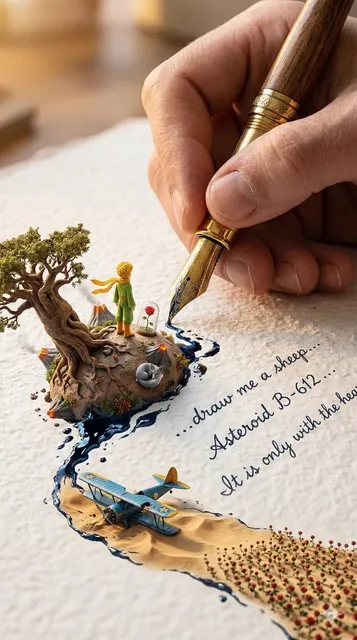
Why the Gap Between Then and Now Feels Like a Different Industry
Five years is not normally long enough to change an industry's fundamentals. In video production it was. A working editor or motion designer from the earlier era would find today's tooling almost unrecognizable — not because cameras vanished, but because a large share of what used to be filmed, built, or painted frame by frame is now described in language and generated by a model.
The reason is not that the software got prettier. The underlying method changed from authorship to selection. You no longer place every pixel; you specify intent, generate candidates, and curate the results. That sounds like a minor reframing. In practice it rewrites the job description, the schedule, and the budget.
This guide compares the two eras and then does something more useful: it lays out a workflow that holds up on a real deadline. It is written for marketers, small studios, and independent creators who ship finished work rather than demos.
What Manual Video Production Actually Demanded
The anatomy of one ordinary shot
Consider a shot that used to be considered simple: a person walking through a rain-soaked street at night. In the manual era this required a plate — either a location shoot or a studio build with a green screen — plus tracked camera data, hand-drawn mattes to isolate the subject, particle simulations for rain, light-wrap passes to sell reflections on wet pavement, and a workstation patient enough to render all of it. Every element was authored deliberately. Nothing was discovered; everything was decided.
Change one detail — the coat should be red, not grey — and the chain restarts. Re-render, re-grade, re-check the composite. The schedule slips because revision cost scales with authored complexity.
Where the hours actually went
Teams remember the shoot day and forget everything around it. A realistic breakdown of a thirty-second brand piece in the old model:
- Pre-production: treatment, storyboard, location scouting, casting, scheduling.
- Production: one or two shoot days, plus travel and contingency.
- Ingest and assembly: syncing, logging, selects, rough cut.
- Post: offline edit, motion graphics, cleanup, color, mix, and versioning for each platform.
Of those stages, only the first two involve anything a person would call cinematic direction. The rest is craft labor — necessary, skilled, and slow.
The hidden tax of iteration
The real constraint was never the first cut. It was the fourth. Every round of feedback on a manually built shot triggered a chain of dependent fixes, and each fix risked breaking something adjacent. Teams learned to over-deliver on the first pass to avoid revisiting decisions, which pushed effort upstream and made early choices disproportionately expensive.
That single dynamic — expensive revision — is what generative tooling destroyed first.
The Shift to Model-Driven Synthesis
From authoring pixels to specifying intent
Model-driven synthesis collapses most of the old chain into a description plus a set of constraints. Instead of building a rain-slicked street, you describe one, attach a look reference, and let the model propose a plausible image sequence. Your work becomes selection and correction: generate a batch, keep the frames that hold together, repair the rest with a targeted pass.
What this replaced in daily practice:
- Rotoscoping and matting for straightforward subject isolation, now handled by segmentation.
- Stock hunting for generic supporting footage, replaced by generated coverage matched to your palette.
- Style consistency passes, once a colorist's job, now anchored by a locked reference image.
- Previz and animatics, previously sketched by hand, now generated in minutes to test pacing before anyone commits a budget.
What you give up
The trade is real. A compositor could guarantee a shadow landed in an exact position; a generative model approximates and occasionally invents a second elbow. Determinism becomes probabilistic. Mature workflows accept this and design around it: generate more options than you need, treat each clip as a candidate rather than a final, and reserve hand-work for the shots that carry the story.
The new bottleneck is judgment
When execution is cheap, the scarce resource becomes decision-making. Which shot does the scene need? Does this cut land? Is the motion believable at phone size? The technical ceiling dropped so far that taste, structure, and continuity became the visible differentiators again — and they are far harder to outsource than rendering.
Inputs Beyond Text: Reference Images, Motion, and Structure
Early text-to-video tools treated language as the only handle. That produced beautiful accidents: dreamy, unstable, nearly impossible to repeat. The meaningful change was adding non-text inputs, which turned prompting from poetry into specification.
Reference images do most of the work
A style frame, a character sheet, or one approved still now accomplishes more than three paragraphs of prose. Habits that separate reliable output from lucky output:
- Lock the look with a single image. Five mixed references average into mush.
- Keep character references on neutral backgrounds at consistent scale and lighting.
- Separate subject from environment. One reference for who, one for where — never one image carrying both.
- Version your references. When the look changes in scene four, you want to know exactly which frame caused it.
Motion transfer and video-to-video
Instead of describing a camera move, you supply one. Feed a phone-shot clip of a slow dolly and the model applies that motion to a generated scene. For product and fashion work this is the single largest quality jump available, because human-sourced movement carries weight, hesitation, and micro-imperfection that adjectives rarely capture.
Structural inputs
Depth maps, pose skeletons, and edge detection provide constraints that text cannot. They define where the body is and where the horizon sits while the model fills texture and light. This is how you keep a character's proportions stable across a walking shot, or guarantee that a product occupies the same frame position across five variants.
The practical consequence: your asset library matters as much as your prompt library. Teams that collect clean plates, motion references, and approved keyframes move faster than teams that write better adjectives.
Control Layers That Make Generated Shots Usable
A generation that looks good in isolation is not usable. It has to cut with its neighbors.
Camera specification as a control
Naming focal length, camera height, and movement direction turns "cinematic" into something reproducible. A 35 mm lens at chest height with a slow push-in, subject entering frame left, yields usable takes far more often than a sweeping description of an epic moment. Directors already think this way; prompting simply forces the habit.
Seeds, keyframes, and continuity
Three habits separate hobby output from production output:
- Seed discipline. Record the seed for any shot you like. Reusing it keeps grain and texture consistent across a sequence, which is what makes separately generated clips feel like one scene.
- Keyframe anchoring. Define the first and last frame, then let the model interpolate. This is how you land a cut exactly where the editor needs it rather than trimming around a bad ending.
- Continuity sheets. Keep a plain document tracking wardrobe, lighting direction, lens, and time of day per scene. Generated footage drifts in ways filmed footage cannot, and a continuity sheet catches drift before a client does.
Layered correction instead of regeneration
When a shot is ninety percent right, repair the last ten percent: paint out an artifact, stabilize, hold a frame, add a subtle speed ramp. Full regeneration is expensive and rarely lands closer to what you wanted. Think in layers — base generated clip, corrective pass, grade — rather than in single perfect outputs.
Where Agentic Assistants Fit in the Creative Chain
The newest layer is not a better renderer; it is a decision-maker.
What an agentic layer actually does
An agentic system takes a brief, a script, a mood board, and a target duration, then produces a shot list, generates coverage, evaluates its own output against stated criteria, and iterates before showing anything. Instead of prompting forty times, you review three options that already passed an internal quality bar. The tedious middle — maintaining character consistency, choosing the take that best matches a reference, keeping pacing inside a runtime, flagging shots that will not cut together — is exactly what it handles well.
Where it helps and where it hurts
It helps most on structured, repeatable formats: product explainers, social cutdowns, episodic series with fixed characters, localized variants of an existing spot. It helps least while the creative idea is still forming, because an agent optimizes toward the brief you gave it — including the parts of the brief that were wrong.
The right mental model is a first assistant director, not a director. It schedules, enforces continuity, and keeps the shoot moving. Final taste remains yours.
A Repeatable AI Video Workflow, Step by Step
This is the sequence that survives a client moving the deadline forward.
Step 1: Write the brief and the shot list first
One page. Audience, single message, runtime, aspect ratios, tone references, and a shot list with one line per shot. Teams that skip this generate hundreds of clips and finish none of them. The shot list is also your review structure later — without it, feedback arrives as vague unease instead of a note on shot seven.
Step 2: Prepare assets
Collect look references, character references, motion clips, and brand assets that must appear exactly. Normalize file names, keep one folder per scene, and note which reference is authoritative when two disagree. Unglamorous, and it saves hours.
Step 3: Generate in tiers
Run a wide, cheap pass to find compositions. Pick the winners. Re-run only those at higher quality with locked seeds and references. Tiering keeps time and compute proportional to the value of the shot rather than to the excitement of the moment.
Step 4: Assemble early, cut ruthlessly
Drop rough clips into a timeline before they are beautiful. Pacing problems are invisible in a folder and obvious on a timeline. Expect to discard thirty to fifty percent of what you generate and budget for it instead of fighting it.
Step 5: Repair instead of regenerating
Target the gap between ninety percent and done with a stabilization pass, a frame hold, a paint-out, or a speed ramp. Reserve regeneration for shots that failed structurally, not cosmetically.
Step 6: Sound and finishing
Generated video almost always feels flat without sound design. Add room tone, foley, and a music bed that matches the cut rhythm. Then grade the entire piece in a single pass so clips from different generations share one look. This is the step that most often separates professional output from merely impressive output.
Step 7: Version and archive
Export platform variants, then archive project files, seeds, references, and prompt notes alongside the final master. When the client returns in three months asking for a variation, an organized archive turns a rebuild into an hour of work.
A worked example: thirty-second product spot
Suppose a skincare brand wants a thirty-second spot with four scenes. Day one: one page brief, six shots listed, look reference chosen from an approved still, two character references prepared on neutral backgrounds. Morning two: a wide low-quality pass of roughly forty candidates, of which eight survive. Afternoon two: those eight re-run with locked seeds and camera parameters. Day three: assembly with a scratch track, which immediately kills one scene for pacing reasons and forces a rewrite of the voice-over, not of the visuals. Day four: repairs, sound design, grade, and three platform exports. Total elapsed time: four days for something that previously required a shoot week plus post.
Budgeting time realistically
The temptation is to plan zero generation time because generation feels instant. It is not instant at scale. A workable split for a short branded piece: twenty percent planning and references, thirty-five percent generation and selection, twenty-five percent editing and repair, twenty percent sound, grade, and versioning. Projects that fail almost always starved the last two categories.
Choosing Tools Without Getting Buried
The tool market is loud. Reduce the decision to a handful of questions.
Decision criteria that matter
- Control surface. Does it expose seeds, keyframes, camera parameters, and reference inputs? A text-only tool will not survive a revision round.
- Consistency behavior. Can it hold a character across five shots? Test this before committing a project to it, not after.
- Licensing clarity. Confirm commercial usage rights and training-data terms for anything client-facing.
- Output ceiling. Match maximum resolution and clip length to your delivery format rather than to the demo reel.
- Integration. Does it export cleanly into your editor, or trap work in its own timeline?
- Iteration speed. How long between idea and preview? Slow feedback loops kill more projects than weak models do.
A practical stack usually includes one broad generative tool for ideation, one controllable tool for hero shots, and a conventional editor for assembly. Blender, DaVinci Resolve, and Premiere Pro stay in the pipeline not because they generate anything, but because they finish.
Model versus platform versus pipeline
A model produces pixels. A platform wraps a model in an interface. A pipeline is the sequence you own: assets in, review gates, assembly, delivery. Most teams over-invest in platforms and under-invest in pipelines, then wonder why output quality swings between projects. The pipeline is the part competitors cannot copy.
When to say no to a tool
If a tool cannot reproduce a shot you already approved, it is a sketchpad, not a production system. Keep it for exploration, but do not build a deliverable schedule around it. Deciding early which tools are exploratory and which are relied upon prevents the common failure of a finished edit that cannot be recreated when a stakeholder asks for one small change.
Mistakes, Quality Control, and Review Gates
Common failure patterns
- Chasing one perfect clip. You need a sequence, not a hero shot.
- Ignoring physics. Foot contact, liquid behavior, and hand interactions still break believability fastest. Avoid shots that depend on them unless you plan to fix them by hand.
- Thin references. Text-only prompts produce generic results that look like everyone else's.
- No continuity document. Characters quietly change age, hair, and wardrobe between scenes.
- Generating at maximum quality too early. Effort rises faster than quality does.
- Silent cuts. No sound design reads as amateur regardless of image quality.
- No review gates. Without checkpoints, a wrong direction propagates through forty shots.
Review gates that actually work
Set three: after the shot list, after the first assembly, and after the grade. At each gate, one person is accountable for approval, and notes are given per shot number rather than as general impressions. Open-ended feedback at the wrong moment is more expensive than any tool subscription.
A pre-publish checklist
- Watch the piece once with sound off, then once with your eyes closed. Both pass or neither does.
- Inspect hands, teeth, on-screen text, and reflections frame by frame on hero shots.
- Confirm lighting direction stays consistent across cuts in the same scene.
- Verify aspect ratios and safe areas for every platform you deliver to.
- Check captions and any embedded text at phone size.
- Confirm licensing terms cover the intended use.
- Archive files, seeds, and references.
FAQ and What Comes Next
Do I still need a camera? For product truth, human performance, and anything carrying a legal or factual claim, yes. Generated footage is strongest as coverage, environments, and stylized sequences.
How much should I generate per finished minute? A practical ratio is four to eight minutes of candidates per finished minute for stylized content, and considerably more when characters must stay consistent across shots.
Will these tools replace editors? They replace the repetitive portion of editing. Rhythm, structure, and taste remain human decisions, and those are what audiences actually respond to.
What skills should a creator build now? Shot literacy, reference curation, continuity management, and prompt specification. Software changes every few months; those four compound instead of expiring.
How do I keep a series visually consistent across episodes? Freeze a look reference, a character sheet, a lens list, and a seed range for each recurring setup. Treat them as production assets that get versioned, not as prompt text that gets retyped each time.
Where is this heading? Toward longer, more controllable sequences with better continuity between shots. The gap between a generated scene and a filmed scene will keep narrowing in controlled conditions and remain wide wherever physical interaction is the whole point.
The takeaway is simple. The technology stopped being the constraint a while ago. Structure your work around decisions, references, continuity, review gates, and finishing, and the tools will keep getting easier to swap.

Alexander
More Blogs
Read MoreVidu Q4 Alternatives: 4K AI Video Models Compared (2026)
Vidu Q4 alternatives compared: Kling 4.0, Seedance 2.5, Wan 3.0, and Runway Gen-4 — 4K support, input modes, durations, audio, and what each costs in credits on Domer.
Top 4K AI Image Generators in 2026: 5 Models Compared on Real Costs
The top 4K AI image generators on Domer compared: Flux 3 Klein, Nano Banana 2.1, GPT Image 2.5, GPT Image 2, and Nano Banana Pro — 4K credit costs, reference limits, and speed.
Nano Banana 2.1 vs GPT Image 2.5: Which Image Model Should You Use? (2026)
Nano Banana 2.1 vs GPT Image 2.5 Flare compared: credit costs per resolution, aspect ratios, reference images, text rendering, and which tasks fit each model.