

AI Video Workflows for Creative Agencies: A Practical Guide
Oct 13, 2026
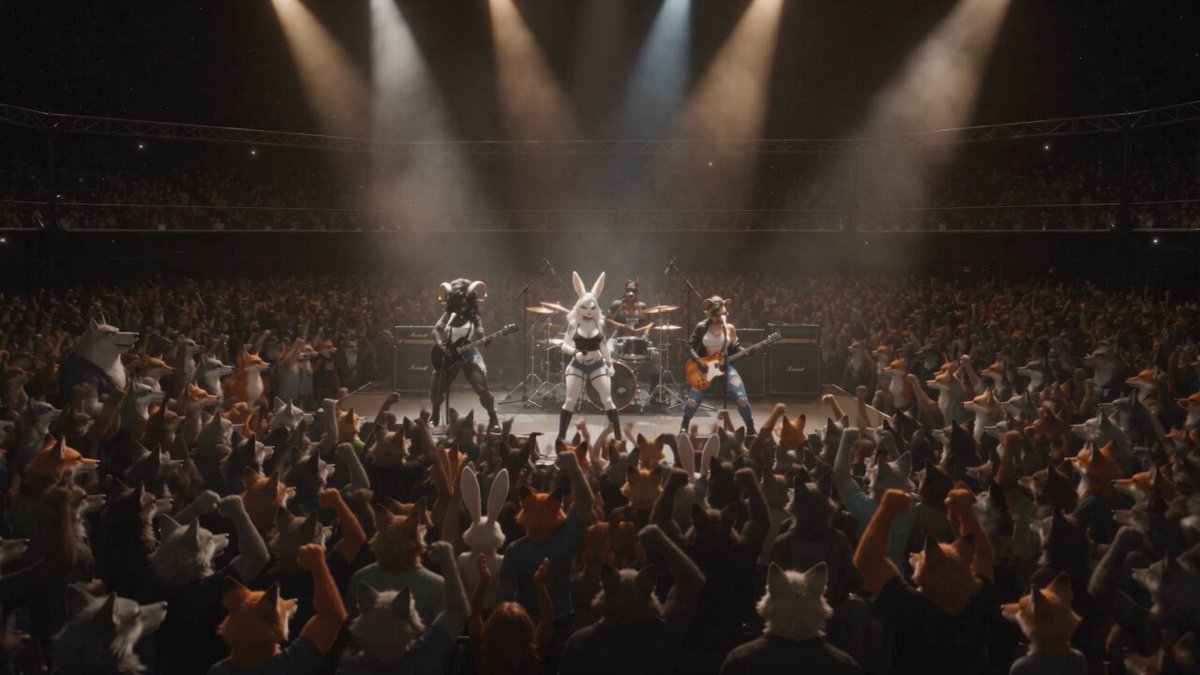

Client expectations have collapsed from weeks to days, and the agencies winning pitches are the ones that can show three distinct creative directions before a competitor finishes a treatment. AI video tooling is not a replacement for craft. It is a way to restructure production into modular stages so iteration becomes cheap and speed becomes repeatable. This guide lays out how creative teams adopt that workflow without losing the visual quality clients actually pay for.
Why Speed Became the Real Creative Constraint
Traditional production schedules were built around scarcity. Camera days were expensive, so every decision was front-loaded into preproduction and locked before the shoot. Changing a wardrobe color in post meant a reshoot, a location permit, and a crew call. That structure produced beautiful work, but it made revision expensive.
Client demand has since inverted. A single campaign now needs a hero film, a dozen cutdowns, three aspect ratios, subtitled versions in several languages, and personalized variants per channel. Volume grows faster than budgets do, and the old economics stop working.
Generative tooling changes the cost curve in the middle of the process. Once shots live as software outputs rather than captured footage, a revised camera move costs minutes instead of a day. That is the real shift: not that AI replaces the crew, but that it makes iteration cheap enough to keep creative exploration alive until the deadline instead of ending it at the shoot.
Procurement reflects this. Clients increasingly ask how fast a concept can be turned around, and the agencies that answer with a concrete pipeline get invited to pitches that used to be reserved for larger shops.
The Five Stages of an AI Video Pipeline
A working pipeline is boring on purpose. It splits creative work into five stages, each with its own inputs, outputs, and quality gate. Teams that skip a stage usually pay for it later with reshoots in software, which is just as painful as reshoots on set.
1. Brief decomposition
Turn the brief into a shot list written for a machine, not a mood board. Each line should name one subject, one action, one camera behavior, one lighting condition, and one duration. "Hero looks up as rain starts, slow push in, overcast key light, three seconds" beats "atmospheric rain moment."
2. Look development and the style capsule
Build a small set of approved style frames before generating any motion. From those frames, write a reusable style capsule: a compact block of prompt language plus three to five reference images that define palette, contrast, grain, lens character, and wardrobe. Every later shot inherits this block.
3. Shot generation
Generate wide and cheap at first, then refine only the frames that survive review. Low-resolution passes at high volume give you options; upscaling and detail passes on the winners protect your budget and your deadline.
4. Assembly and finishing
Editing is where AI footage becomes a film. Pacing, sound design, music, voice, captions, color, and grain matching do more for perceived quality than generating at higher resolution ever will.
5. Delivery and versioning
Plan versioning from the start. Cutdowns, aspect ratios, language variants, and channel-specific edits should be generated from a defined master timeline with tracked changes, not re-created by hand each time.
Choosing Tools Without Locking Yourself Into One
No single model is best at everything. Text-to-video leads on concept exploration. Image-to-video gives you control because you can approve a frame before it moves. Motion-transfer tools replicate a performance or camera path. Lip-sync and avatar tools handle dialogue. Upscalers and de-flicker passes rescue otherwise unusable shots.
Choose tools against seven criteria:
- Control: can you set a first frame, a last frame, a camera path, or a duration?
- Consistency: does it hold a character or location across multiple shots?
- Duration and resolution: what is the longest usable clip before artifacts appear?
- Latency: how long does one iteration take at the resolution you will actually deliver?
- Cost model: predictable per-render or per-minute pricing that fits a project budget.
- Rights and licensing: clarity on commercial use, training data, and client confidentiality.
- Automation surface: an API or batch mode so you are not clicking through a UI for forty shots.
Keep a primary tool and one fallback per job type. Prompts should stay portable: write them in plain language, store them in a text file alongside the shot, and avoid locking creative logic inside a single vendor's custom syntax. When a model improves or a price changes, you can migrate without rebuilding the campaign.
Budgeting per shot is the discipline that keeps projects profitable. Estimate three generation attempts for straightforward shots, ten for anything with hands, crowds, text, or complex physics. Multiply that by render time and add review cycles. If the math says a shot costs more than a live-action pickup, shoot it live.
Holding Visual Consistency Across Dozens of Shots
Consistency is the difference between a campaign and a collection of clips. Four variables cause most of the drift.
Character identity. Lock it with reference images, a trained character model, or by always generating image-to-video from an approved still. Never let a new text-to-video prompt interpret a character from scratch on a key shot.
Location and set. Build a location bible of three to five approved wide frames. Reuse one as a reference for every shot in that space, and keep architecture, signage, and furniture arrangement fixed in the prompt text.
Lighting and time of day. Name the light source, direction, and color temperature explicitly. "Late afternoon sun from camera left, warm rim, soft fill" holds better than "golden hour," which each model interprets differently.
Texture and grade. Grain, contrast, bloom, and lens vignette should be applied in finishing, not baked into every generation. That way a single grade pass unifies shots that arrived with slightly different looks.
When a shot still refuses to match, do not keep re-rolling the same prompt. Change the variable: swap the seed, change the model, add a reference frame, shorten the clip, or simplify the action. Random variation rarely fixes a structural problem.
A Review Loop That Actually Accelerates
Fast teams review daily in short, tightly scoped sessions. The rule is simple: every note must map to a variable someone can change. "Feels off" is not a note. "Camera too static, wardrobe wrong shade, cut two seconds earlier" is.
Structure the loop like this:
- One decision owner. A producer or director who approves, requests one change, or kills the shot. Group consensus during review slows everything down.
- A hard iteration cap. Three passes per shot unless a client explicitly funds more. If a shot fails three times, change the approach rather than the wording.
- Decision labels. Tag every shot as approve, iterate, or replace. Every option needs a verdict before the session ends.
- Version naming. Use a consistent pattern like
campaign_shot03_v004_ref-approved. Version chaos is the most common reason agencies quietly abandon AI pipelines. - Notes attached to assets. Feedback should live next to the render, not in a chat thread nobody can find three days later.
Timebox review sessions to thirty minutes for a thirty-second film. Long reviews usually mean the brief was ambiguous, not that the shots are bad.
Infrastructure, Storage, and Queue Discipline
Generation is a compute problem disguised as a creative problem. A folder taxonomy created on day one saves hours later: briefs, references, style frames, raw generations, approved shots, working edits, finals, and deliveries.
Queue discipline matters more than raw hardware. Batch overnight renders for anything exploratory. Keep low-resolution proxies for review so nobody waits on a 4K download. Track who launched which job so duplicate renders do not eat your budget. Export metadata with every approved shot: prompt, model, seed, references, and settings. That record is what makes a shot reproducible six months later when a client asks for a sequel.
Security deserves early attention. Client footage, unreleased products, and scripts should never be pasted into consumer tools without checking terms. Establish an approved tool list, a naming convention that avoids client names in filenames, and a retention policy for generated assets. If a client asks whether their material was used for model training, you need a documented answer, not a guess.
Quality Control: The Failures AI Still Produces
Even mature pipelines ship broken shots when nobody runs a checklist. The recurring offenders are predictable.
- Hands and fingers: extra digits, fused joints, impossible grips.
- Text and logos: garbled signage, invented brand marks, misspelled on-screen copy.
- Physics: liquids that ignore gravity, cloth that moves without wind, vehicles with inconsistent wheels.
- Eyes and lip-sync: drifting gaze, mismatched syllables, teeth that change shape between frames.
- Background morphing: architecture that shifts or crowds that dissolve between cuts.
- Flicker and cadence: frame-rate mismatch, strobing, jitter on slow moves.
- Duplicated people: the same face appearing twice in a wide shot.
Review at full speed, not frame by frame. Human perception catches cadence problems that a still frame hides. Then scrub the shots you flagged. Add a legal pass for likeness, trademarks, and any recognizable real person. A two-minute check on a deliverable is cheaper than a takedown request.
How Team Roles and Skills Shift Inside an Agency
The work does not disappear; it redistributes. Producers become pipeline owners who manage queues, budgets, and rights instead of only schedules. Editors become assembly leads who shape AI footage into narrative and often own the finishing chain. Art directors own the style capsule and the reference library, which makes their taste a reusable asset rather than a one-off decision.
New skills matter more than new titles. Prompt literacy, basic prompt versioning, an understanding of seeds and references, and enough technical judgment to know when a model is the wrong tool for a shot. Junior team members often pick this up fastest and become shot wranglers who keep generation, naming, and metadata clean.
Train the whole team on one deliverable type before expanding. A team fluent in thirty-second product spots will adapt to longer formats far faster than a team trying to learn everything simultaneously.
A Rollout Plan You Can Run in a Month
Week one. Pick one repeatable deliverable, ideally a short social spot with simple scenes. Build the style capsule and the folder structure. Define review rules and naming conventions in writing.
Week two. Generate a full shot list at low resolution. Assemble a rough cut with temp sound. Expect the result to be mediocre; the goal is finding where the pipeline breaks.
Week three. Fix the two biggest bottlenecks, usually consistency and review speed. Add reference frames, tighten feedback language, and introduce a fallback model for stubborn shots.
Week four. Deliver a finished piece to one trusted client with expectations set. Measure shots generated per day, iterations per approved shot, and cost per finished second. Those three numbers tell you whether to scale.
Then standardize what worked: templates, checklists, and a shared prompt library. Speed compounds when the process stops depending on one person's memory.
FAQ
How long does a thirty-second AI-assisted film take? With a locked style capsule and an approved shot list, teams commonly reach a presentable cut in three to five working days and a finished, graded deliverable in one to two weeks. The variable is not generation speed; it is how many approval cycles the client needs.
Do we have to replace our editing and finishing setup? No. Most teams keep their existing editor, color, and audio chain and simply change where the footage comes from. Generated shots behave like any other media once they are transcoded and named properly.
What resolution should we generate at? Generate at the lowest resolution that lets you judge composition and motion, then upscale and finish the approved shots. Working at final resolution from the first pass wastes time on frames nobody will use.
How many iterations should we allow per shot? Three is a practical default. If a shot is still wrong after three passes, the problem is the concept, the reference, or the model choice, not the prompt wording.
Is AI video good enough for broadcast or cinema? For many insert, establishing, and product shots, yes, especially with careful finishing and grain matching. For performance-driven dialogue in hero shots, live action still wins on believability.
How do we protect client confidentiality? Maintain an approved tool list reviewed by legal, avoid pasting unreleased material into tools with unclear data policies, and document retention and deletion practices in your contracts.
What should we hire for first? Someone who can write clearly, think in shots, and manage files and versions. Technical fluency can be taught in weeks; the judgment to know what a good shot looks like takes longer.
Speed, in the end, is a system rather than a model. Teams that win with AI video are not chasing the newest generator. They are running a disciplined pipeline: a locked look, a clean shot list, a tight review loop, reproducible assets, and a finishing chain that makes generated footage feel intentional. Build that once and every new model becomes an upgrade rather than a restart.

Alexander
More Blogs
Read MoreVidu Q4 Alternatives: 4K AI Video Models Compared (2026)
Vidu Q4 alternatives compared: Kling 4.0, Seedance 2.5, Wan 3.0, and Runway Gen-4 — 4K support, input modes, durations, audio, and what each costs in credits on Domer.
Top 4K AI Image Generators in 2026: 5 Models Compared on Real Costs
The top 4K AI image generators on Domer compared: Flux 3 Klein, Nano Banana 2.1, GPT Image 2.5, GPT Image 2, and Nano Banana Pro — 4K credit costs, reference limits, and speed.
Nano Banana 2.1 vs GPT Image 2.5: Which Image Model Should You Use? (2026)
Nano Banana 2.1 vs GPT Image 2.5 Flare compared: credit costs per resolution, aspect ratios, reference images, text rendering, and which tasks fit each model.