
AI Video Workflow Guide: What Drives Effort and Cost
Oct 15, 2026

The Complexity Analogy: What Actually Drives Effort
Ask a colorist for a quote on highlights and you will not get a single number. You will get questions. How long is your hair? How dense? Is it virgin hair or is it a correction job? Do you want partial or full, foil or freehand, one tone or three? Every answer adds minutes, product, and skill to the work. The final figure reflects labor, materials, risk, and expertise rather than an arbitrary price tag.
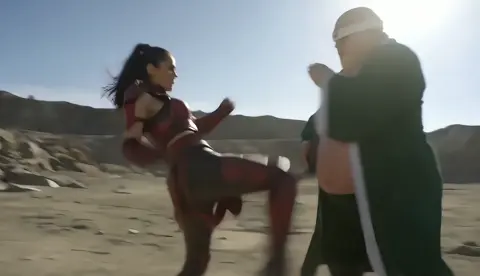
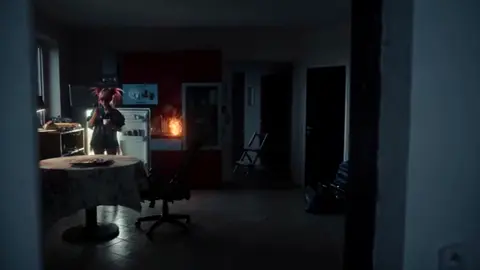
AI video generation behaves the same way. A request for a five-second clip of a person walking down a corridor and a request for a nine-second cinematic shot of three characters in a rain-slicked alley, wearing the same wardrobe as the previous scene, with dialogue and a slow dolly-in, are not the same job. They do not look the same when you write them, but one takes two attempts and the other can take forty, plus outside tools for consistency, sound design, and cleanup.
That is the frame this guide uses: complexity drives effort, and effort drives time and spend. It is not a price list. It is a way to predict how heavy a shot will be before you commit to it, so you can plan a realistic workflow instead of discovering the hard parts mid-project.
Duration and Visual Density
A long, busy frame is a heavier job than a short, simple one. In video terms, duration in seconds, the number of subjects in frame, the amount of motion, the detail in the background, and the output resolution all compound. A four-second close-up of a face with a soft background is cheap to produce. A twelve-second wide shot with six pedestrians, moving traffic, reflective wet pavement, and a camera move is not, because every element has to stay coherent across every frame.
Practical rule: treat anything above eight seconds, anything with more than two moving subjects, and anything requiring intricate background detail as a heavy shot. Heavy shots deserve their own dedicated pass, their own prompts, and a realistic retry allowance. Light shots can be batched.
Precision and Consistency
Highlights demand precise placement, and the more placement you demand, the more skill and time the job requires. The AI video equivalent is continuity. The same face must survive a change of angle. The same jacket must keep its stitching and color. The same lighting direction must hold across a cut. Consistency is the single largest source of hidden work in AI video production, because it usually cannot be solved with one model alone. It requires reference images, character sheets, seeds where available, and often a pipeline of generation, masking, and compositing.
If a project needs recurring characters, budget your effort accordingly. Assume that roughly half of your total time will go into maintaining continuity rather than generating new material.
Turnaround and Iteration Depth
A rush appointment costs more because the stylist has to rearrange the day and work under pressure. In generation, the equivalent is iteration depth. Fast draft passes let you test composition and blocking cheaply. Final high-fidelity renders take longer, sometimes much longer, and every change forces a re-render. The trap is iterating at the final quality level. Professionals block out the shot at low fidelity, lock the composition, and only then push the same prompt into a slower, higher-quality pass.
Plan a Shot List Before You Generate Anything
The most reliable way to reduce effort is to stop generating before you have a plan. A shot list turns a vague creative idea into a sequence of bounded tasks, each with a known complexity level.
Break the Script Into Shots
Read your script or outline and cut it into shots of three to eight seconds. A 45-second explainer usually lands between eight and fourteen shots. For each shot, write one line describing what the viewer sees and one line describing what changes. If a shot contains two ideas, split it.
Example shot list entry:
- Shot 4, 5 seconds. Close-up of hands opening a cardboard box on a wooden desk, warm afternoon light, no camera move.
- Shot 5, 6 seconds. Medium shot of the same person lifting the product, slight push-in, same warm light and same shirt.
That second line about matching light and shirt is not decoration. It is the constraint that determines your consistency workflow, and knowing it in advance saves entire rounds of rework.
Write a Reusable Prompt Template
Prompts get better when they are structured rather than improvised. A workable template:
Subject and action, setting, lighting and time of day, camera framing and movement, lens and film look, mood, negative constraints.
For example: A woman in her thirties in a linen shirt opens a package on a desk, late afternoon light through a window, medium shot slowly pushing in, 35mm look with shallow depth of field, calm and warm mood, no text overlays, no extra people, no sudden camera shake.
Keep the template identical across shots in the same scene and change only the variables. Consistency of prompt structure produces consistency of look.
Prepare Reference Assets Up Front
Before generating anything, collect what the models will need: character reference images, product photos, location stills, brand color swatches, and any wardrobe details. If your tool supports image-to-video, the reference image often does more for quality than twenty words of description. Ten minutes of asset preparation routinely saves an hour of regeneration.
Choosing a Model Tier for Each Shot
Not every shot deserves the most expensive, slowest option. Match the tier to the job.
| Shot type | Recommended approach | Why |
|---|---|---|
| Establishing landscape, no people | Fast tier, one or two takes | Low continuity risk |
| Product close-up with simple motion | Fast tier, then one high-quality pass | Detail matters but blocking is simple |
| Talking head with dialogue | High-fidelity tier plus lip sync tool | Face and audio precision |
| Multi-character scene | High-fidelity tier plus reference conditioning | Continuity is the bottleneck |
| Complex camera move | High-fidelity tier, expect several attempts | Motion coherence is hard |
When a Fast Draft Is Enough
Fast models are excellent for composition, pacing tests, and internal review. Use them to answer questions about whether a shot reads well at all. If the draft does not communicate the idea, a higher tier will not rescue it.
When to Pay for the Higher-Fidelity Pass
Pay for the final tier when the shot will appear on screen for more than three seconds, when it contains a face in close-up, or when it carries dialogue. Those are the moments where viewers notice artifacts, and where a cheap pass looks cheap.
Model Strengths Differ
Some tools are stronger at realistic humans, others at stylized animation, others at camera movement, and others at physics like water and cloth. Keep a short list of two or three models you know well and assign shots by strength instead of loyalty. Testing the same prompt across two models for five minutes often reveals which one suits the scene.
Keeping Characters and Scenes Consistent
Consistency is where most projects either succeed or quietly fall apart.
Reference Images and Character Sheets
Build a character sheet with four to six images of the same person from different angles under similar lighting. For recurring props and locations, do the same. When a tool supports image conditioning, feed the same reference into every shot featuring that character. When it does not, generate the shots in one session with identical prompt structure so the style drifts less.
Scene Continuity: Lighting, Wardrobe, Lens
Continuity is not only about faces. Lock three variables per scene: light direction and color temperature, wardrobe and props, and focal length feel. Write them down. When a shot fails continuity review, check these three variables before blaming the model.
Change One Variable at a Time
When a shot is wrong, resist the urge to rewrite the entire prompt. Change one element, regenerate, and compare. This turns a chaotic search into a diagnostic process, and it usually cuts the number of attempts dramatically.
Audio, Voice, and Timing
Sound is a separate production line, and treating it that way prevents a lot of pain.
Voiceover First or Picture First
For narration-driven content, record or generate the voiceover first and cut the visuals to it. Timing becomes exact, and you avoid the awkward stretching that happens when you force audio into an existing cut. For dialogue-driven scenes, do the opposite: lock the performance and generate or align audio afterward.
Lip Sync and Timing Drift
If characters speak on camera, expect a dedicated alignment step. Generate the visuals, then run a lip sync pass with the final audio. Keep mouth movement simple, avoid heavy head turns during speech, and prefer medium shots over extreme close-ups where sync errors are most visible.
Music and Sound Design
A neutral music bed and a handful of well-placed sound effects raise perceived production value more than an extra render pass. Footsteps, room tone, a soft whoosh on a transition, and a subtle low-end swell before the product reveal do most of the work. Keep effects short and sparse; layered noise reads as amateur.
Editing and Post-Production Workflow
Generated clips are raw material. The cut is where they become a video.
Assembly, Trim, and Pacing
Drop all clips into a timeline in order and watch the sequence without effects. Cut the first and last half-second of every generated clip, since these frames are usually the least stable. Tighten pacing aggressively; modern short-form audiences tolerate three to five seconds per shot, not ten.
Upscaling and Cleanup
If a clip is slightly soft or has mild flicker, run an upscale or interpolation pass rather than regenerating it. Stabilization helps handheld-looking generations. Remove stray artifacts with a masked patch from a nearby clean frame, or simply cut around the problem frame.
Color, Titles, and Delivery Specs
Apply one look across the whole edit rather than grading each clip differently. Add titles in the final stage, after the cut is locked, so text never has to be repositioned. Export at the correct aspect ratio for each destination: vertical for short-form feeds, widescreen for landing pages and presentations.
Controlling Effort and Spend Without Losing Quality
Batch Similar Shots
Group shots that share lighting, wardrobe, and location into a single working session. Context switching is expensive in both time and consistency.
Set a Retry Budget per Shot
Decide in advance how many attempts a shot gets before you change approach entirely. Ten attempts is a reasonable ceiling for a simple shot; twenty for a hero shot. Past that point, the problem is usually the concept or the reference material, not luck.
Build a Personal Library
Save prompts, negative prompts, reference packs, and project settings that worked. Over a few projects this library becomes the single biggest time saver available, because you stop rediscoving solutions.
Common Mistakes That Inflate Time and Cost
- Generating before writing a shot list, which produces beautiful clips that do not cut together.
- Iterating at maximum quality, wasting the slowest and most expensive passes on composition tests.
- Ignoring continuity variables such as light direction and wardrobe until the edit stage.
- Overloading prompts with five competing ideas instead of one clear action.
- Forgetting audio until the picture is locked, then discovering the pacing does not fit narration.
- Keeping too many alternatives, which slows decisions and multiplies review time.
- Using heavy camera moves on shots that only need a static frame.
- Skipping cleanup because the clip is almost good, which leaves visible artifacts in the final cut.
A Sample Workflow: 45-Second Product Explainer
A concrete sequence makes all of this easier to apply.
- Write the script and read it aloud with a timer. Trim to roughly 110 words for 45 seconds of narration.
- Break it into ten shots of three to six seconds. Note which shots share a character, location, and lighting.
- Collect references: two product photos, one location still, one lighting reference, brand colors.
- Generate fast draft passes for all ten shots in one session. Do not judge quality yet, only readability.
- Lock the composition of each shot, then re-run the approved ones through a higher-fidelity pass.
- Align the voiceover, then add music and three to five sound effects.
- Assemble in the timeline, trim clip edges, apply a single look, and add titles.
- Export vertical and widescreen versions from the same locked cut.
Expected split of effort: about 15 percent planning, 45 percent generation and iteration, 20 percent audio, and 20 percent editing and delivery. If generation is eating 80 percent of your time, your shot list or your retry discipline needs attention.
FAQ
How long should an AI-generated clip be?
Three to six seconds for most shots. Short clips are easier to keep coherent, and the edit hides their brevity. Reserve longer clips for establishing shots where little changes in frame.
Do I need more than one AI video tool?
Usually yes. One tool rarely excels at realistic humans, stylized motion, and fast iterations simultaneously. Two or three well-understood tools covering different strengths is a practical setup.
How do I stop characters from changing between shots?
Use reference images, keep prompt structure identical, generate all shots for a scene in one session, and lock lighting and wardrobe notes before you start. Expect to spend real time on this rather than treating it as a minor detail.
Is higher resolution always better?
No. Higher resolution costs more time and often amplifies small inconsistencies. Generate at a moderate resolution, confirm the shot works, then upscale only the clips that make the final cut.
What is the fastest way to cut production time?
Planning and batching. A written shot list, prepared reference assets, and grouped working sessions remove more wasted effort than any single tool upgrade.
When should I regenerate instead of fixing in the edit?
If the problem is composition, identity, or a broken motion path, regenerate. If the problem is a soft frame, slight flicker, or a stray object at the edge, fix it in post.
How do I keep a series visually consistent across episodes?
Maintain a project bible: character sheets, location stills, prompt templates, color rules, and export presets. Reuse it for every episode instead of rebuilding the look from scratch.

Alexander
More Blogs
Read MoreVidu Q4 Alternatives: 4K AI Video Models Compared (2026)
Vidu Q4 alternatives compared: Kling 4.0, Seedance 2.5, Wan 3.0, and Runway Gen-4 — 4K support, input modes, durations, audio, and what each costs in credits on Domer.
Top 4K AI Image Generators in 2026: 5 Models Compared on Real Costs
The top 4K AI image generators on Domer compared: Flux 3 Klein, Nano Banana 2.1, GPT Image 2.5, GPT Image 2, and Nano Banana Pro — 4K credit costs, reference limits, and speed.
Nano Banana 2.1 vs GPT Image 2.5: Which Image Model Should You Use? (2026)
Nano Banana 2.1 vs GPT Image 2.5 Flare compared: credit costs per resolution, aspect ratios, reference images, text rendering, and which tasks fit each model.