
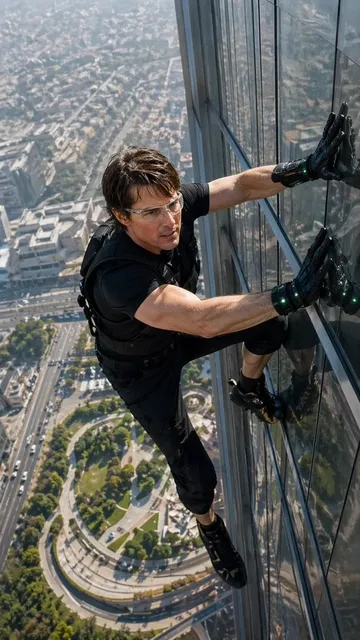
AI Video Workflow Guide: From Model Choice to Final Cut
Oct 1, 2026

Why Ad Hoc AI Video Generation Fails at Scale
Most creators begin with one prompt, one model, and one export. That works exactly once. It breaks the moment a project needs twenty shots, three aspect ratios, and a revision pass after the client changes direction. The failure is rarely the model itself. It is the absence of a workflow that treats generation as one stage inside a larger production system.
The symptoms are predictable. Character faces drift between shots. Color temperature shifts from clip to clip. File names become meaningless strings, so nobody can locate the approved take. Renders get repeated because no one recorded which prompt produced the good version. Cost tracking turns into guesswork the moment usage-based billing enters the picture, and the difference between a profitable project and a loss-making one disappears into a spreadsheet nobody maintains.
A pipeline solves this by making every decision explicit and reproducible: what a model is asked to do, what it receives as input, where its output lands, and who approves it. The objective is not to eliminate experimentation. It is to make experimentation cheap, comparable, and reusable. When a technique works, it should be captured as a recipe rather than remembered as a lucky accident.
This guide walks through the full arc: pipeline design, model selection, character and style consistency, prompt architecture, asset management, review checkpoints, and cost control. It is written for creators and small studios who want repeatable output rather than novelty clips.
The Five Stages of a Durable AI Video Pipeline
Every reliable AI video production, whether it is a thirty-second social spot or a ten-minute explainer, moves through the same five stages. Naming them explicitly makes handoffs between tools and people far less fragile.
Stage 1: Pre-production and shot list
Before any generation happens, write the shot list in plain language. Each line should describe subject, action, camera behavior, lighting, duration, and aspect ratio. A line like "close-up of the founder speaking, soft window light, shallow depth of field, four seconds, vertical" is already a usable prompt skeleton. Vague intentions produce vague pixels.
Stage 2: Reference preparation
Gather the inputs each shot needs: character reference images, environment plates, brand colors, logo files, motion references. References do more for consistency than any prompt adjective. If a model supports image conditioning, keyframes, or motion transfer, decide now which shots use which input type.
Stage 3: Generation
Run shots in batches organized by scene rather than by chronology. Shots sharing a location or lighting setup should be generated together so drift is visible immediately. Generate three to five candidates per shot and stop. Generating twenty candidates feels productive and usually just delays the decision.
Stage 4: Assembly and repair
Bring selects into an editor, cut to timing, then repair the weak shots. Typical repairs include frame interpolation for stutter, selective regeneration of a segment, compositing a cleaner face from another take, color matching, and audio replacement. Most perceived quality problems in AI video are editing problems, not generation problems.
Stage 5: Delivery and archiving
Export masters at full resolution, deliver platform-specific versions, and archive prompts, settings, and models alongside the project file. The archive is what turns a one-off success into institutional knowledge. Six months later, the archived recipe is worth more than the finished video.
Choosing the Right Generation Model for Each Shot Type
Model choice should follow shot requirements, not brand loyalty. A single project can reasonably use three different engines because their strengths differ.
Talking-head and dialogue shots. Prioritize facial stability, lip synchronization, and natural micro-expression. Text-to-video models that excel at spectacle often struggle here. Test a model by generating the same head-and-shoulders framing five times and comparing jaw lines and eye spacing.
Wide establishing shots and environments. Favor models with strong scene coherence and camera movement. Drifting geometry in wide shots is immediately visible, so check that background structures, horizon lines, and shadows stay put across frames.
Product and object shots. Look for texture fidelity and controlled lighting. These shots often benefit from image-to-video with a clean still as the first frame, since the still fixes composition before motion is added.
Stylized and animated looks. Illustration, anime, and painterly aesthetics need models tuned on stylized data. General photoreal engines usually produce muddy results when pushed toward strong stylization.
Motion transfer and performance capture. When a specific body movement matters, use a pipeline that maps a driving performance onto a reference character rather than describing the motion in text.
A practical evaluation method: build a ten-shot test reel that covers your most common shot types, run it through two or three candidate models with identical prompts and references, then score the results on consistency, motion realism, artifact rate, and turnaround time. Keep the scores. They become your decision criteria for every future project.
Building Consistent Characters and Styles Across Shots
Consistency is the single hardest problem in AI video, and it is solved with references more than with words.
Lock a character identity set
Create a small canonical set for every recurring character: one neutral portrait, one three-quarter view, one profile, one full-body frame, and one frame under different lighting. Use the same set for every shot in which the character appears. When a model accepts multiple reference images, include the neutral portrait plus the view closest to the shot framing.
Separate identity from wardrobe and environment
Treat costume and location as variables layered on top of a fixed identity. This makes it possible to reshoot a scene in a new outfit without re-establishing the face, and it keeps prompt templates shorter and more stable.
Train or fine-tune when reuse is high
If a character, product, or visual style appears in dozens of shots across multiple projects, a custom adapter or fine-tuned checkpoint pays for itself. Collect twenty to forty high-quality references, exclude anything with motion blur or unusual expressions, and caption them consistently. A well-captioned small dataset usually outperforms a large messy one.
Standardize the color pipeline
Choose a working color space, apply the same look transform to every clip, and save it as a preset. Gradient drift between shots is one of the fastest ways to make synthetic footage feel assembled rather than directed.
Validate with a grid
Before committing to a full scene, render one frame per shot, arrange them in a contact sheet, and look at them together. Drift that is invisible clip by clip becomes obvious in a grid. Fixing it on stills costs minutes; fixing it after a full render costs hours.
Prompt Architecture: Turning a Brief Into Shot Grammar
Treat prompts as structured documents, not creative writing. A dependable template covers six slots: subject, action, camera, lighting, style, and technical constraints. Fill all six for every shot, even when a slot feels obvious.
A useful convention is to keep subject and action in the first sentence, camera and lighting in the second, and style and constraints last. Most engines weight early tokens more heavily, so leading with what matters most is not superstition but signal ordering.
Maintain a shared vocabulary file for your team. If one person writes "soft window light" and another writes "natural daylight from the side," you are generating two different looks. A controlled vocabulary of twenty to thirty terms, with a reference still attached to each, removes most of this ambiguity.
Negative prompts deserve the same discipline. Instead of pasting generic lists, log the artifacts you actually observe. If a model keeps adding extra fingers or warping door frames, add those specifically and remove them once the model version changes.
Finally, version your prompts. Store each prompt with the model name, version, seed, resolution, and reference IDs in a single project file. When a take is approved, you should be able to reproduce close to it months later. Without versioning, you can only reproduce the vibe.
Asset Management, Versioning, and Naming Conventions
A pipeline is only as good as its file structure. Adopt a naming convention that encodes project, scene, shot, version, and status. Something like projectA_sc03_sh07_v004_approved tells an editor everything without opening the file.
Keep three tiers of storage: working renders that can be deleted, selects that must be preserved, and masters that are archived. Most teams waste most of their storage on tier one. Set a retention rule and let automation clean up, or the archive becomes unusable and expensive.
Store references and prompts next to the footage, not in a separate document. A project folder should contain everything needed to rebuild the video: shot list, prompt file, reference images, model identifiers, audio stems, edit project, and export presets.
For collaboration, define a review status vocabulary with four states: generated, in review, needs revision, approved. Anything not marked approved is fair game for deletion after the retention window. This single rule prevents the common disaster of deleting the one take a director loved.
Review and Quality Control: Where Humans Add the Most Value
Automated quality metrics catch artifacts but miss intent. Human review should focus on four questions: does this shot serve the story, does the subject match the approved identity, does the motion feel physically plausible, and does the clip cut cleanly with its neighbors.
Run reviews at three points. The first is the frame grid, before full rendering. The second is the selects pass, when the scene is assembled at rough timing. The third is the final pass, ideally watched on a phone, a laptop, and a large screen, because compression and scaling reveal different problems on each.
Keep a written artifact log during review. Phrases like "hands dissolve at second six" or "left shoulder pops on cut" are actionable; "looks off" is not. Over time, the log becomes a checklist that shortens every future review.
Finally, resist the urge to fix everything in generation. Cropping, speed ramping, subtle stabilization, and a well-placed cut solve a surprising share of problems at a fraction of the cost. The editor is not a cleanup crew for the generator; the editor is where the video actually becomes a video.
Managing Cost and Throughput Without Guesswork
Usage-based generation pricing makes cost a per-shot variable, so treat it like one. Estimate the number of shots, the expected number of attempts per shot, and the cost of each attempt before the project begins. Then track actuals against the estimate. After three projects, your estimates become reliable enough to quote clients confidently.
Three levers control cost. First, resolution: generate at the lowest resolution that still allows a clean final master, and upscale only approved shots. Second, attempt discipline: cap candidates per shot and require a reason to exceed the cap. Third, reuse: trained adapters, saved presets, and archived prompts reduce both attempts and setup time.
Throughput matters as much as unit cost. Parallel generation changes the bottleneck from compute to review capacity, which means your team must be able to evaluate output fast enough to keep the queue moving. If review is slow, batching more shots only creates a backlog of undecided material. Match generation volume to review bandwidth, and the pipeline stays predictable.
Common Mistakes in AI Video Workflows
Chasing the newest model instead of the workflow. New engines help, but most quality gains come from better references, better shot lists, and better editing. Teams that switch tools every month never accumulate useful knowledge.
Skipping the frame grid. This is the most expensive shortcut in the entire process. Catching identity drift on stills is trivial; catching it after assembly means regenerating connected shots.
Underspecified references. One blurry portrait is not a character identity. Provide multiple angles and consistent lighting.
Ignoring audio planning. AI video is often visual-first, but pacing, dialogue, and music determine whether the edit works. Lock a scratch audio track early and cut to it.
No approval states. Without clear status flags, teams re-review the same clips, regenerate approved shots, and lose track of what is final. A four-state vocabulary costs nothing and saves days.
Treating prompts as disposable. Prompts are the most reusable intellectual property in the pipeline. Archive them with every project.
FAQ: Practical Questions About AI Video Workflows
How many attempts per shot should I allow? Start with five. If a shot needs more than eight, the problem is usually the prompt, the reference, or the shot concept, not the amount of retrying. Rework the input instead of rolling the dice again.
Do I need to train a custom model? Only if a character, product, or style recurs across many shots and projects. For one-off videos, carefully managed references are usually enough and far faster to set up.
What is the best resolution to generate at? Generate at the lowest resolution that survives your delivery format after a controlled upscale. Higher native resolution does not fix composition, motion, or identity problems, and it multiplies cost.
How do I keep a long video coherent? Build a scene bible: fixed look transform, fixed character reference set, fixed vocabulary, and a contact sheet per scene. Coherence is an administrative achievement before it is a technical one.
When should generation stop and editing begin? Once every shot in a scene has at least one acceptable candidate. Waiting for perfection in generation delays the moment when you discover which shots actually matter in the cut.
How do I compare models fairly? Use a fixed ten-shot test reel with identical prompts, references, seeds where supported, and settings. Score consistency, motion, artifact rate, and turnaround. Re-run the test when a major version lands.
What should be archived? Shot list, prompts, references, model identifiers and versions, selects, masters, audio stems, and project files. If a folder cannot rebuild the video, the archive is incomplete.
Can small teams run this pipeline? Yes. The five stages scale down cleanly. A solo creator can run pre-production, generation, assembly, and archiving with a spreadsheet and disciplined naming, then add review checkpoints as project count grows.

Alexander
More Blogs
Read MoreFrom Text to Short Film: A Practical AI Video Workflow
Learn how to turn a written idea into a polished short film with AI video tools: scripting, model choice, shot consistency, sound design, and editing.
AI Transcription and Seamless Video Editing Workflows
Learn how AI transcription enables text-based editing, faster reviews, accessibility, and reliable post-production workflows from rough cut to final delivery.
Photorealistic AI Video Production: A Practical Workflow Guide
Learn a repeatable workflow for photorealistic AI video: model selection, shot planning, prompt design, continuity, audio, and quality control.