
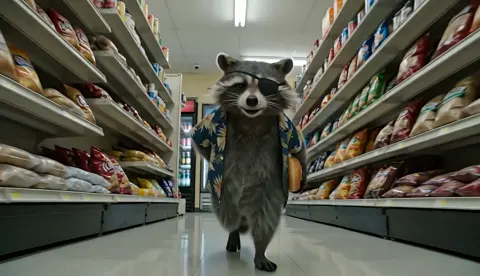
AI Video Workflow Guide: From Prompt to Polished Cut
Oct 13, 2026
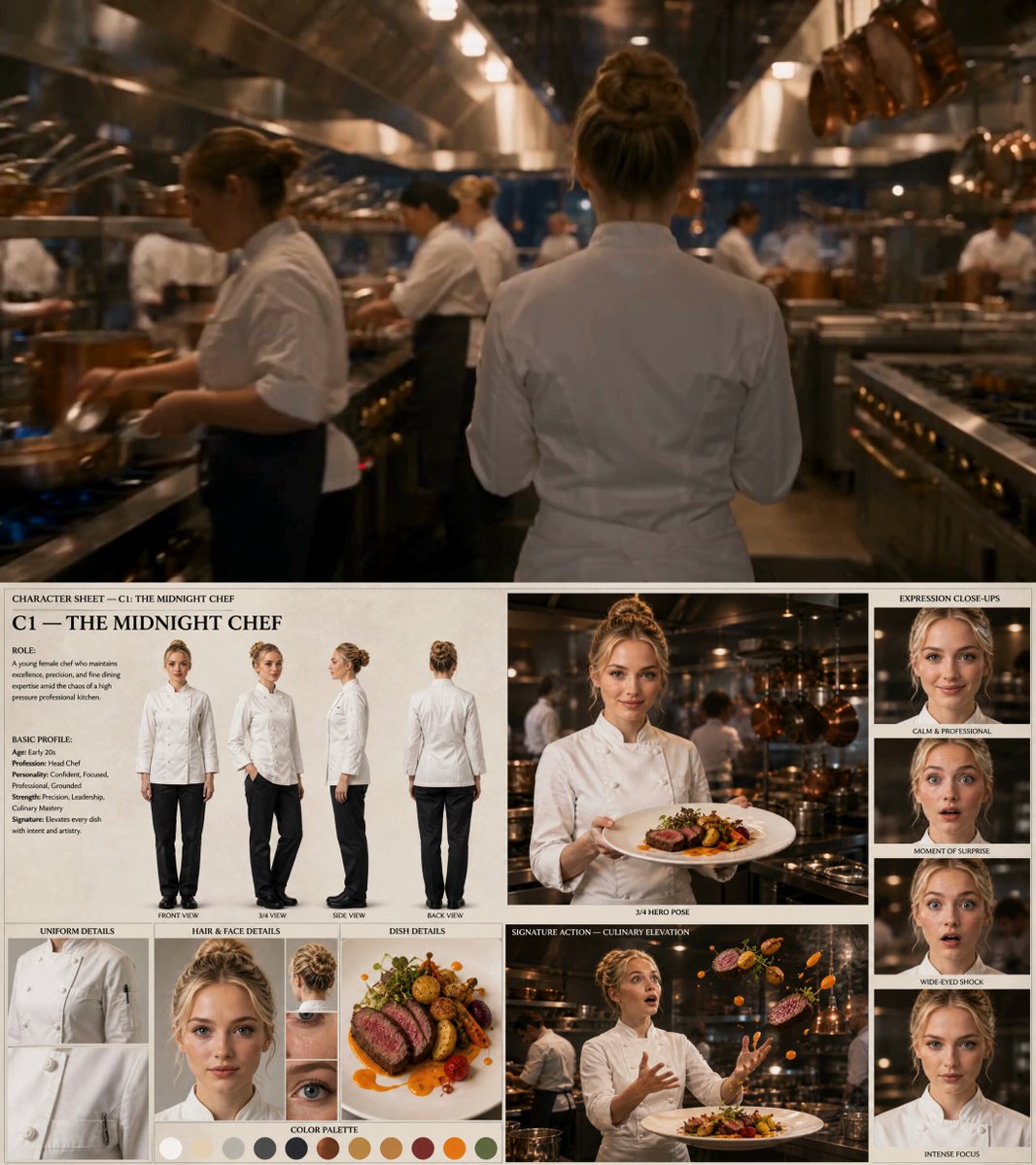
Why AI Video Generation Reshaped the Production Pipeline
For most of the last century, moving from a script to a finished shot followed a rigid sequence: scout, light, shoot, reshoot, then discover in the edit that the story needs something that was never captured. Every step carried a cost that discouraged experimentation. A director with a bold idea for a shot had to justify it long before anyone could see whether it actually worked.
Generative video tools dismantle that constraint. The cost of a first attempt collapses to a written prompt and a short wait, which changes the psychology of production. Instead of defending an idea in a meeting, you can produce three variants in an afternoon and let the footage argue for itself. That shift is why AI video has moved from novelty demos into previz, social content, advertising tests, music visuals, and explainer production.
Three practical changes matter most:
- Iteration is nearly free. You can explore camera angles, wardrobe, lighting moods, and pacing before committing budget to a live shoot.
- Coverage becomes optional. Instead of shooting wide, medium, and tight for safety, you generate only the angles the story needs.
- The bottleneck moves downstream. When generation is cheap, the constraint becomes taste, structure, consistency, and post-production discipline.
The last point is the one most creators underestimate. An AI pipeline does not remove work; it relocates work toward planning, prompt craft, continuity management, and editing. Teams that treat the generator as a magic button produce a pile of unrelated clips. Teams that treat it as a camera produce finished films.
Choosing a Generator: Decision Criteria That Actually Matter
The market for text-to-video and image-to-video tools is crowded, and marketing pages all promise cinematic results. Ignore the demo reels and evaluate on the dimensions that determine whether you can finish a project.
Motion realism. Watch how a model handles hands, hair, fabric, and liquid. Some engines produce gorgeous stills but melt under movement. If your project involves people walking, dancing, or handling objects, motion quality outweighs stylization.
Prompt adherence. Give the same complex prompt to several tools and count how many instructions each one actually followed. Reliable adherence matters more than peak beauty, because a beautiful clip that ignores your brief is unusable in a sequence.
Clip length and extension. Short native durations are normal. What matters is whether you can extend a clip forward or backward without a visible seam or a sudden change in lighting.
Image-to-video support. This is the single most valuable feature for narrative work. Generate or photograph a still, lock the composition, then animate it. It gives you far more control than pure text prompts.
Reference and consistency features. Character references, style references, and scene memory determine whether a multi-shot sequence looks like one film or five unrelated ones.
Audio capabilities. Native dialogue, ambience, and sound effects save enormous time, but check whether lip sync holds up at close range.
Ecosystem fit. Where does the output land? A tool that exports clean, high-bitrate files with predictable frame rates slots into any editor. A tool that only shares to its own gallery creates extra work.
Licensing and usage terms. Read them before you build a campaign around an engine. Commercial rights, content restrictions, and training-use clauses differ substantially.
In practice, most creators settle on two or three engines rather than one. Kling AI is frequently used for motion-heavy shots and image-driven sequences, Runway for stylized and effects-oriented work, Luma Dream Machine for fluid camera moves, Pika for quick social loops, and Veo or Sora when native audio and longer coherent takes matter. The right answer is the one that survives your specific shot list.
Pre-Production: Planning Before You Prompt
The biggest quality gains in AI video come before any generation happens. A little structure turns a hundred random clips into a film.
The One-Page Brief
Write a single page containing the premise, the tone, the audience, the target duration, the delivery format, and the emotional beat you want the viewer to feel at the end. This page is your filter. When you have thirty clips and no idea which to keep, the brief decides.
The Shot List as a Generation Plan
A traditional shot list describes what a crew must capture. An AI shot list describes what must be generated. For each shot, specify:
- Shot number and narrative purpose
- Subject and action
- Camera framing and movement
- Lighting and color mood
- Duration on the timeline
- Whether it will be generated from text or animated from a still
Anything you cannot describe in those terms will produce vague output. Vagueness in the list becomes randomness in the render.
Lookbook and Reference Frames
Collect eight to fifteen reference images covering palette, texture, lens character, and wardrobe. Many generators accept a reference image alongside a prompt, and even when they do not, the lookbook keeps your own prompts consistent. Style drift usually starts with the person writing the prompts, not the model.
Prompt Craft: Writing Instructions That Survive the Render
Prompt writing for video is closer to directing than to chatting. You are giving blocking, camera, and lighting notes to a crew that has never met you.
The Four-Part Prompt Formula
A dependable structure is subject, action, camera, and atmosphere:
Subject: a woman in her thirties wearing a charcoal wool coat
Action: steps off a tram and glances back over her shoulder
Camera: medium shot, slow dolly right, shallow depth of field
Atmosphere: overcast winter light, wet pavement, muted blue palette
That single sentence gives the model a subject to track, a motion to resolve, a camera behavior to simulate, and a lighting condition to maintain. Vague prompts like cinematic woman walking city force the model to invent every missing decision, and it will invent them differently on each attempt.
Negative Prompts and Constraints
When a tool supports negative prompts, use them surgically. Repeated artifacts, extra limbs, text overlays, watermarks, and jitter are the usual candidates. Avoid dumping a generic list of everything you dislike; over-constrained prompts often flatten motion and produce stiff results.
Iterating Without Losing the Thread
Change one variable at a time. If you alter the camera move, the wardrobe, and the lighting simultaneously, you cannot tell which change improved the shot. Keep a simple log with three columns: prompt version, what changed, and what improved. After twenty generations you will have a personal playbook worth more than any generic prompt library.
A Shot-by-Shot Workflow You Can Repeat
This sequence works for narrative shorts, product films, and social campaigns alike.
Step 1: Block the Sequence in Text
Write the sequence as prose before you write any prompts. Something like: she waits at the stop, the tram arrives, she boards, the doors close on the empty street. This becomes your assembly order and prevents the common failure of generating attractive clips that cannot be cut together.
Step 2: Generate Anchor Stills
Produce a still for every shot first using an image model. Stills are fast to iterate and easy to compare side by side. Once the stills work as a sequence, you have effectively storyboarded the film at low cost.
Step 3: Animate Only What Moves
Feed each approved still into an image-to-video engine with a prompt describing motion and camera behavior, not appearance. The image already carries appearance. Describing wardrobe and palette again invites the model to reinterpret them.
Step 4: Extend and Stitch
When a take needs to be longer, extend from the final frame rather than re-generating the whole shot. Match the last frame of clip A to the first frame of clip B in your editor, then look for lighting jumps, motion direction changes, and wardrobe inconsistencies at the seam.
Step 5: Review at Speed
Watch the assembled sequence at double speed with sound off. Problems that survive fast playback, such as awkward pacing or a shot that does not advance the story, are structural. Problems that only appear at normal speed in a single frame are cosmetic.
Consistency: Characters, Products, and Visual Style Across Clips
Consistency is the hardest problem in AI video and the one most likely to make a project look amateur. Four techniques carry most of the load.
Lock a reference set. Keep three to five approved images of each character or product at different angles and lighting conditions. Reuse them across every generation in the project.
Repeat a style block verbatim. Write a fixed paragraph describing lens, film stock, grain, contrast, and palette, then paste it into every prompt unchanged. Consistency comes from repetition, not variety.
Control the palette deliberately. Limit yourself to three dominant colors plus a neutral. Broad palettes make clips look like they came from different films even when the subject matches.
Restrict camera language. If your project is handheld and intimate, do not suddenly insert a sweeping drone move. A consistent but limited camera vocabulary reads as intentional style.
For product work, generate the hero still from an actual photograph whenever possible. AI-generated products drift in logo shape, label type, and material finish, and those small errors are exactly what viewers notice.
Audio, Dialogue, and Sound Design
Silent AI clips feel like tests. Sound is what makes them feel like films.
For dialogue, generate or record the voice separately and cut the visuals to the audio, not the reverse. Sync-driven generation is fragile, but editing-driven sync is reliable. Use close-ups sparingly for spoken lines; wide and medium shots hide minor lip-sync imperfections far better.
For ambience, build a simple three-layer bed: room tone, a specific environmental sound such as rain or traffic, and a subtle musical element. Even a thin layer of room tone removes the uncanny emptiness that pure AI visuals often have.
For music, choose tracks that match your edit rhythm rather than your genre preference. Cut on beat only where it supports the story. Constant cutting on the beat makes ninety seconds feel like a ringtone.
Editing, Assembly, and Post-Production
AI clips are raw footage. They still need the same discipline as camera footage.
Normalize before you cut. Convert everything to a single resolution, frame rate, and codec. Mixed frame rates produce judder that viewers perceive as low quality even if they cannot name it.
Cut for emotion, not for coverage. With generated footage it is tempting to show every good-looking clip. Resist. A ten-second shot that does not advance the story costs more than it gives.
Stabilize and denoise selectively. Some clips carry subtle texture crawl. A light noise reduction pass plus a subtle film grain layer often looks better than aggressive cleanup, which can smooth faces into plastic.
Grade as a sequence. Apply a base look to the whole timeline first, then adjust individual shots to match. Grading shot by shot produces a patchwork.
Deliver in the right shape. Produce a master at the highest resolution you generated, then create platform variants: vertical for short-form feeds, square for some social placements, and horizontal for web and presentation. Reframe rather than crop blindly, because important action often sits near the frame edge.
Keep an archive. Store prompt text, seed values, and reference images alongside the project file. Reproducing a shot six weeks later is nearly impossible without them.
Quality Control: Common Mistakes and Fixes
Mistake: prompting for a whole scene in one clip. Fix: break the scene into shots and generate each one separately.
Mistake: accepting the first decent take. Fix: generate three to five variants of any shot that matters, then choose. The first acceptable take is rarely the best one.
Mistake: ignoring hands and background text. Fix: frame shots so hands are in motion or partially out of view, and avoid legible signage unless you generate it deliberately.
Mistake: letting the model design the camera language. Fix: state framing and movement explicitly in every prompt.
Mistake: cutting before the sequence is complete. Fix: assemble a rough cut with placeholders early so you discover missing shots while generation is still cheap.
Mistake: over-relying on one engine. Fix: keep a second tool available for shots that repeatedly fail. Different architectures solve different problems.
Mistake: no sound pass. Fix: budget as much time for audio as for visuals. It is the fastest quality upgrade available.
FAQ
How long should an AI-generated clip be?
Most engines produce coherent movement best in short takes. Generate five to ten seconds per shot and build length through editing. Longer single generations tend to drift in lighting, wardrobe, or motion logic.
Do I need to know how to edit?
Yes, more than ever. Generation supplies footage; editing supplies meaning. Basic competence in a nonlinear editor, plus a working understanding of pacing and sound, will improve your results more than any prompt trick.
Which engine should a beginner start with?
Start with one that offers strong image-to-video and simple extension controls. Learn its behavior thoroughly before adding a second tool. Skill with one engine beats shallow familiarity with five.
How do I keep a character looking the same across shots?
Use a fixed reference image set, repeat an identical style block in every prompt, keep wardrobe descriptions byte-for-byte identical, and favor medium shots over extreme close-ups, which amplify small facial inconsistencies.
Can AI video replace live production?
For some formats, largely yes: social content, explainers, previz, and stylized brand work. For others, such as documentary interviews and complex human performance, it remains a complement rather than a replacement.
What is the fastest way to improve output quality?
Slow down pre-production. A clear shot list, approved anchor stills, and a consistent style block eliminate most of the problems people try to solve later with re-generation.
How should I handle audio for dialogue scenes?
Record or generate the voice first, then cut visuals to that audio. Shoot for medium and wide framing on spoken lines and reserve close-ups for reactions.
Is it worth building a prompt log?
Yes. A simple spreadsheet recording prompt versions, seeds, and outcomes turns a series of lucky results into a repeatable process you can hand to a collaborator.
Bringing the Workflow Together
AI video generation rewards the same virtues that traditional production always rewarded: clarity of intent, disciplined preparation, and ruthless editing. The tools compress the expensive middle of the process, so the decisions you make at the beginning and the judgment you apply at the end matter more than ever. Pick a small set of engines, learn their quirks, plan your shots before you prompt, lock your style, treat audio as half the work, and assemble with the same rigor you would apply to camera footage. Do that consistently and the technology stops feeling like a novelty and starts behaving like a production pipeline.

Alexander
More Blogs
Read MoreVidu Q4 Alternatives: 4K AI Video Models Compared (2026)
Vidu Q4 alternatives compared: Kling 4.0, Seedance 2.5, Wan 3.0, and Runway Gen-4 — 4K support, input modes, durations, audio, and what each costs in credits on Domer.
Top 4K AI Image Generators in 2026: 5 Models Compared on Real Costs
The top 4K AI image generators on Domer compared: Flux 3 Klein, Nano Banana 2.1, GPT Image 2.5, GPT Image 2, and Nano Banana Pro — 4K credit costs, reference limits, and speed.
Nano Banana 2.1 vs GPT Image 2.5: Which Image Model Should You Use? (2026)
Nano Banana 2.1 vs GPT Image 2.5 Flare compared: credit costs per resolution, aspect ratios, reference images, text rendering, and which tasks fit each model.