
Create
AI Video Workflow: From Script to Finished Cut
Oct 15, 2026
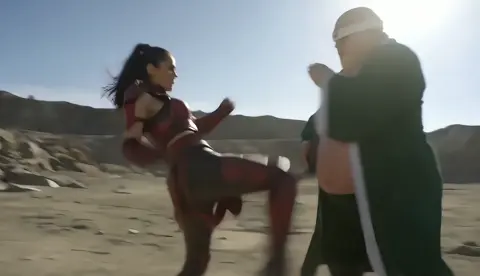
Why AI Video Changes the Production Equation
A sixty-second product film used to mean a location scout, a lighting package, a crew of six, and a week of scheduling. Today, a small team can block out the same film in an afternoon, iterate on ten versions of a hero shot before lunch, and only rent a camera for the handful of plates that genuinely need one. That shift is not about replacing craft. It is about moving the expensive part of filmmaking later in the process, so that the decisions you spend money on are the ones you have already tested visually.
The practical consequence is that the bottleneck has moved. Camera access is no longer the constraint for most creators. The constraints now are story clarity, shot discipline, continuity, and post-production hygiene. Teams that understand this produce work that looks intentional. Teams that treat AI generation as a slot machine produce beautiful fragments that never assemble into a film.
This guide walks through a complete workflow: how to plan shots, choose the right generation approach for each one, write prompts that behave like direction, keep continuity across cuts, handle sound, finish in an editor, and run quality control before anything ships. It is deliberately tool-agnostic, because the specific services change quickly while the workflow principles stay stable.
The Four Generation Modes and When Each One Wins
Most beginners reach for text-to-video for everything. That is the slowest path to a usable shot. There are four modes worth knowing, and each has a natural home.
Text-to-video
You describe a shot in words and the model invents everything: subject, framing, lighting, motion. This is best for establishing shots, abstract transitions, landscapes, and anything where specific character identity does not matter. It is the fastest way to explore a visual direction, and the worst way to keep a consistent face across eight shots.
Image-to-video
You supply a still frame and the model animates it. This is the workhorse of narrative AI video. Because you control the first frame, you control composition, wardrobe, color, and casting. The model only has to invent motion, which is a much smaller problem than inventing an entire world. If you are building a story with recurring characters, image-to-video should carry most of your runtime.
Video-to-video and motion transfer
You feed in existing footage and restyle it, change the weather, alter the time of day, or transfer motion from a reference performance. This is where AI becomes genuinely useful for live-action teams: shoot a rough performance on a phone, then transform its look. It also solves the problem of believable human motion, which remains the hardest thing for pure generation to fake.
Hybrid and compositing-led approaches
You generate elements and assemble them in a real editor: a generated sky, a generated crowd, a generated background plate behind a real actor. This mode is underused. It delivers the highest perceived production value per hour of work because generated elements only need to survive a few seconds on screen, not an entire scene.
A useful rule: decide per shot, not per project. A single two-minute film might use all four modes, and that is normal.
Pre-Production: Shot Lists Beat Mood Boards
AI video projects fail in pre-production far more often than in generation. The typical failure is a folder of gorgeous reference images and no plan for how the shots connect.
Start with a written beat sheet: what changes in each beat, and what the audience must understand at the end of it. Then convert beats into a shot list with one line per shot containing five fields:
- Shot number and duration — target two to five seconds per generated clip, since longer generations drift.
- Subject and action — one verb, one subject, no compound actions.
- Framing and lens — wide, medium, close; approximate focal length; camera height.
- Light and time of day — this single field does more for visual consistency than any style keyword.
- Continuity anchors — wardrobe, props, hair, color of the sky, direction of light.
A shot list of twenty lines takes about an hour and saves days. It also makes it obvious when two shots are redundant, which is where most runtime bloat comes from.
For recurring characters, build a small reference pack before generating anything: three to five stills of the character from different angles, under the same light, in the same wardrobe. Generate those with an image model first. Everything downstream becomes dramatically more stable because the animation model now has a consistent subject to work from.
Writing Prompts That Actually Direct a Shot
A prompt is not a wish. It is a set of instructions with priorities. Models weight the beginning of a prompt more heavily and respond best to concrete, physical language.
The five-part shot prompt
- Subject: who or what, with two or three specific visual details. A woman in her thirties, short dark hair, olive canvas jacket.
- Action: a single continuous motion. She turns her head slowly toward the window.
- Camera: movement and framing. Slow push in, medium close-up, eye level, shallow depth of field.
- Light and environment: overcast daylight from the left, pale concrete wall behind, light rain on glass.
- Texture and mood: subtle grain, muted palette, restrained and observational.
That structure produces far more reliable results than stacking adjectives or naming a director. Style references work, but they should sit at the end as a modifier, not replace the physical description.
Negative prompts and restraint
If your tool supports negative prompts, use them for artifacts rather than for taste: extra limbs, warped hands, text, watermark, jitter, morphing faces, sudden camera shake. Keep the list short. Overloaded negatives push models into flat, stiff output.
Iteration discipline
Generate four to six variations of a shot, never twenty. Watch them at full speed once, then again frame by frame. Note the failure mode — subject drift, camera chaos, lighting shift, mushy detail — and change exactly one element in the prompt. Changing three things at once teaches you nothing about what the model responded to.
The reseed habit
When a shot works, save the prompt, the seed, and the model version. When the same shot needs a slightly different angle later, start from that saved configuration. This is the closest thing AI video has to a reliable lighting setup.
Choosing a Model Per Shot: A Decision Framework
Model brands matter less than capability categories. Group the options you have access to by what they are good at, then match shots to strengths.
- Photoreal humans and faces: prioritize models known for stable facial structure over long clips, and keep durations short.
- Stylized and animated looks: models with strong artistic priors and bold motion handle illustration, anime, and graphic styles better than photoreal engines retuned.
- Physics and camera language: for cars, water, explosions, and complex camera moves, test in a low-stakes clip first. Some engines handle momentum well and others produce melting geometry.
- Text and logo accuracy: treat on-screen text as a post-production task. Generating readable typography is unreliable and burns time you could spend compositing.
Three practical tests before committing to a tool for a project: a moving human face for four seconds, a handheld camera move with parallax, and a shot with two characters interacting. If the tool passes two of three, it can carry the bulk of your film. Use others for specialty shots.
Also consider resolution and aspect ratio early. If the final delivery is vertical, generate vertical. Cropping horizontal footage to vertical loses composition and resolution, and no amount of upscaling restores framing that was never there.
Holding Continuity Across Shots
Continuity is what separates a demo reel from a film. Four layers need attention.
Character continuity. Generate from the same reference stills, in the same wardrobe, with the same light direction. Avoid generating a face from scratch for a new angle if you can generate the still first and animate it.
Environmental continuity. Pick a light direction and a time of day and never change them without a story reason. If the sun is behind the subject in shot four, it is behind them in shot five. Note it in your shot list.
Motion continuity. Screen direction should match across cuts. If a character walks left to right in one shot, they should not walk right to left in the next unless you deliberately cross the line for disorientation.
Color continuity. Generated clips drift in white balance and saturation. Grade every clip to a common reference before assembling. Even a rough three-node grade — exposure, white balance, contrast — makes the difference between a collage and a sequence.
A cheap trick that works surprisingly well: keep one wide establishing shot as a color anchor, and match every other shot's highlights and shadows to it in your editing software.
Sound Design, Voice, and Music
Audiences forgive imperfect images far more readily than imperfect sound. A clean, well-paced audio bed makes average visuals feel intentional, while great visuals with hollow sound feel amateur.
Dialogue and voice. If your film needs spoken lines, generate voice separately and lip-sync in post rather than hoping the video model handles speech. Synthetic voices work best when you keep lines short, add pauses, and vary the pacing between takes. Record a scratch track yourself first, even badly, to lock timing.
Foley and ambience. Every shot needs at least one layer of room tone. Wind, traffic, footsteps, cloth movement, distant conversation. Libraries cover most of this in minutes, and the effect on perceived production value is immediate.
Music. Choose music before final editing if you can. Cutting to a track's rhythm makes generated footage feel deliberate, because cuts land on beats rather than wherever a clip happens to end. If you cannot license a track, keep the score sparse and let ambience carry the scene.
Mix discipline. Dialogue sits around minus twelve to minus six dBFS with peaks controlled. Music ducks under dialogue. Ambience stays low enough to feel present without masking speech. Run the whole piece through a loudness normalizer to a standard target before delivery.
Editing, Upscaling, and the Final Ten Percent
Generated clips rarely arrive edit-ready. Three post steps do most of the heavy lifting.
Trim to the best moment. A four-second clip often has one excellent 1.5-second window. Cut to that window rather than trying to use the whole generation. Speed ramps and slight slow motion can also rescue a clip whose middle is strong but whose edges are messy.
Stabilize selectively. Some jitter is style; some is broken. Apply stabilization only where the motion should be smooth, and leave handheld-feeling shots alone, since global stabilization flattens parallax and makes everything look like drone footage.
Upscale and interpolate last. Increase resolution and frame rate after you have locked the edit. Upscaling before you cut wastes processing time and can bake in artifacts you later decide to remove.
Then do the invisible work: add subtle film grain, a light vignette, and consistent sharpening. These small moves unify clips generated by different models so the audience never notices the seams.
Seven Mistakes That Sink AI Video Projects
- Generating before writing. No shot list means endless beautiful clips that cannot be assembled into a story.
- Chasing duration. Asking for ten-second clips invites drift. Make more short shots and cut faster.
- Ignoring screen direction. Confusing geography makes even polished footage feel disorienting.
- Letting each shot have its own look. Grade everything to a common reference, or the film reads as a montage of unrelated tests.
- Faking faces instead of animating stills. Consistent casting comes from consistent reference images.
- Leaving sound until the end. Audio decisions change pacing; make them early enough to influence the cut.
- Generating text on screen. Composite typography. It is faster and always readable.
A Quality-Control Checklist Before Delivery
Run this pass on every project, in order:
- Watch once at normal speed with no notes. Does the story read?
- Watch muted. Does the visual sequence alone communicate the beats?
- Watch with audio only. Does the pacing hold without images?
- Check continuity anchors shot by shot against your list.
- Verify frame rate, resolution, aspect ratio, and loudness targets.
- Check the first three seconds and the last three seconds twice; they carry disproportionate weight.
- Watch on a phone at arm's length, then on the largest screen available.
If the piece survives all seven checks, it is ready.
FAQ
How long should each generated clip be?
Two to five seconds for most narrative work. Longer clips are useful for landscapes and slow reveals where nothing needs to change.
Do I need a powerful computer?
Not necessarily. Many generation tools run in the browser. A mid-range machine and a fast connection handle editing fine for HD delivery. Local generation only becomes necessary if you need heavy control, custom models, or privacy.
Can AI video replace a live-action shoot?
For abstract, stylized, or effects-heavy material, often yes. For performance-driven dialogue scenes, hybrid approaches still win: shoot the actor, then generate or restyle the environment.
How do I keep the same character across shots?
Create reference stills first, animate those stills rather than generating from text, and keep wardrobe, light direction, and lens choices identical in the shot list.
What is the biggest time sink?
Unplanned iteration. Generating twenty variations of a shot you have not decided how to use. A shot list plus a four-to-six variant limit cuts wasted work dramatically.
Should I use one model or several?
Several, chosen per shot. Most professional-looking AI films mix engines and then unify them in post with grading, grain, and consistent sound design.
How do I handle licensing and rights?
Check the terms of each tool you use, keep records of what was generated with which model, and use licensed or original music. Documentation matters more than most creators expect.
What separates a hobby project from professional work?
Post-production. Trimming, grading, mixing, and continuity discipline. The generation step is roughly a third of the job, and the other two thirds determine whether anyone remembers the result.

Alexander
More Blogs
Read MoreVidu Q4 Alternatives: 4K AI Video Models Compared (2026)
Vidu Q4 alternatives compared: Kling 4.0, Seedance 2.5, Wan 3.0, and Runway Gen-4 — 4K support, input modes, durations, audio, and what each costs in credits on Domer.
Top 4K AI Image Generators in 2026: 5 Models Compared on Real Costs
The top 4K AI image generators on Domer compared: Flux 3 Klein, Nano Banana 2.1, GPT Image 2.5, GPT Image 2, and Nano Banana Pro — 4K credit costs, reference limits, and speed.
Nano Banana 2.1 vs GPT Image 2.5: Which Image Model Should You Use? (2026)
Nano Banana 2.1 vs GPT Image 2.5 Flare compared: credit costs per resolution, aspect ratios, reference images, text rendering, and which tasks fit each model.