
AI Video Workflow: From Text Prompts to Cinematic Scenes
Nov 5, 2026
Why Text-to-Video Is Now a Production Skill
AI video generation has moved from novelty to practical production tool. Earlier systems produced short clips with melting faces, drifting backgrounds, and motion that felt like a dream. Newer engines can hold a subject together, follow camera direction, and generate several seconds of usable footage. The important change is not only image quality. It is control. A modern workflow lets you define a shot, generate variations, preserve character details, and edit the results into a coherent sequence.
That shifts the skill set. The question is no longer who can find the most magical prompt. The question is who can direct a system. You need to decide what must stay fixed, what may vary, and how to judge output before you spend time on more generations. Small teams use this speed to test concepts before a shoot. Studios use it to previsualize scenes and create impossible inserts. Social teams use it to turn a brief into ten vertical concepts in an afternoon.
But speed creates a new problem: volume without continuity. Without a process, you end up with attractive clips that do not cut together. Treat text-to-video as a pipeline with briefs, references, logs, review gates, and post-production. The goal is a repeatable process that produces usable shots on demand, not one lucky clip.
The Real Output You Are Directing
A finished video is not a single generation. It is a sequence of shot units. A shot is one camera setup with a clear beginning, middle, and end. A sequence is a group of shots that share geography, wardrobe, lighting, and emotional direction. Before you write a prompt, define the sequence: who is in it, where they are, what changes, and what must stay identical.
Think in Shot Units
Break the scene into the smallest useful pieces. A conversation might be a wide establishing shot, two medium over-the-shoulder shots, a close-up of a hand, and a reaction. Each shot should do one job. If a shot carries too much action, the model has more chances to fail. If a shot carries too little, the edit will feel slow. Aim for three to six seconds per generated shot, with longer durations reserved for simple motion such as a landscape or a slow push-in.
Map Creative Intent to Controllable Variables
List every visual variable that matters, then mark it as fixed or flexible. Fixed variables are continuity anchors. Flexible variables are places where variation can improve the result. A practical map looks like this:
| Variable | Fixed for sequence? | Example |
|---|---|---|
| Character identity | Yes | Same face shape, hair, age, expression range |
| Wardrobe | Yes | Charcoal linen jacket, silver zipper |
| Location | Yes | Narrow tiled alley with blue door |
| Time of day | Yes | Late afternoon, low sun |
| Lens | Mostly | 35mm for wides, 85mm for close-ups |
| Camera motion | Flexible | Slow push-in or locked tripod |
| Color palette | Yes | Warm neutrals with cool shadows |
| Action speed | Flexible | Slow hands, natural walking pace |
Build a Reference Board
A mood board inspires. A reference board controls. Gather a character front view, side view, full-body view, key wardrobe details, location wide shots, prop close-ups, and a color palette. If the engine accepts image references, use them. If it does not, reuse exact descriptive phrases across prompts. Models do not remember a previous prompt unless you feed the information back in. Words like same as before mean little without a reference.
Choosing the Right Engine for the Job
Not every engine is best for every shot. Choose by output requirement, not by leaderboard. A photoreal model may be perfect for a product hero shot and wrong for a fast social hook. A stylized model may produce brilliant visual metaphors and poor character continuity. Test each engine on the same short brief before committing a project to it.
Photoreal and Cinematic Models
These engines prioritize lighting, skin, lens behavior, and filmic texture. They are strong for ads, trailers, narrative inserts, and product beauty shots. They are usually slower and more sensitive to prompt wording. Use fewer, more deliberate generations. When the tool supports image-to-video, start from a strong still frame to lock composition and identity. Keep motion simple and let lighting do the dramatic work.
Fast Iteration and Social-First Models
Some engines are built for speed, vertical formats, and bold style. They are excellent for hooks, transitions, visual metaphors, and rapid concept testing. They are less reliable for multi-shot character continuity. Use them for B-roll, abstract backgrounds, and stylized cutaways. Do not ask them to carry a dialogue scene unless you have tested references and close-ups thoroughly.
Specialist Control and Reference Models
Other tools focus on camera control, keyframes, motion paths, or multi-image references. They can be ideal for match cuts, product rotations, and consistent characters. The trade-off is complexity. You may need to learn a new interface and a new prompt syntax. That investment pays off when a project depends on precise motion or repeatable identity.
A Simple Decision Matrix
Choose a cinematic engine when realism and light are the priority. Choose a fast engine when volume and style matter more than continuity. Choose a control-focused engine when the shot must match a storyboard. If you are unsure, generate the same six-second test on two engines and compare how each handles hands, eyes, background stability, and camera motion. The winner is the engine that needs the least repair, not the one with the most impressive demo.
The Core Workflow: From Shot Brief to Sequence
A reliable workflow keeps creative decisions separate from generation settings. Start with a shot brief, turn it into a prompt stack, generate a small batch, then assemble and repair. This order prevents the common mistake of chasing a perfect clip before you know how it fits the edit.
Step 1: Write a Shot Brief
A shot brief is a short production document. It can live in a spreadsheet or a notes app, but it should include the shot ID, story beat, subject, action, setting, camera, lighting, style, target duration, continuity anchors, and must-avoid list. Here is a compact example:
- Shot ID: S02_SH04
- Story beat: The potter notices a crack in the finished bowl
- Subject: Woman in her thirties, black ribbed turtleneck, silver zipper
- Action: She lifts the bowl toward the window, then freezes
- Setting: Sunlit ceramic studio, wooden shelves, clay dust
- Camera: Medium close-up, 50mm, slow push-in
- Lighting: Soft window light from camera left, warm bounce
- Continuity: Same wardrobe, same silver ring, same shelf layout
- Must avoid: Text, extra fingers, scene cuts, flickering light
Step 2: Build the Prompt Stack
Write prompts in layers: subject, action, setting, camera, light, style, and constraints. A layered prompt is easier to debug because you can change one layer at a time. For example: Cinematic medium close-up of a ceramicist in a sunlit studio, black ribbed turtleneck with silver zipper, lifting a glazed bowl toward a window, slow push-in, 50mm lens, soft window light from camera left, shallow depth of field, warm neutral palette, subtle film grain, no text, no extra fingers, no flickering. Keep the subject and wardrobe wording identical across shots.
Step 3: Generate Variations
Generate three to six variations per hero shot and two to three for B-roll. Change one variable at a time: camera motion, action timing, or lighting. If the engine supports seeds, keep a seed when you like the composition. If it supports references, attach the character and location references for every generation. Build a contact sheet and review all options side by side instead of judging clips one by one.
Step 4: Assemble and Repair
Edit before you over-generate. A cut can hide a weak background, a speed ramp can fix slow motion, and a sound effect can sell an imperfect action. Repair only the shots that break the sequence. Generate inserts, reactions, or clean plates rather than forcing one long clip to do everything. The best AI video workflow is an editing workflow with generation inside it, not a generation workflow with editing as an afterthought.
Prompt Architecture for Temporal Coherence
Temporal coherence means the subject, environment, and camera stay believable from frame to frame. It is not the same as image quality. A sharp clip can still fail if a face changes shape, a jacket changes color, or a background wall slides. Prompt architecture helps the model prioritize the right details.
Subject, Action, Setting, Camera, Light, Style, Constraints
Keep each layer short. Subject descriptions should include two or three distinctive details, not a full biography. Action should describe one main movement. Setting should establish geography. Camera should specify shot size and movement. Light should state direction and quality. Style should cover texture and palette. Constraints should remove common artifacts. If a prompt becomes a paragraph of conflicting adjectives, the model may satisfy the mood and ignore the structure.
Motion Verbs and Timing
Use precise, physical motion verbs: turns slowly, lifts, walks from left to right, fabric moves gently, steam rises. Avoid stacking simultaneous actions such as walking, turning, talking, and picking up an object. If the action has two stages, split it into two shots or use a clear start and end state. Phrases like begins with and ends with can help, but test them; not every engine interprets them consistently.
Negative Constraints and Continuity Anchors
Negative constraints are most useful when they target real failure modes: no text overlays, no extra limbs, no warped hands, no scene cuts, no speed ramps. Do not fill the prompt with dozens of negatives. Continuity anchors should be short and exact: same charcoal linen jacket, same brass pendant lamp, same overcast daylight. Reuse those phrases word for word. If you paraphrase, the model may treat it as a new detail.
Character and Scene Consistency Across Shots
Consistency is the hardest part of AI video. It is also where professional workflows separate from casual experiments. You need a system for identity, wardrobe, environment, and screen direction.
Reference-First Casting
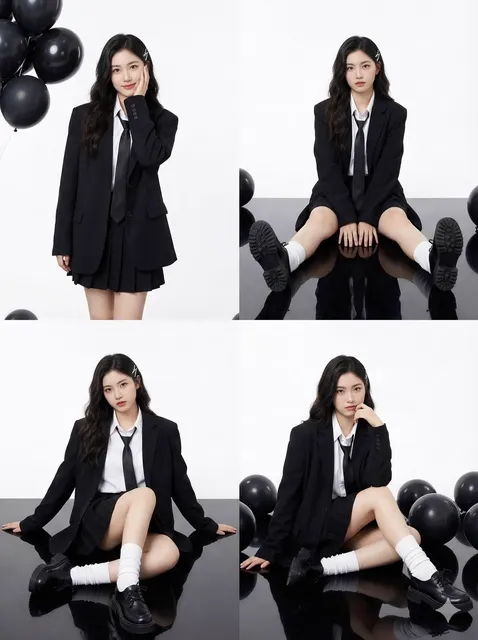
Create a character sheet before you generate scenes: a neutral headshot, a full-body view, a side profile, two or three expressions, and close-ups of distinctive features. Use even lighting and a plain background. If the engine supports image references, attach the sheet to every shot. If it supports multiple references, include the location separately. A good reference reduces prompt length and stabilizes identity.
Wardrobe and Props as Fixed Variables
Clothing and props are visual identifiers. Generic descriptions create generic results. Instead of black shirt, write black ribbed turtleneck with a silver zipper. Instead of a cup, write a chipped white ceramic mug with a blue rim. Keep prop position consistent. If a character holds a mug in the right hand in one shot, do not switch hands in the next without a story reason. These details help viewers track continuity even when the face changes slightly.
A Shot-to-Shot Continuity Checklist
Before approving a sequence, check face shape, hair, wardrobe, props, location geography, light direction, color temperature, lens choice, motion direction, screen direction, eye line, and time of day. Screen direction is especially important. If a character exits frame right, the next shot should respect that movement unless you deliberately break it. A continuity error is often more distracting than a small artifact.
When to Use Post-Production Instead
If a shot is ninety percent correct and the cut is short, fix it in post. Color match, crop, mask, speed ramp, add grain, or cover the problem with a cutaway. Use a reaction shot, a hand insert, or a sound effect to bridge an imperfect transition. Do not force the model to regenerate twenty times for a detail the audience will never see. Good editing is part of consistency.
Camera, Motion, Audio, and the Handoff to Post
AI video becomes watchable when it respects camera language and sound. Treat generated clips as camera footage, not as finished scenes.
Shot Size and Lens Language
Establish a simple visual grammar. Wide shots show geography. Medium shots show action and relationships. Close-ups show emotion and detail. Use consistent lens language: wide lenses for environments, longer lenses for intimacy. Match camera movement between cuts. A push-in followed by a handheld swing can feel chaotic unless the story calls for it.
Generate for the Edit
Generate handles before and after the action so the editor has room to trim. Do not rely on the exact first or last frame. Plan cut points on motion, such as a hand crossing frame or a head turn. Keep frame rate, aspect ratio, and resolution consistent across the sequence. If you need text or graphics, add them in post rather than asking the model to render them.
Sound Design and Color
Sound sells AI video. Add room tone, footsteps, fabric movement, and environmental ambience. Music should support pacing, not mask artifacts. For color, match shots before adding a look. Use subtle grain and contrast to unify sources. Clean up with stabilization, retiming, and masks where needed. Export at the delivery specification, then check the final file on a phone as well as a large screen.
Quality Control and Troubleshooting Loop
A review loop keeps quality high without endless regeneration. Watch each shot at half speed, pause on cuts, and inspect the frame. Score shots on story, technical quality, and continuity. Repair the lowest scores first.
Frame-by-Frame Spotting
Check hands, eyes, teeth, text, reflections, shadows, background geometry, crowd behavior, and object permanence. Look for flicker, warping, and sudden changes in light. Watch the sequence without sound to judge visual continuity, then with sound to judge pacing. If a shot fails only when paused, it may still work in motion. If it fails in motion, repair it.
Common Artifacts and Fixes
| Artifact | Likely cause | Practical fix |
|---|---|---|
| Morphing face | Weak identity reference | Shorten shot, add reference, cut on motion |
| Extra fingers | Complex hand action | Reframe, crop, hide hands, regenerate simpler pose |
| Warped background | Aggressive camera move | Reduce motion, simplify setting, use locked shot |
| Flicker | Inconsistent lighting | Match light direction, lower motion, add post deflicker |
| Wardrobe drift | Vague description | Use exact wording and image reference |
| Unreal motion | Too many actions | Split action, slow movement, use tripod-style prompt |
| Gibberish text | Model-rendered text | Remove text from prompt, add graphics in post |
When to Regenerate vs. Repair
Regenerate when the story is wrong, identity drifts badly, or the action cannot be cut around. Repair when the issue is timing, color, framing, or a small visual error that can be hidden. Limit yourself to two or three repair loops per shot. Perfectionism is expensive, and audiences forgive small imperfections when the story and sound are strong.
Production Systems, Workflow Habits, and Common Mistakes
Asset Naming and Versioning
Use a clear naming convention: project_scene_shot_take_version. Store prompts, references, and settings beside the clips. When a shot works, mark it as approved and note the engine, aspect ratio, and seed if available. This prevents the familiar problem of finding the perfect clip and not knowing how it was made.
Prompt and Settings Log
Keep a log with the shot ID, prompt version, reference files, engine, settings, seed, and reviewer notes. The log becomes a troubleshooting tool and a training document. If a client asks for a variation, you can reproduce the look without starting from zero. If a model changes, you can compare old and new outputs.
Review Gates
Use four gates: brief approval, first look, sequence assembly, and final quality control. At the brief stage, confirm the story and continuity anchors. At first look, reject wrong identities and unusable motion. At assembly, check pacing and screen direction. At final QC, check audio, color, captions, and delivery formats. Clear gates prevent endless revision.
Common Mistakes to Avoid
- Writing one long prompt for a whole scene instead of directing shot units.
- Overloading prompts with conflicting style adjectives.
- Skipping references and hoping the model remembers.
- Generating dozens of clips before testing the edit.
- Ignoring screen direction and light continuity.
- Using complex camera moves for simple story beats.
- Forgetting sound design and room tone.
- Evaluating clips in isolation instead of in sequence.
- Failing to log prompts, settings, and approved takes.
- Expecting AI to replace editing, color, and sound work.
FAQ: Practical Answers for AI Video Creators
How many generations should I make per shot?
For hero shots, generate three to six options. For B-roll and inserts, two or three is enough. Review them as a contact sheet, not one at a time. The goal is a usable take, not a perfect take. If none work, change the brief before generating more.
How long should an AI video prompt be?
Most prompts work best at roughly sixty to one hundred twenty words. Lead with subject and action, then add setting, camera, light, style, and constraints. If the prompt is longer, check whether every phrase changes the image. Remove decorative adjectives that do not guide the output.
Can I keep the same character across multiple shots?
Yes, but it takes references and discipline. Build a character sheet, reuse exact wardrobe wording, keep shots short, and use post-production for small mismatches. Expect identity to drift in long or complex actions. If a character must speak or perform detailed gestures, consider a hybrid approach that uses AI for cutaways and traditional footage for the main performance.
How do I avoid the uncanny look?
Use natural light, simple actions, and realistic pacing. Avoid extreme close-ups on hands unless you have tested the model. Add room tone and environmental sound. Slight film grain and a restrained color grade often help more than another generation. If a face looks strange, cut away earlier or use a reaction shot.
Do I still need a storyboard?
A full storyboard is optional, but a shot list is not. Even a simple list of shot IDs, action, camera, and continuity notes will save time. The storyboard can be rough; the shot brief is what keeps generation and editing aligned.
What is the best workflow for social video?
Start with a strong hook in the first second. Keep one subject and one clear action per shot. Use vertical framing from the beginning, not a crop after the fact. Plan fast cuts, captions, and sound design for mobile viewing. Generate extra inserts so you can adjust pacing in the edit.
When should I stop regenerating?
Stop when the shot works in the sequence. A clip that looks imperfect in isolation may cut perfectly. Set a repair limit, compare options in motion, and protect the schedule. Story, sound, and pacing matter more than a flawless frame that the audience will never pause to inspect.

Alexander
More Blogs
Read MoreFrom Text to Short Film: A Practical AI Video Workflow
Learn how to turn a written idea into a polished short film with AI video tools: scripting, model choice, shot consistency, sound design, and editing.
AI Transcription and Seamless Video Editing Workflows
Learn how AI transcription enables text-based editing, faster reviews, accessibility, and reliable post-production workflows from rough cut to final delivery.
Photorealistic AI Video Production: A Practical Workflow Guide
Learn a repeatable workflow for photorealistic AI video: model selection, shot planning, prompt design, continuity, audio, and quality control.