

A Practical AI Video Workflow for TikTok Shop Promotions
Oct 15, 2026


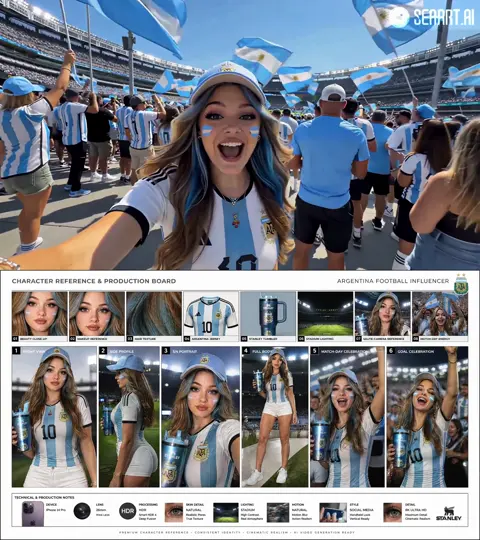
Short-form commerce video has become the default product discovery layer on TikTok Shop. A viewer can move from curiosity to checkout without leaving the feed, which means every clip has to work as both entertainment and sales support. AI is useful here because it shortens the distance between an idea and a testable video. It can help with research summaries, hook variations, storyboards, voiceover drafts, captions, background cleanup, and B-roll generation. It cannot decide what makes your product credible. That still comes from the offer, the demonstration, and the editing rhythm. The practical goal is not to automate creativity. The goal is to build a repeatable workflow that produces more relevant variations, learns from retention data, and turns winners into templates.
Why AI Video Matters for TikTok Shop Promotions
TikTok Shop turns entertainment into a storefront. Product pages, live shopping, affiliate clips, and creator content all compete for the same thumb. The brands that win are not always the ones with the biggest production budgets. They are the ones that can publish clear, useful, native-looking videos at a steady pace. That is where an AI-assisted workflow earns its place.
AI helps most when you treat it as a production assistant, not as an autopilot. It can generate ten hook options in a minute, turn a product brief into a shot list, create voiceover drafts in multiple tones, remove background clutter from product photos, produce caption variants, and generate lifestyle B-roll that would otherwise require a separate shoot. Those tasks save hours, but they do not replace the need for a real product demo, a believable claim, or a reason to keep watching.
The strongest use case is variation testing. TikTok Shop rewards fresh creative, but it also punishes repetition. AI lets you produce multiple versions of the same core idea: different hooks, different openings, different voiceovers, different caption styles, and different editing paces. You can then compare retention and click-through rates instead of guessing which angle will work. The workflow below is designed around that principle: create a solid product story, generate responsible variations, and let performance data decide what deserves more production effort.
Understand the TikTok Shop Viewer Before You Generate Anything
Before opening any AI tool, define the viewer you are trying to move. TikTok Shop viewers are usually in one of three states: problem-aware, solution-aware, or product-aware. A problem-aware viewer needs the pain named quickly. A solution-aware viewer needs to see why your approach is different. A product-aware viewer needs proof, offer clarity, and a reason to act now. Each state requires a different hook and a different level of explanation.
The first three seconds decide everything
On TikTok, the first three seconds are not an introduction. They are a qualification test. If the viewer does not understand the product category, the benefit, or the tension, they scroll. Strong openings use movement, a surprising visual, a direct claim, or a question that matches an existing thought. Examples include showing the product already in use, starting with the result, or naming a common mistake. Avoid opening with a logo, a slow pan, or a generic greeting. Those choices assume attention you have not earned yet.
Native beats polished
TikTok users are fluent in ad language. They can detect over-polished content almost instantly, and they often respond by scrolling. Native content feels handheld, direct, and slightly imperfect. It uses close-ups, natural light, real hands, and spoken language that sounds like a friend explaining a find. AI-generated visuals can support that style, but they should not make every frame look synthetic. Mix generated B-roll with real product footage. Use AI to clean up, extend, or stylize, not to replace the proof that the product actually works.
A Repeatable AI Video Workflow from Brief to Publish
A repeatable workflow prevents random experimentation. It also makes it easier to hand tasks to different people or tools. Use the following six steps as a baseline, then adapt them to your product category and production capacity.
Step 1: Define one product, one audience, one action
Every video should focus on one product, one viewer, and one action. The action might be tapping the product link, saving the video, adding to cart, or watching a longer demo. When a video tries to cover three products and four audiences, it usually communicates nothing. Write a one-page brief with the product benefit, the main objection, the proof you can show, the offer, and the desired action. This brief becomes the input for scripts, captions, and visuals.
Step 2: Write hooks before visuals
The hook is the highest-leverage part of the video. Write at least ten before you generate any footage. Use AI to produce variations, but filter them with clear criteria: specificity, relevance, truthfulness, and curiosity. A good hook is understandable without sound, uses language the viewer already uses, and connects to a benefit or problem. For example, instead of saying a bag is stylish, say it fits a laptop, a water bottle, and a week of gym clothes without looking bulky. Specificity creates credibility.
Step 3: Generate or assemble assets
Assets can include real product footage, product photos, AI-generated scenes, screen recordings, voiceover, music, captions, and graphic overlays. Use image-to-video generation when you need to place a product photo into a lifestyle context. Use text-to-video for abstract B-roll such as weather, city scenes, textures, or mood shots. Use AI avatars for explanation when a human presenter is not available, but keep them transparent and avoid using them to fake testimonials. Product accuracy matters more than visual novelty.
Step 4: Edit for rhythm and clarity
Edit for retention first. That means changing something every one to three seconds: a cut, a zoom, a text pop, a sound effect, an angle shift, or a new piece of information. Do not cut for the sake of cutting. Each change should reset attention or add meaning. Remove dead air, repeated words, and slow transitions. Show the product in use before you describe it. If the viewer has to wait to understand what is being sold, the edit is too slow.
Step 5: Add captions, voice, and product proof
Captions are not optional. Many viewers watch with sound off, and captions also help with search discovery. Write captions that summarize the benefit, not every spoken word. Use a readable font, high contrast, and safe placement away from platform buttons. Voiceover should be paced naturally and matched to the energy of the edit. Product proof can include close-ups, before-and-after sequences, reviews, unboxing moments, or a demonstration of the main feature. If you make a claim, show it.
Step 6: Publish, test, and iterate
Publish in small batches and treat each video as a test. Change one major variable at a time: hook, opening visual, length, voiceover style, or offer framing. Track retention, click-through rate, add-to-cart rate, and conversion. When a video performs well, study why. Was the hook more specific? Was the demo clearer? Was the pacing faster? Turn those traits into a template, then create new variations around the winning structure.
Scripting Hooks That Fit Product Discovery
A script for TikTok Shop is not a traditional ad script. It is a sequence of attention resets. The most reliable structure is five beats: hook, context, demo, proof, and call to action. The hook stops the scroll. The context tells the viewer why this matters. The demo shows the product in action. The proof reduces doubt. The call to action tells the viewer what to do next without sounding desperate.
Use these hook formulas as starting points:
- Problem callout: If your [problem] keeps happening, this is why.
- Result first: This is what happened after I tried [product] for [time period].
- Mistake: You are probably using [product category] wrong.
- Comparison: I compared [common option] and [product] so you do not have to.
- Curiosity: The reason your [item] does not [benefit] might surprise you.
- Social proof: I did not believe the reviews until I tested this myself.
- Routine: Three things I wish I knew before buying [product category].
After the hook, keep the language simple. Short sentences are easier to caption and easier to follow. Avoid jargon unless the audience uses it. Use AI to generate script variants, but read them aloud. If a line sounds like a brochure, rewrite it. The best scripts sound like a real person explaining a real discovery, with enough structure to guide the viewer toward the product link.
Visual Production with AI Tools
Visual production is where AI can save the most time, but it is also where generic output becomes obvious. The key is to decide which parts of the video need authenticity and which parts can be generated. Product demonstrations, results, and packaging should usually be real. Lifestyle context, mood, transitions, and abstract explanations can often be generated.
Product demonstration and before-after sequences
A demonstration is the strongest proof you can show. Film the product from multiple angles, then use AI tools to clean up background noise, adjust lighting, remove distracting objects, or create smooth transitions. Before-and-after sequences work well when the camera angle, lighting, and timing are consistent. Do not fake a result. If the product takes a week to work, do not imply it works in five minutes. Instead, show honest progress and explain the timeline.
AI presenters and voiceover
AI avatars can deliver context, explain a feature, or introduce a problem. They work best when the script is informative rather than emotional. Use them for talking-head segments that would otherwise require a studio, but avoid using them to impersonate customers or experts without disclosure. Voiceover tools can create multiple tones, accents, and paces for testing. Always review pronunciation, pacing, and emphasis. A robotic read can undermine an otherwise strong edit.
B-roll, motion, and style
Generated B-roll helps when you need to show a lifestyle, environment, or emotion that is difficult to film. Use it to support the product story, not to distract from it. Keep a consistent color grade and motion style across the video. Simple movements such as slow push-ins, parallax, macro shots, and match cuts feel native when used with restraint. If every shot is an AI spectacle, the product becomes secondary.
Editing for Retention and Conversion
Retention editing and conversion editing are related but not identical. Retention editing keeps the viewer watching. Conversion editing removes friction between desire and action. A video can have high retention and still fail to convert if the offer is unclear or the product link is hard to find.
For retention, use pattern changes. Move from a wide shot to a close-up. Switch from voiceover to on-screen text. Add a sound effect when a key benefit appears. Open a loop early and close it later. For conversion, make the next step obvious. Show the product name, the main benefit, and the action in the final seconds. Keep the caption and on-screen text aligned so the viewer does not have to interpret conflicting messages.
Test different lengths rather than assuming one ideal duration. Some products need fifteen seconds to demonstrate a single feature. Others need thirty to forty seconds to explain a problem and prove a solution. The right length is the shortest version that still makes the product credible. If viewers drop off before the demo, the hook is weak. If they drop off after the demo, the offer or call to action is unclear.
Optimization for TikTok Shop Discovery
Discovery on TikTok Shop comes from both the recommendation feed and search. That means your video needs to satisfy the algorithm and the viewer at the same time. The algorithm looks for signals such as watch time, completion, shares, comments, and clicks. The viewer looks for relevance, clarity, and entertainment. When those two goals align, the video has a better chance of sustained distribution.
Keyword and caption strategy
Use language that real buyers use. Include the product category, the problem, and the main benefit in the caption and on-screen text. For example, a caption for a travel organizer might say: Pack a week of clothes in a carry-on without checking a bag. That sentence contains category language, a benefit, and a use case. Add a small set of hashtags that mix broad discovery terms with niche product terms. Avoid stuffing keywords into every sentence. Natural language performs better because it is easier to read and easier to trust.
Thumbnail, cover, and first-frame choices
The cover image and first frame should communicate the product and the benefit immediately. Use a vertical format, keep important text away from edges, and avoid dark or cluttered frames. Show the product in use or show the result. If the video starts with a person talking, make sure the first frame includes the product or a strong text overlay. Viewers often decide whether to stop based on the cover before they hear a single word.
Compliance and trust signals
Trust is a conversion asset. Avoid prohibited claims, exaggerated results, and unsupported comparisons. Show the real product, the real packaging, and the real use case. If you use AI to generate or modify visuals, be thoughtful about disclosure and never imply that a generated scene is a real testimonial. Reviews, return policies, guarantees, and clear shipping information can all reduce doubt. When a product is new or unfamiliar, spend extra time on proof rather than style.
Testing and Measurement Framework
A testing framework keeps AI-assisted production from becoming random output. Start with a hypothesis: for example, a problem-first hook will improve three-second retention compared with a result-first hook. Then create three to five variants that change only that variable. Keep the product, offer, and call to action consistent. After publishing, compare the metrics that matter for your goal.
Useful metrics include three-second retention, average watch time, completion rate, click-through rate, add-to-cart rate, and conversion rate. Three-second retention tells you whether the hook worked. Average watch time tells you whether the body kept attention. Click-through rate tells you whether the product link was compelling. Conversion rate tells you whether the offer and product page matched the promise. Document what you learn in a simple spreadsheet or shared document. Over time, you will build a library of hooks, edits, and formats that work for your specific audience.
Common Mistakes That Kill Conversion
Many AI-assisted videos fail for predictable reasons. Starting with a logo or brand animation wastes the most valuable seconds. Trying to sell multiple products in one clip dilutes the message. Using a robotic voiceover makes the content feel mass-produced. Making claims without proof creates doubt. Poor audio, cluttered captions, and low-quality product footage all reduce trust. Ignoring comments misses opportunities to answer objections and generate new video ideas.
Another common mistake is over-polishing. A cinematic ad can look impressive, but it may not feel native to TikTok Shop. Viewers respond to directness, specificity, and authenticity. A simple handheld demo with clear captions often outperforms a highly produced clip that hides the product behind effects. Finally, do not publish once and move on. The first version is a draft. The winning version is usually the third or fourth variation of a strong core idea.
Tool Stack and Decision Criteria
A lean AI video stack usually includes a script assistant, an image or video generator, a voiceover tool, a captioning tool, an editor, and an analytics dashboard. You do not need every category on day one. Start with the bottleneck that slows you down most. If scripting takes forever, begin with a language model and a hook template. If editing is the bottleneck, invest in a fast editor with auto-captions. If product photos look flat, start with background removal and image enhancement.
When choosing tools, evaluate output quality, control, speed, commercial usage terms, data privacy, and integration with your existing editor. For product demonstrations, prioritize tools that preserve product accuracy. For lifestyle B-roll, prioritize variety and visual consistency. For voiceover, prioritize natural pacing and pronunciation control. The best stack is the one that helps you publish clear, honest, native-looking videos consistently. Fancy features matter less than a workflow you can repeat every week.
FAQ
Can AI make TikTok Shop videos without filming anything?
Sometimes, for abstract lifestyle content or simple product animations, AI can produce a usable video without filming. However, products that need demonstration, proof, or texture usually benefit from real footage. Use AI to enhance and extend real footage rather than replace it entirely.
How long should a TikTok Shop video be?
Test a range. Many product videos work between fifteen and forty seconds. The right length is the shortest version that still makes the product credible and the offer clear. If retention drops before the demo, shorten the intro. If viewers leave before the call to action, simplify the offer.
How many videos should I publish?
Consistency matters more than volume, but testing requires enough output to learn. A small brand might publish three to five videos per week. A larger team might publish several per day. Batch production with AI so you can test multiple hooks without exhausting your creative team.
Do AI avatars hurt trust?
They can, especially if they pretend to be real customers. Used transparently for explanation or context, they can save production time. Keep the script honest, avoid fake testimonials, and make sure the product remains the focus.
How do I avoid a generic AI look?
Use real product footage, vary shot sizes, add human hands, keep captions readable, and edit with a natural rhythm. Match the visual style to the product category. A beauty product, a kitchen tool, and a pet accessory should not look like they came from the same template.
What should I track first?
Start with three-second retention and click-through rate. Those two metrics tell you whether the hook and the product link are working. Then look at add-to-cart and conversion to understand whether the offer and product page match the video promise.
Can I repurpose TikTok Shop videos on other platforms?
Yes, but adapt the edit. Remove platform-specific references, adjust the aspect ratio if needed, and rewrite captions for the new audience. The core hook and demo often transfer well, but the call to action should match the destination platform.
A strong AI video workflow does not remove the need for product knowledge, honest claims, or creative judgment. It removes busywork so you can spend more time on the parts that convert: a specific hook, a clear demonstration, a trustworthy offer, and a call to action that feels natural. Build one repeatable process, test it consistently, and let the data shape the next batch.

Alexander
More Blogs
Read MoreVidu Q4 Alternatives: 4K AI Video Models Compared (2026)
Vidu Q4 alternatives compared: Kling 4.0, Seedance 2.5, Wan 3.0, and Runway Gen-4 — 4K support, input modes, durations, audio, and what each costs in credits on Domer.
Top 4K AI Image Generators in 2026: 5 Models Compared on Real Costs
The top 4K AI image generators on Domer compared: Flux 3 Klein, Nano Banana 2.1, GPT Image 2.5, GPT Image 2, and Nano Banana Pro — 4K credit costs, reference limits, and speed.
Nano Banana 2.1 vs GPT Image 2.5: Which Image Model Should You Use? (2026)
Nano Banana 2.1 vs GPT Image 2.5 Flare compared: credit costs per resolution, aspect ratios, reference images, text rendering, and which tasks fit each model.