

AI Voice Agent Platforms: A Practical Workflow Guide
Oct 13, 2026

What an AI voice agent platform actually does
A voice agent platform is the layer that turns a language model into something people can simply talk to. That sounds simple, but the platform is doing a lot of quiet work: capturing audio, transcribing it in real time, deciding what the caller means, retrieving the right information, calling internal tools, generating a reply, and speaking it back in a natural voice — all fast enough that the conversation still feels like a conversation.
It helps to separate three generations of technology that are often lumped together:
- Interactive voice response (IVR). Keypad menus and prerecorded prompts. Predictable, cheap, and universally hated when the menu tree gets deep.
- Scripted voice bots. Speech recognition plus a decision tree. Fine for narrow tasks like confirming an appointment, brittle the moment a caller goes off-script.
- Voice agents. Large language models plus tool access, retrieval, and memory. These handle open-ended intent, follow-ups, corrections, and interruptions.
The practical question for most teams is not "which platform wins" but "which platform fits this specific job, at this volume, under these constraints." A clinic booking line and a logistics dispatch line have almost nothing in common technically, even though both are "voice agents."
The anatomy of a real-time voice pipeline
Every voice agent, regardless of vendor, is a pipeline. Understanding the four stages tells you exactly where quality problems come from — and which questions to ask during an evaluation.
1. Audio capture, transport, and endpointing
Before any intelligence happens, audio must arrive cleanly and something must decide when the caller has finished speaking. This is called endpointing or turn detection, and it is the single most underrated part of the stack. Cut the caller off too early and the experience feels robotic. Wait too long and the agent feels sluggish.
Modern platforms use a mix of silence detection, semantic signals (does the sentence sound complete?), and optional barge-in handling so callers can interrupt mid-sentence. Test barge-in deliberately: call a demo line and interrupt the agent three times in a row. Some platforms handle the first interruption gracefully and collapse on the second.
2. Streaming speech recognition
Automatic speech recognition (ASR) converts audio into text. In a live agent you want streaming recognition with partial results, not batch transcription after the fact. Key things to check:
- Word error rate on your domain. General benchmarks mean little. A platform that nails podcast audio may struggle with account numbers, drug names, SKUs, or regional accents.
- Custom vocabulary. Can you upload a list of product names, surnames, or technical terms so they are recognized reliably?
- Formatting. Are numbers, dates, emails, and currencies normalized so downstream logic does not have to guess?
- Noise robustness. Callers are in cars, kitchens, and warehouses. Test with real background noise, not studio audio.
3. Reasoning and dialogue management
This is where the language model lives. In practice there are two architectures:
LLM-driven. The model decides everything turn by turn. Maximum flexibility, minimum predictability. Great for exploratory or advisory conversations, risky for regulated flows.
Deterministic state machine with LLM pockets. The platform defines states (verify identity → look up order → offer resolution → confirm) and the model handles the natural language inside each state. More work to build, far easier to audit.
Most mature deployments end up hybrid: a state machine for anything that touches money, identity, or compliance, and free-form model behavior for questions, objections, and small talk.
Whatever the architecture, the reasoning layer needs a defined tool surface — order lookup, calendar booking, refund initiation, CRM write — plus a retrieval layer for policies and FAQs, and hard guardrails for anything off-limits.
4. Speech synthesis
Text-to-speech (TTS) quality has jumped from "obviously a robot" to "could plausibly be a person" in a short span. The trade-off you actually manage is latency versus naturalness. Ultra-realistic voices with heavy post-processing can add hundreds of milliseconds; lighter streaming voices start talking sooner.
Useful capabilities to look for: sentence-level streaming so audio begins before the full reply is generated, SSML or prosody control for pacing and emphasis, pronunciation dictionaries for names and acronyms, and multiple voices so a single deployment can cover different brands or personas.
The latency budget
A round-trip response under roughly 800 ms feels conversational; over 1.5 seconds callers start talking over the agent. A realistic budget looks like: 50–150 ms network, 100–300 ms ASR finalization, 200–600 ms model first token, 100–300 ms TTS first audio byte. When someone complains that an agent "feels slow," one of these four numbers is the culprit — measure each separately rather than guessing.
How to compare platforms: decision criteria that matter
Feature lists are nearly identical across vendors. These dimensions are where deployments actually diverge.
Latency and turn-taking
Ask for measured p50 and p95 response times under load, not in a demo. p95 is what callers remember. Also ask how the platform behaves when the model is slow: does it speak a filler phrase, or does it go silent and hope for the best?
Language and accent coverage
If you serve multiple regions, check ASR and TTS quality per language rather than trusting a headline count. Mid-conversation language switching is valuable in bilingual markets, but only if the platform does not reset context when it switches.
Channel and telephony support
Does it connect to SIP trunks, PSTN numbers, WhatsApp, web widgets, mobile SDKs, or your existing contact center? Telephony is where prototypes die: codec handling, call transfer, DTMF, warm handoff to a human, and recording consent all have to work.
Integration surface
Look for REST APIs, webhooks for mid-call events, streaming sockets for audio, and native connectors to your CRM, ticketing, and data warehouse. If transcripts cannot land in your warehouse, you cannot improve the agent systematically.
Observability and quality assurance
Good platforms give you full transcripts, audio recordings, latency traces, per-turn confidence scores, and an annotation interface. The annotation interface matters more than it sounds: it is how your team turns real calls into training data.
Security, privacy, and compliance
Check data residency options, encryption in transit and at rest, retention controls, PII redaction in transcripts, consent capture, and whether the vendor trains models on your data. For healthcare, finance, or public sector work, this section usually decides the purchase on its own.
Cost dimensions
Most platforms compose cost from several meters: minutes of audio processed, model tokens, telephony minutes, storage, and per-seat analytics. Two vendors with the same headline rate can land 3x apart in practice. Model your cost against a realistic mix of short calls, long calls, and abandoned calls before committing.
A step-by-step deployment workflow
This sequence works whether you are building an inbound support line, an outbound reminder campaign, or an internal help desk.
Step 1: Define the job to be done
Write one sentence: "Handle password resets and billing questions for existing customers without transferring unless the caller asks." Then list what is explicitly out of scope. Agents fail more often from unclear scope than from weak models.
Step 2: Map the conversation states
Sketch the top 8–12 paths on paper. Identify where identity verification happens, where the agent may need to look something up, and where a human must take over. Mark the three most common caller intents — they will account for most of your volume.
Step 3: Build the knowledge layer
Give the agent a curated source of truth rather than the whole wiki. Policies, pricing rules, return windows, and troubleshooting steps should be chunked, dated, and owned by someone. Stale retrieval is the most common cause of confidently wrong answers.
Step 4: Connect tools, not just answers
An agent that can say "your refund is processing" is nice. An agent that can issue the refund and then say it is transformative. Start with read-only tools, then add write actions behind confirmation prompts.
Step 5: Test with adversarial scripts
Run three suites before launch: happy path, edge cases (accents, background noise, interruptions, silence), and hostile inputs (prompt injection attempts, requests outside scope, profanity). Log every failure and fix the top ten before going live to real callers.
Step 6: Launch narrow, then expand
Route a small slice of traffic — one queue, one language, one region — and watch transcripts daily. Expand only when containment and satisfaction metrics hold steady for two consecutive weeks.
Designing conversations people do not hate
Technology aside, most voice agent frustration is a design problem. A few rules that consistently help:
- Front-load clarity. Within the first sentence, the caller should know who they are talking to and what the agent can do.
- Never ask for information twice. Persist context across turns, and pass it to a human on transfer.
- Confirm before acting. Read back the order number, the amount, the date. One confirmation beats a costly correction.
- Offer the exit early. "Say 'agent' at any time to reach a person" reduces rage and, counterintuitively, reduces escalations.
- Handle silence gracefully. If the caller goes quiet, prompt once, then again with a different phrasing, then hand off.
Testing, quality assurance, and continuous improvement
A voice agent is never finished. The teams that get the best results run a weekly loop:
- Sample transcripts across intents, including successful ones. Success hides near-misses.
- Tag failure modes — misrecognition, wrong retrieval, wrong tool call, awkward turn-taking, scope creep.
- Fix the highest-frequency mode, not the most interesting one.
- Re-run the regression suite so yesterday's fix does not break last month's behavior.
- Promote edge cases into test cases every cycle.
Track recognition accuracy on your own audio, not a public benchmark. Ten hours of labeled domain audio will tell you more than any vendor comparison chart.
Voice agents beyond the call center
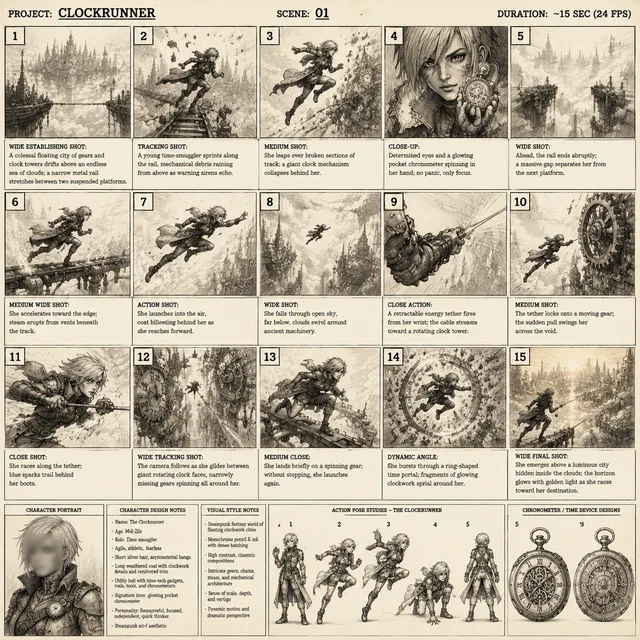
Conversational voice technology has quietly become a production tool for content teams as well. The same building blocks — script understanding, natural synthesis, timing control — power narrated explainers, multilingual dubbing, e-learning modules, audiobook drafts, and accessibility features like spoken descriptions of on-screen action.
If you already generate video, adding a voice layer changes your workflow in useful ways:
- Draft narration first. Write and synthesize a scratch voice track before animating. Timing problems surface in minutes instead of hours.
- Localize once, not five times. Generate one master script with controlled vocabulary, then synthesize per language using pronunciation dictionaries for brand names.
- Keep a voice bible. Document voice, pace, and pronunciation decisions so six months of content sounds like one narrator.
- Respect the 800 ms rule even offline. Sentence-level synthesis with natural pauses reads better than a single flat block, even when latency is irrelevant.
Common mistakes to avoid
Choosing on voice quality alone. A beautiful voice with weak retrieval produces confident nonsense. Evaluate understanding before aesthetics.
Skipping the handoff design. Human escalation is not an edge case; it is a feature. Define the transfer criteria, warm-transfer context, and what happens if no agent is available.
Measuring containment as a headline number. High containment with low satisfaction means you are trapping people, not helping them. Pair containment with repeat-contact rate and post-call sentiment.
Ignoring p95 latency. Your demo will show p50. Your callers will experience p95.
Letting retrieval drift. Assign ownership. Review knowledge sources monthly. Expired policies are the fastest way to lose trust.
Over-automating sensitive moments. Cancellations, complaints, and bereavement calls deserve a human. Detect them and route accordingly.
Metrics worth putting on a dashboard
- Task completion rate per intent, not just overall containment.
- p50 and p95 response latency, tracked weekly.
- Recognition accuracy on a labeled sample of your own audio.
- Escalation rate and reason codes.
- Repeat contact within 72 hours — the clearest signal of unresolved issues.
- Post-call sentiment from a short survey or from transcript analysis.
- Cost per resolved contact, including telephony and model usage.
Frequently asked questions
Do I need a custom model? Almost never at the start. Prompt design, retrieval quality, and tool wiring drive most of the outcome. Fine-tuning becomes interesting once you have thousands of labeled real conversations.
How long does a first deployment take? A narrow single-intent agent can be live in days. A multi-intent production system with CRM write access typically takes four to eight weeks including testing and compliance review.
Can a voice agent handle multiple languages in one call? Yes, if the platform keeps context across language switches. Test a mid-call switch explicitly — many implementations reset state and lose the caller's details.
How do I reduce awkward interruptions? Tune endpointing thresholds with real recordings, enable barge-in, and keep responses short. Long answers invite interruption more than fast ones do.
What should stay human? Anything involving high emotion, ambiguity, or legal consequence. Route those early and warmly, and pass full context so the caller never repeats themselves.
How do I know if the agent is actually good? Compare it to your previous baseline on three numbers: task completion, repeat contact rate, and cost per resolution. If all three improve, keep going.
Getting started without overbuilding
Pick one intent with real volume and a measurable outcome. Build the smallest agent that handles it end to end, including the handoff. Instrument everything from day one, run it on a fraction of traffic, and read transcripts yourself for the first two weeks.
Voice agents reward iteration more than architecture. The teams that win are not the ones with the most impressive demo — they are the ones who treat every transcript as a data point and ship a small improvement every week.

Alexander
More Blogs
Read MoreVidu Q4 Alternatives: 4K AI Video Models Compared (2026)
Vidu Q4 alternatives compared: Kling 4.0, Seedance 2.5, Wan 3.0, and Runway Gen-4 — 4K support, input modes, durations, audio, and what each costs in credits on Domer.
Top 4K AI Image Generators in 2026: 5 Models Compared on Real Costs
The top 4K AI image generators on Domer compared: Flux 3 Klein, Nano Banana 2.1, GPT Image 2.5, GPT Image 2, and Nano Banana Pro — 4K credit costs, reference limits, and speed.
Nano Banana 2.1 vs GPT Image 2.5: Which Image Model Should You Use? (2026)
Nano Banana 2.1 vs GPT Image 2.5 Flare compared: credit costs per resolution, aspect ratios, reference images, text rendering, and which tasks fit each model.