

Anime AI Voice Generator Workflow: Tools and Best Practices
Oct 13, 2026
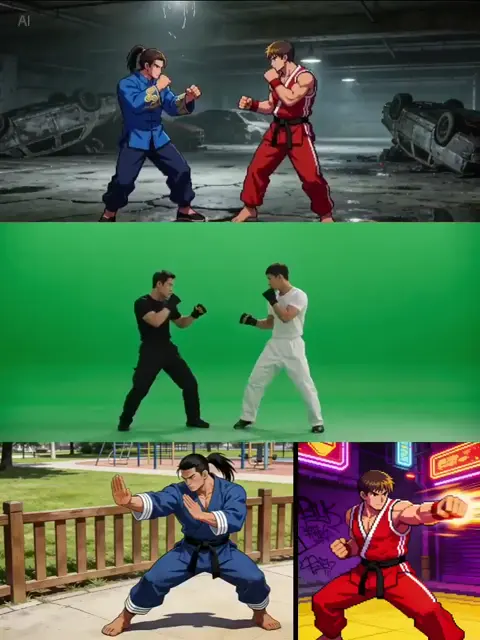
Why anime-style voice generation became a real production task
Anime-style voice work used to require a booth, a director, and a cast. Today the same need appears in places that never had a recording budget: a two-person studio dubbing its own short, a channel that gives six characters distinct voices across a serialized story, a game team that needs thousands of combat barks, a localization shop that pushes one clip into four languages before lunch. The question is no longer whether synthetic voices exist. It is whether they can carry performance.
That word — performance — is where most projects succeed or fail. Anime dialogue lives at the emotional extreme of the spectrum. Characters whisper, shriek, sulk, and monologue. A measured, even read that works perfectly for a product demo collapses when it has to sell a rival's taunt, a confession at sunset, or the exhale before a fight. A voice that sounds convincing in a thirty-second test often falls apart at minute twelve, when the pitch drifts, the pauses land wrong, and every line has the same emotional temperature.
The useful goal, then, is not to find the engine with the longest voice list. It is to build a repeatable pipeline: script preparation that gives the model clean input, casting decisions that survive a full episode, direction that translates intent into controls the engine actually understands, and post-processing that turns isolated clips into a scene. Everything below serves that pipeline.
How modern speech synthesis works, in plain terms
You do not need to read research papers to get good results, but you do need to know where quality is decided. Almost every modern voice engine moves text through four stages.
Text normalization is the first and most underrated. Numbers, abbreviations, honorifics, symbols, and punctuation all get rewritten before synthesis. Normalization decides whether "3" becomes "three", "san", or "the third", and whether an ellipsis signals a pause or three literal dots. Sloppy normalization is the single most common cause of a voice reading something nobody wrote.
Phonemization converts normalized text into phonetic units. Languages differ enormously here. Japanese mora timing, devoiced vowels, and pitch accent behave nothing like English stress patterns, and katakana loanwords get approximated differently by every engine. Tools that accept explicit phoneme input let you override mistakes; tools that hide phonemes behind plain text force you to fix problems by respelling words.
Acoustic modeling is where the character lives. Autoregressive transformers, diffusion models, and flow-matching architectures all predict acoustic frames or neural codec tokens conditioned on three things: the phoneme sequence, a speaker embedding, and a style signal. That style signal is the lever you will pull most often, whether it is a text tag, a reference clip, or a slider for energy and pace.
Vocoding and reconstruction turns those frames into audible audio. Modern neural vocoders are good enough that the vocoder is rarely the bottleneck. Poor reference audio, ambiguous text, and inconsistent style conditioning are.
The practical takeaway: your quality ceiling is usually set before the model ever runs. Clean text, a clean reference, and one clear emotion per line matter more than switching engines.
Why anime performance is a style problem, not a translation problem
Anime voice is not one voice. It is a cluster of style markers that listeners recognize instantly: a wide pitch range, sharp consonant attack, elongated vowels at emotional peaks, tiny involuntary sounds like breaths and gasps, rhythmic pauses tied to cuts, and a visible register shift between inner monologue and spoken dialogue.
That has concrete consequences for tool choice. An engine that only produces a calm, confident narrator will flatten an entire cast. You need controls for pitch range, breath insertion, and pause length, plus the ability to keep a character's timbre stable across dozens of lines. If those controls are missing, no amount of post-processing rescues the scene.
It is also worth separating two problems people often merge. A script can fail in its original language if the punctuation is wrong, the lines are too long, or the emotion is ambiguous. Translation adds difficulty, but it is not the root cause of flat delivery. Fix direction first, then blame the language.
Finally, anime delivery is timing-bound. Lines have to land on mouth flaps, on impact frames, on the beat after a cut. That means your workflow needs to treat voice as one layer in a timed edit, not as an audio file you generate and forget.
Choosing an engine: eight decision criteria
Rank these criteria before you compare products, because different projects weight them very differently.
- Target output. A visual novel needs thousands of short, varied lines. A dubbed episode needs long, emotionally escalating scenes. Real-time game audio needs low latency. These are three different products.
- Language handling. Japanese input, honorifics, mixed Japanese-English sentences, and romanized names each break different engines in different ways.
- Emotional range and control surface. Ask what the controls actually are: text tags, markup parameters, reference-audio cloning, or nothing at all. "It has emotions" is not a specification.
- Voice creation method. A preset library, few-second cloning, fine-tuned custom models, and voice conversion all produce different stability profiles.
- Long-form consistency. Test a five-minute monologue, not a five-second sample. Speaker drift is the most common dealbreaker.
- Latency and throughput. Batch rendering can tolerate slow generation. Interactive characters cannot.
- Deployment and privacy. Cloud APIs are convenient; local models keep your material on your machine. Know where your audio and reference files go.
- Rights and permitted use. This is not paperwork. It determines whether you can publish the result, and whether the voice can be tied to a real performer.
A quick way to keep this honest is to score each candidate from one to five on all eight criteria, then weight only the three that actually matter for your current project. Most teams discover their preferred engine changes depending on whether they are dubbing an episode or generating combat barks.
| Project need | Best-fit category | Main risk |
|---|---|---|
| Dubbed episode with a full cast | Cloning-first service with style controls | Rights and long-form drift |
| Thousands of short game lines | Runtime engine or local model | Repetition fatigue |
| Narration and recap videos | Cloud suite with markup support | Emotional flatness |
| Keeping your own acting style | Voice conversion | Consent and reference quality |
Tool categories worth understanding
Rather than ranking individual products, learn the categories. Tools inside a category behave similarly enough that the category tells you what you are signing up for.
Multimodal cloud suites — Azure Neural TTS, Google Cloud Text-to-Speech, Amazon Polly and similar platforms. Strengths: reliability, wide language coverage, structured markup for rate, pitch, and pauses, plus predictable scaling. Weaknesses: an emotional ceiling, and style that does not always carry across languages consistently.
Cloning-first services — ElevenLabs, PlayHT, Resemble AI and their peers. Strengths: convincing likeness from a short reference, expressive presets, and fast iteration. Weaknesses: you must be rigorous about consent and permitted use, and identity can drift over long sessions.
Open-source and local engines — Coqui XTTS, StyleTTS 2, Fish Speech, Piper and similar projects. Strengths: full control, offline operation, fine-tuning on your own dataset. Weaknesses: setup time, GPU requirements, and the fact that every problem is now your problem.
Voice conversion — RVC-style pipelines that keep your performance and replace the timbre. This is the sleeper option for anime-style work, because the emotion comes from a human actor and the model only handles texture. It is also the category where consent matters most.
Runtime and middleware engines — small models embedded in a game or app that synthesize barks on demand. Strengths: infinite variation and no pre-rendered audio budget. Weaknesses: tighter quality limits and heavier engineering.
A realistic setup often mixes two categories: a cloning service for hero dialogue, a local model for background chatter and crowd lines.
The production workflow, step by step
Step 1 — Lock the script and split it into renderable lines
Write the script in a plain text or spreadsheet format with one line per cell. Keep character name, line text, emotion, and timing in separate columns. Never render paragraph blocks, because a single failure means re-rendering everything around it. Short lines also give you surgical control when one syllable misbehaves.
Step 2 — Cast before you direct
Generate five to ten test lines for each candidate voice with the same text, then listen on a phone speaker rather than studio headphones. Pick voices that are distinct in pitch register, not just in tone. Two soft alto voices will blur together in a scene even if they sounded different in isolation.
Step 3 — Prepare reference audio properly
For cloning, fifteen to sixty seconds of clean, dry speech usually beats five minutes of noisy material. Remove music, reverb, and room hum. Keep one consistent microphone and distance. If you are building a character from scratch, consider recording a scratch performance yourself with the right energy, then converting the timbre.
Step 4 — Render in small batches with a naming convention
Adopt something like ep03_sc02_lin014_hero_v2.wav from the first day. Version numbers are not bureaucracy; they are how you recover when a line you replaced yesterday turns out to have been the better take.
Step 5 — Assemble, clean, and match levels
Import lines into your editor, trim silence, and add a consistent room tone under the whole scene so the voice does not sit in a vacuum. Apply light de-essing and a gentle compressor. Aim for dialogue peaks around -6 dBFS with true peaks below -1 dBFS.
Step 6 — Time lines to picture
Place each line against the mouth flap or action beat it belongs to. If a line runs long, shorten the text rather than speeding the speech; engines handle natural pace far better than extreme time compression. For sequences with many quick cuts, group lines by shot and check them shot by shot.
Step 7 — Mix for the smallest speaker first
Check the mix on a phone speaker, then earbuds, then a car stereo. Anime dialogue is usually consumed on small devices with limited bass, so intelligibility in the midrange matters more than cinematic width.
Directing the performance: tags, punctuation, and pacing
Punctuation is your cheapest control. Periods tighten delivery, commas create micro-pauses, ellipses stretch, em dashes cut off mid-thought. Rewriting punctuation often beats adding direction tags.
Use one emotion per line. A line that starts cheerful and ends furious will usually come out confused. Split it into two lines and join them in the edit.
Learn the tag vocabulary of your engine. Style tags such as [whisper], [shout], [sigh], or markup parameters for rate and pitch behave differently across products. Test each tag once and keep a personal note of what actually changes.
Handle breaths deliberately. Breaths sell performance. If your engine does not insert them, add short foley breaths at emotional peaks, and cut them out of dense comedic dialogue where they slow the rhythm.
Build a pronunciation dictionary early. Character names, attack names, invented terminology, and honorifics are the words engines mangle most. Write the phonetic override once and reuse it across every episode.
Iterate one line at a time. Generate three to five variations of any line that carries emotional weight, keep the best in a "selects" folder, and resist the urge to accept the first take out of convenience.
Mistakes that ruin an otherwise good synthetic dub
- Skipping text normalization. Dates, units, and symbols get read literally and instantly break immersion.
- Cloning from noisy or processed audio. Reverb and compression in the reference get baked into every future line.
- Casting two similar voices. Audiences lose track of who is speaking within a minute.
- Forcing a single line to carry three emotions. Split it instead.
- Ignoring room tone. Dry clips floating in silence sound pasted together.
- Loudness mismatch between characters. Normalize by scene, not just by file.
- Wrong sample rate for video. Export at 48 kHz when you are cutting to picture.
- Rendering twenty-minute files. One mispronounced word means starting over.
- No pronunciation list. You will fix the same name in every episode.
- Trusting the first take. The difference between usable and good is usually the third render.
- Neglecting pauses. Silence is part of the performance, not dead air.
- Publishing without checking permitted use. The most avoidable mistake on the list.
Quality control, rights, and the pre-publish checklist
Rights and consent
Only clone a voice you have explicit permission to use, ideally in writing, with a defined scope for the project and its distribution. If you convert your own performance, keep the raw recording; it is your proof of authorship and your fallback if a model changes. For characters, document who owns the voice design. When a client asks for a likeness of a real performer, treat it as a legal question rather than a technical one.
The pre-publish checklist
- Every line normalized, with numbers, units, and names correct.
- Character voices distinct and consistent across the whole piece.
- No speaker drift on lines longer than a few seconds.
- Room tone present under every scene.
- Dialogue peaks consistent, true peaks below clipping.
- Lip-sync or action timing verified against picture, shot by shot.
- Mix checked on phone speaker, earbuds, and headphones.
- File naming and versions archived for future episodes.
- Rights, consent, and permitted use confirmed for every voice used.
FAQ
Do I need a GPU to work this way?
Not always. Cloning-first cloud services run fine on a laptop. You need local hardware only if you want offline synthesis, fine-tuning, or voice conversion pipelines. A mid-range GPU handles most open-source engines comfortably at batch speeds, though very long renders benefit from more video memory.
Can one engine handle Japanese and English in the same episode?
Sometimes, but expect compromise. Multilingual models often produce slightly different character timbre per language, which is audible when a character switches mid-scene. A common workaround is using one engine per language and matching pitch, pace, and reverb in the mix so the transition feels intentional.
How much reference audio do I actually need?
For few-second cloning, fifteen to sixty seconds of clean, consistent speech is usually enough. For fine-tuning, aim for twenty to sixty minutes of varied, well-labeled material. Quality beats duration every time; a noisy hour will underperform a clean minute.
Why does my character's voice drift after a few minutes?
Drift comes from long context windows, inconsistent style tags, and reference audio that contains too much variation. Render in shorter segments, keep the style tags identical between lines, and re-anchor the voice by including a fixed reference on every batch.
Can I use synthetic voices in a monetized video?
That depends on the terms of the specific engine and the rights attached to the voice. Read the permitted-use section before you build a series around a voice, and keep documentation for anything client-facing. When a voice is modeled on a real person, permission is not optional.
How do I get a scream or shout that does not clip?
Render the shout at a slightly lower volume setting than the engine suggests, then raise it in the mix. Distortion usually originates inside the model's output stage, so it cannot be fixed later. Layering a clean shout take with a short breath and a light room reverb sells the moment better than raw loudness.
Should I dub or subtitle?
Dub when the performance is the point — comedy timing, emotional scenes, character-driven action. Subtitle when information density matters more than delivery, or when you cannot secure reliable voice output for a language. Many teams do both, publishing subtitles alongside a dub for accessibility.
How do I keep a cast consistent across episodes?
Freeze your configuration. Save the exact reference files, style tags, pronunciation dictionary, and engine settings for each character in a project folder, then reuse them without edits. Rebuilding a voice from memory is the fastest way to lose a character between episodes.
Bringing it together
Anime-style voice generation rewards process more than tool hunting. Get the script clean, cast voices that stay distinct, direct with punctuation and tags before you touch sliders, render in small verifiable batches, and treat timing and mixing as part of the performance rather than cleanup. Do that consistently and the tools become interchangeable. Skip it, and even the most impressive engine will produce dialogue that sounds exactly like what it is: text read aloud.

Alexander
More Blogs
Read MoreMontaggio video rapido: transizioni e software per l'AI
Guida pratica al montaggio video rapido con AI: transizioni fluide, software, workflow, coerenza visiva, errori da evitare e FAQ operative.
Building an AI Video Production Workflow From Concept to Cut
A practical guide to planning, generating, editing, and finishing AI-assisted videos with consistent characters, clear shot lists, and reliable review loops.
A Repeatable Post-Production Workflow for Polished AI Video
Build a repeatable AI video post-production pipeline: organize assets, cut story-first, design transitions, refine audio, and review versions calmly.