
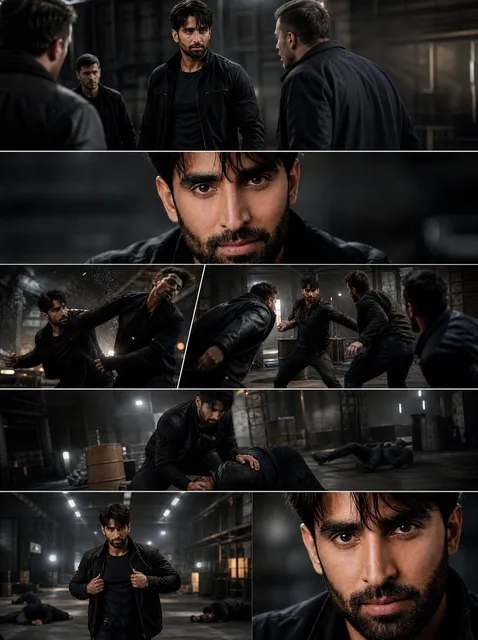
Anime Video AI Generator: Build Stunning Anime Scenes
Oct 15, 2026


Why Anime Is Such a Natural Fit for AI Video Pipelines
Anime has always been a stylized medium. Line weight, cel shading, dramatic speed lines, huge expressive eyes, flat color fields, and deliberate camera tricks are all part of a visual grammar that audiences recognize instantly. That stylization is exactly what makes anime such a productive target for AI video tools. When a frame is already abstracted from photorealism, small model imperfections read as artistic choice rather than error. A slightly wobbly line or a flattened shadow can look intentional in anime in a way it never would in a live-action shot.
There is also a practical production argument. Traditional anime production is labor intensive: key animation, in-betweens, background art, compositing, color design, and sound all require specialized hands. AI does not replace that craft, but it can compress the exploratory phase enormously. A director can generate dozens of visual directions for a scene before committing to a look. A solo creator can produce a short film that previously required a small studio.
The result is a workflow shift rather than a replacement. The strongest anime AI videos are not one-click outputs. They are assembled the way animation has always been assembled: in stages, with review passes, with a consistent style bible, and with deliberate editing. This guide walks through that pipeline end to end and explains where AI helps most, where it still struggles, and how to keep quality high.
The Anatomy of an Anime AI Video Workflow
Most successful anime AI projects follow a similar shape, even when the specific tools differ. Think of it as five layers stacked on top of each other.
- Concept and reference layer — mood boards, character notes, palette decisions, lighting direction.
- Still image layer — character sheets, keyframes, backgrounds, and establishing shots generated or drawn.
- Motion layer — image-to-video, pose-driven animation, or frame interpolation that gives the stills life.
- Finishing layer — upscaling, line cleanup, color grading, compositing, and stabilization.
- Sound and edit layer — voice, music, sound design, timing, and sequence assembly.
A common beginner mistake is collapsing these layers. Someone types a text prompt, gets a clip, and then tries to fix everything in one pass. That rarely works, because each layer has different failure modes. Motion models hallucinate anatomy; still models struggle with continuity; editing tools cannot repair a broken silhouette. Separating the layers means you can diagnose problems and re-run only the stage that failed.
Stage 1: Concept and Reference Boards
Before generating anything, write down the rules of your world. What is the line weight? Is the shading hard-edged cel or soft gradient? Are backgrounds painted or geometric? Which color palette dominates — pastel, high-contrast neon, muted earth tones? These decisions become prompt fragments later, and they prevent the drift that makes AI shorts feel inconsistent.
Build a board of 10–20 reference frames. They can come from your own sketches, public domain artwork, or generated stills you like. The board is not for copying; it is for calibration. When a new shot does not feel right, comparing it against the board usually reveals whether the problem is color, contrast, line weight, or composition.
Stage 2: Keyframes and Character Sheets
Generate or draw your keyframes before touching video. Text-to-image models are far more controllable in still form, and you can iterate on a face or a costume twenty times cheaply. Lock the ones you like.
For recurring characters, build a sheet with front, three-quarter, and profile views plus two or three expressions. If your tool supports reference images, character sheets are the single highest-leverage asset you can prepare. They give the motion model an anchor, which dramatically reduces face drift between shots. Even when a tool does not accept reference images directly, a sheet helps you write consistent descriptions and spot mismatches in review.
Stage 3: Motion and Temporal Consistency
This is where anime AI video becomes genuinely difficult. Anime motion has extreme poses, smear frames, and deliberate timing that differs from natural physics. Generic video models often produce smooth, floaty movement that looks nothing like animation.
Three approaches work well:
- Image-to-video with short clips. Generate 2–5 second shots with a strong starting frame and a restrained prompt describing only the motion. Short clips are easier to keep coherent, and you can cut them together.
- Pose-driven pipelines. Using a skeleton or depth reference to drive a generated character gives you far more control over gesture and camera. This is more technical but pays off for action sequences.
- Hybrid hand-drawn motion. Animate key poses yourself, then let AI handle in-betweening and cleanup. This preserves the punch of hand-drawn timing while saving time on the tedious frames.
Whichever route you take, generate more takes than you need. Six to ten variations per shot is normal. Pick the one with the correct silhouette, then fix details in finishing.
Stage 4: Interpolation, Upscaling, and Cleanup
Raw AI video often runs at a low frame rate with visible temporal noise. Interpolation can smooth it, but be careful: aggressive interpolation on stylized animation produces the infamous soap-opera look and can warp line art. Use modest settings and check a few frames at full resolution before committing.
Upscaling is where anime responds best. Line art has strong edges, and dedicated upscalers handle that structure well. A two-pass approach — mild denoise first, then upscale — usually beats a single heavy pass. After upscaling, review for shimmering outlines, melted facial features, and background texture that has turned to mush.
Stage 5: Sound and the Final Edit
Anime is rhythmic. Beats land on cuts, silence is used for tension, and a single held frame can carry more weight than a busy sequence. Lay your picture edit first without music, then add a temporary track to test pacing. Once the timing feels right, replace it with the final audio.
Dialogue deserves special attention. If you are dubbing, record lines and cut picture to the performance rather than the reverse. If you are using synthesized voices, keep sentences short and give the model clear punctuation, then adjust the edit so mouth movement and audio land close enough together. Perfect lip sync is rarely needed in anime; audiences forgive stylization, but they notice when a line arrives a full second late.
Choosing the Right Tool for Each Stage
There is no single best anime AI video generator. There are tools that are strong at different stages.
| Stage | What you need | What to look for |
|---|---|---|
| Stills | Style control | Reference image support, style adapters, fine-tuning options |
| Motion | Temporal coherence | Short-clip quality, camera control, pose or depth input |
| Refinement | Detail preservation | Clean upscaling, frame interpolation that respects line art |
| Assembly | Timing control | Frame-accurate timeline, audio waveform, color tools |
When evaluating a new generator, do not judge it on a single hero clip. Run a consistency test: same character, three different shots, same style. Run a motion test: a walking shot, an action shot, and a subtle emotional shot. Run a failure test: something difficult like hands, profiles, or a crowded background. Most tools look impressive on a landscape pan and fall apart on hands.
Also consider what happens after generation. A tool that exports clean frames at a known frame rate is easier to integrate than one that only offers a finished clip with baked-in compression. If you plan to composite or grade, keep the highest quality export available and treat the social-ready version as a separate output.
Prompting for Anime Aesthetics
Prompts for anime video work differently than prompts for photoreal footage. Precision about style matters more than precision about content.
A useful structure is: subject → action → camera → style → lighting → quality constraints.
For example, rather than "a girl running," try specifying the shot size, the camera move, the animation style, the lighting direction, and a constraint like "flat cel shading, clean outlines, no extra fingers." Naming an era or technique — cel animation, watercolor backgrounds, 90s TV anime, modern digital compositing — often communicates more than a dozen descriptive adjectives.
Negative Prompts and What to Exclude
Negative prompts are unusually valuable in anime work because common failures are predictable: extra limbs, distorted hands, photorealistic skin texture, muddy gradients, and watermarks. Keep a running list of the artifacts you actually see and add them over time.
Resist the urge to make negatives enormous. Long negative lists can flatten the image and remove desirable texture. Ten targeted exclusions beat a hundred generic ones.
Motion Prompting
When prompting video, describe movement rather than appearance. Appearance is already in the starting frame. Words like "hair swaying in wind," "slow push in," "cape fluttering," "subtle breathing motion," and "speed lines on impact" steer the model toward animation logic instead of generic drift.
Camera language is powerful but should be used sparingly. A slow dolly in one shot and a static frame in the next creates more rhythm than constant motion.
Keeping Characters and Style Consistent
Consistency is the hardest part of long-form AI anime, and it is the difference between a demo and something watchable.
Practical tactics that work:
- Build a style bible. Write down your palette, line weight, shading model, and background treatment in explicit terms.
- Reuse seeds and reference images wherever the tool allows.
- Limit costume and hair complexity. Simple, distinctive silhouettes stay consistent; elaborate details drift.
- Shoot close-ups when continuity is fragile. A tight shot hides inconsistencies that a wide shot exposes.
- Cut away deliberately. Anime itself uses cutaways, reaction shots, and background inserts to manage animation cost. Use the same technique.
- Batch like shots together. Generate all your dialogue close-ups in one session so model settings stay stable.
If you are working on a series, keep a project folder with approved keyframes, character sheets, palette swatches, and a list of seeds. Six months later, that folder is the only reason you can match the look again.
Common Problems and How to Fix Them
Flickering or boiling lines. Usually a temporal coherence issue. Shorten the clip, reduce motion strength, or generate at a higher frame rate and downsample.
Face morphing between frames. Often caused by too much motion in one shot. Split the action into two shots or hold the character more statically and let the background carry movement.
Washed-out colors after upscaling. Upscalers sometimes lift shadows. Grade after upscaling, not before.
Stiff, lifeless motion. Typically a prompt problem — the model was told what things look like, not how they move. Add motion verbs and reduce style adjectives in video prompts.
Audio that feels disconnected. Cut picture to sound. Slide shots by one or two frames to land impacts on beats. Small timing adjustments have an outsized effect.
Everything looks like the same show. Vary shot length, camera height, and color temperature across scenes. Style consistency does not mean monotony.
A Realistic Production Timeline
For a one-minute anime short built with AI assistance, a solo creator can expect this rough distribution of effort:
- Concept and boards: 10%
- Keyframes and character sheets: 25%
- Motion generation and retakes: 35%
- Cleanup, upscale, and grade: 15%
- Audio and final edit: 15%
Notice that motion generation dominates, and that is where retakes accumulate. Budgeting for retakes in advance prevents the frustration of a project that seems stalled. It also explains why short clips win: five seconds generated ten times is cheaper in every sense than thirty seconds generated twice.
Where AI Still Needs a Human Hand
It is worth being honest about limitations, because expectations shape results.
AI is weak at sustained narrative logic. It does not know that a character is holding a sword in the previous shot unless you tell it. It is weak at complex hands, intricate crowd scenes, and precise text. It struggles with deliberate timing — the held pause before an attack, the silence before a reveal.
Humans remain essential for story structure, comedic timing, staging, and the small acting choices that make a character feel alive. The most effective approach treats AI as a fast, tireless assistant that produces options, and the creator as the editor who chooses. Directors already work this way with storyboards and dailies. AI just makes the dailies cheaper.
FAQ
Do I need to know how to draw to make anime with AI?
No, but visual literacy helps enormously. You need to recognize when a silhouette reads clearly, when a palette clashes, and when motion feels wrong. Studying animation principles — squash and stretch, anticipation, follow-through — will improve your results more than any new model.
What clip length should I aim for?
Short. Two to five seconds per generated shot is the sweet spot. You can always cut them together, and shorter clips hide temporal errors far better.
How do I stop characters from changing between shots?
Use character sheets, reference images, fixed seeds, and simple designs. Batch similar shots in one session. When in doubt, cut to a close-up or an insert instead of a wide shot that exposes inconsistency.
Is it better to generate video directly or animate stills?
For most anime projects, starting from a strong still and adding motion produces better results than pure text-to-video. You gain control over composition and character design before the model introduces motion uncertainty.
How much footage should I generate per finished second?
A ratio of five to ten generated seconds for every finished second is realistic when you include retakes, alternate takes, and B-roll. Plan for it rather than treating it as waste.
What about frame rate?
Anime is often animated on twos or threes for a reason — it looks intentional. Do not assume higher frame rates are better. If your output looks too smooth, consider stepping down rather than up.
How do I handle sound design on a budget?
Start with a temporary music bed to test pacing, then prioritize three things: clean dialogue, one strong impact sound for your action beat, and consistent ambient background. Those three carry most of the perceived production value.
Can I publish AI-assisted anime commercially?
Rules vary by tool, model, and jurisdiction, and they change. Check the license terms of every model you use, keep records of your inputs, and be transparent about your process. If you are adapting existing characters or worlds, you need rights regardless of how the frames were made.
Getting Started Without Overwhelming Yourself
Pick a fifteen-second scene. One location, one character, three shots. Prepare one character sheet, generate ten keyframes, animate four of them, pick the best three, and edit them with a single music cue. Finish it. Publish it.
That small project will teach you more than weeks of reading. You will learn which prompts drift, how much retake time your tool needs, and where your own taste intervenes. Anime AI video generation is not a magic button; it is a craft pipeline with a very fast sketchbook attached. Treat it that way, keep your layers separate, and the results will look deliberate — which is the only thing audiences actually notice.

Alexander
More Blogs
Read MoreVidu Q4 Alternatives: 4K AI Video Models Compared (2026)
Vidu Q4 alternatives compared: Kling 4.0, Seedance 2.5, Wan 3.0, and Runway Gen-4 — 4K support, input modes, durations, audio, and what each costs in credits on Domer.
Top 4K AI Image Generators in 2026: 5 Models Compared on Real Costs
The top 4K AI image generators on Domer compared: Flux 3 Klein, Nano Banana 2.1, GPT Image 2.5, GPT Image 2, and Nano Banana Pro — 4K credit costs, reference limits, and speed.
Nano Banana 2.1 vs GPT Image 2.5: Which Image Model Should You Use? (2026)
Nano Banana 2.1 vs GPT Image 2.5 Flare compared: credit costs per resolution, aspect ratios, reference images, text rendering, and which tasks fit each model.