

How to Create Animated Videos With AI: A Practical Workflow
Oct 15, 2026
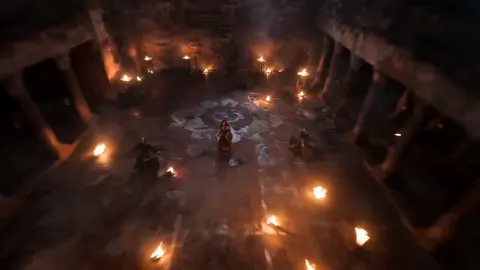
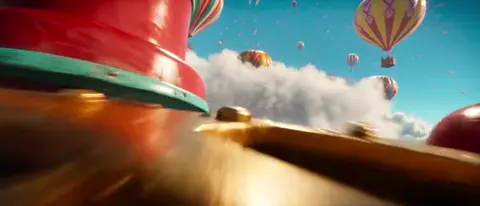

For years, animated video was gated behind a simple question of resources. If you wanted characters that moved, worlds that felt designed rather than filmed, or explainers that turned abstract ideas into something watchable, you needed a studio, a rig, a render farm, and weeks of iteration. Generative models changed the arithmetic. A single creator with a laptop can now produce a two-minute animated piece that would once have been a small team's month of work.
The more important shift is iteration cost. When a new shot costs a prompt and ninety seconds instead of a day of layout and keyframing, you can afford to explore, discard, and explore again. The bottleneck moves from "can we make this?" to "do we know what we actually want?" That is a creative problem rather than a technical one, and it is where most AI animation projects succeed or fail.
This guide is a practical workflow for making animated videos with AI, from the first idea to the final export. It covers which model types do what, how to keep a style from drifting, how to plan shots so the edit works, and how to avoid the tells that make AI video look like AI video.
The building blocks: what each model type actually does
"AI video" is not one tool. It is a stack of model families that solve different problems, and most projects need two or three of them working together. Knowing which family handles which job saves hours of fighting the wrong tool.
Text-to-video
You describe a shot in words and the model generates motion. This is the fastest way to sketch ideas, build B-roll, and create abstract or environmental sequences. It is weakest at precise choreography and complex character interaction, where small prompt changes produce large, unpredictable differences.
Image-to-video
You supply a still frame and the model animates it. This is the single most useful technique for animation work, because it separates design from motion. You can approve the composition, character design, and colour palette as a still image first, then generate movement from a locked starting point. Shot-to-shot consistency improves dramatically when every shot begins from an approved frame.
Video-to-video and motion transfer
Here you drive a generation with existing footage, a depth pass, or a pose skeleton. This is how you get controlled camera moves, lip-synced dialogue, or a live-action performance translated into a stylised character. If your animation needs believable acting, this family is usually the answer.
Image generation, upscaling, and cleanup
The stills that feed image-to-video come from an image model, and the frames that come out often need upscaling, deflicker, or rotoscoping before they are usable. Budget real time for this stage rather than treating it as an afterthought.
Voice, music, and sound design
Speech synthesis has become good enough for narration and, in many languages, for character dialogue. Music and ambient generation tools cover the rest. Animation is unusually sensitive to sound quality because motion timing is judged against audio, so a weak voice track drags down an otherwise strong visual.
Choosing tools without chasing leaderboards
New models appear constantly, and benchmark rankings change faster than production schedules. Instead of picking the top of a list, score candidates against the needs of your specific project.
| Criterion | Why it matters | What to test |
|---|---|---|
| Stylistic range | Some models only look photoreal | Prompt the same shot in three visual styles |
| Motion realism | Some handle stilts, water, and crowds badly | Generate fast lateral camera moves and limb-heavy actions |
| Shot length | Short clips force more editing seams | Time how long output stays coherent |
| Control inputs | Depth, pose, or mask control enables precision | Test whether your control map is respected |
| Character retention | Identity drift ruins series work | Reuse one character across five prompts |
| Iteration speed | Slow generation kills exploration | Measure realistic turnaround under load |
| Licensing terms | Commercial use rules vary widely | Read the terms before you commit |
The pragmatic approach is to select one primary image model, one primary image-to-video model, and one fallback for each. Two-tool redundancy means a queue outage or a failed style never stops production. Build a small reference project — three shots, one character, one camera move — and run every candidate through it before deciding.
Writing prompts that hold a style together
A prompt for animation is not a wish list. It is closer to a shot card, and the more it reads like a consistent brief, the more consistent the output.
A reliable prompt structure looks like this: subject and action, then framing and camera movement, then lighting and colour, then style and medium, then a short negative list. For example: "a small fox in a yellow raincoat walks left to right through shallow water, medium wide shot, slow tracking camera, overcast soft light, muted teal and ochre palette, hand-painted 2D animation with visible brush texture, no text, no lens flare."
Three habits make the biggest difference. First, lock your style vocabulary and reuse the exact same words in every prompt — swapping "hand-painted" for "painterly" will shift the look. Second, describe motion explicitly, because models default to slow drift unless you ask for specific movement. Third, keep negative prompts short and physical: extra limbs, warped faces, text artefacts, jitter. Long negative lists tend to confuse rather than refine.
A repeatable production workflow from brief to export
The workflow below is deliberately linear. Skipping stages is tempting and almost always costs more time later, because fixes applied after generation are expensive while fixes applied before generation are nearly free.
Step 1: Compress the brief into one sentence
Write the premise, the audience, and the emotional target in a single sentence. If you cannot, the video will wander. Everything downstream should be justifiable against that sentence.
Step 2: Write a script built for shots, not paragraphs
Animated video scripts work in beats of three to six seconds. Read your script aloud and mark where a visual beat should land. Anything that takes more than six seconds of screen time is usually two shots, not one.
Step 3: Build a style bible
Collect five to ten reference images, define a palette with named colours, and write down your style vocabulary. This document is what keeps a twenty-shot video from looking like twenty unrelated videos.
Step 4: Generate stills first
Produce keyframes for every shot before generating any motion. Approve composition, character design, and colour at the still stage. Regenerating fifty stills is cheap; regenerating fifty animated clips is not.
Step 5: Animate selectively
Animate approved stills with image-to-video. Generate two or three takes per shot and keep them all — sometimes the second-best take cuts better with its neighbours than the best one in isolation. Use video-to-video only where performance control genuinely matters.
Step 6: Assemble a rough cut with sound
Drop clips into an editor with a scratch narration and a temporary music bed before polishing anything. Rough cuts reveal missing shots and pacing problems that are invisible when you view clips one at a time. Most first assemblies are thirty percent too long.
Step 7: Repair, then polish
Fix continuity, upscale, deflicker, and stabilise. Only then add transitions, colour grading, and typography. Grading before repair hides problems you will have to fix twice.
Step 8: Export and version
Export a master plus vertical and square crops. Animated content is often repurposed across feed formats, and designing your compositions with safe centre framing makes those crops painless.
Character and style consistency: the hardest problem
The complaint that "it does not look like the same character" is almost always a pipeline problem rather than a model problem. Three techniques solve most of it.
The first is to animate from an approved still of that character every time, rather than prompting the character from scratch. The second is to define and freeze a small set of identifying details — silhouette, costume accents, hair shape, two or three colour anchors — and check them in every keyframe before animating. The third is to lock camera distance and lens feel across a scene, because a sudden shift from wide to close-up reads as a different character even when the design is identical.
For longer series, a turnaround sheet is worth the effort: front, three-quarter, and profile views at consistent lighting. It gives you reliable reference images and forces you to decide the details that models otherwise improvise.
Sound, pacing, and the edit
Animation timing is judged against audio more than against reality. If a line of dialogue runs four seconds but the mouth animation runs three, viewers notice instantly. Build your audio timeline first and animate to it, not the reverse.
Pacing rules that hold up well: cut on motion rather than after it, keep shot lengths within a scene within ten percent of each other, and use one slow shot after a burst of fast ones to let the eye rest. Music should be chosen before the final edit, not after, because tempo dictates cut points more than storyboards do.
Sound design is where AI animation most often undersells itself. Footsteps, cloth movement, water, and room tone are cheap to add and make stylised visuals feel grounded. Silence has a role too: dropping the music bed for two seconds before a reveal works as well in animation as it does in film.
Common mistakes and how to fix them
Animating before design is locked. The most expensive mistake. Fix: never animate a shot you have not approved as a still.
Prompts that describe mood instead of motion. Vague prompts produce drifting, aimless clips. Fix: name the action, the camera move, and the direction of travel.
Overlong shots. Models lose coherence over time. Fix: generate short and cut more often; a busy edit hides far more than a long take does.
One model for everything. Some shots need stylisation, others need realism, others need precise camera control. Fix: keep two or three specialised tools and route each shot deliberately.
Ignoring aspect ratio early. Vertical-first compositions break when cropped to widescreen. Fix: decide distribution formats before generating stills.
Polishing before repairing. Grading, effects, and typography applied to unstable footage hide defects. Fix: stabilise, deflicker, and upscale first.
Skipping the rough cut. Reviewing clips individually makes every shot feel fine. Fix: assemble early, watch through once without pausing, and note where attention drops.
Quality control checklist before publishing
Run this pass on the finished master, ideally after a night's sleep.
- Watch once with sound, once muted. Muted viewing exposes weak visual storytelling.
- Check every cut for character identity, wardrobe, and palette continuity.
- Look for warped hands, faces, text, and background artefacts at normal speed, not frame by frame.
- Confirm audio levels are consistent and dialogue is intelligible on phone speakers.
- Verify captions are timed to the spoken track and readable at a glance.
- Confirm all visual assets, music, and voices are licensed for your intended use.
- Check the first three seconds: does the video explain itself without context?
- Check the last three seconds: is there a clear next action or clear ending?
FAQ
How long does an AI animated video take to produce?
A tight sixty-second piece usually takes two to four working days including iteration, with generation itself accounting for only a fraction of that. Planning, keyframes, and editing dominate the timeline.
Do I need animation experience?
Not for the tools, but you do need editing instincts. Understanding shot sizes, pacing, and continuity matters far more than knowing a rigging workflow.
Can AI animation replace a traditional studio?
For short-form explainers, social content, and concept visuals, it often can. For feature work with complex acting, crowds, and physics, hybrid pipelines remain the practical choice.
Why does my output look obviously AI-generated?
Usually because of drifting identity, overlong shots, motion without purpose, and unsynced audio. Fixing prompt specificity, cutting shorter, and adding sound design solves most of it.
Which should come first, the script or the visuals?
The script, always. Animated production is expensive enough that discovering your structure mid-production is the single fastest way to waste a budget, whether that budget is money or time.
How do I keep a series visually consistent across episodes?
Maintain a style bible and a character reference sheet, reuse approved keyframes as starting points, and keep your prompt vocabulary unchanged between episodes.
Getting started without overbuilding
The temptation is to research every model, subscribe to five tools, and plan a ten-minute short. A better first step is a thirty-second piece with three shots, one character, and one camera move. Finish it end to end, including sound and a rough cut. That single loop teaches you more about which tools fit your workflow than any comparison list, and it gives you a reusable template for everything that follows.
From there, expand one variable at a time: more shots, then more characters, then more complex motion. AI animation rewards patience with systems rather than patience with individual renders. Build a pipeline that makes the boring parts repeatable, and spend your attention on the part that still belongs to you — deciding what the video is actually about.

Alexander
More Blogs
Read MoreVidu Q4 Alternatives: 4K AI Video Models Compared (2026)
Vidu Q4 alternatives compared: Kling 4.0, Seedance 2.5, Wan 3.0, and Runway Gen-4 — 4K support, input modes, durations, audio, and what each costs in credits on Domer.
Top 4K AI Image Generators in 2026: 5 Models Compared on Real Costs
The top 4K AI image generators on Domer compared: Flux 3 Klein, Nano Banana 2.1, GPT Image 2.5, GPT Image 2, and Nano Banana Pro — 4K credit costs, reference limits, and speed.
Nano Banana 2.1 vs GPT Image 2.5: Which Image Model Should You Use? (2026)
Nano Banana 2.1 vs GPT Image 2.5 Flare compared: credit costs per resolution, aspect ratios, reference images, text rendering, and which tasks fit each model.