
Create
Cinematography Basics: Build Cinematic Tone for AI Video
Oct 1, 2026
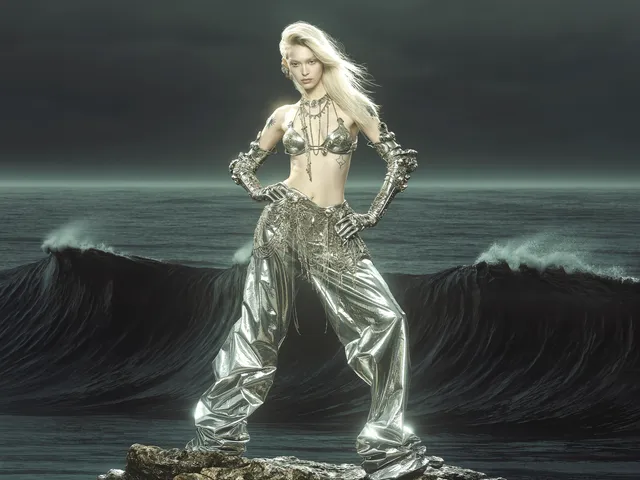
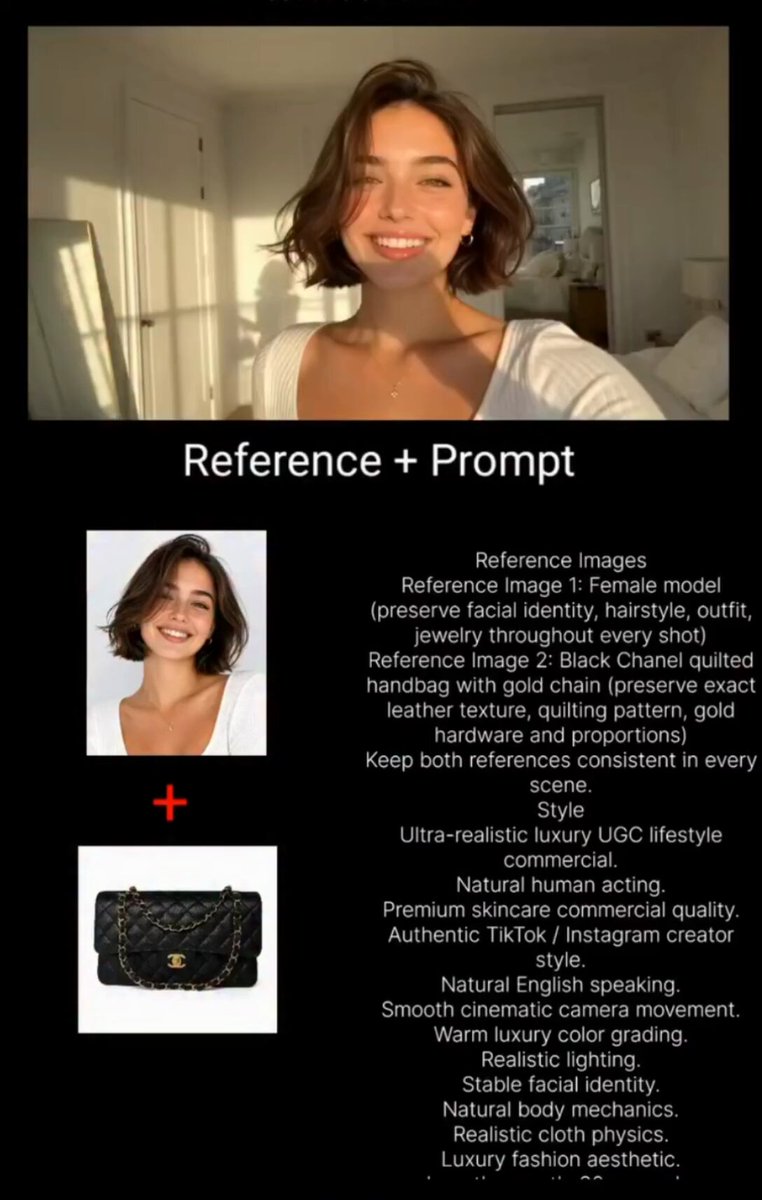

Why Tone and Manner Are the Difference Between Footage and Film
Two clips can share a resolution, a frame rate, and even a subject, yet only one of them feels like a movie. What separates them is not technical polish. It is tone and manner: the accumulated visual logic that tells a viewer within three seconds what kind of story they are watching and how they should feel about it. Tone is the emotional temperature of a scene. Manner is the way the camera, the light, and the color behave while delivering that temperature.
AI video generation has made raw pixels cheap. Almost any modern model can produce a sharp, convincing shot of a person walking through rain at night. What remains genuinely difficult is coherence, a clip that feels like it belongs to the same film as the clip before and after it. Cinematography is the discipline that supplies that coherence. It hands you a shared vocabulary (key light, low angle, 35mm compression, cool shadows, shallow focus) and, more importantly, it gives you reasons to choose one option over another instead of guessing.
That is why film craft pays off so quickly for AI creators. You are not learning to operate a camera; you are learning to describe an intention precisely enough that a model can execute it. Intent is the scarce resource, not rendering power. A creator who can articulate why a scene should be lit soft and low-key will outperform a creator who simply asks for "cinematic, 8k, dramatic" every time.
The rest of this guide walks through the pillars of cinematography, how to translate them into prompts and settings, how to choose tools that match the mood you want, and how to build a workflow that keeps a whole project inside one visual world.
Start With a Tone Bible, Not a Prompt
Most people open a generation tool and start typing. Professionals start with a document. A tone bible is a one-page reference that defines the look of a project before a single clip is generated. It is the cheapest investment you can make, and it prevents the most common failure mode in AI video: a sequence of beautiful shots that never quite feel related.
A practical tone bible contains a handful of fixed decisions:
- Genre and emotional register. Tense thriller, warm documentary, melancholy drama, slick commercial.
- Palette. Three to five named colors, including one accent color used sparingly for emphasis.
- Lighting philosophy. Where does light come from, how hard is it, and what is left in shadow?
- Lens language. Wide and immersive, or long and compressed? Deep focus or shallow?
- Movement policy. Locked-off and patient, or handheld and restless?
- Reference stills. Four to six images from existing films that capture the above.
The last item matters more than people expect. Reference images compress a huge amount of information into something you and a model can both aim at. If you are working with a tool that accepts image input, a reference still is often more powerful than three paragraphs of adjectives.
Once the bible exists, prompts become short and specific. Instead of "cinematic shot of a detective in an alley," you write "medium close-up of a detective in a wet alley, single hard key from a streetlamp at frame left, deep teal shadows, warm sodium highlight on the face, long lens, static camera." The second prompt is longer, but every word is doing work. The first prompt is a wish; the second is a shot.
Light Is the Emotional Grammar of a Shot
If you only master one aspect of cinematography, make it light. Light decides what the audience looks at, what they feel, and how much they trust what they are seeing. In AI video, light is also the single most reliable lever for making output look intentional rather than generated.
Key, Fill, and Rim
Classical lighting uses three roles. The key light is the primary source and defines the shape of the subject. The fill softens the shadows the key creates, controlling contrast. The rim (or backlight) separates the subject from the background and adds dimension. When you describe lighting in a prompt, naming these roles produces far more consistent results than naming moods alone. "Strong key from the left, minimal fill, warm rim light behind the subject" gives a model a physical arrangement to build.
Hard Versus Soft
Hard light produces crisp, defined shadows and reads as dramatic, harsh, or truthful. Soft light wraps around a face, flatters skin, and reads as intimate or safe. Much of the emotional content of a scene can be changed simply by softening or hardening the source. A conversation that feels tender under soft window light becomes tense under a bare bulb.
Practicals and Motivation
A practical is a light source visible in the frame: a lamp, a neon sign, a phone screen, a car headlight. Motivated lighting means every source has a believable origin. Audiences do not consciously notice motivation, but they notice its absence as a vague sense that a shot looks artificial. When prompting, anchoring light to an object in the scene ("lit only by the flickering television") tends to produce richer, more believable frames than describing light abstractly.
Time of Day as a Mood Tool
Golden hour, blue hour, harsh noon, and pre-dawn each carry built-in emotional associations. Golden hour suggests nostalgia and safety. Blue hour suggests transition and solitude. Harsh noon suggests exposure and discomfort. Choosing a time of day is one of the fastest ways to set tone without writing a single line of dialogue.
Framing and Angle: Where the Camera Stands Changes the Story
Framing is not decoration. Every framing decision is a statement about power, intimacy, and attention.
Shot Scale
A wide shot establishes geography and makes characters small within their world. A medium shot is the workhorse of dialogue, close enough for expression but wide enough for gesture. A close-up removes context and forces the audience into a single emotion. The rhythm of a sequence often comes from moving between these scales deliberately rather than staying at one distance for the entire piece.
Angle
A low angle makes a subject dominant. A high angle makes them vulnerable. An eye-level angle creates neutrality and honesty. In AI generation, angle is one of the easiest attributes to specify and one of the most frequently forgotten, which is why so much generated footage sits at a flat, slightly elevated eye level that feels anonymous.
Negative Space and Composition
Where you place a subject inside the frame carries meaning. Centered compositions feel formal and confrontational. Off-center compositions with empty space feel contemplative or lonely. Leading lines pull the eye toward a destination. When you plan a shot, decide what the empty parts of the frame are saying, because in AI generation the model will fill them with something whether you asked or not.
Lens Language
Focal length is a tone tool. Wide lenses exaggerate space and distort edges, which suits unease and energy. Long lenses compress distance and isolate subjects from busy backgrounds, which suits intimacy and observation. Depth of field matters too: shallow focus directs attention but hides environment, while deep focus lets the audience explore. Naming a focal length or a depth-of-field characteristic in a prompt is a compact way to communicate an entire visual attitude.
Camera Movement as Rhythm
Movement gives a film its pulse. The safest approach in AI video is also the most cinematic: move only when the story gives you a reason. Unmotivated camera drift is one of the clearest signals of generated footage, because human operators tend to move with purpose.
A few practical movement choices and what they communicate:
- Static or locked-off: observation, tension, formality. Excellent for dialogue and for letting performance carry a scene.
- Slow push-in: growing realization, intensifying focus, tightening pressure.
- Pull-out: revelation of context, isolation, release.
- Lateral tracking: keeps a subject constant while the world changes behind them, useful for journeys and process shots.
- Handheld: immediacy, documentary realism, instability.
- Crane or drone: scale, grandeur, and the sense of a larger world.
When you write movement into a prompt, describe both direction and speed, and consider what the movement reveals. "Slow dolly forward, revealing the empty chair behind her" is far more useful than "dynamic camera motion." Also remember that complex movement across multiple shots is where AI tools struggle most, so keep one clear motion per clip and stitch clips together in editing rather than asking a single generation to do everything.
Color Palette: Choose Something You Can Reproduce
Color is the most visible carrier of tone and the easiest to get wrong across a sequence. The goal is not a pretty frame; it is a palette that survives twenty generations, multiple locations, and time-of-day changes.
The Three-Color Rule
Define one dominant color, one supporting color, and one accent. For example: dominant cool blue, supporting warm amber practicals, accent red for danger or desire. This structure gives you room to vary shots while keeping the film readable as a single work.
Warm and Cool Contrast
Placing warm and cool light in the same frame creates depth and conflict. Warm skin against cool shadow is a classic look because it separates the human subject from the environment. It is also easy to describe in a prompt, which makes it a reliable technique for AI work.
Saturation and Contrast Curves
High saturation and high contrast read as stylized, comic, or artificial. Lower saturation and lifted shadows read as reflective, muted, and realistic. Decide early whether your film lives at the vivid end or the restrained end, because mixing the two across a project reads as inconsistency rather than variety.
Grading After Generation
Even the best generation benefits from a finishing pass. Apply a consistent look with basic tools: balance exposure, unify white balance across clips, apply a shared color curve, and add a subtle grain or halation if you want a filmic texture. The single most valuable habit here is restraint. If the grade is doing something you can consciously see, it is probably doing too much.
Matching the Tool to the Mood
Different generation tools have different aesthetic personalities. Rather than chasing a ranking, learn what each family of tools does best and route shots accordingly.
Photoreal and Cinematic-Heavy Tools
Some models excel at naturalistic skin, believable depth of field, and complex lighting. They are the right choice for dialogue, close-ups, and anything where a viewer might study a human face. Their weakness is often speed and cost per iteration, so reserve them for hero shots that carry the story.
Stylized, Illustrative, and Anime-Leaning Tools
Other models handle graphic stylization, stylized motion, and flat-color palettes more reliably. If your tone bible calls for animation, painterly textures, or a comic aesthetic, forcing a photoreal model to fake it usually produces an uncanny middle ground. Use the tool whose default output is already close to your target, then refine.
Fast Iteration Tools
Lightweight or lower-cost models are invaluable for previsualization. Generate rough versions of every shot in your sequence before committing to high-quality renders. This lets you test pacing, composition, and continuity cheaply, and it prevents the expensive mistake of discovering a story problem after the polished work is done.
Building a Model Mix
Most strong projects use two or three tools rather than one. A typical split: a fast model for previz and B-roll, a photoreal model for character shots, and a specialized model for stylized inserts or transitions. Document which tool produced which shot type in your tone bible so the mix stays consistent across the project.
A Repeatable Workflow From Mood Board to Final Cut
Step 1: Write the Tone Bible
One page. Palette, lighting philosophy, lens language, movement policy, and reference stills. Get agreement from anyone else on the project before generating anything.
Step 2: Build a Shot List With Intent
For each shot, note what it must accomplish narratively, plus its scale, angle, lens, lighting setup, and movement. A shot list without intent is just a list of pictures.
Step 3: Previsualize Cheaply
Generate rough versions of the full sequence with a fast model. Watch it as an edit, not as individual clips. Sequence problems are invisible in isolation and obvious in a timeline.
Step 4: Lock Look, Then Render
Once the sequence works, generate hero shots with your highest-quality model using prompts derived directly from the tone bible. Use the same lighting and palette phrases across all prompts so continuity is built in, not added later.
Step 5: Edit for Rhythm
Cut on motion, on eyeline, and on emotional beats. Vary shot length: long holds for reflection, quick cuts for urgency. AI footage often benefits from being cut slightly faster than you expect, because micro-inconsistencies are less visible in motion.
Step 6: Grade and Finish
Unify color, add texture, mix audio, and check the whole piece at small size. If it does not read at thumbnail scale, the tone is not strong enough.
Common Mistakes That Break the Cinematic Illusion
Overloading prompts. Long stacks of adjectives dilute each other. Three or four precise visual decisions outperform twenty vague ones.
Inconsistent lighting direction. If the key comes from the left in one shot and the right in the next with no motivation, the sequence feels assembled rather than directed.
Ignoring eyeline. Characters should look in consistent directions across cuts. AI generation makes this easy to break, so specify gaze direction explicitly.
Constant camera movement. Unmotivated drift flattens everything. Stillness creates contrast that makes movement meaningful.
Chasing maximum resolution. Resolution does not create mood. A soft, well-lit, deliberately framed shot beats a razor-sharp, flatly lit one every time.
Skipping the previz stage. It is tempting to render hero shots first. It is also the fastest way to waste effort on a sequence that does not work.
Inconsistent color temperature. Mixed white balance across clips is the most visible continuity error in AI video, and the easiest to fix in a shared grade.
Frequently Asked Questions
Do I need to understand real cameras to direct AI video? No, but you need their vocabulary. Knowing what a key light, a 50mm lens, or a low angle does gives you precise control over mood. The vocabulary is the skill; the hardware is optional.
How many reference images should a tone bible include? Four to six is usually enough. More than that creates conflicting signals. Pick references that agree with each other rather than covering every possible look.
Why does my footage look generated even when the quality is high? Usually because of unmotivated lighting, drifting camera movement, or inconsistent color. Fixing those three issues changes the perceived quality more than upgrading the model.
Should I generate one long shot or several short ones? Several short ones. You gain editorial control, better continuity, and fewer artifacts. Long continuous generations are the hardest thing to get right consistently.
How do I keep characters consistent across shots? Lock wardrobe, lighting, palette, and lens description in the tone bible, reuse reference images, and keep prompts structurally identical, changing only the details that must change.
Is post-production grading still necessary? Yes. A shared grade is what makes separate clips feel like one film. Even a simple exposure and white-balance pass across a timeline does most of the work.
What is the fastest way to improve my results? Write down a one-page tone bible and stop improvising prompts. Consistency, not novelty, is what makes AI video look cinematic.
Bringing It Together
Cinematic tone is not a filter you apply at the end. It is a set of decisions made before generation and honored throughout: where the light comes from, where the camera stands, how the lens renders space, when the camera moves, and which colors carry the emotion. AI tools have removed the technical barrier to producing footage; they have not removed the need for visual intention. The creators whose work reads as film are the ones who can explain every choice in a frame and then repeat those choices across an entire project. Start with a tone bible, light with purpose, frame with intent, move with reason, and grade with restraint. Everything else is iteration.

Alexander
More Blogs
Read MoreSynthesia AI Video Platform Integration: A Workflow Guide
Learn how to integrate Synthesia into a repeatable AI video workflow, from scripting and avatars to review, localization, security, and scale.
Sora and ChatGPT for Video: Build a Resilient AI Workflow
Learn how to combine Sora, ChatGPT, and supporting AI tools into a reliable video workflow, from brief to storyboard, generation, review, and delivery.
Video Metrics That Reveal Platform Growth Before Charts Do
A practical guide to the video metrics that actually signal platform and channel growth, plus a repeatable AI video workflow for measuring, benchmarking, and improving output.