

Consistent Character Video Creation: The Multi-Image Reference Guide
Aug 4, 2026
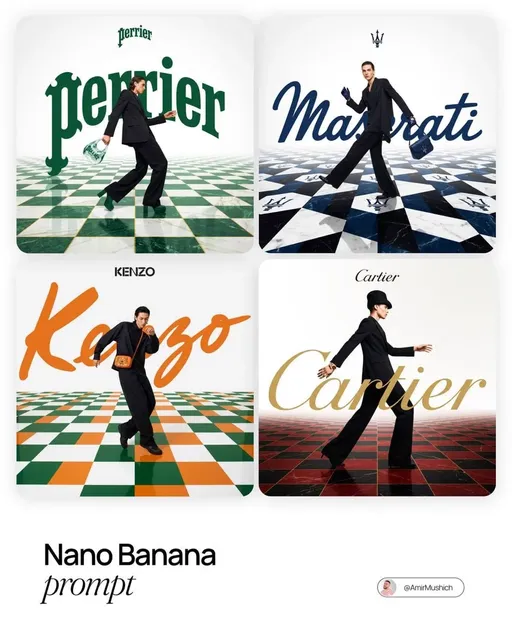
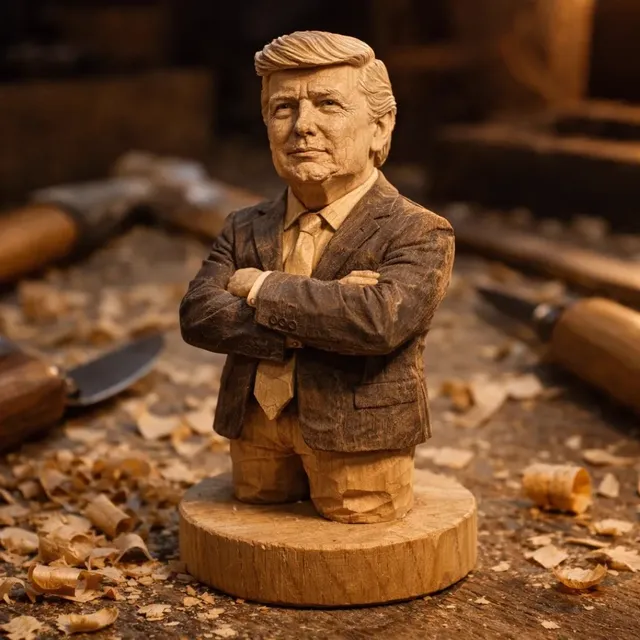
The Challenge of Consistent Characters in AI Video
Creating a single impressive AI video clip is no longer the challenge — maintaining the same character's appearance across dozens of scenes is. When you generate multiple video clips using text prompts alone, subtle drift in appearance, costume, and even facial structure creeps in. This "identity drift" makes serial content unusable for professional work.
For creators building serial content — YouTube series, brand mascots, training modules — character consistency is the difference between amateur and professional output.
How Multi-Image Reference Solves Identity Drift
The solution is image-to-video generation with reference anchoring. Instead of describing your character from scratch in every prompt, you provide reference images. The AI uses these to anchor the character's latent representation before generating each scene.
Domer Image-to-Video puts this approach at your fingertips. Upload a reference image of your character, and every generated clip maintains the same look, costume, and features — regardless of scene lighting, camera angle, or background.
The Workflow: From Idea to Consistent Video Series
Step 1: Create Your Character Reference
Start by generating your character image. Use Domer AI Image Generator to create a clean reference shot — front-facing, good lighting, neutral background. This becomes your anchor.
Step 2: Generate Multiple Angles
For best results, create 2-3 reference images of your character from slightly different angles. This helps the AI understand the full appearance. GPT Image 2 excels at generating consistent character variations.
Step 3: Produce Your Scenes
With reference images ready, use Domer Image-to-Video to generate each scene. The AI maintains identity across all outputs — different settings, different actions, same character.
Step 4: Assemble and Refine
Combine your clips, add transitions, and fine-tune. Because the character remains consistent, your editing focuses on storytelling, not fixing identity issues.
Why This Matters for Professional Content
Brand Integrity
For brands, character consistency equals brand trust. A mascot that looks different in every video confuses viewers and damages recognition. Consistent visuals build familiarity.
Narrative Immersion
Serial storytelling requires suspension of disbelief. When the protagonist's face changes between scenes, viewers disengage. Identity persistence keeps them immersed.
Production Efficiency
Without reference anchoring, creators spend hours regenerating and fixing inconsistent outputs. Multi-image reference eliminates this waste. Plan once, generate consistently.
Real-World Applications
YouTube Series and Animation
Create episodic content where characters remain visually identical across episodes. Seedance 2.0 provides cinematic quality for ambitious projects.
Brand Mascots and Advertising
Develop a signature character once, then deploy across hundreds of ad variations — same identity, different contexts.
Educational and Training Content
Maintain a consistent virtual instructor or explainer character throughout course modules.
FAQ
How many reference images do I need?
Start with 2-3 images from different angles. One well-lit front-facing shot can also work for simpler scenes.
Can I change the character's outfit or setting?
Yes. The AI preserves facial identity and body type while adapting to new environments and actions you describe.
Does this work for animated and realistic characters?
Both. The reference anchoring works across styles — from photorealistic to cartoon. Match your reference style to your intended output.
Conclusion
Consistent characters are no longer a luxury in AI video — they're a requirement for professional work. Multi-image reference technology makes it accessible today. Start with Domer AI Image Generator for your character references, then use Domer Image-to-Video to build your series. One character, infinite stories, zero identity drift.

Alexander
More Blogs
Read MoreVidu Q4 Alternatives: 4K AI Video Models Compared (2026)
Vidu Q4 alternatives compared: Kling 4.0, Seedance 2.5, Wan 3.0, and Runway Gen-4 — 4K support, input modes, durations, audio, and what each costs in credits on Domer.
Top 4K AI Image Generators in 2026: 5 Models Compared on Real Costs
The top 4K AI image generators on Domer compared: Flux 3 Klein, Nano Banana 2.1, GPT Image 2.5, GPT Image 2, and Nano Banana Pro — 4K credit costs, reference limits, and speed.
Nano Banana 2.1 vs GPT Image 2.5: Which Image Model Should You Use? (2026)
Nano Banana 2.1 vs GPT Image 2.5 Flare compared: credit costs per resolution, aspect ratios, reference images, text rendering, and which tasks fit each model.