

Flat Images to Dynamic Video: Realistic Avatar Alternatives
Oct 14, 2026
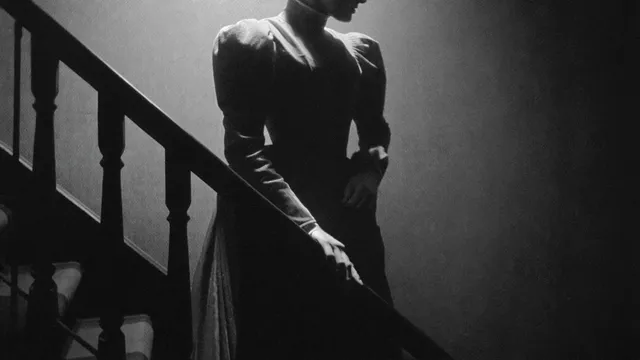
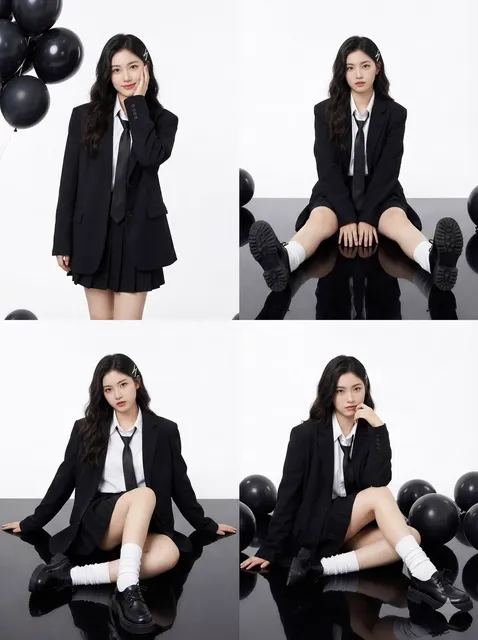

Turning a still photograph into a believable moving shot used to require a camera crew, a lighting rig, and an actor who could hit a mark on cue. Then came scripted avatar platforms that solved one narrow problem extremely well: a presenter, framed from the chest up, reading a script in a neutral room. They made explainer videos cheap and fast — and they also made every one of them look the same.
The current generation of AI video tools attacks the problem from the opposite direction. Instead of starting with a script and dropping a synthetic person into a template, you start with an image. The image carries identity, wardrobe, lighting, and mood. The model's job is motion.
That inversion is the most useful mental shift for anyone moving past flat, template-driven avatar video. This guide covers what realism actually requires, how to build a repeatable image-to-video workflow, where consistency breaks, and how to fix it when it does.
Why a Still Image Beats a Text Prompt as a Starting Point
Text-to-video is a lottery. You describe a person, and the model invents a face. Run it again and you get a different face, different clothes, different lighting, different bone structure. For a one-off abstract clip that is fine. For anything with a recurring character — a product explainer, a training series, a short film — it is unusable.
An image removes most of that randomness. When you feed a model a single portrait, you have already decided the hard parts: who this person is, how the light falls on their face, what they are wearing, what the background looks like. The model only has to answer one question: how does this scene move?
That constraint is a feature, not a limitation. It means:
- Identity is locked before generation starts. No face drift between takes because there is a reference frame to compare against.
- Lighting stays coherent. The key light stays where it is unless you explicitly ask for a camera move that changes it.
- Art direction survives. Stylized illustrations, 3D renders, vintage photography, and anime frames all animate in their own visual language instead of being pushed toward a generic photographic look.
- Iteration gets cheap. Tightening a prompt is faster and less destructive than regenerating a person from scratch.
The practical rule: use text-to-video for textures, environments, and abstract motion. Use image-to-video whenever a recognizable subject needs to stay recognizable.
What "Realism" Actually Means in AI Video
"Realistic" gets used as a single quality score, but it is really three independent problems that fail in different ways. Diagnosing which one is broken is the fastest route to a fix.
Motion realism
This is about whether movement obeys physics and intent. A person shifting weight, a head turning slightly before speaking, fabric settling, hair reacting to a turn — these small secondary motions are what separate a clip that feels alive from one that feels like a photo being pushed around.
Failures here look like: floating gaits, arms that swing without shoulder involvement, eyes that never blink, cloth that moves like rubber, or a body that slides rather than steps. The fix is usually to reduce the amount of requested motion and let the model spend its capacity on fewer, better-observed movements.
Identity realism
This is whether the subject is still the same person at second eight as at second one. Identity drift is the most common complaint about long clips: the jaw widens, the nose shortens, the hairline creeps, the eye color shifts half a shade. Larger frames and longer durations give drift more room to accumulate.
Guardrails: generate in shorter clips and stitch, supply more than one reference image of the same subject, keep the camera relatively stable, and avoid extreme profile angles unless the reference supports them.
Sound realism
Audio is where most amateur productions collapse. Perfect visuals with a thin, unmixed voice track read as fake instantly. Room tone, breath, mouth noise, subtle reverb matched to the environment, and music that sits under the voice instead of on top of it do more for perceived realism than another round of upscaling.
Treat sound as a first-class part of the pipeline — not a step you do after the picture is locked.
Choosing Your Path: Avatar Platform, Pure Image-to-Video, or Hybrid
The right approach depends on what has to stay fixed and what has to move.
| Approach | Best for | Strengths | Watch out for |
|---|---|---|---|
| Scripted avatar platform | High-volume training, localization, internal comms | Fast, predictable, easy to update scripts | Limited camera language, stiff body motion, uniform look |
| Pure image-to-video model | Cinematic shots, stylized content, product motion | Strong visual realism and camera control | Needs careful reference images; identity can drift |
| Hybrid (avatar body + generated shots) | Series with a host plus B-roll | Best balance of consistency and visual range | More assembly work in the edit |
| Character-consistency pipeline | Narrative shorts, recurring brand characters | Reliable identity across many shots | Requires a real asset library and shot planning |
A useful default for most teams: keep a scripted talking segment only where a face must deliver dense information, and generate everything else from images. That single decision removes most of the flatness people associate with avatar video, because the camera finally gets to move.
Building the Reference Library Before You Generate Anything
Most quality problems at generation time were actually asset problems three steps earlier. Spend an hour here and you will save a day of regeneration.
- Hero reference: one clean, front-facing, well-lit image of the subject at the correct aspect ratio.
- Angle set: two to four additional images covering a three-quarter turn, a profile, and a wider shot. These are the strongest defense against identity drift.
- Expression set: neutral, mid-speech, and one animated expression. Models anchor emotion to these more reliably than to prompt words.
- Wardrobe and prop locks: identical clothing and accessories across all references, with no logos you do not have rights to.
- Environment plates: background images with consistent time of day, color temperature, and depth of field.
- Shot list: a simple table of shot number, framing, subject action, camera move, duration, and audio cue.
Keep file names boring and consistent: character-a_3q_neutral_01.png. Six months later you will thank yourself.
A Repeatable Workflow: From One Still to a Finished Scene
Step 1 — Prepare the source image properly
Crop to the output aspect ratio before uploading. Upscale to at least the model's native resolution so the model is not inventing detail. Clean up stray background elements, remove distracting highlights, and make sure the face is sharp. A soft source produces a soft, waxy result no amount of post-processing fixes.
Step 2 — Write a motion-first prompt
Describe change over time, not static appearance. The image already handles appearance.
Weak prompt: "a woman in a grey blazer in an office, cinematic, 4k, realistic."
Strong prompt: "she turns her head slightly toward the window, blinks, then shifts her weight and begins speaking; slow push-in; soft window light; shallow depth of field; subtle fabric movement."
One subject, one primary action, one camera move. Compound prompts with three simultaneous actions are the leading cause of mushy results.
Step 3 — Control the camera deliberately
Camera language is the cheapest realism upgrade available. A slow push-in on a face carries more emotional weight than a static frame with more detail. Choose one move per shot: slow push-in, gentle orbit, tilt up, or locked tripod. Avoid fast pans and whips unless the model is specifically built for them; they smear.
If the tool supports first-frame and last-frame conditioning, use it. Defining where the shot starts and where it ends converts the model from improvising into interpolating — and interpolation is far more controllable.
Step 4 — Generate short, review hard, keep going
Generate four to six seconds at a time. Watch each clip twice: once for the subject, once for everything else. Most failures are visible in the first eight frames, so kill bad takes early rather than hoping a mediocre clip improves in the second half.
Step 5 — Assemble in the edit, not in the model
Cut the generated clips together in a normal editor, trim to the best moments, and let the edit carry pace. Viewers forgive an imperfect frame; they do not forgive a boring rhythm.
Step 6 — Finish: audio, grade, grain, export
Lay in voice, ambience, and music. Apply a light color grade to unify shots. Add a touch of grain or a subtle bloom for cohesion. Export at a sensible bitrate — aggressive compression destroys more perceived realism than a slightly softer render ever will.
Keeping Characters and Environments Consistent Across Shots
Consistency is a production discipline, not a model setting.
Multi-image reference
Where the tool allows several reference images, always supply more than one. Two angles of the same face resolve most identity drift before it starts. If you can only supply a single image, favor a three-quarter view over a dead-on frontal portrait — it gives the model more spatial information about the head.
Wardrobe, hair, and prop locks
Change one variable at a time. A new jacket plus a new hairstyle plus a new location is three chances for the audience to decide this is a different person. Hold wardrobe constant across a scene, then change it between scenes as a deliberate signal.
Environment continuity
Match color temperature, lens feel, and time of day across shots in the same scene. If a scene is golden hour, every plate should be golden hour. Inconsistent light reads as inconsistent reality.
Shot discipline
Generate coverage — wide, medium, close — from the same references rather than inventing new setups. Coverage is what makes an edit feel like a scene rather than a slideshow of unrelated clips.
Audio, Voice, and Lip Sync Without the Uncanny Valley
Generate the voice first
Record or generate the spoken track before you generate picture. If the tool supports audio-conditioned generation, the performance will match the timing of the line instead of guessing at it. Write for the ear: short sentences, natural contractions, no comma-stacked clauses that no human would say out loud.
Choose your lip-sync approach
Two viable routes: let the video model generate speech-shaped mouth movement from the start, or generate a clean silent performance and run a dedicated lip-sync pass on top. The second route gives more control and lets you re-cut the voice line without regenerating the whole shot.
Layer the sound bed
Build three layers: voice, ambience, music. Room tone is the single most underrated realism cue — a voice in absolute silence sounds synthetic no matter how good the picture is. Cut ambience in early, then let music enter and exit. Keep music two to four decibels under the voice through the informational parts of the video.
Match reverb to the space
A voice recorded dry and dropped into a cathedral shot sounds broken. Add a short room reverb that matches the visible environment, even if it is subtle enough that viewers never consciously notice it.
Common Failure Modes and How to Fix Them
- Face warping mid-clip. Shorten the clip, add more reference angles, reduce head rotation, or switch to last-frame conditioning to constrain the ending.
- Identity drift across a series. Rebuild the reference set with consistent wardrobe and lighting; regenerate the earliest shots first, then match later ones to them.
- Melted hands and props. Frame the subject so hands are out of frame or partially obscured, or regenerate with less motion requested.
- Flicker and texture crawl. This is usually an upscaling artifact — reduce the upscale factor, lower sharpening, or add a very small amount of grain to mask the crawl.
- Jaw and lip desync. Regenerate picture against the final audio timing; do not try to fix timing by nudging the audio track.
- Background morphing. Lock the camera move; a static plate with a moving subject is far more stable than a moving camera over an invented room.
- Plastic skin. Pull back on sharpening and denoise. Skin has texture, pores, and slight asymmetry; oversmoothing is the fastest route to the uncanny valley.
- Everything feels slow. Add an extra shot instead of lengthening an existing one. Perceived pace comes from cut frequency, not motion speed.
Tool Selection Criteria Worth Caring About
Feature lists are long and mostly irrelevant. Judge tools on these instead:
- Reference handling. How many images can a shot use, and does the tool weight them sensibly?
- First-frame and last-frame control. The single biggest lever on predictability.
- Maximum clip length that stays stable. Test it yourself on your own footage; marketing numbers are generous.
- Motion prompt fidelity. Does the subject do what you asked, or something adjacent?
- Native resolution and aspect ratio support. Vertical delivery is not an afterthought anymore.
- Audio conditioning. Native sync saves an entire post-production pass.
- Determinism. A seed that reproduces a result is worth more than a slightly prettier model.
- Cost per usable second. Ten cheap bad clips cost more in time than two expensive good ones.
A stack that works well for most small teams: one strong image generator for references, one image-to-video model for hero shots, one secondary model for texture and B-roll, a dedicated lip-sync utility, a speech generator for scratch and final voice, and a conventional editor for assembly. Resist the urge to own every tool at once.
A Pre-Publish Quality Checklist
Run every clip through the same five checks before it enters the timeline:
- Face check: does the subject look like the same person from start to finish?
- Motion check: does the movement obey weight and physics?
- Continuity check: do wardrobe, light, and location match the neighboring shots?
- Audio check: is there room tone, and does the reverb match the space?
- Compression check: does it still look good after export, not just in the preview?
If a clip fails two or more checks, regenerate it. Fixing in the edit is slower and always shows.
FAQ
Do I need an image-to-video model to make realistic avatar video?
No, but you need something that provides genuine camera and motion control. If your current tool only offers a fixed framing and a talking head, the visuals will stay flat regardless of how good the script is. Mixing generated B-roll with your talking segments is the fastest visible upgrade.
How many reference images should I use per character?
Three to five is the sweet spot: a frontal or three-quarter hero shot, a profile, and one or two wider angles. More than that rarely helps and can confuse the model if the images disagree on lighting or wardrobe.
How long can a single generated clip be before identity drifts?
For most current models, four to eight seconds is the reliable range for a recognizable face. Beyond that, plan to cut rather than extend.
Should I generate speech first or picture first?
Speech first. Picture generated against a finished voice track matches timing naturally and saves an entire re-generation cycle when the script changes.
What is the fastest way to improve perceived production value?
Three changes, in order: add room tone to every scene, cut to a new angle more often, and add a slow camera push-in on the most important line.
Is image-to-video good enough for client work?
Yes, for short-form delivery, social, product, and explainer content. For anything longer than a couple of minutes, plan a hybrid pipeline: generated shots for texture and coverage, real footage or a scripted presenter for the dense informational stretches, and a proper edit holding it together.
Where This Is Heading
The direction of travel is clear: less template, more control. The tools that win are not the ones that produce the prettiest single frame, but the ones that let a creator decide what a shot does — where it starts, where it ends, who is in it, and how it sounds.
That means the durable skills are the old ones. Build a reference library. Write a shot list. Design sound. Cut for rhythm. The models keep getting better at the parts that used to be technical; the parts that remain are taste and planning, and those still belong to you.

Alexander
More Blogs
Read MoreVidu Q4 Alternatives: 4K AI Video Models Compared (2026)
Vidu Q4 alternatives compared: Kling 4.0, Seedance 2.5, Wan 3.0, and Runway Gen-4 — 4K support, input modes, durations, audio, and what each costs in credits on Domer.
Top 4K AI Image Generators in 2026: 5 Models Compared on Real Costs
The top 4K AI image generators on Domer compared: Flux 3 Klein, Nano Banana 2.1, GPT Image 2.5, GPT Image 2, and Nano Banana Pro — 4K credit costs, reference limits, and speed.
Nano Banana 2.1 vs GPT Image 2.5: Which Image Model Should You Use? (2026)
Nano Banana 2.1 vs GPT Image 2.5 Flare compared: credit costs per resolution, aspect ratios, reference images, text rendering, and which tasks fit each model.