
Create
Friday the 13th AI Art Prompts: Thematic Horror Workflow
Oct 15, 2026
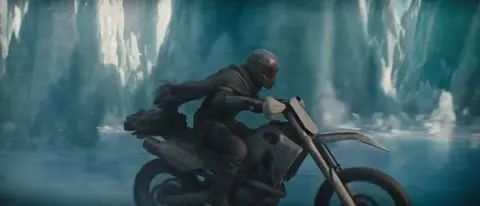

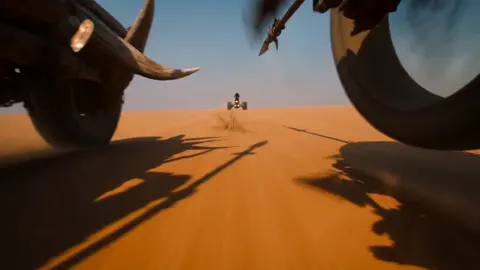
Why Friday the 13th Is a Strong Test Case for AI Visuals
Friday the 13th is not just a date; it is a compact bundle of superstition, horror, nostalgia, and campfire storytelling. That makes it an excellent brief for AI image and video generation. The theme gives you clear visual anchors: masks, cabins, fog, moonlight, campfires, broken mirrors, black cats, ladders, spilled salt, tarot cards, and the uneasy feeling that something ordinary has turned wrong. At the same time, it is easy to produce generic horror art that looks like every other dark corridor. The challenge is to translate superstition into a specific scene with a point of view.
A good Friday the 13th image does three things at once. It communicates the date or theme without text, it creates a mood that feels cinematic rather than random, and it leaves a little space for the viewer's imagination. AI tools are excellent at texture, light, and variation, but they do not know your creative intent. Your job is to supply intent through a visual brief, a prompt structure, and a review loop. Think of the AI model as a fast concept artist who has seen millions of images but has never met you. The clearer your direction, the less time you spend sorting through near-misses.
This guide walks through a repeatable workflow: writing the brief, building prompts by scene type, choosing models, refining details, adding motion, avoiding common mistakes, and running quality control. It focuses on practical decisions rather than tool hype. Whether you are making a poster, a video thumbnail, a social carousel, a short horror clip, or a fictional title sequence, the same principles apply: specificity beats volume, and iteration beats one perfect prompt.
Start With a Visual Brief, Not a Prompt
Most creators open a generator and start typing adjectives. That is backwards. A prompt is only as good as the brief behind it. Before you touch a model, spend ten minutes defining six dimensions: subject, setting, era, mood, light, and output format. This brief becomes the spine of every prompt you write, and it keeps your variations coherent.
Subject: Who or what is the focal point? A masked figure, an empty campsite, a black cat crossing a moonlit road, a tarot card reader, a group of friends around a dying fire, or an object like a cracked mirror. Avoid stacking multiple subjects unless the composition is explicitly a collage. One strong subject with clear staging usually reads better.
Setting: Where does the scene take place? A summer camp in the woods, a suburban porch, a Victorian parlor, a motel parking lot, a basement, a forest clearing, a lake dock. The setting provides texture and story. It also determines what props can appear naturally.
Era: Is the image modern, retro, or timeless? A grainy 1980s slasher poster has different color, wardrobe, and grain than a clean contemporary photograph. Specify the era through details: clothing, cars, signage, film stock, color grading, and typography if text appears.
Mood: Dread, campy fun, melancholy, occult mystery, folk horror, dark comedy, or psychological unease. Mood is not the same as gore. A quiet empty room can be more unsettling than a crowded monster scene. Choose one primary mood and one secondary mood, then let the prompt carry both.
Light: Moonlight through branches, flickering firelight, single bare bulb, neon sign glow, candlelight, overcast daylight, headlights in fog. Light is the fastest way to make AI output feel intentional. It also creates depth and guides the eye.
Output format: Aspect ratio, resolution, intended crop, and whether you need negative space for text. A 16:9 video thumbnail needs different composition than a 4:5 social post or a 2:3 poster. Decide before generating, because composition follows format.
Write the brief as a simple paragraph. Example: 'A quiet 1980s summer camp at dusk, empty wooden cabin, low fog, single porch light, unsettling stillness, muted greens and warm amber, 35mm film grain, wide shot with negative space on the left for title text.' That single sentence already contains subject, setting, era, mood, light, and format. Every prompt you generate can now be a variation on this foundation.
The Core Prompt Formula for Thematic Horror Art
A reliable prompt structure has seven parts: subject, action or state, environment, lighting, composition, style or medium, and technical details. You can rearrange them, but missing a part usually produces a vague image. The formula is not a straitjacket; it is a checklist that prevents you from forgetting the basics.
Subject: A lone camp counselor, a vintage telephone, a black cat, a cracked hockey mask on a table, a candlelit tarot spread, an empty canoe. Be concrete. 'A scary thing' gives the model nothing to work with. 'A rusted lantern on a moss-covered stump' gives it texture, scale, and location.
Action or state: Is the subject waiting, running, sleeping, floating, breaking, burning, or staring? Even still life benefits from implied action. 'A mirror cracking from the center' is more dynamic than 'a mirror.' 'A phone ringing off the hook' tells a story.
Environment: Add two or three environmental details that reinforce the theme. Pine needles, wet gravel, peeling wallpaper, faded circus posters, moths around a porch light, overturned chairs, a calendar page. Do not list twenty details; the model will blend them into mush. Choose the ones that matter for the story.
Lighting: Use cinematic language. Low-key lighting, volumetric fog, rim light, practical firelight, moonlight shaft, harsh fluorescent, candle glow, lightning flash. Lighting controls contrast and reveals form. For horror, a single strong light source with deep shadows is often more effective than flat brightness.
Composition: Specify shot size and angle. Wide establishing shot, medium close-up, over-the-shoulder, low angle, top-down flat lay, Dutch angle, centered symmetrical. Composition tells the viewer where to look and how to feel. A low angle makes a figure powerful; a high angle makes them vulnerable; a flat lay makes objects feel like evidence.
Style or medium: Analog horror, VHS still, 35mm film photograph, Victorian woodcut, pulp paperback cover, giallo poster, storyboard sketch, wet plate collodion, comic book ink, matte painting. Style references are powerful, but use one primary style and one accent style. 'VHS still with subtle comic ink texture' works; five styles fight each other.
Technical details: Lens, depth of field, grain, resolution, color palette, and aspect ratio. '50mm lens, shallow depth of field, fine grain, muted teal and rust palette, 16:9' gives the model clear boundaries. Technical terms also help you reproduce a look across multiple generations.
Negative guidance is equally important. Many tools let you specify what to avoid: text artifacts, extra fingers, modern logos, bright daylight, cartoonish proportions, oversaturated colors, cluttered background, watermark, distorted faces. If your tool uses separate negative prompts, keep them specific. A giant negative list can strip away useful texture and make the image look plastic.
A complete example might read: 'Wide shot of an empty summer camp dock at night, thick fog over black water, a single canoe tied to a post, moonlight through pine branches, low-key lighting, 35mm film grain, muted green and silver palette, 16:9, negative space in upper left.' That is not a magic spell; it is a clear creative direction.
Building a Friday the 13th Prompt Library by Scene Type
The fastest way to scale quality is to build a small prompt library organized by scene type. Each entry should include a base prompt, a lighting variant, and a composition variant. You can then mix and match without starting from zero.
Campground at Dusk
This is the classic setting: cabins, picnic tables, a lake, a fire pit, and woods that seem to close in. The challenge is avoiding a cheerful summer camp vibe. Push the time of day, the weather, and the small wrong details.
Base prompt: 'Abandoned summer camp at dusk, wooden cabins with dark windows, picnic tables overturned, low fog between pine trees, wet gravel path, single buzzing porch light, unsettling stillness, 35mm film photograph, muted green and amber palette, wide establishing shot.' Lighting variant: 'Replace porch light with dying campfire glow and faint blue twilight.' Composition variant: 'Low angle from ground level, pine needles in foreground, cabin in middle distance.'
Small wrong details make the scene memorable: a child's shoe on a picnic table, a calendar with a circled date, a radio playing static, a canoe drifting without a paddler. These details invite the viewer to ask what happened.
Abandoned Cabin Interior
Interiors give you control over light and texture. Dust, peeling wallpaper, cracked windows, and a single light source create immediate atmosphere. Keep the room readable; too much clutter hides the focal point.
Base prompt: 'Interior of an abandoned 1980s cabin, peeling floral wallpaper, dusty furniture, cracked window with moonlight shaft, old rotary phone off the hook, cobwebs in corner, cinematic horror still, low-key lighting, shallow depth of field, 4:5.' Lighting variant: 'Add flickering candle on a side table, warm orange pool against cold blue moonlight.' Composition variant: 'Medium close-up of the phone with room falling into shadow behind it.'
If you need text space for a poster, ask for negative space on one side. A clean wall or a dark corner can hold a title without competing with the scene.
Masked Figure in Fog
The masked figure is iconic but easy to make generic. The mask should feel specific: weathered, handmade, cracked, painted, or partially obscured. The pose matters more than the weapon. A still figure at a distance can be more frightening than a close-up jump scare.
Base prompt: 'Distant figure in a weathered mask standing at the edge of a foggy forest, torn jacket, still pose, backlit by cold moonlight, silhouette partially obscured by pine branches, analog horror still, fine grain, 16:9, centered composition.' Variation: 'Move the figure to the far left, leave right side empty for text.' Variation: 'Rain-slicked road at night, headlights behind the figure, high contrast.'
Avoid naming real people or copying a specific film frame. Instead, describe the archetype and let the model create an original character. This keeps your work safer and more adaptable.
Vintage Poster and VHS Cover
Horror art often lives on posters, VHS sleeves, and streaming thumbnails. These formats need bold shapes, limited palettes, and a clear title area. AI can generate the base art, but typography is usually better added in a design tool.
Base prompt: 'Vintage horror poster layout, empty summer camp at night, large full moon, silhouetted trees, figure barely visible among trunks, limited palette of black, bone white, and blood red, screen-print texture, 2:3, negative space at bottom for title.' Variation: 'VHS cover art, tracking distortion, worn cardboard edges, faded colors, 4:3.'
When adding text later, choose a font that matches the era. A clean geometric sans feels modern; a condensed serif or distressed type feels retro. Keep the title short and let the image breathe.
Tarot and Superstition Motifs
Friday the 13th is rich with folk beliefs: black cats, ladders, mirrors, spilled salt, open umbrellas indoors, and tarot cards. These motifs can carry a scene without a masked figure. They also work well for editorial illustrations and social posts.
Base prompt: 'Top-down flat lay of a wooden table, scattered tarot cards, black cat sitting at the edge, spilled salt, cracked hand mirror, candle wax drips, moody candlelight, occult editorial photography, deep shadows, 1:1.' Variation: 'Replace cat with a raven feather and a pocket watch stopped at midnight.' Variation: 'Close-up of a single tarot card with a forest scene, held by a gloved hand.'
Superstition prompts benefit from restraint. Choose three or four objects, arrange them with intention, and let the light tell the story.
Model and Tool Selection: Matching the Engine to the Mood
Different generators have different strengths. Some excel at photorealism, some at illustration, some at text, and some at motion. Your choice should follow the brief, not the other way around. Here are criteria to compare tools.
Realism versus stylization: If you need a cinematic photograph, choose a model known for natural light and texture. If you need a woodcut or pulp cover, choose one that handles illustration and line work. Many platforms offer style presets; test them with your brief before committing.
Text rendering: If the final image must contain a title or sign, check whether the tool can render legible text. Even strong models still struggle with long words and consistent letterforms. A safer workflow is to generate art without text and add typography in a design editor.
Control and consistency: For a series, you need repeatable characters, locations, or palettes. Look for seed control, style references, image prompts, inpainting, and composition guides. A tool that generates one beautiful image but cannot reproduce it is less useful for a campaign than a tool with moderate quality and strong control.
Speed and iteration cost: Fast drafts are valuable because horror art depends on subtle mood changes. Generate small batches, compare, and refine. A slower high-quality render is worth it only after the composition works at draft resolution.
Video capability: If you plan to animate, consider image-to-video tools that accept a still frame and add camera movement, fog, flickering light, or subtle character motion. For horror, less motion is often better. A slow push-in, drifting fog, or a light flicker can be more unsettling than a dramatic action sequence.
Common tool categories include diffusion image generators, vector and design assistants, upscalers, background removers, and video generators. You do not need every category. Start with one image generator, one editor, and one upscaler. Add motion only when the still image already works. If you use a workflow builder like ComfyUI, you can chain models for composition, detail, and upscaling, but keep the graph simple until you understand each step.
Workflow: From First Prompt to Final Horror Poster
A repeatable workflow saves time and improves quality. This sequence works for posters, thumbnails, and social art.
Step 1: Research and moodboard. Collect ten to twenty references that match your brief. Look for lighting, color, composition, and texture. Do not copy a specific image; extract principles. Note what makes each reference work: a strong silhouette, a limited palette, a single light source, or an unusual angle.
Step 2: Write the brief. Use the six dimensions from earlier. Keep it to one paragraph. This becomes your creative anchor.
Step 3: Generate small batches. Produce four to eight variations per prompt. Change one variable at a time: lighting, then composition, then style. If you change everything at once, you will not know what caused the improvement.
Step 4: Select for composition first. Ignore small artifacts at this stage. Ask: Is the focal point clear? Is the light doing something interesting? Does the image tell a story? A strong composition with rough details is easier to fix than a clean image with a weak idea.
Step 5: Refine with inpainting and variations. Fix hands, masks, windows, or background clutter. Use image-to-image at low strength to preserve the composition while improving texture. If the tool supports regional prompts, isolate the area you want to change.
Step 6: Upscale and sharpen. Upscale in stages rather than jumping to a huge resolution. A mild upscale with grain preservation looks more natural than an aggressive sharpen. For retro styles, add grain or halftone texture after upscaling.
Step 7: Color grade. Unify the palette. Horror art often benefits from crushed blacks, desaturated midtones, and one accent color such as amber, red, or sickly green. Keep skin tones believable unless you are deliberately stylizing.
Step 8: Add typography and layout. Place the title in the negative space you planned. Use no more than two fonts. Check contrast and legibility at thumbnail size. Add small production notes only if needed, but avoid clutter.
Step 9: Export for each destination. Save a high-resolution master, a 16:9 crop, a 4:5 crop, and a 1:1 crop. For video, export a clean still and a short motion clip. Keep a layered project file so you can revise later.
Step 10: Review on multiple devices. A poster that looks great on a large monitor may lose its focal point on a phone. Check brightness, contrast, and text size on a small screen.
Advanced Techniques: Light, Fog, Texture, and Continuity
Once the basics work, advanced controls let you push atmosphere and consistency.
Prompt weighting: Some tools let you emphasize words or phrases. Increase the weight of 'volumetric fog' or 'single candle' to make the atmosphere stronger. Reduce the weight of 'blood' if the scene becomes too gory. Weighting is a balancing act; small changes have large effects.
ControlNet and composition guides: Use a depth map, pose skeleton, or edge map to control layout. This is useful when you need a specific camera angle or character pose. For horror, a simple depth map can preserve the fog layers and foreground branches while you change the subject.
LoRA and style adapters: These small add-ons can teach a model a specific look, such as a particular film stock, illustration style, or color palette. Use them carefully. Too many adapters can create muddy textures and inconsistent lighting. Test one adapter at a time.
Seed reuse: When you find a composition you like, reuse the seed and change the prompt slightly. This keeps the overall structure while shifting details. It is one of the fastest ways to build a series with a consistent look.
Inpainting for storytelling details: Add a child's shoe, a calendar, or a cracked mirror after the main image is generated. Inpainting lets you place small narrative clues exactly where you want them. Keep the added object at the same perspective and light direction as the rest of the scene.
Image-to-video motion: Start with a strong still. Add a slow push-in, a subtle fog drift, or a light flicker. Avoid fast camera moves and complex character actions; they often reveal AI artifacts. A five-second loop with one slow movement can be more effective than a busy ten-second sequence.
Sound design: If you are publishing video, sound carries as much atmosphere as the image. Low drones, distant wind, crickets, a crackling fire, or a single telephone ring can make a simple visual feel cinematic. Keep audio subtle and avoid jump-scare clichés unless the format calls for them.
Common Mistakes and How to Avoid Them
Mistake 1: Prompting a mood without a subject. The model needs something to render. Start with a concrete subject, then add mood.
Mistake 2: Overloading the prompt. Too many details create a muddy image. Choose three to five strong elements and let the model fill the rest.
Mistake 3: Ignoring composition. A beautiful texture on a weak layout still fails as a poster or thumbnail. Decide shot size, angle, and negative space before generating.
Mistake 4: Relying on gore for horror. Gore can be effective, but it is not the only tool. Dread comes from anticipation, wrongness, and restraint. A quiet empty room can be more disturbing than a bloody scene.
Mistake 5: Forgetting aspect ratio. If you generate a square image and crop to 16:9, you may cut off the focal point. Generate in the target ratio or plan a safe crop.
Mistake 6: Using text too early. AI text is often misspelled or distorted. Generate clean art and add typography in a design tool.
Mistake 7: Inconsistent characters across a series. Use seeds, style references, and detailed character descriptions. Keep a character sheet with clothing, mask details, hair, and proportions.
Mistake 8: Over-upscaling. Aggressive upscaling creates plastic skin and crunchy edges. Upscale moderately and add grain or texture to restore a natural look.
Mistake 9: Ignoring ethics and rights. Do not prompt for a living artist's name, a specific actor's likeness, or a shot-for-shot copy of a copyrighted film. Use archetypes, original characters, and your own visual language. Check the commercial terms of the tools you use.
Mistake 10: Publishing the first good image. Sleep on it. Review it the next day. You will notice composition problems, distracting details, and text issues that were invisible during the excitement of generation.
Quality Control Checklist for Thematic AI Art
Before you publish, run a structured review. This checklist keeps your work consistent across a series.
Composition: Is there one clear focal point? Does the eye move through the image intentionally? Is the crop balanced? Is there negative space for text if needed?
Lighting: Is there a believable light source? Do shadows make sense? Is the contrast appropriate for the mood? Are highlights blown out in a distracting way?
Color: Does the palette support the theme? Are there accidental colors that break the mood? Is skin tone natural or intentionally stylized?
Texture: Does the image have depth, or does it look flat and plastic? Is grain consistent across the frame? Are materials like wood, metal, and fabric readable?
Narrative: Does the image suggest a story? Are there small details that reward a second look? Is the horror implied rather than explained?
Technical quality: Are hands, faces, and masks free of obvious artifacts? Is the resolution sufficient for the intended output? Is the file format correct?
Text and branding: If text is present, is it legible? Is the spelling correct? Does the typography match the era and mood? Is the logo or title placed with enough margin?
Consistency: If this is part of a series, do the color, grain, and lighting match the other images? Would they look cohesive side by side?
Ethics and rights: Does the image avoid real-person likenesses, trademarked characters, and living artists' styles? Do you have the rights to use the output commercially? Are you following the tool's terms?
Accessibility: Is the text readable for people with low vision? Is there enough contrast? If the image is used as a thumbnail, does it work at small sizes?
Distribution and Repurposing: Posters, Thumbnails, Social, and Video
A strong image can live in many formats. Plan the repurposing before you export.
Poster: Use a 2:3 or 3:4 ratio with clear title space. Keep the focal point above the bottom third so text does not compete with the subject. A limited palette and bold silhouette help the poster read from a distance.
Streaming thumbnail: Use 16:9 with a close-up or medium shot. The subject should be recognizable at small sizes. Avoid fine details that disappear. Add a short title or a single mood word if needed, but do not overcrowd.
Social feed: Use 4:5 or 1:1. Center the subject and leave breathing room. For carousels, vary the crop while keeping the same color grade. This creates a cohesive set without repeating the same image.
Short-form video: Animate a still with a slow push, fog drift, or light flicker. Add captions if the platform requires them. Keep the first frame strong because it may be the only frame a viewer sees while scrolling.
Editorial illustration: A flat lay or symbolic scene can illustrate an article about superstition, horror history, or creative workflows. Leave space for a headline and avoid visual clutter.
Merchandise and print: Check resolution and color profile before printing. What looks vibrant on screen may print dull. Test a small proof. Avoid thin lines and subtle gradients that disappear on fabric.
SEO and metadata: Name files with descriptive words, write alt text that describes the scene, and keep titles clear. Do not stuff metadata with repeated keywords. A short, accurate description helps search engines and real people.
FAQ
What makes a Friday the 13th prompt different from a general horror prompt?
It leans on superstition and an implied date. General horror might focus on monsters or gore. A Friday the 13th prompt often uses camp settings, mirrors, black cats, ladders, spilled salt, tarot cards, and a sense of ordinary places turning wrong. The date itself can be implied through a calendar, a circled number, or a stopped clock rather than spelled out.
How many prompts should I test before choosing an image?
Generate four to eight variations per idea and test at least three lighting or composition changes. That is usually enough to see whether the concept works. If every variation misses, the problem is likely the brief, not the prompt wording. Rewrite the brief with a clearer subject and setting.
Can I use AI-generated horror art commercially?
It depends on the tool's terms, your local laws, and how you use the image. Read the license for each generator you use. Avoid prompts that imitate a living artist, a specific actor, or a trademarked character. Keep records of your prompts and source files. When in doubt, consult a legal professional.
How do I keep a consistent look across a series?
Use the same base prompt, seed, color palette, lens, and grain settings. Create a style reference image and reuse it where the tool supports it. Keep a document with your exact prompt structure and settings. Change one variable at a time when you need variety.
What aspect ratio is best for horror posters and thumbnails?
Posters often use 2:3 or 3:4. Video thumbnails use 16:9. Social posts use 4:5 or 1:1. Generate in the target ratio when possible, or compose with a safe crop in mind. Always leave negative space for text if the image will carry a title.
How do I avoid generic AI horror art?
Add specific, personal details. Instead of a generic mask, describe a handmade mask with chipped paint and a repaired strap. Instead of a dark forest, specify wet pine needles, a rusted lantern, and a single porch light. Specificity creates originality. Restraint also helps: imply the threat instead of showing everything.
Should I animate my still images?
Only after the still works. Start with a subtle camera move or atmospheric motion. Test the clip on a small screen. If the motion reveals artifacts or distracts from the mood, return to the still. A strong static image often outperforms a weak animation.
How do I handle text in AI-generated images?
Generate the art without text and add typography in a design editor. This gives you control over spelling, font, spacing, and hierarchy. If you must generate text, keep it to one or two short words and check it carefully.
Next Steps: Build Your Own Thematic Workflow
The best way to improve is to build a small, repeatable workflow and use it on a real project. Choose one output: a poster, a thumbnail, a social carousel, or a short video. Write a one-paragraph brief. Generate a small batch. Select for composition. Refine the best frame. Add typography. Review with the checklist. Then do it again with a different scene type.
Keep a prompt journal. Note which lighting phrases, lenses, and color palettes worked. Save your best seeds and style references. Over time, you will develop a personal visual language for horror and superstition that does not depend on any single tool. That is the real advantage of AI-assisted art: not faster clicking, but faster learning. The model gives you endless variations; your taste, brief, and review process turn those variations into work that feels intentional.
As you expand, test motion, sound, and format variations. Build a consistent series. Study classic poster design, film lighting, and folklore. The more you understand why an image works, the better your prompts become. Friday the 13th is a theme, but the skills you practice here apply to any seasonal, narrative, or genre project. Start with a clear brief, respect the mood, and let the eerie details do the work.

Alexander
More Blogs
Read MoreVidu Q4 Alternatives: 4K AI Video Models Compared (2026)
Vidu Q4 alternatives compared: Kling 4.0, Seedance 2.5, Wan 3.0, and Runway Gen-4 — 4K support, input modes, durations, audio, and what each costs in credits on Domer.
Top 4K AI Image Generators in 2026: 5 Models Compared on Real Costs
The top 4K AI image generators on Domer compared: Flux 3 Klein, Nano Banana 2.1, GPT Image 2.5, GPT Image 2, and Nano Banana Pro — 4K credit costs, reference limits, and speed.
Nano Banana 2.1 vs GPT Image 2.5: Which Image Model Should You Use? (2026)
Nano Banana 2.1 vs GPT Image 2.5 Flare compared: credit costs per resolution, aspect ratios, reference images, text rendering, and which tasks fit each model.