
Funny Video Effects Apps: Build AI Streams With Custom Effects
Oct 13, 2026
Why Funny Effects Are the Hardest Category to Automate
Comedy is timing, and timing is a pipeline problem. A punchline that lands at 1.2 seconds reads as a glitch at 2.4 seconds. That single fact explains why sticker packs and laugh-track filters feel stale within weeks, while a well-built generative effect system keeps producing fresh material: good systems give the creator control over timing instead of burying it inside a fixed template.
Most video tools treat effects as decoration applied after the fact. Funny effects are different — they are narrative devices. A sudden face morph, a rubber-band zoom, a background that changes species mid-sentence: each one is a joke told with pixels, and if your tooling cannot place that joke on a beat, no amount of model quality will rescue the clip.
This guide covers a neutral, vendor-agnostic workflow for building comedy effects into AI-generated and AI-assisted video streams. Three things matter most: understanding what effect engines actually compute, designing a pluggable effect format you can reuse, and running a repeatable pipeline from capture through publish.
How Modern Effect Engines Actually Work
From static filters to generative passes
A static filter is a lookup table: pixel in, pixel out, same rule for every frame. A generative effect pass is a conditional program. It reads the frame, plus optional masks, depth, pose, and audio amplitude, then decides what to draw. That decision layer is where comedy lives, because it can respond to context — a raised eyebrow, a raised voice, a cut.
In practice, a modern effect stack has four layers:
- Analysis. Pose estimation, face landmarks, segmentation masks, optical flow, and audio onset detection. Tools like MediaPipe, YOLO-family detectors, and Whisper timestamps do most of this work.
- Decision. Rules or a small model that maps analysis signals to effect parameters: intensity, anchor point, duration, easing curve.
- Generation. The render pass itself — either a shader/compositor operation or a diffusion or transformer pass that regenerates the region.
- Composite. Blending the result back with correct occlusion, motion blur, and color match.
Most disappointing AI effects skip layer two. They generate something pretty and place it arbitrarily. The result is technically impressive and comedically inert.
Latency, compositing, and the real-time budget
If you stream live, you have roughly 80 to 150 milliseconds of headroom before viewers notice drift between audio and video. That budget forces hard choices. Full diffusion on every frame is out; you either pre-render effects as sprite sheets or overlay-ready clips, or you run a lightweight shader pass live and reserve heavy generation for uploaded or edited content.
A workable split:
- Live layer: shaders, particle systems, tracked 2D overlays, audio-reactive distortion. Cheap, instant, resilient.
- Near-live layer: two to ten second generative inserts triggered by an event, pre-generated ahead of time from a small bank of variants.
- Post layer: full-scene regeneration, style transfer, character swaps, and multi-pass composites.
Design your effect format so the same effect has a cheap version and an expensive version. Creators rarely need the expensive one on every single cut.
Designing a Reusable Effect Format
If you let collaborators submit their own effects, the format is the product. A loose format produces chaos; an over-specified format produces nothing. Aim for a middle layer.
The parameter contract
An effect should declare its inputs explicitly. A practical contract looks like this:
- Trigger: manual, audio threshold, motion threshold, keyword in speech, or timecode.
- Anchors: which tracked entities it attaches to (face, hand, object class, full frame).
- Parameters: intensity, duration, easing, color palette, seed.
- Assets: textures, models, audio stings, lookup tables, with size and license metadata.
- Fallback: what renders if the anchor is lost mid-clip.
The fallback field is the one people forget, and it is the one that determines whether an effect feels professional. When tracking drops, an unfallbacked effect slides off a face and looks broken. A good fallback fades to a full-frame vignette, cuts to a static overlay, or simply exits cleanly.
Versioning and safe fallbacks
Treat effects like code. Semantic versions, a changelog, a preview clip, and a deprecation path. If an effect depends on a specific model checkpoint, pin it. Nothing erodes trust faster than an effect that worked last month and now produces something unrecognizable because the underlying model shifted.
Sandbox untrusted effects too. Run them in a constrained renderer with a hard time limit and a memory ceiling so one bad shader cannot stall a whole stream.
Building the Capture-to-Stream Pipeline
Step 1: Capture and normalize
Record at a consistent frame rate and resolution — 1080p60 or 4K30 covers most comedy formats. Normalize audio to around -14 LUFS for streaming platforms and keep a clean, unprocessed audio track alongside the mixed one. Dialogue clarity matters more than any visual gag.
Step 2: Generate or assemble the base layer
For talking-head comedy, the base layer is usually the real footage. For sketch and character work, generate establishing shots, backgrounds, or alternate takes with a text-to-video or image-to-video model. Keep clips short — five to eight seconds each — and treat them as B-roll you can cut against rather than as finished scenes.
Step 3: Apply the effect pass
Order matters. Apply tracking-dependent effects before global color work, and generative region edits before grain or film emulation. If you composite generative output over real footage, match grain, black levels, and motion blur or the seam will read as a mistake.
Step 4: Composite, caption, and publish
Burned-in captions remain the single highest-leverage comedy tool available. Word-by-word captions timed to speech produce measurable retention gains and cost almost nothing. Add a punch-in on the key word, size the text to the safe area, and keep one caption style per series so viewers learn your visual language.
Then export two masters: a clean version for editing later, and a platform-optimized version with captions burned in. Vertical 9:16 for short-form, 16:9 for everything else, and a square crop if you need it.
Prompting for Comedy: A Practical Playbook
Timing over spectacle
Write prompts around beats, not visuals. Instead of "a dramatic slow-motion explosion," try "a calm beat, then a sudden cut to a slow reveal." Generative models respond well to structure language — cut, reveal, beat, hold — because those words map onto shot-level pacing that editors already understand.
Exaggeration with restraint
The funniest AI effects are usually one variable pushed too far while everything else stays grounded. Real room, real lighting, real voice, one absurd element. If everything is stylized, nothing reads as absurd because there is no baseline to violate.
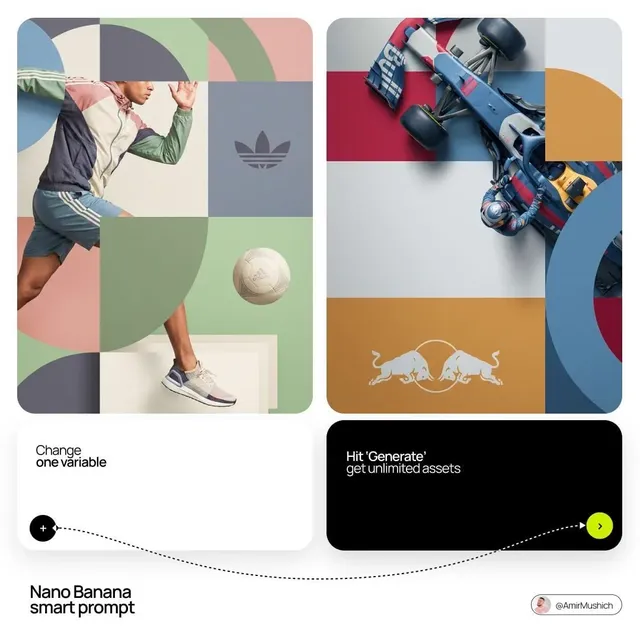
A useful exercise: generate the same clip four times with only the exaggeration axis changed, then compare how each reads with the audio.
Let the analysis layer carry the joke
Some of the best effects come from reacting to what is already happening. Audio-reactive squash on a laugh. A deadpan zoom triggered by silence longer than 1.5 seconds. A counter that increments every time a specific word is spoken. These are cheap to build, hard to wear out, and impossible to replicate with a static filter.
A Concrete Weekly Workflow Example
Imagine a weekly series: a host reviews absurd product ideas with two AI-generated cutaway characters.
- Record the host in a single 12-minute take with a lav mic and a phone on a tripod.
- Transcribe the take and mark comedic beats — every 20 to 30 seconds there should be one.
- Generate six cutaway clips for the beats, each four to six seconds, using a consistent character reference and a locked seed.
- Build one reusable effect: a rubber-band zoom tied to the host's speech amplitude, with a fallback that exits on beat.
- Auto-caption everything, then manually fix the five most important punchlines.
- Assemble, export vertical and widescreen masters, and log which effects drew comments.
Step six is the step almost everybody skips. Tracking which effects produced reactions — comments, rewatches, shares — gives you a feedback loop that no model provides on its own.
Tooling Choices and Decision Criteria
All-in-one editors vs. modular pipelines
All-in-one editors such as CapCut, Descript, and Canva-style tools win on speed. You get templates, auto-captions, and one export button. They lose on ceiling: custom effect logic is limited and hard to version.
Modular pipelines win on control. A typical stack looks like:
- Editing: DaVinci Resolve, Premiere Pro, or Final Cut
- Motion and procedural effects: After Effects, Blender, TouchDesigner
- Generative video: Runway, Pika, Kling-class models, or local ComfyUI graphs
- Audio: a DAW or a lightweight editor plus an onset-detection script
- Captions: Whisper-based transcription with manual punch-up
- Streaming and compositing: OBS with a shader plugin for live passes
Choose modular when you plan to reuse effects across dozens of videos. Choose all-in-one when you are validating an idea and speed matters more than consistency.
When to use a rigged template vs. a generative pass
Rigged templates are deterministic, fast, and consistent — ideal for recurring segments. Generative passes are adaptive and surprising — ideal for one-off gags and exploration. The mistake is building everything as a template (the show looks identical every week) or everything as a generative pass (the show looks like it was assembled by a random number generator).
A healthy ratio for most comedy series is roughly 70 percent reusable structure and 30 percent fresh generative material.
Quality Control Checklist Before You Publish
Run this before every upload:
- Does the audio lead the video by more than 40 milliseconds anywhere?
- Do tracking effects drift off their anchor during fast motion?
- Are captions inside the safe area on both vertical and widescreen crops?
- Is there one clear comedic beat in the first three seconds?
- Does the effect support the joke, or compete with it?
- Is the loudness consistent across the whole clip?
- Does the thumbnail frame contain a readable face or a readable object?
- Have you watched it once with sound off?
That last one matters more than most creators admit. A large share of scrolling happens muted.
Common Mistakes and How to Fix Them
Over-tracking. Effects pinned to a face during a whip-pan will slide. Fix: reduce anchor specificity, or fade the effect during high-motion frames.
Effect stacking. Three gags on one beat cancel out. Fix: one effect per beat, one beat per eight to fifteen seconds.
Ignoring the audio. Effects triggered purely visually feel disconnected. Fix: drive at least a third of your effects from audio signals.
Model drift. An effect built on a specific checkpoint breaks when the checkpoint updates. Fix: pin versions and keep a rendered reference clip.
Template fatigue. Reusing a look too long flattens the comedy. Fix: rotate one element — the sound, the transition, or the caption style — every few episodes.
Unreadable captions. Fancy fonts at small sizes kill retention. Fix: large, high-contrast, one or two lines maximum.
Frequently Asked Questions
Do I need a dedicated app for funny effects, or can I build them myself?
You can build most comedy effects yourself with a compositor and a script. What a dedicated tool buys you is speed, presets, and reliable auto-captions. Start with a mainstream editor; move to a modular pipeline when you start repeating the same effect every week.
What is the single most effective comedy effect for short-form?
Timed captions with a punch-in on the key word. They are cheap, they work muted, and they scale across every genre.
How do I make AI-generated cutaways look intentional?
Keep a consistent character reference and seed, match the lighting direction to the host footage, keep clips short, and always cut on a beat rather than letting the clip play out.
Can I run generative effects live?
Not at full quality on consumer hardware. Pre-render a bank of variants and trigger them on events. Use shader-based effects for anything that must respond in real time.
How long should a comedy effect last?
Usually half a second to one and a half seconds for a punctuation gag, and three to six seconds for a sustained bit. Anything longer needs its own beat structure.
How do I know if an effect is working?
Compare retention at the effect timestamp against your baseline, and count comments that reference the effect specifically. If nobody mentions it, it is decoration, not comedy.
What about audio stings?
They are half the effect. A well-timed sting does more work than a complex visual. Build a small library of ten to twenty reusable stings and vary the pitch.
Where to Start This Week
Pick one recurring segment and give it one signature effect. Build the cheap version first — a tracked overlay or an audio-reactive zoom — and confirm it lands before investing in generation. Then build the expensive version, pin the model version, and record a reference render.
From there, add captions, then a sting library, then one generative wildcard per episode. Within a month you will have a repeatable format with enough variation to stay fresh, and enough structure that assembling an episode takes an afternoon instead of a week.
The through-line in all of it: comedy effects are editorial decisions expressed through technical means. The tools matter less than where you place the joke — and the best pipeline is the one that gets out of the way so you can place it on the beat.

Alexander
More Blogs
Read MoreVidu Q4 Alternatives: 4K AI Video Models Compared (2026)
Vidu Q4 alternatives compared: Kling 4.0, Seedance 2.5, Wan 3.0, and Runway Gen-4 — 4K support, input modes, durations, audio, and what each costs in credits on Domer.
Top 4K AI Image Generators in 2026: 5 Models Compared on Real Costs
The top 4K AI image generators on Domer compared: Flux 3 Klein, Nano Banana 2.1, GPT Image 2.5, GPT Image 2, and Nano Banana Pro — 4K credit costs, reference limits, and speed.
Nano Banana 2.1 vs GPT Image 2.5: Which Image Model Should You Use? (2026)
Nano Banana 2.1 vs GPT Image 2.5 Flare compared: credit costs per resolution, aspect ratios, reference images, text rendering, and which tasks fit each model.