
Create
The Future of Video Editing: Image-to-Video Generation and Style Transfer Effects
Aug 4, 2026
Introduction
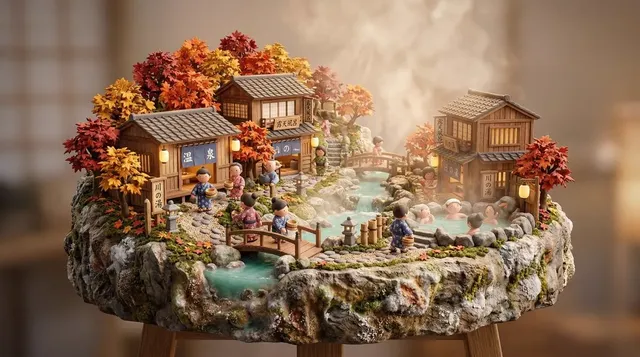
The editing landscape is shifting from manual timeline work to generative choreography. In 2025, image-to-video generation lets creators turn a single still frame into a dynamic sequence with natural motion. Combined with AI style transfer, this opens creative possibilities that were previously reserved for high-budget studios.
Domer's AI Video Generator brings these capabilities into an accessible, integrated platform.
Image-to-Video: How It Works
Modern AI models analyze a reference image and predict motion vectors to generate coherent video frames:
- Motion prediction: AI infers natural movement from the static image
- Depth estimation: Creates 3D parallax effects from 2D sources
- Frame interpolation: Smooths transitions between generated frames
Seedance 2.0 excels at cinematic-quality motion generation from single images.
Style Transfer Effects
Style transfer applies the visual characteristics of one image or video to another:
- Artistic filters: Transform footage into painting, sketch, or pixel art styles
- Mood matching: Adapt color grading and texture to match your creative vision
- Consistent aesthetics: Apply the same style across an entire video series
Practical Workflow
Step 1: Generate Your Base Image
Use Domer's AI Image Generator to create high-quality reference frames.
Step 2: Convert to Video
Feed the image into an image-to-video model with a motion prompt.
Step 3: Apply Style Transfer
Layer on your desired visual style for unique results.
Step 4: Refine
Iterate on prompts until you achieve your vision.
Best Practices
- Start with high-resolution source images for best results
- Be specific in motion prompts ("slow pan right" vs "movement")
- Test multiple style combinations before committing
GPT Image 2 provides excellent source images for this workflow.
Conclusion
Image-to-video generation and style transfer are democratizing advanced visual effects. The barrier to entry has never been lower. Start experimenting today.

Alexander
More Blogs
Read MoreVidu Q4 Alternatives: 4K AI Video Models Compared (2026)
Vidu Q4 alternatives compared: Kling 4.0, Seedance 2.5, Wan 3.0, and Runway Gen-4 — 4K support, input modes, durations, audio, and what each costs in credits on Domer.
Top 4K AI Image Generators in 2026: 5 Models Compared on Real Costs
The top 4K AI image generators on Domer compared: Flux 3 Klein, Nano Banana 2.1, GPT Image 2.5, GPT Image 2, and Nano Banana Pro — 4K credit costs, reference limits, and speed.
Nano Banana 2.1 vs GPT Image 2.5: Which Image Model Should You Use? (2026)
Nano Banana 2.1 vs GPT Image 2.5 Flare compared: credit costs per resolution, aspect ratios, reference images, text rendering, and which tasks fit each model.