

How AI Video Generators Work: A Practical Workflow Guide
Oct 14, 2026
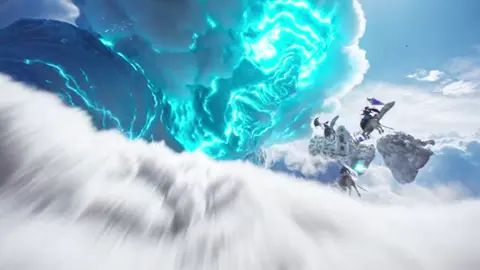

What Modern AI Video Generators Actually Do
A modern AI video generator turns a short natural-language instruction — sometimes paired with a reference image — into a moving image sequence. You type something like "a lone cyclist pedals through rain-soaked Tokyo at night, neon reflections on wet asphalt, slow tracking shot," and within a minute or two you receive a clip of four to twelve seconds that looks like it was photographed by someone who knew what they were doing.
That apparent simplicity hides a great deal of machinery. The model is not searching a stock library or stitching existing clips together. It is predicting pixels, frame by frame, inside a compressed mathematical space, while trying to keep those pixels coherent across time. Getting that coherence right is the central technical challenge of the field, and it explains why early attempts often looked like a dream that kept forgetting its own rules.
For anyone building a workflow around these tools, the useful mental shift is this: you are not a renderer, you are a director. Your job is to specify intent precisely, generate more options than you need, and curate ruthlessly. The model handles the drawing; you handle the decisions. Most of the quality gap between two people using the same tool comes from the decisions, not the tool.
The Technology Stack Behind Text-to-Video
Diffusion transformers and temporal consistency
Most leading video models are built on diffusion. The system learns to reverse a process that gradually adds noise to data, then at inference time starts from pure noise and denoises step by step until a plausible clip emerges. Early image models used convolutional U-net backbones. Video models increasingly rely on transformer architectures that treat a clip as a sequence of spatiotemporal patches — small cuboids of pixels spread across both space and time.
Attention across those patches is what produces consistency. When a character raises an arm, the model must remember what that arm looked like two seconds earlier and what the sleeve texture is. Temporal attention layers let information flow between frames, which is why a well-trained model can hold a shirt pattern stable across an entire shot instead of letting it crawl and shimmer.
Because full-resolution video is enormous, nearly every system works in a compressed latent space. An encoder squeezes frames into a smaller representation, diffusion happens there, and a decoder expands the result back to pixels. This is a major reason generation is feasible on modest hardware at all — and also why fine detail sometimes collapses. The latent space has finite capacity, and fast motion or heavily textured surfaces can exceed it.
Compute, resolution, and clip length tradeoffs
Time, resolution, and duration form a triangle. Larger geometry, longer duration, and crisp detail all draw on the same underlying resource. Every commercial system meters that resource somehow, whether through subscription tiers or API usage.
In practice, clip length is the variable most people should sacrifice first. Four to eight seconds is enough for a single camera move, and short clips are far easier to control. Long generations tend to drift in identity, physics, or lighting precisely because the model has more chances to make a small error that compounds. Professional pipelines almost always produce many short shots and assemble them in an editor rather than asking for one continuous minute.
Some systems generate at a lower internal resolution and upscale. That is fine for moody, shallow-depth-of-field work and less fine for wide shots with dense detail like crowds, foliage, or text.
Where audio and dialogue fit
A growing number of generators produce sound natively alongside picture: ambient beds, foley-like impacts, and in some cases spoken lines with reasonably matched mouth movement. Others leave audio to a separate model or to your editor. If your project depends on dialogue, check this early, because retrofitting lip sync onto silent footage is painful and rarely convincing for close-ups.
Prompting: Writing Instructions a Model Can Understand
The shot-sentence formula
The most reliable prompt structure is a single dense sentence built from six slots:
- Subject — who or what, with one or two defining details.
- Action — a specific verb, ideally in progress rather than complete.
- Setting — location plus one environmental detail.
- Camera — shot size and movement.
- Light — source, direction, quality, and time of day.
- Look — film stock, lens character, grade, or reference era.
A working example: "A weathered fisherman in a yellow raincoat hauls a net across a steel deck, medium wide shot, camera slowly tracks left, overcast dawn light with cold blue cast, 35mm film grain, muted documentary grade."
Notice that nothing is left to chance about framing or mood. Vague prompts like "a fisherman working" produce vague results, because the model must invent every unspecified decision and it will invent inconsistently.
Camera and lens language that actually changes output
Generators respond to conventional cinematography vocabulary more than they respond to adjectives. Useful terms include: slow dolly in, tracking shot, handheld, crane up, static locked-off frame, macro, wide establishing shot, over-the-shoulder, shallow depth of field, anamorphic flare, wide-angle distortion. Pair one movement with one shot size. Stacking three movements into a five-second clip usually produces mush.
Lens and stock words work as style compressors. "Shot on 16mm" carries grain, halation, and a specific color response in a way that "cinematic" never will.
Negative constraints and continuity anchors
Many interfaces accept a field for things you do not want: text overlays, extra limbs, warped faces, split screens, watermarks, jump cuts. Use it. Negative prompts are cheap insurance.
Equally important are continuity anchors — repeatable phrases describing your recurring character or location. If a character wears a red scarf and a denim jacket, write that identically in every prompt. Consistency across shots is a naming problem before it is a model problem.
Iterate in the prompt, not just the seed
Keep a log of prompt versions with the outputs you liked. When a shot works, you want to know which phrasing produced it. Random reseeding without changing wording teaches you very little and burns your allowance quickly.
Image-to-Video and Keyframe Control
Starting frames and style locking
Image-to-video is the workhorse of production work. You supply a still — generated in an image model, photographed, or illustrated — and the system animates it. The advantage is control: composition, character design, and color palette are locked before a single frame moves.
This is how most consistent characters get built. Generate a clean reference portrait, then animate variations of it rather than re-describing the person in text every time. The still carries the identity; the prompt only carries motion and camera.
First-and-last-frame interpolation
Several tools accept both a starting and an ending frame, then generate the motion between them. This is the closest thing to traditional animation blocking available in generative video. It is ideal for controlled reveals, product rotations, and scene transitions where you know exactly where you want to land.
Treat interpolation as a constraint, not a guarantee. If the two frames differ too drastically in composition, the model will invent a morph that looks like a dissolve gone wrong. Keep start and end frames within reasonable continuity.
Multi-image fusion and transitions
Some workflows let you blend two or more references — for instance, a character still and a location still — to synthesize a shot that belongs to both. This is powerful for establishing shots and dream sequences. It is also the least predictable mode, so budget extra attempts.
For seamless transitions, generate the outgoing shot and incoming shot separately, then create a short bridging clip using the last frame of one and the first frame of the other.
A Practical Workflow: From Idea to Finished Clip
Step 1 — Pre-production: beat sheet and shot list
Write the piece as beats first, not shots. A thirty-second brand film might be five beats: opening texture, character introduction, problem, solution, closing logo. Then translate each beat into one or two shots with a defined shot size and movement. Fifteen to twenty seconds of final footage usually requires thirty to fifty generations. Plan for that ratio.
Step 2 — Generate in small batches and keep a shot log
Work in batches of four to eight variations per shot. Save the prompt text, the seed if available, and a one-line note about what worked. Name files by shot number and version, not by random string. When you return the next day, you will not remember which of forty clips had the good lighting.
Delete aggressively. Keeping weak generations around makes editing slower and tempts you into using footage that will not survive a large screen.
Step 3 — Assemble, sound design, and finishing
Cut in an editor. Even if your tool can export a stitched sequence, you want frame-accurate control over rhythm. Add sound early; a clip that feels flat often just lacks a low-frequency bed. Apply a light grade and consistent grain across all shots so mismatched generations sit together — this single step does more for perceived quality than any prompt trick.
Upscale to delivery resolution last, and only once you have locked the edit. Upscaling before you cut wastes processing time on footage you will discard.
Step 4 — Review at delivery size
Watch the finished piece on a phone, a laptop, and a large screen. Artifacts invisible in a preview window — face warping, texture crawl, unstable horizons — become obvious at full size. Fixing them means regenerating that one shot, not the whole sequence.
Common Failure Modes and How to Fix Them
Identity drift across shots. The face changes subtly between clips. Fix: use image-to-video with a shared reference still, and repeat an identical character description in every prompt.
Texture crawl and shimmer. Fine patterns like brickwork or striped fabric boil in place. Fix: shorten the clip, slow the camera, and avoid pushing heavy detail into a wide shot.
Unmotivated camera drift. The frame slides even though you asked for a locked-off shot. Fix: state "static camera, locked-off tripod frame" explicitly and remove any movement words.
Physics that read as wrong. Liquids that do not splash, objects that pass through hands, footsteps without weight. Fix: reduce the number of interacting objects in frame per shot. Complex choreography is where models fail most.
Unwanted text. Signs and labels appear garbled. Fix: add text to negative constraints, or frame the shot so signage is out of view.
Over-stylization. Everything looks like the same glossy AI sheen. Fix: specify a concrete medium — 16mm film, watercolor, security camera footage, archival newsreel — instead of aesthetic adjectives.
Motion blur mush during fast action. Fix: cut the shot before the fastest moment and let editing imply the rest. Implication is cheaper and more convincing than simulation.
Choosing the Right Tool for the Job
With a crowded field, evaluate on these criteria rather than on demo reels:
- Maximum clip length and resolution at your budget tier.
- Image-to-video quality, since most production work depends on it.
- Control features: keyframes, camera parameters, motion brushes, region editing.
- Native audio and dialogue, if your format needs it.
- Aspect ratio support for vertical, square, and widescreen delivery.
- Licensing and commercial rights, including whether outputs can be used in paid advertising.
- Team features such as shared libraries and review links, which matter more than most solo creators expect.
- API access, if you plan to automate repetitive generations.
A useful rule: pick one primary model for hero shots and one fast, cheaper model for B-roll and coverage. Mixing tools is normal and often produces better results than loyalty to a single platform.
Quality Control Checklist Before You Publish
- Watch at full resolution with sound on.
- Check for flicker at every cut point.
- Confirm no unintended text, logos, or watermarks appear.
- Verify hands, faces, and reflections in close-ups.
- Confirm color and grain are consistent across all shots.
- Check the first two seconds and the final frame — these carry disproportionate weight.
- Confirm captions and audio levels meet platform requirements.
- Confirm all assets and likenesses are cleared for commercial use.
Ethics, Disclosure, and Rights
Generative video raises real questions, and handling them well protects both your audience and your project.
Likeness and consent. Do not generate recognizable real people without permission. This is both an ethical baseline and, in many jurisdictions, a legal one.
Disclosure. For news, documentary, or anything that could be mistaken for documentary evidence, label synthetic footage clearly. Audiences forgive experimentation; they do not forgive deception.
Training and style. Asking a model to imitate a living artist's signature style is legally gray and professionally risky. Asking for a genre, era, or technique is safer and usually produces better results anyway.
Commercial rights. Read the terms for the specific tier you use. Rights can differ between free, paid, and enterprise plans, and between personal and commercial use.
Authenticity in brand work. Synthetic footage works best when it is stylized, conceptual, or clearly illustrative. If the value proposition is "this is real," real footage still wins.
FAQ
How long should a generated clip be?
Four to eight seconds per shot is the sweet spot. Longer generations drift more and give you fewer options per unit of processing time. Assemble length in the edit, not in the generator.
Do I need to know cinematography to get good results?
You need a small vocabulary: shot size, camera movement, light direction, and medium. That is a weekend of reading. The rest is iteration discipline and honest self-editing.
Why does my character look different in every shot?
Because text descriptions are not identity. Use a single reference image and animate it repeatedly, or generate your character in an image tool first and treat that still as the source of truth.
Is prompt engineering still necessary?
Less than it was, but structure still helps. The shot-sentence formula reduces randomness because it removes decisions the model would otherwise make arbitrarily.
Can I use generated video commercially?
Often yes, but the terms vary by tool and tier, and some restrict certain content categories. Check the license for the plan you actually use before you build a campaign on it.
How many attempts should I plan per finished shot?
Assume five to ten. Professionals treat generation like photography: you shoot a lot, then choose. Budgeting for that ratio is what prevents deadline panic.
What is the fastest way to improve output quality?
Consistent grading and grain across shots. Cohesion reads as production value, and it costs almost nothing compared with regenerating footage.
Will these tools replace editors?
No. They remove the need for a camera and a crew on some shoots. Someone still has to decide what the story is, which take is best, and where the cut lands — and that work is the job.

Alexander
More Blogs
Read MoreVidu Q4 Alternatives: 4K AI Video Models Compared (2026)
Vidu Q4 alternatives compared: Kling 4.0, Seedance 2.5, Wan 3.0, and Runway Gen-4 — 4K support, input modes, durations, audio, and what each costs in credits on Domer.
Top 4K AI Image Generators in 2026: 5 Models Compared on Real Costs
The top 4K AI image generators on Domer compared: Flux 3 Klein, Nano Banana 2.1, GPT Image 2.5, GPT Image 2, and Nano Banana Pro — 4K credit costs, reference limits, and speed.
Nano Banana 2.1 vs GPT Image 2.5: Which Image Model Should You Use? (2026)
Nano Banana 2.1 vs GPT Image 2.5 Flare compared: credit costs per resolution, aspect ratios, reference images, text rendering, and which tasks fit each model.