

How to Create Political Parody AI Videos Ethically
Oct 15, 2026
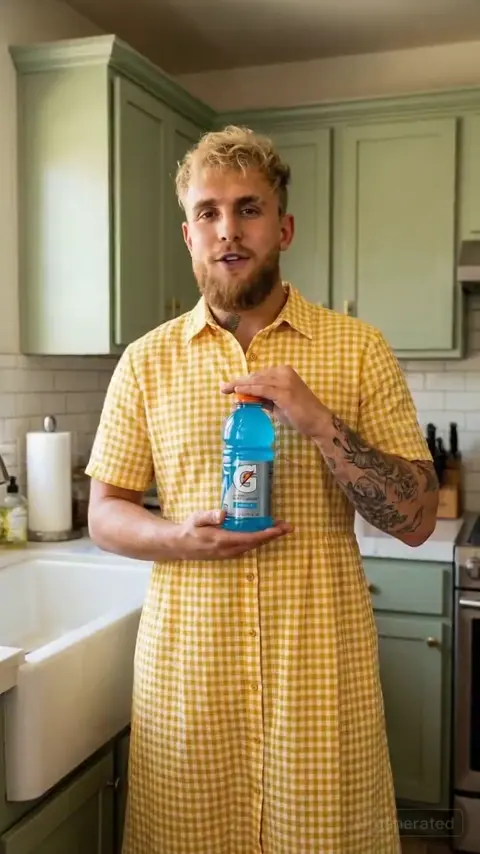

Political parody has always been a pressure valve for public frustration, a way to question power through exaggeration, timing, and wit. What has changed is the production layer. AI video tools now let a single creator generate a convincing public figure, clone a speaking style, animate a face, and publish a polished sketch in less time than it takes to edit a traditional comedy video. That speed is exciting, but it also raises the stakes. A parody can be sharp, funny, and clearly fictional. Or it can become a harmful deepfake that spreads confusion and invites legal trouble.
This guide is a neutral workflow for creating political parody AI videos responsibly. It focuses on planning, scripting, voice design, visual consistency, editing, disclosure, and platform strategy. It does not promote a specific product, and it treats ethics as part of production rather than a final checkbox. Whether you are satirizing a well-known figure like Donald Trump, a generic politician, or a fictional candidate, the same production logic applies.
Why Political Parody AI Videos Need a Careful Workflow
Satire is protected in many legal systems because it comments on public life rather than merely deceiving. But AI-generated video can blur the line between commentary and fabrication. The difference between a funny parody and a harmful deepfake usually comes down to intent, labeling, plausibility, and distribution. If viewers can mistake the video for real footage, the work has stopped being satire and started being misinformation.
A careful workflow solves three problems at once. First, it protects your audience from confusion. Second, it protects you from platform takedowns, account strikes, and legal complaints. Third, it makes the comedy better, because satire lands hardest when the audience knows exactly what game is being played.
Think of the process as six stages: concept, script, voice, visual generation, edit, and disclosure. Each stage has its own risks. A weak concept produces a mean-spirited attack. A rushed script sounds like a generic impression. A cloned voice without disclosure can feel like fraud. A hyper-realistic visual without context can spread false claims. An edit that removes all signals of parody can turn a joke into a weapon. A missing label can get the video removed even if the content itself is lawful.
The safest approach is to design the parody so that the joke is obvious within the first few seconds. Use captions, title cards, absurd premises, exaggerated sets, or a clear satirical frame. The goal is not to fool people. The goal is to make them laugh at a recognizable pattern of speech or behavior.
Understanding the Toolchain: From Script to Screen
AI video production is not one tool. It is a chain of decisions. Understanding the chain helps you choose the right method for each parody.
Script and concept layer
The concept layer answers a simple question: what is the joke? A parody needs a premise, not just an impression. Maybe the figure is hosting a cooking show, giving a corporate training seminar, or debating a child about bedtime. The premise creates distance from reality. It signals that this is a performance, not a leaked recording.
A strong script uses the figure's real rhetorical habits as material. Repetition, catchphrases, pauses, and contradictions can all become comedic tools. But the script should avoid inventing serious factual claims that viewers might believe. Satire can exaggerate opinions. It should not fabricate events, crimes, medical advice, or election information.
Voice and performance layer
Voice is the fastest way to signal identity. You can use a human impressionist, a text-to-speech model, a voice conversion tool, or a combination. Each option has trade-offs. A human impressionist brings timing, breath, and spontaneity that synthetic voices often miss. A voice model can produce consistency across many lines and languages. A conversion tool can make your own performance sound like someone else.
Whatever method you choose, keep a record of how the voice was made. If the voice is synthetic, label it. If it is an impression, make sure the visual style also signals parody. Never present a synthetic voice as an authentic recording.
Visual generation and editing layer
Visual generation usually involves one of three approaches: animating a still image, generating a character from a text prompt, or editing existing footage. Animating a still image can produce a consistent face but may struggle with complex gestures. Text-to-video can create dynamic scenes but may lose likeness. Editing existing footage can be effective for quick gags but raises stronger ethical and legal concerns because real footage already carries the weight of authenticity.
Most political parody workflows use a hybrid. You might generate a still portrait, animate the mouth and head, then composite it onto a fictional news desk. You might use a human actor for the body and a synthetic face for close-ups. You might use motion graphics, puppets, or animation instead of photorealistic humans. The more stylized the format, the less likely viewers are to mistake it for reality.
Step-by-Step: Building a Political Parody Video
Step 1: Define the satirical target and angle
Start with a specific angle. Are you mocking a speaking style, a policy position, a media habit, or a public persona? The narrower the target, the funnier the result. A broad attack on a politician often feels lazy. A precise parody of how they avoid a question can be devastating.
Write down the intended joke in one sentence. If you cannot explain the joke without adding context, the video may rely on deception rather than satire. For example, a parody about a figure launching a ridiculous product is clear. A fake emergency broadcast is not parody unless the framing is unmistakably absurd.
Step 2: Write a script that sounds like the figure without impersonation fraud
Study real speeches, interviews, and debates. Note the rhythm, common phrases, and emotional temperature. Then write new lines that amplify those patterns. The script should be original. Do not copy long passages from copyrighted speeches or articles. Short references may be acceptable in some jurisdictions, but original writing is safer and usually funnier.
Read the script aloud. If it sounds like a generic politician rather than a specific person, revise it. Specificity is the engine of parody. At the same time, avoid lines that could be mistaken for real policy statements. The audience should always feel the wink.
Step 3: Generate or record voice
If you use a synthetic voice, test multiple takes. Listen for unnatural pauses, flat emphasis, and mispronounced words. Political parody depends on timing. A joke that lands in a human performance can die in a robotic read.
If you use a voice conversion tool, keep the performance natural. Overacting can make the result sound like a cartoon. Underacting can make it sound like a newsreader. Aim for the figure's cadence but keep the energy appropriate to the premise.
Always create a disclosure plan before you generate the voice. Will you add a spoken disclaimer, a caption, or an intro card? The sooner you decide, the easier it is to integrate disclosure into the edit.
Step 4: Create a consistent on-screen character
Consistency is one of the hardest parts of AI video. A face that changes shape between shots breaks the illusion and can make the video feel uncanny. Use a clear reference set if the tool supports it. Keep lighting, angle, and expression within a range that matches your premise. If the character appears on a news desk, use a stable camera angle. If the character walks through a crowd, use shorter shots to hide inconsistencies.
Stylization helps. A slightly animated look, a puppet, or a retro VHS filter can signal parody while reducing the pressure to be photorealistic. The more realistic the face, the more responsibility you have to label the video clearly.
Step 5: Animate, lip-sync, and edit
Lip-sync is where many AI parody videos succeed or fail. Mismatched mouth shapes look unsettling. Test short clips before generating a long sequence. Pay attention to plosives, pauses, and emotional beats. If the tool struggles with a line, rewrite the line rather than forcing a bad take.
Editing is your best ethical tool. Add title cards, captions, sound effects, and visual jokes that make the parody obvious. Use split screens, fake lower-thirds, or a satirical news ticker. Cut away to reaction shots, graphs, or absurd imagery. These choices improve comedy and reduce the risk of deception.
Step 6: Disclose and label
Disclosure can be creative. You can open with a caption that says this is a parody. You can use a recurring character who introduces the sketch. You can add a watermark or a final card. You can include a description that explains the video is synthetic. The exact method matters less than the clarity.
Avoid burying disclosure in tiny text at the end. Put it where viewers will see it before they share the clip. If the video is designed for short-form platforms, add an on-screen label in the first two seconds. If it is a longer YouTube sketch, use an intro card and a pinned comment.
Ethical Guardrails and Legal Boundaries
Misinformation vs. satire
The key question is whether a reasonable viewer could be deceived about a matter of fact. Satire can exaggerate, mock, and invent absurd scenarios. It should not create realistic false statements about elections, health, safety, crimes, or public emergencies. If your premise requires viewers to believe something false in order to work, it is not satire. It is deception.
A useful test is the swap test. Imagine the video being shared without your caption. Would it still be obvious that it is a parody? If not, strengthen the visual and contextual signals.
Publicity, copyright, and platform rules
Public figures have fewer privacy protections than private individuals in many jurisdictions, but they still have rights related to publicity, defamation, and false light. Copyright also matters. Using news footage, speeches, music, or photographs without permission can lead to takedowns even if the parody itself is protected.
Platform rules are separate from law. A video can be legal but still violate a platform's policies on synthetic media, harassment, or election integrity. Read the rules for each platform before you publish. Build in a buffer for review time, especially if the content touches on elections or public safety.
Disclosure language that works
Good disclosure is short, clear, and early. Examples include: This is a parody. The voice is synthetic. This video uses AI-generated imagery. No real footage of the figure was used. Fictional scenario. Not a real broadcast. You can also use a consistent visual motif, such as a cartoon frame or a recurring parody logo, so regular viewers recognize your format.
Do not rely on sarcasm alone. Sarcasm does not travel well across cultures, algorithms, or screenshots. A label is not a creative compromise. It is part of the joke's contract with the audience.
Design Decisions That Make Satire Land
Rhetorical mimicry vs. cruel impersonation
The best political parody captures a pattern of behavior, not just a voice. It notices how a figure dodges, boasts, pauses, or contradicts themselves. Cruel impersonation, by contrast, relies on appearance, disability, or private traits. That kind of humor ages badly and invites backlash.
Aim for recognition, not humiliation. The audience should think, that is exactly how they sound, not, that is a cruel caricature. The difference is usually in the writing. Specific verbal habits are fair game. Private medical details or family members are not.
Pacing, cutaways, and caption humor
AI video can make every shot look similar. Editing prevents monotony. Use cutaways to fake documents, charts, social media posts, or reaction shots. Captions can add a second layer of comedy, especially on short-form platforms where many viewers watch without sound.
Keep the pacing tight. A parody that runs too long loses energy. Most short-form political sketches work best between fifteen and sixty seconds. Longer sketches need a strong premise and multiple beats.
Visual style: news desk, rally, debate, talk show
Choose a format that matches the joke. A news desk parody can mock media framing. A rally parody can mock crowd dynamics. A debate parody can mock argument tactics. A talk show parody can mock public personas. Each format has its own visual grammar, so use the right props, lower-thirds, and camera angles.
The more stylized the format, the safer the parody. A puppet debate or an animated press conference is less likely to be mistaken for real footage than a photorealistic Oval Office address. Style is not a weakness. It is a risk-management tool.
Platform Strategy: Publishing Without Inviting Takedowns
Short-form vertical cut
Short-form platforms reward speed and clarity. Put the parody label in the first two seconds. Use large captions. Keep the premise simple. Avoid election claims that could be clipped out of context. If you post a longer video, create a vertical cut that points back to the full version.
YouTube and long-form
Long-form video gives you room for context. Use an intro card, a description that explains the synthetic elements, and a pinned comment with sources if you reference real events. Chapters can help viewers understand the structure. If the video is clearly labeled, it is less likely to be removed by mistake.
Metadata and contextual framing
Titles, descriptions, tags, and thumbnails all shape interpretation. A thumbnail that looks like real breaking news is a bad idea. A thumbnail that shows the parody label, a cartoon frame, or an absurd prop is safer and often more clickable. Use words like parody, satire, sketch, or fictional in the metadata. Avoid pretending the video is a leak or an exclusive recording.
Common Mistakes and How to Avoid Them
Over-realism without labels
Photorealism is not the goal. Believability is a tool, not a virtue. If your video looks real, label it aggressively. If you cannot label it clearly, stylize it. The uncanny valley is not just an aesthetic problem. It is an ethical warning sign.
Flat voice and uncanny faces
Synthetic voices often lack breath, micro-pauses, and emotional variation. Faces may shift between frames. Fix these issues with shorter shots, better reference images, and more takes. Do not publish a take that makes viewers uncomfortable for the wrong reasons. Polish the performance, but keep the disclosure.
Punching down or repeating false claims
Satire should target power, not vulnerable groups. Avoid jokes that rely on stereotypes, disabilities, or private trauma. Also avoid repeating false claims without clear correction. Even a parody can reinforce a lie if the framing is ambiguous. If you must reference a false claim, make the correction part of the joke.
Ignoring platform policy
Every platform has different rules for synthetic media. Some require labels. Some restrict political content around elections. Some ban specific types of manipulated media. Check the rules before you spend hours on a video. A great parody that gets removed in ten minutes is not a successful project.
Evaluating AI Video Tools for Parody Production
What to test first
Before committing to a tool, test three things: likeness consistency, lip-sync accuracy, and export quality. Generate a short test clip with the same character in three angles. Try a line with plosives and pauses. Check whether the export looks compressed or artifact-heavy. These tests reveal more than feature lists.
Feature checklist
Look for reference image support, voice cloning or voice import, lip-sync editing, timeline controls, caption tools, and clear commercial usage terms. Also check whether the tool adds watermarks and whether you can remove them. Watermarks can be useful for disclosure, but you should understand the rules.
When to use human actors or animation instead
Sometimes the best AI video is not photorealistic. A human actor in a wig and suit can be funnier and safer. Animation can be sharper and more shareable. Puppets can deliver political satire without the deepfake problem. Choose the format that serves the joke and reduces the risk of deception. AI is a tool, not a requirement.
A Sample Workflow: From Idea to Published Parody
Start with a one-line premise. Example: a fictional political figure tries to sell a new line of branded products during a press conference. Write a sixty-second script with three beats. Generate a voice test. Choose a stylized news desk background. Create a consistent character image. Animate three short shots. Add captions, a parody label, and a fake product graphic. Edit for pacing. Review for false claims. Publish with a clear title and description.
The review step is essential. Ask someone who is not involved in the project to watch the video without context. Can they tell it is a parody? Do they understand the joke? Do they think any factual claim is real? If the answer to the last question is yes, revise the video before publishing.
FAQ: AI Political Parody Videos
Is it legal to make AI videos of politicians?
Laws vary by country and region. Satire and parody often receive protection, but that protection is not unlimited. Defamation, publicity rights, copyright, and election laws can all apply. If you are unsure, consult a local attorney. The safer approach is to label the video clearly, avoid false factual claims, and use original scripts.
Do I need permission from the public figure?
In many jurisdictions, public figures have limited privacy rights, and parody may not require permission. However, using someone's voice or likeness for commercial purposes can trigger publicity rights. Disclosure and non-deceptive framing reduce risk, but they do not eliminate it. Avoid implying endorsement or using the video to sell a product without permission.
How should I label a political parody video?
Use a clear on-screen label in the first few seconds. Add a spoken or written disclaimer. Include a description that says the video is synthetic or a parody. Do not hide the label in the last frame. If the platform has a synthetic media toggle, use it.
Can I use real news footage?
Real news footage is usually copyrighted, and using it can make the parody seem more authentic. If you need a news format, recreate the graphics and desk rather than copying a broadcast. If you must use a short clip, keep it brief, transform it, and understand the fair use rules in your jurisdiction.
What is the biggest risk with AI political parody?
The biggest risk is deception. If viewers believe the video is real, the parody can spread misinformation, damage reputations, and trigger platform enforcement. The second biggest risk is poor quality. Uncanny faces and flat voices make the video forgettable. Both risks are managed with clear labeling, stylized visuals, and strong writing.
How long should a political parody video be?
Short-form videos usually work best under sixty seconds. Long-form sketches can run several minutes if they have a strong premise. The length should match the joke. Do not stretch a single gag into a long video, and do not cram a complex premise into fifteen seconds.
What if a platform removes my video?
Read the notification and check the policy cited. If the removal is about missing disclosure, add a label and appeal. If it is about misinformation, review whether the video contains false factual claims. If it is about copyright, replace the material or use original assets. Keep a backup of your project files.
Can I make a parody without AI?
Yes. Human actors, animation, puppets, and motion graphics can all deliver political satire. They may be slower to produce, but they often carry clearer signals of performance. Use AI when it solves a specific production problem, not because it is the trend.
How do I avoid hurting real people?
Focus on public conduct, policies, and rhetorical habits. Avoid private traits, family members, medical conditions, and unverified allegations. Satire should target the powerful, not the vulnerable. If a joke relies on humiliation rather than recognition, cut it.
What is the best workflow for beginners?
Start with a short script and a stylized format. Use a clear parody label. Generate a test voice. Create one consistent character. Keep the edit under thirty seconds. Ask a friend to watch it without context. If they can tell it is a parody and understand the joke, publish it. If not, revise and try again.
Political parody AI videos can be creative, funny, and insightful. They can also cause real harm if they are made carelessly. The difference is not the technology. It is the workflow. Plan the joke, label the performance, respect the law, and design for clarity. When the audience knows it is a parody, the satire has room to do what it does best: make people think while they laugh.

Alexander
More Blogs
Read MoreVidu Q4 Alternatives: 4K AI Video Models Compared (2026)
Vidu Q4 alternatives compared: Kling 4.0, Seedance 2.5, Wan 3.0, and Runway Gen-4 — 4K support, input modes, durations, audio, and what each costs in credits on Domer.
Top 4K AI Image Generators in 2026: 5 Models Compared on Real Costs
The top 4K AI image generators on Domer compared: Flux 3 Klein, Nano Banana 2.1, GPT Image 2.5, GPT Image 2, and Nano Banana Pro — 4K credit costs, reference limits, and speed.
Nano Banana 2.1 vs GPT Image 2.5: Which Image Model Should You Use? (2026)
Nano Banana 2.1 vs GPT Image 2.5 Flare compared: credit costs per resolution, aspect ratios, reference images, text rendering, and which tasks fit each model.