

Learn Game Dev with Video Tutorials: A Practical Roadmap
Oct 15, 2026


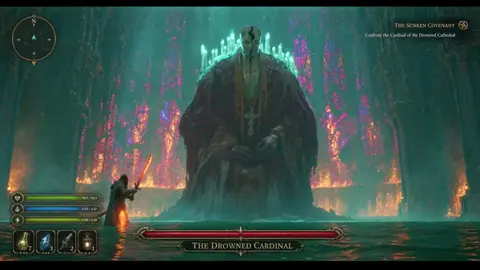
Why Video Tutorials Are the Fastest On-Ramp to Game Development
Written documentation explains systems. Video shows systems being built. That gap matters more in game development than in almost any other discipline, because so much of the craft lives in the space between what a manual says and what a project actually needs on a given afternoon.
When you watch an experienced developer drag a collider onto a sprite, rebuild an animation state machine, or chase down a physics jitter in real time, you absorb dozens of small decisions that no reference page captures. You see the wrong turn, the undo, the second attempt. That visible iteration is the real curriculum.
The second advantage is pacing. A good tutorial series imposes a rhythm: watch, pause, replicate, break something, fix it. That loop is the skill. Passive viewing teaches almost nothing, which is why two people can sit through the same forty hours of lessons and finish at completely different skill levels. One of them typed along; the other one nodded along.
This guide lays out a practical roadmap: how to choose an engine, which video formats deserve your attention, how to build a repeatable practice loop around art and audio, how AI-assisted video tools fit into a solo developer's pipeline, and how to convert study time into finished games and public work.
Pick an Engine Before You Pick a Playlist
Beginners lose months hopping between engines because each new tutorial series looks more exciting than the last. Choose once, commit for at least six months, and let the tutorials follow the choice rather than the other way around.
What each major engine is genuinely good at
Unity remains the broadest general-purpose option. Its 2D tooling is mature, its asset ecosystem is enormous, and the volume of beginner-friendly video content is unmatched. If you are unsure what you want to build, Unity is the safest default.
Unreal Engine excels at high-fidelity 3D, lighting, and cinematic presentation. Blueprints let you build substantial logic without writing code, which is a genuine advantage for designers. The tradeoff is heavier projects, longer compile times, and a steeper mental model for total beginners.
Godot is lightweight, fully open, and unusually pleasant for 2D and small 3D projects. Its scene-and-node structure clicks quickly for people who think visually. The tutorial library is smaller than Unity's but has grown into a genuinely usable depth.
Decision criteria that actually hold up
- Target platform. Mobile and web favor lighter engines; console and photoreal 3D favor Unreal.
- Art direction. Pixel art, hand-drawn 2D, and stylized 3D have different pipeline needs.
- Language comfort. C# for Unity, C++ or Blueprints for Unreal, GDScript or C# for Godot.
- Community density. A larger community means faster answers when you are stuck at 1 a.m.
- Your end goal. A commercial 3D action game and a two-week game jam prototype want different tools.
Write your answer down. When you feel the urge to switch engines three weeks in, read it back.
A Four-Stage Learning Path for Video-Based Study
Most learners fail not because tutorials are bad, but because they consume them in random order. A staged path keeps momentum and prevents the classic trap of starting five projects and finishing none.
Stage one: design literacy
Before touching an editor, spend a week on game design fundamentals. Watch series that break down core loops, risk and reward, difficulty curves, and player feedback. The goal is vocabulary. Once you can describe why a mechanic feels satisfying, you can evaluate your own prototypes instead of just hoping they are fun.
Stage two: engine fundamentals
Pick one long-form beginner series and finish it end to end without skipping. Type every line, even the boring parts. Rebuild the sample project from scratch with the video paused, then compare. This stage should take four to eight weeks of consistent evenings.
Stage three: art and asset pipeline
Here you split into two tracks: using existing assets and making your own. Beginners should start with purchased or free asset packs so they can finish a game before wrestling with modeling software. Once a project is playable, add a modeling, texture, or animation series and start replacing placeholders one at a time.
Stage four: shipping a small, complete game
Choose a scope you can finish in four to six weeks: a single mechanic, one level, a menu, a win state, a lose state, and a build you can hand to someone else. Finishing is a separate skill from building, and it is the one most self-taught developers never practice.
Game Design Fundamentals Most Tutorial Series Skip
Engine tutorials teach tooling. They rarely teach judgment. These are the concepts worth seeking out deliberately, because they determine whether your technically correct game is also an enjoyable one.
The core loop. Every game reduces to a repeating cycle: act, receive feedback, adjust, act again. If that cycle is not satisfying in a thirty-second prototype, no amount of polish will save it.
Feedback and readability. Players need to understand what happened and why. Screen shake, sound, particle bursts, and animation timing communicate state faster than any tutorial text.
Difficulty pacing. Introduce a mechanic safely, test it, then combine it with an earlier mechanic under pressure. This three-beat structure appears in level design across nearly every genre.
Scope discipline. A finished small game teaches more than an abandoned ambitious one. Cut features ruthlessly and protect the core loop.
Playtesting. Watch someone play without explaining anything. Where they hesitate is where your design failed, not where they did.
3D Modeling and Asset Creation: A Repeatable Practice Loop
Art is where many solo developers stall, because the skill gap between a rough blockout and a finished asset feels enormous. The fix is a loop rather than a curriculum: model one small object a day, texture it, bring it into the engine, and light it.
Start with hard-surface props: crates, barrels, simple weapons, modular wall pieces. These teach topology, UV unwrapping, and scale discipline without requiring anatomy knowledge. Move to characters only once you can finish a prop in under two hours.
For texturing, learn a node-based painter and a photo-editing tool side by side. For animation, begin with simple loops: idle, walk, attack. A game with three clean animations feels more alive than one with twenty broken ones.
Record your own sessions. Filming your workflow, even for yourself, forces you to narrate decisions and exposes where you actually lost time. Many developers find that a private screen recording is the single most effective self-teaching tool they have.
Folding AI Video and Audio Tools into a Game Dev Workflow
AI generation is not a replacement for engine work. It is a second pipeline that handles communication, pitch material, and placeholder media far faster than manual production. Used well, it removes hours of non-game work from your week.
Storyboards, pitch reels, and trailers from text prompts
Text-to-video tools can turn a paragraph of scene description into a rough animated beat. For a solo developer, that is enough to build a pitch deck, a wishlist trailer, or a vertical slice teaser before the game is presentable. Generate several short clips rather than one long one, then cut them together in an editor with real gameplay footage.
Image-to-video is often more controllable: you already have concept art or a rendered environment, and the tool animates a camera move or subtle motion inside it. This is ideal for atmospheric establishing shots.
Scene consistency and keyframe control
Generated video drifts. A character's jacket changes color between shots, a building shifts shape, lighting flips. The practical countermeasures are simple:
- Lock a small set of reference images and reuse them as conditioning inputs across every shot.
- Define keyframes explicitly so the tool interpolates between poses you chose rather than poses it invented.
- Keep shots short. Three to five seconds hides inconsistencies that a twenty-second shot exposes.
- Build a consistent style prompt and save it as a reusable preset.
Audio: voice, ambience, and quick iteration
Placeholder audio is underrated. Synthetic voice lines let you test dialogue timing before hiring anyone, and generated ambience beds give a prototype atmosphere immediately. Where AI audio genuinely shines is iteration speed: rewriting a line and regenerating it takes seconds, which means you will actually rewrite it.
Still, treat all generated media as a placeholder until you have confirmed licensing terms for commercial use. Check the terms for every tool before shipping anything.
Devlogs, Portfolios, and Learning in Public
A devlog converts private study into public evidence. Posting a short update every week, even a mediocre one, forces you to articulate what you built and why. It also builds an audience before you have anything to sell.
The format matters less than the cadence. A thirty-second clip with a sentence of context outperforms an ambitious essay you never finish. Over a year, that cadence produces a portfolio reel almost automatically, assembled from footage you already captured.
Portfolio pieces should show range, not just quality: a systems-heavy prototype, a polished art piece, and a finished small game cover the three questions a reviewer asks.
Common Mistakes That Stall Beginners
- Tutorial hopping. Starting a new series whenever the current one gets hard. Difficulty is where learning happens.
- Scope creep at week two. Adding multiplayer, procedural generation, or an inventory system before the core loop works.
- Polishing before proving. Spending days on lighting a level whose layout has not been tested.
- No version control. One corrupted project teaches this lesson permanently; learn it cheaply instead.
- Ignoring the finish line. Menus, saving, and builds are part of the game, not chores after it.
- Learning in isolation. A single question in a community forum often saves a week of guessing.
- Chasing realism. Stylized art that you can finish beats realistic art you cannot.
A Weekly Study Schedule You Can Sustain
Consistency beats intensity. A workable week for someone with a day job looks like this:
- Monday: one hour of design or theory video, plus notes.
- Tuesday and Wednesday: two hours each of hands-on engine work, following the current series.
- Thursday: art practice, one small asset from blockout to in-engine lighting.
- Friday: project work only, no tutorials, applying what you learned.
- Weekend: one longer block for the main project and one short devlog post.
Two rules make this survive contact with real life. First, never end a session without leaving a note about the next concrete task. Second, keep a scratch project for experiments so your main project never becomes a testing ground.
FAQ
How long does it take to learn game development from video tutorials?
Expect roughly three to six months of consistent practice to build and finish a small game with guidance, and one to two years to feel genuinely independent. Progress tracks hours of hands-on work far more than hours watched.
Should I learn programming first or jump straight into an engine?
Jump into an engine and learn programming inside it. Context makes syntax stick, and engine tutorials naturally introduce variables, loops, and events at the moment you need them.
Are free video tutorials enough, or do I need a paid course?
Free series are enough for fundamentals. Paid courses help mainly with structure and accountability, which is worth paying for only if you struggle to sequence your own learning.
Which engine should a complete beginner choose?
Unity for general-purpose 2D and 3D, Godot for lightweight 2D and open-source preference, Unreal for high-fidelity 3D and visual scripting. The best choice is the one you will still be using in six months.
How do AI video and audio tools fit into game development?
They speed up everything around the game: pitch trailers, storyboards, placeholder voice lines, and atmospheric audio. They do not replace engine work, and generated assets should be treated as placeholders until licensing is confirmed.
How do I avoid getting stuck in tutorial hell?
Follow the rule of one: after every single lesson, build something small that the lesson did not cover. If you cannot, you watched instead of learned, and it is worth repeating the exercise before moving on.
What should my first finished game look like?
One mechanic, one level, a start menu, a win condition, a lose condition, and a shareable build. Anything larger is a second project wearing a first project's clothes.
Next Steps
Pick an engine today, choose one long-form series, and block two hours on your calendar this week. Build along, break things, and fix them. Then pick a scope small enough to finish in a month and start. The developers who improve fastest are not the ones who watch the most videos; they are the ones who turn every video off and build something slightly different from what they just saw. That habit, repeated weekly, is the entire method.

Alexander
More Blogs
Read MoreVidu Q4 Alternatives: 4K AI Video Models Compared (2026)
Vidu Q4 alternatives compared: Kling 4.0, Seedance 2.5, Wan 3.0, and Runway Gen-4 — 4K support, input modes, durations, audio, and what each costs in credits on Domer.
Top 4K AI Image Generators in 2026: 5 Models Compared on Real Costs
The top 4K AI image generators on Domer compared: Flux 3 Klein, Nano Banana 2.1, GPT Image 2.5, GPT Image 2, and Nano Banana Pro — 4K credit costs, reference limits, and speed.
Nano Banana 2.1 vs GPT Image 2.5: Which Image Model Should You Use? (2026)
Nano Banana 2.1 vs GPT Image 2.5 Flare compared: credit costs per resolution, aspect ratios, reference images, text rendering, and which tasks fit each model.