

Level Up Your Edits: Pixel-Level Processing for Unique Image Styles
Aug 4, 2026
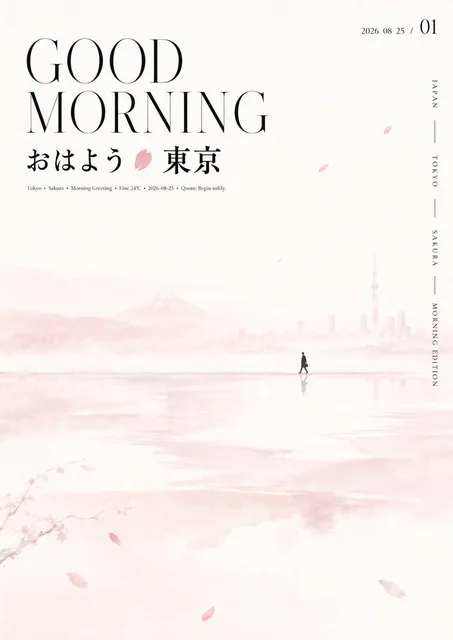
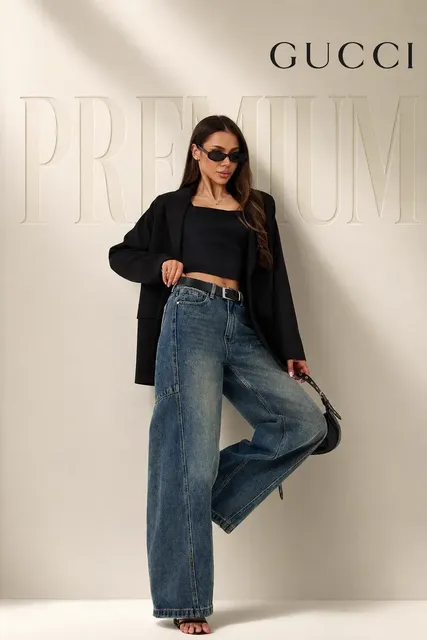
Generic AI images are everywhere. To stand out, you need something different. Pixel-level processing gives you precise control over the final look of your images in ways that simple prompts cannot achieve.
Beyond Basic Prompts
Most people stop at writing a good prompt. They describe what they want and hope for the best. But the creators whose work actually gets noticed go further. They understand that real control happens at a deeper level.
Pixel-level techniques allow you to:
- Control texture density and pattern repetition
- Adjust color relationships at the micro level
- Create hybrid styles that do not exist in any training data
- Fix common AI artifacts without regenerating
Core Pixel Processing Techniques
Structured Style Transfer
Instead of applying a global style filter that distorts faces and edges, structured transfer preserves the geometry of your source image while replacing texture patterns. Think of it as changing the skin of a 3D model without altering its shape.
Detail Injection
AI images often look soft or plasticky because the model averages out fine details. Detail injection adds controlled high-frequency information - skin pores, fabric weave, wood grain - exactly where it belongs, at the resolution you need.
Color Space Manipulation
Most AI images have a predictable color distribution. By remapping colors at the pixel level, you can create looks that feel hand-graded, filmic, or deliberately unnatural in ways that feel intentional rather than broken.
Workflow Integration
Step 1: Generate Your Base
Start with a quality base image. Domer AI Image Generator produces excellent starting points with proper composition and lighting.
Step 2: Analyze What Needs Work
Look critically at your base image. Is the skin texture too smooth? Do the colors feel flat? Are there subtle artifacts around edges?
Step 3: Apply Targeted Processing
Fix specific problems rather than applying blanket filters. Edge enhancement here, texture addition there, color grading in the shadows only.
Step 4: Composite and Blend
Sometimes the best result comes from combining the best parts of multiple generations. Keep the face from one output, the background from another, the lighting from a third.
Style Recipes Worth Trying
The Editorial Look
High contrast, desaturated shadows, sharp details, slight film grain. Reminiscent of high-end magazine photography. Works well for fashion and product images.
The Painterly Style
Visible brush-stroke textures, slightly exaggerated color, softened edges. Creates an artistic feel without looking like a cheap filter.
The Technical Illustration
Clean edges, flat shading, precise highlights. Perfect for diagrams, instructional content, and UI mockups.
Tools for the Job
Building your base images is the first step. GPT Image 2 on Domer provides exceptional base quality that responds well to further processing.
For creating complete visual projects, combine image work with Domer AI Video Generator to bring your processed images to life in motion.
Explore the full range of Domer AI Tools to build your complete editing workflow.
When to Stop
The biggest mistake is over-processing. Know when your image is done:
- The style feels intentional, not accidental
- Details are crisp where they should be, soft where appropriate
- Colors serve the mood, not compete with it
- The image could not be produced by a simple prompt alone
Pixel-level processing separates creators who generate from creators who craft. Invest the extra time, and your work will stand out in an increasingly crowded visual landscape.

Alexander
More Blogs
Read MoreVidu Q4 Alternatives: 4K AI Video Models Compared (2026)
Vidu Q4 alternatives compared: Kling 4.0, Seedance 2.5, Wan 3.0, and Runway Gen-4 — 4K support, input modes, durations, audio, and what each costs in credits on Domer.
Top 4K AI Image Generators in 2026: 5 Models Compared on Real Costs
The top 4K AI image generators on Domer compared: Flux 3 Klein, Nano Banana 2.1, GPT Image 2.5, GPT Image 2, and Nano Banana Pro — 4K credit costs, reference limits, and speed.
Nano Banana 2.1 vs GPT Image 2.5: Which Image Model Should You Use? (2026)
Nano Banana 2.1 vs GPT Image 2.5 Flare compared: credit costs per resolution, aspect ratios, reference images, text rendering, and which tasks fit each model.