
Luma 2.1 vs Stability AI: Which AI Video Model Fits Your Workflow
Oct 13, 2026
Two visions of AI video, not two versions of the same tool
When people ask whether Luma 2.1 or Stability AI is "better," they usually mean: which one should I open first? That framing hides the more useful question. Luma and Stability are not competing flavors of the same product. They represent two different philosophies about how generative video should be delivered.
Luma ships a managed service. You send a prompt or a still frame, you get a rendered clip back, and the model, the infrastructure, and the quality tuning are someone else's problem. Stability AI ships something closer to raw material: a family of open-weight models that you download, run on your own hardware or a rented GPU, and assemble into whatever pipeline you want using tools like ComfyUI, Diffusers, or a custom script.
That difference shapes everything downstream — cost structure, iteration speed, reproducibility, licensing, and the kind of team that can realistically use each option.
This guide is not a scoreboard. It is a workflow guide. By the end you should know which model to reach for at each stage of a video project, and how to combine them instead of picking a side.
What Luma 2.1 actually does well
Luma's reputation rests on a specific claim: clips that look like they came off a camera rather than out of a renderer. That claim holds up in several areas.
Realism and lighting behavior
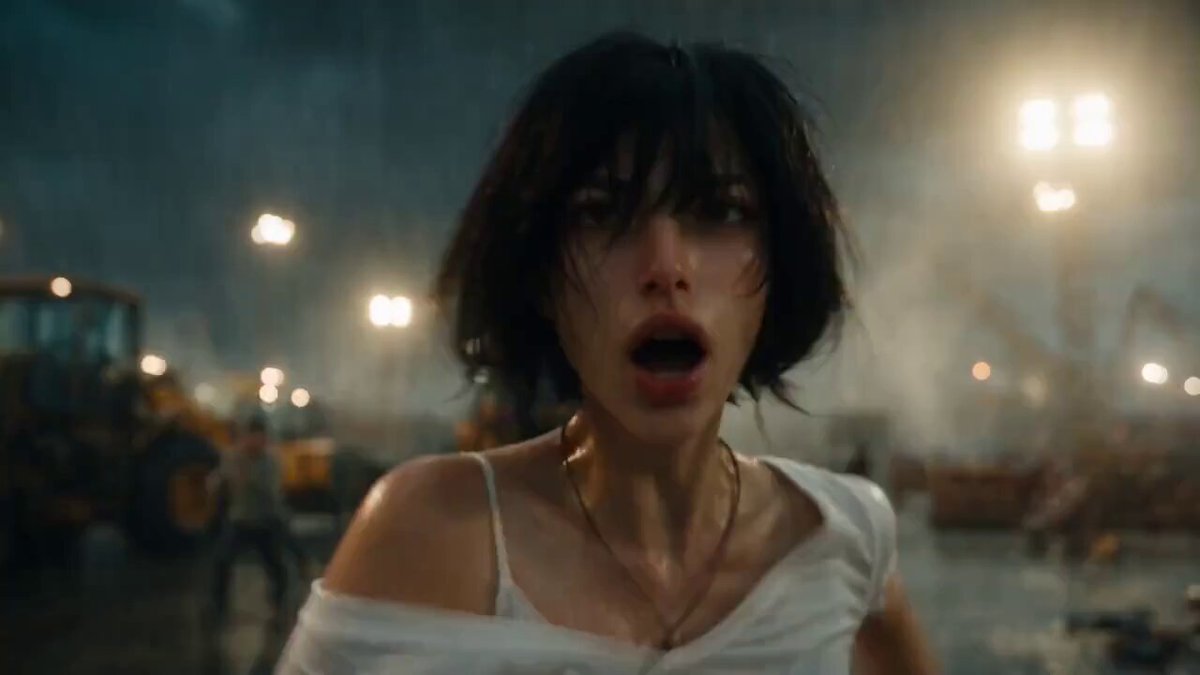
Luma's output tends to handle natural light convincingly. Skin picks up soft bounce, glass behaves like glass, and shadows fall in directions that match the implied light source. This matters more than resolution for most commercial work, because viewers forgive softness far more readily than they forgive impossible lighting.
For product shots, close-up portraiture, and lifestyle footage, this realism is often the whole point. You are not trying to make something that looks generated. You are trying to make something that looks filmed.
Motion coherence
A generated clip fails most often not in its first frame but in its fifteenth. Faces melt, hands multiply, backgrounds drift. Luma 2.1's strongest technical improvement is keeping a shot coherent across its duration — subjects hold their identity, camera movement feels motivated, and background parallax stays plausible.
Coherence is what separates a clip you can cut into a timeline from a clip that only works as a three-second loop on a landing page.
Shot iteration and keyframe control
Luma's interface is built around fast iteration. You generate, you nudge the prompt, you regenerate. For storyboards, mood boards, and client presentations, that loop is worth a lot. There is also meaningful control at the start and end of a shot, which lets you define where a clip begins and where it lands — the two frames an editor actually cares about.
Where it is weaker
Managed services trade flexibility for convenience. If you need a very specific camera behavior, a custom visual style trained on your own footage, or an unusual aspect ratio, you may hit walls. You also inherit whatever content policy, queue, and version the provider is running today. A model update can change your output overnight, and you have no way to pin the old behavior.
What the Stability AI ecosystem brings to the table
Stability AI's video work sits inside a much broader stack, and that context is the point.
Open weights and local inference
Because the models are downloadable, you can run them on your own GPU, on a rented cloud instance, or inside a batch job that processes ten thousand clips overnight. There is no queue, no per-generation metering, and no dependency on a provider staying online. Once you own the weights, you control the throughput.
This is the single biggest practical difference. A hosted tool scales by paying more. A local model scales by adding hardware, which changes the economics entirely at high volume.
Breadth across modalities
The ecosystem spans image generation, video generation, editing, upscaling, depth estimation, and 3D-adjacent tooling. In practice that means you can build a pipeline where every stage speaks the same language. A keyframe model produces a still, a video model animates it, an upscaler finishes it, and a depth pass feeds a compositing step — all without leaving the same environment or paying four different vendors.
Community tooling and fine-tuning
The open ecosystem has a large secondary layer: node graphs, LoRA training recipes, ControlNet-style conditioning, frame interpolation helpers, and shared workflows you can import and modify. If your project needs a consistent character across thirty shots, fine-tuning is on the table. With a closed API, that consistency has to be coaxed out through prompting and reference images.
Where it is weaker
Openness has a cost, and the cost is operational. You need GPU capacity, Python competence, dependency management, and patience. First-frame quality out of the box is often less polished than a managed premium model, and you will spend real time tuning sampling steps, guidance, and motion parameters before output looks good. The ceiling is high, but the floor is lower.
Head-to-head across the criteria that actually decide projects
| Criterion | Luma 2.1 | Stability AI stack |
|---|---|---|
| Time to first usable clip | Minutes | Hours to days |
| Photoreal realism | Consistently strong | Good with tuning |
| Motion coherence | Very strong on short shots | Depends heavily on settings |
| Style customization | Prompt and reference based | Fine-tuning and LoRA |
| Throughput at scale | Scales with spend | Scales with hardware |
| Reproducibility | Version dependent | Fully pinned if you archive weights |
| Data privacy | Provider-dependent | Full control locally |
| Skill floor | Low | Moderate to high |
Read that table as a set of trade-offs rather than a winner. A solo creator shipping one campaign a month should weight the top rows. A studio producing hundreds of clips a week should weight throughput, reproducibility, and privacy.
Text-to-video vs image-to-video: pick your starting point first
Before choosing a model, decide what you are animating. This decision constrains everything else.
Start from a still when control matters
If you need a specific composition, brand color, or product angle, generate or photograph the still first, then animate it. Image-to-video gives you far more control because you have already solved framing, palette, and subject placement. Most professional work goes this route.
It also lets you mix sources. A photograph of a real product can be animated. A 3D render can be animated. A hand-painted illustration can be animated. The video model only has to solve motion, not design.
Start from text when you are exploring
Text-to-video shines in the concept phase. You want twenty variations of a mood, fast. You do not yet know what the shot is. Here, a managed service with quick turnaround wins, because the value is in the volume of ideas, not the polish of any single one.
A hybrid workflow that gets the best of both
This is the part most comparison articles skip. In real production, the two approaches are not competitors — they are consecutive stages.
Step 1: Lock the concept and shot list
Write down every shot with a purpose. "Wide establishing shot, dusk, city rooftop, slow push in." A shot list is the cheapest tool in AI video and the one most often ignored. Models cannot rescue a project with no plan.
Step 2: Generate keyframes
Use an image model — from the Stability ecosystem or any other — to produce the still frames. Iterate on composition here, where iteration is cheap and fast. Save the parameters for every approved frame so you can regenerate it later at higher resolution.
Step 3: Animate hero shots with a managed model
For the two or three shots that carry the piece — the product reveal, the hero close-up, the logo moment — use Luma or a comparable hosted model. Spend the time on prompt refinement, reference frames, and multiple takes. This is where the polish budget belongs.
Step 4: Animate coverage and B-roll locally
For atmospheric inserts, background plates, and transition material, a locally run open model is ideal. Volume is high, individual shot quality matters less, and there is no per-render hesitation. You can generate fifty options and keep three.
Step 5: Upscale and clean
Run everything through an upscaler and, where needed, a frame interpolation pass. AI video often benefits from a mild grain or noise layer afterward, because perfectly clean output reads as synthetic.
Step 6: Cut, grade, and sound
Assemble in your editor. Add a grade that unifies the clips — this single step does more for perceived quality than any model upgrade. Then add sound design. Footsteps, room tone, and a low bed of music make generated footage feel real in a way no render setting can.
Prompting and shot design tactics that transfer across both
These habits improve results regardless of which model you use.
Describe movement, not just subject
"A woman in a red coat" gives you a photograph with a pulse. "A woman in a red coat walks toward camera, coat rippling, shallow depth of field, handheld follow" gives you a shot. Motion verbs are the highest-value tokens in your prompt.
Keep shots short
The longer the clip, the more chances for drift. Two to four seconds is usually enough for a cut. If you need eight seconds of continuous action, generate two clips and stitch them at a natural cut point.
Specify the camera explicitly
Slow push in, static lock-off, lateral tracking, orbit, crane up. Vague prompts produce vague cameras, and vague cameras produce clips that feel like stock footage no one chose.
Lock your aspect ratio and frame rate early
Changing aspect ratio mid-project forces regeneration. Decide delivery format before your first render, and note that cinematic motion blur usually wants a 24 fps cadence even if you export at 30.
Reuse seeds for consistency
When a model exposes a seed, reuse it. Small prompt changes on a fixed seed produce related clips — the closest thing to character consistency you get without fine-tuning.
Infrastructure, budget, and licensing decisions
Hosted API or your own GPU?
Ask four questions. How many clips per week do you need? Does your content involve unreleased products or personal data? Do you need to reproduce a specific output months later? Do you have anyone who can maintain a Python environment?
High volume, sensitive material, reproducibility requirements, or existing technical staff all point toward self-hosting. Low volume, fast deadlines, and no engineering time point toward a managed service.
The hidden cost of cheap rendering
Running locally looks free until you count GPU hours, electricity, storage, and the hours you spend debugging node graphs. That work is real. Budget it honestly.
Licensing nuance
Open weights are not the same as unrestricted commercial use. Check the specific license tied to each model you deploy, especially for fine-tuned derivatives and for content that will run in paid advertising. Managed services carry their own terms, and those terms can change. Keep a record of which model version produced which asset.
Archiving
If output reproducibility matters — and in client work it usually does — archive your weights, your node graph or script, your seeds, and your prompts alongside the rendered files. Six months from now, a prompt alone will not get you back to the same shot.
Common mistakes that wreck otherwise good AI video
Overloading the prompt. Five ideas in one prompt produces a mush of all five. One idea per shot.
Treating the first render as final. The first generation is a draft. The fifth is usually where the real shot appears.
Ignoring continuity between shots. Each clip looks fine alone and the sequence feels broken. Solve this with a shot list, consistent lighting descriptions, and a unifying grade.
Skipping sound. Silent AI footage reads as AI footage. Sound is the fastest fix.
Chasing resolution instead of motion. A 1080p clip with believable motion beats a 4K clip where the subject's hands are wrong.
Assuming a model update will preserve your look. Pin versions when you can, and re-test your prompts after every major update.
Forgetting the edit. The timeline is where generated clips become a video. Cut on motion, hide weak frames, and let the rhythm carry the piece.
FAQ
Is Luma 2.1 better than Stability AI's video models?
They solve different problems. Luma delivers polished short clips fast with minimal setup, which suits concept work and hero shots. Stability's open models give you control, scale, and reproducibility, which suits pipelines, high-volume production, and fine-tuned styles. Most teams end up using both.
Can I use open-weight video models commercially?
Often yes, but the license attached to each specific model governs it. Read the license for the exact checkpoint you download, and be especially careful with fine-tuned derivatives and advertising use.
What hardware do I need to run video models locally?
It depends on the model size and resolution you target. Modern consumer GPUs with generous video memory can handle short clips at moderate resolution; longer or higher-resolution work benefits from workstation-class cards or rented cloud instances. Storage matters too — you will accumulate many gigabytes quickly.
How do I keep a character consistent across multiple shots?
Use a fixed reference image or keyframe for every shot, reuse the same seed where the model allows it, keep wardrobe and lighting descriptions identical, and consider fine-tuning a small model on a curated image set if consistency is critical.
Do I need to know how to code?
Not for hosted tools. For open-weight models, some comfort with scripts, environments, and node-based interfaces helps enormously, though community workflows reduce the amount of original code you write.
How long should a generated clip be?
Short. Two to four seconds covers most editorial needs. Longer continuous shots are possible but accumulate drift, and editing around short clips is standard practice anyway.
Which should I learn first?
Start with a managed model so you learn what good output looks like and how prompting affects motion. Then move to open models once you understand what you want to control and why.
The real answer to "which one wins" is that the question was never a fair fight. Luma is a finished instrument. Stability is a workshop. If you need a shot today, open the instrument. If you need a hundred shots a week that match your brand exactly, invest in the workshop — and keep the instrument nearby for the moments that matter.

Alexander
More Blogs
Read MoreVidu Q4 Alternatives: 4K AI Video Models Compared (2026)
Vidu Q4 alternatives compared: Kling 4.0, Seedance 2.5, Wan 3.0, and Runway Gen-4 — 4K support, input modes, durations, audio, and what each costs in credits on Domer.
Top 4K AI Image Generators in 2026: 5 Models Compared on Real Costs
The top 4K AI image generators on Domer compared: Flux 3 Klein, Nano Banana 2.1, GPT Image 2.5, GPT Image 2, and Nano Banana Pro — 4K credit costs, reference limits, and speed.
Nano Banana 2.1 vs GPT Image 2.5: Which Image Model Should You Use? (2026)
Nano Banana 2.1 vs GPT Image 2.5 Flare compared: credit costs per resolution, aspect ratios, reference images, text rendering, and which tasks fit each model.