

Master AI Video Generation: Text-to-Video and Image-to-Video Complete Guide
Aug 4, 2026
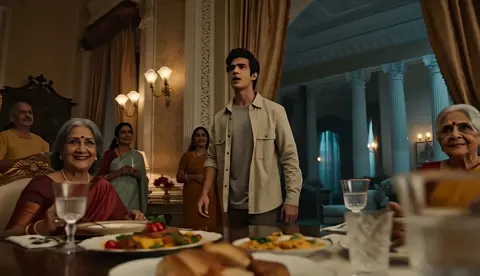
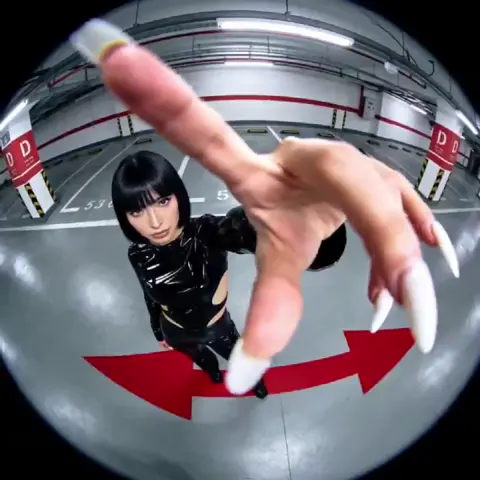
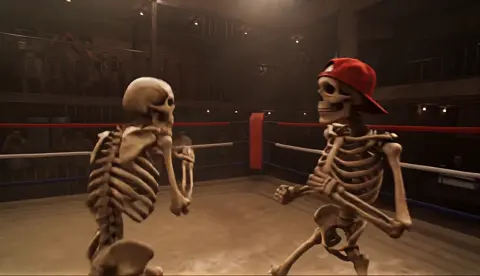
The Two Pillars of AI Video Creation
AI video generation splits into two core capabilities: text-to-video and image-to-video. They seem similar but require fundamentally different approaches. Mastering both means you can create anything from pure imagination (text-to-video) or from existing visual assets (image-to-video).
This guide covers both, with practical techniques you can use today.
Text-to-Video: Creating from Pure Imagination
When to Use It
Text-to-video shines when:
- You have a clear mental image but no reference material
- You need to generate multiple variations of a concept
- You're creating abstract or impossible-to-film scenarios
- You want to iterate rapidly through creative directions
The Prompt Framework
S-C-A-P-E Method:
- Subject: What's the main focus?
- Composition: How is the scene framed?
- Action: What's happening?
- Palette & lighting: What's the visual mood?
- Environment: Where does this take place?
Example: "[Subject] A barista [Action] slowly pouring latte art [Composition] close-up, shallow depth of field [Environment] in a sunlit minimalist cafe [Palette] warm golden tones, soft morning light"
Common Pitfalls
- Under-describing motion: The model needs direction on WHAT moves and HOW
- Ignoring temporal consistency: Specify that elements should remain stable across the clip
- Vague style descriptors: "Cinematic" means different things to different models
Image-to-Video: Animating What Exists
When to Use It
Image-to-video is ideal for:
- Animating product photos for e-commerce
- Bringing portraits to life
- Extending existing brand assets into motion
- Creating consistent character series from reference images
The Reference Image Strategy
Single-image input gives the model one viewpoint. Multi-image input (3-10 images of the same subject from different angles) gives it depth understanding. The quality difference is dramatic.
Domer AI Image Generator creates the perfect reference images for image-to-video workflows.
Motion Control
With image-to-video, you're directing motion on an existing composition:
- Camera moves: Dolly, pan, tilt, track around the subject
- Subject animation: Subtle movements like hair blowing, fabric rustling
- Environmental effects: Adding weather, particles, lighting changes
The Hybrid Workflow
The real power comes from combining both:
- Generate reference images with text-to-image
- Select and refine the best composition
- Animate with image-to-video for controlled, high-quality results
- Fill gaps with text-to-video for scenes you can't reference
Domer AI Video Generator supports this complete hybrid pipeline.
Quality Benchmarks
What "Good" Looks Like in 2025
- Resolution: 1080p minimum acceptable, 4K for professional work
- Temporal consistency: No flickering, morphing, or identity drift across frames
- Motion quality: Natural physics, proper weight transfer, smooth easing
- Prompt adherence: Output matches intent, not just vaguely related
Red Flags
- Flickering textures (temporal instability)
- Objects appearing/disappearing between frames
- Unnatural limb movement or facial distortions
- Color shifts across the clip duration
The Skill Stack
Mastering AI video generation requires:
- Prompt engineering: The language of directing AI
- Model selection: Knowing which tool for which job
- Visual literacy: Understanding composition, lighting, color theory
- Post-production: Polishing raw AI output into finished content
- Iterative mindset: Treating every generation as a draft, not a final product
None of these skills require a film degree. They require practice, attention to detail, and the willingness to generate 20 versions to find the one that works. For more tools and models, check out Domer's full platform.

Alexander
More Blogs
Read MoreMontaggio video rapido: transizioni e software per l'AI
Guida pratica al montaggio video rapido con AI: transizioni fluide, software, workflow, coerenza visiva, errori da evitare e FAQ operative.
Building an AI Video Production Workflow From Concept to Cut
A practical guide to planning, generating, editing, and finishing AI-assisted videos with consistent characters, clear shot lists, and reliable review loops.
A Repeatable Post-Production Workflow for Polished AI Video
Build a repeatable AI video post-production pipeline: organize assets, cut story-first, design transitions, refine audio, and review versions calmly.