

Pixel and Brick Style AI Video: A Creative Workflow Guide
Oct 1, 2026
Why Blocky Visuals Cut Through a Saturated Feed
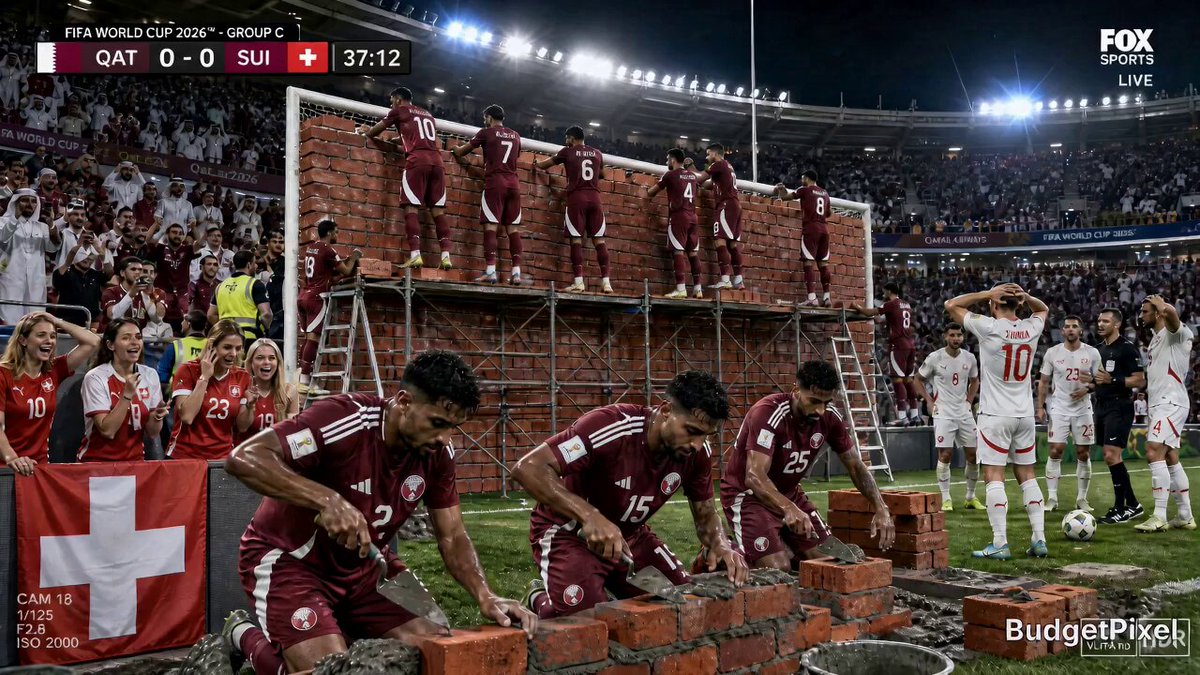
Every feed is crowded with glossy, photoreal footage. Hyper-real drone shots, shallow-depth-of-field product clips, and cinematic color grades have become the default, which means they no longer signal anything special. When everything looks like a commercial, the fastest way to stand out is to look like nothing else on the screen.
That is the quiet advantage of pixel, voxel, and brick-style video. A world built from visible cubes, chunky pixels, or interlocking toy plates announces its own rules within the first second. It resets viewer expectation. People stop scrolling because the image looks like a game, a childhood toy bin, or a retro arcade cabinet rather than another brand film.
Stylized video also solves a practical production problem. Photoreal AI video is judged harshly: a slightly wrong hand, a melting face, or a wobbling background immediately breaks believability. Stylized video absorbs those imperfections. A jittery frame in a photoreal clip is a defect. A slightly irregular block edge in a voxel clip is texture. Your tolerance for model error goes up, and your effective output quality goes up with it.
This guide walks through the full production path: choosing a model, writing prompts that hold a blocky look together, chaining shots into a coherent sequence, adding sound, and fixing the failures that show up most often. It is written for creators who want a repeatable pipeline rather than a one-off lucky generation.
Decoding the Look: Pixel, Voxel, and Brick
The phrase blocky style covers several distinct aesthetics that behave very differently inside a video model. Choosing the wrong one for your idea is the most common reason a project stalls.
Pixel art look
Pixel art mimics low-resolution raster graphics: visible square pixels, limited palettes, hard edges, and deliberate dithering. In video, the challenge is that most models are trained on high-resolution natural imagery and will try to smooth the pixel grid away as the camera moves. You get a look that is pixelated in the first frame and mushy by the last.
Pixel style works best for flat, side-on compositions, slow camera moves, and subjects silhouetted against simple backgrounds. It is ideal for retro game nostalgia, chiptune music videos, and interface-driven storytelling.
Voxel and isometric worlds
Voxels are three-dimensional cubes, which means the camera can move freely without breaking the illusion. This is the most flexible blocky aesthetic for AI video: orbit shots, dolly-ins, and aerial sweeps all read naturally because the geometry is genuinely three-dimensional in the viewer's mind.
Voxel scenes tolerate motion blur, depth of field, and dynamic lighting well. They also scale into large environments, which makes them a strong choice for world-building series, city flyovers, and diorama-style storytelling.
Toy-brick realism
Brick aesthetics imitate molded plastic construction toys: studded plates, injection-mold seams, matte plastic surfaces, and minifigure proportions. The charm comes from lighting. Real toy photography uses soft, slightly warm light with visible reflections on plastic, and the model needs to reproduce that material response rather than the shape alone.
This style is the hardest to keep consistent across shots because minifigure proportions are extremely specific. Slight drift in head size or arm length reads as uncanny rather than charming.
Hybrid and stylized looks
You can also blend: pixel textures mapped onto voxel geometry, or brick-built characters in a photoreal kitchen. Hybrids are where the most original work happens, but they demand tight prompt discipline because the model has two competing visual grammars to reconcile.
Choosing the Right Video Model for Stylized Output
Not all video generators handle blocky geometry equally. Some are tuned for cinematic realism and will fight your style. Others respond well to texture and material language.
Evaluation criteria that actually matter
- Style retention across frames. Generate a five-second clip and check the final frame. If the pixel grid or brick studs have dissolved, the model is not suitable for long shots.
- Image-to-video strength. Stylized work almost always starts from a generated or hand-made keyframe. The model must respect that frame rather than reinterpret it.
- Motion control. Can you specify camera movement separately from subject movement? Blocky worlds depend on clean, deliberate camera language.
- Physics plausibility for stylized objects. Cubes should stack, tumble, and collide believably even when they are not realistic.
- Iteration speed. Stylized work is a refinement loop. Slow generation kills experimentation.
- Duration and extension. A ten-second clip is rarely enough. Look for models that let you extend from the last frame.
Model families worth testing
Text-to-video and image-to-video systems such as PixVerse, Kling, Runway, Pika, Luma, and Google's Veo each have different stylistic biases. For still keyframes, Midjourney and Stable Diffusion derivatives with dedicated pixel or voxel checkpoints are extremely strong, and ComfyUI pipelines give you control over dithering, palette limiting, and pixel-grid upscaling that generic tools cannot match.
A practical test: take one sentence, generate the same shot in three models with identical prompts, and compare frame one versus frame last. Keep a folder of these tests so you build an intuition for which tool suits which style.
A simple three-round testing plan
- Round one: five-second single shot, no camera movement. Compare style fidelity.
- Round two: same prompt with a slow orbit. Compare geometry stability.
- Round three: two chained shots. Compare character and palette consistency.
Models that survive all three rounds become your primary engine. Everything else becomes a specialist tool for inserts, transitions, or background plates.
Prompt Craft for Blocky Worlds
Prompting for stylized video is different from prompting for realism. You are specifying a visual grammar, not a scene description. The grammar has to come first.
The five-part prompt formula
- Style declaration. State the aesthetic explicitly and early: voxel art, 8-bit pixel art, molded plastic brick construction, isometric diorama.
- Subject and scale. Describe what exists and how big it is relative to the frame: a single minifigure-scale astronaut, a city block built from cubes.
- Material and texture. Blocky styles live or die on surface description: matte plastic with molded seams, limited 16-color palette, visible dithering, hard-edged pixels.
- Lighting. Specify a lighting model that suits the style: soft studio light with visible plastic highlights, flat retro lighting with no gradients, directional light casting hard cube shadows.
- Camera. Name the move and the lens feel: slow lateral dolly, 35mm equivalent, gentle orbit, static locked-off shot.
Vocabulary that reliably triggers blocky output
Terms like voxel, low-poly, isometric, 8-bit, 16-bit, sprite sheet, studded plate, molded ABS plastic, diorama, and tilt-shift all push a model toward blocky territory. Pair them with palette instructions such as limited palette, monochrome with one accent color, or retro arcade color scheme.
Negative prompts and what to exclude
Be explicit about what must not appear: no smooth gradients, no photoreal skin texture, no anti-aliased edges, no lens flare, no realistic fabric. Most style drift comes from the model defaulting to realism in the background, not the subject. If your brick character sits in front of a photoreal blur, the illusion collapses.
Prompt template you can reuse
Voxel art scene, [subject] at [scale], built from visible cubes with matte plastic surfaces, limited palette of [colors], soft studio lighting with hard cube shadows, [camera move], shallow diorama depth, no photoreal textures, no smooth gradients.
Save three or four variants of this template for each style and swap the subject block. Templates reduce the number of variables you are debugging at once.
A Practical End-to-End Workflow
Step 1: Previsualization and shot list
Before generating anything, sketch the sequence. Even rough rectangles on paper will tell you whether your story needs an orbit, a cut, or a reveal. Write a shot list with one line per shot: subject, camera, duration, and the emotional beat. Six to ten shots is a comfortable target for a one-minute piece.
Step 2: Generate keyframes as stills
Generate the first and last frame of each shot as a still image. Stills are fast, cheap to iterate, and easy to fix. Get the palette, proportions, and composition right here. If the still is not compelling, no amount of video generation will save it.
Step 3: Animate with image-to-video
Feed each keyframe into your video model with a motion-focused prompt. Keep prompts short at this stage. The image already carries the style; the text should carry the movement. Describe camera motion, subject action, and the direction of any moving elements.
Step 4: Extend and chain shots
Use the final frame of one clip as the first frame of the next, or use a shared reference image across shots, so transitions feel continuous. When you need a hard cut, plan it around a change of location rather than a change of style. Style continuity across cuts is what makes a sequence feel designed rather than assembled.
Step 5: Finish in post
Import clips into a timeline and apply a consistent grade. For pixel styles, consider a slight pixel-grid overlay or a scanline pass to unify footage. For voxel and brick styles, a subtle vignette and a small amount of grain help blend generated shots with any hand-made inserts.
Upscale before your final grade, not after, so compression artifacts are baked and then cleaned rather than amplified. If motion looks jittery, try frame interpolation, but keep an eye on blocky edges — interpolation can warp hard geometry.
Step 6: Build a reusable asset library
Save your best keyframes, palettes, lighting setups, and prompt templates. A stylized series lives or dies on reuse. Every saved asset is one less thing that can drift.
Consistency Across a Series
Consistency is the hardest part of stylized AI video. The model does not remember your previous shot, so you have to encode memory into the inputs.
Reference images beat adjectives. A single reference frame does more for consistency than a paragraph of style description. Use character sheets: one image showing your protagonist from the front, side, and back in the target style.
Lock your palette. Define five to seven hex colors and mention the palette family in every prompt. Enforce it in post with a color-match step.
Keep scale consistent. If a minifigure fills a third of the frame in shot one, it should not fill the whole frame in shot three unless the camera has moved closer. Write the framing into your shot list.
Reuse backgrounds. Generated backgrounds drift more than characters. Build one strong background plate and composite subjects into it when continuity matters more than novelty.
Version your prompts. Keep a text file with the exact prompt used for each shot. When you need to regenerate, you will not be guessing.
Sound, Pacing, and Toy-Scale Physics
The audio track does more work in stylized video than most creators expect. Blocky visuals are inherently playful, and the sound should match the visual scale. Tiny clicks, plastic clacks, and soft thuds sell the material. Big cinematic booms fight it.
Music matters too. Chiptune, lo-fi synth, and light orchestral percussion all pair well with blocky aesthetics. Whatever you choose, cut to the beat. Because stylized worlds are abstract, viewers rely on rhythm to follow structure. A cut on the downbeat reads as intentional; a cut on the off-beat reads as random.
Pacing follows the same logic. Pixel art benefits from slightly slower camera moves because the pixel grid needs time to read. Voxel scenes can move faster because the geometry is legible at speed. Toy-brick shots often work best with a comedic pause before a punchline action.
Finally, respect toy-scale physics. Falling objects in a brick world should tumble like lightweight plastic, not like stone. If your prompt or sound design implies weight that does not match the material, viewers feel the mismatch even if they cannot name it.
Common Mistakes and How to Fix Them
Style dissolves mid-clip. Cause: the model defaults to realism over time. Fix: shorten shots to three to five seconds, use stronger style tokens, and add explicit negative prompts for smooth gradients and photoreal texture.
The pixel grid turns to mush. Cause: motion blur and compression fighting hard edges. Fix: reduce camera speed, lower motion strength, and apply a pixel-grid overlay in post.
Characters change proportions between shots. Cause: no reference image. Fix: build a character sheet and use image-to-video from the same base for every appearance.
Geometry warps into nonsense. Cause: too much simultaneous motion — camera moving while multiple subjects move. Fix: one primary motion per shot. Let the camera move or let the subject move, not both hard.
The scene looks flat and cheap. Cause: no lighting specificity. Fix: always name a lighting setup. Blocky styles need intentional highlights and shadows to read as dimensional.
Clips feel disconnected as a sequence. Cause: no shared palette or framing rules. Fix: grade all clips together at the end and enforce a palette in every prompt.
Renders take too long. Cause: chasing resolution instead of iteration speed. Fix: generate at lower resolution, choose the best take, then upscale only the winners. Batch your experimentation and grade at the end.
Workflow Variants by Format and Goal
Short vertical clips. Prioritize a strong first frame and a single clear action. Pixel styles perform well here because the aesthetic reads instantly on a small screen. Keep to one idea per clip.
Product and brand spots. Voxel dioramas are effective because they let you build a miniature world around a product without photoreal rendering costs. Keep the product itself photoreal and the environment stylized for a deliberate contrast.
Music videos. Build a reusable visual system — palette, geometry, lighting — and then vary camera and subject. Rhythm editing does most of the emotional work.
Game and app trailers. Brick and voxel aesthetics signal playfulness and mechanical clarity. Use consistent HUD-style overlays to reinforce the game framing.
Story series. Aim for a fixed cast of two to three characters and a small set of locations. Reuse ruthlessly. A limited world that looks consistent beats a sprawling world that drifts.
To decide what to iterate, track completion rate, the point where viewers drop off, and saves or shares. For stylized content, the drop-off point usually indicates a style break rather than a story problem. Compare the frame where viewers leave with your timeline and look for drift.
FAQ
Do I need a video model that supports pixel art specifically?
No. Most models can approximate blocky looks, but style retention varies a lot. Test the same prompt across two or three models and compare the first and last frames rather than spending time on endless prompt rewrites.
How long should a stylized AI clip be?
Three to five seconds per generated take is a reliable range. Longer generations are where style drifts most. Chain short clips with shared reference frames instead of pushing one long render.
Should I generate video from text or from an image?
Almost always from an image for stylized work. Image-to-video keeps your palette, proportions, and composition locked, and it turns style debugging into a still-image problem, which is far easier to solve.
How do I stop the background from turning photoreal?
Name the background explicitly in the prompt and include a negative prompt for photographic depth of field, realistic foliage, and smooth gradients. If it still drifts, generate the background as a separate plate and composite.
Can I mix pixel art and voxel geometry in one project?
Yes, but assign each style a clear role. For example, voxel for the world and pixel art for overlays or interfaces. Mixing both in the same subject usually produces mush.
What is the fastest way to make a consistent character?
Create one high-quality reference image, then use it as the starting frame for every shot featuring that character. Regenerating from the same seed image is more reliable than describing the character again.
Do I need special audio tools?
No. A library of foley clicks, plastic impacts, and chiptune loops covers most blocky projects. Focus on matching sound weight to material rather than buying more plugins.
How much should I plan before generating?
More than you want to. A written shot list with framing, duration, and camera direction eliminates most of the rework. Stylized video punishes improvisation because every unplanned shot risks a style break.
Bringing the Pipeline Together
Blocky, pixel-driven video is not a novelty filter. It is a genuine production strategy: it differentiates instantly, it forgives model error, and it lets small teams build recognizable visual worlds without a rendering budget. The workflow is straightforward once you internalize the order of operations — choose a style, generate stills, animate from those stills, chain shots with shared references, grade everything together, and let sound sell the material.
The teams that get the most from this approach are the ones that treat consistency as the primary engineering problem. They keep character sheets, they lock palettes, they version prompts, and they reuse backgrounds instead of chasing novelty. Do that, and your blocky world stops looking like a lucky generation and starts looking like a signature.

Alexander
More Blogs
Read MoreThumbnail efficaci per TikTok e YouTube: guida pratica
Come progettare thumbnail che fermano lo scroll: strumenti, workflow, criteri di test e ottimizzazione per TikTok e YouTube, con esempi pratici.
Cómo descargar portadas de Reels de Instagram con criterio
Guía práctica para descargar, elegir y reutilizar portadas de Reels de Instagram sin perder calidad, con flujos de trabajo, errores y consejos de diseño.
AI Voiceover and Music Workflows for Better Video Sound
Build a repeatable workflow for AI voiceover and generated music: script prep, voice selection, mixing levels, loudness targets, and QA checks.