
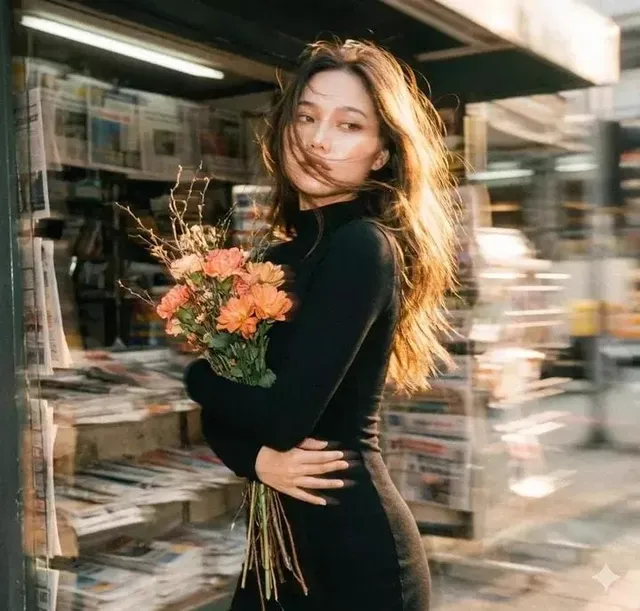
Prompt-First Video Editing: A Practical AI Workflow Guide
Oct 1, 2026

Why Prompt-First Editing Changed the Craft
For decades, video editing meant a timeline. You imported footage, trimmed clips, layered transitions, and graded color. The timeline is still useful, but it is no longer the center of the workflow. Today a large share of the creative decisions happen before a single frame exists, inside a text box.
That shift is not a gimmick. It changes who does what. The person writing the prompt is effectively acting as director, cinematographer, and location scout at once. They choose the lens, the mood, the pacing of a cut, and the physical behavior of objects in the scene. The timeline becomes a finishing stage rather than a starting point.
The practical consequence is that video work now splits into two distinct disciplines that must be learned together:
- Pre-visualization through language. Describing shots precisely enough that a generative model produces something usable.
- Assembly and finishing. Selecting the best takes, cutting them into a coherent sequence, and handling sound, captions, and pacing.
Teams that treat prompting as a casual side activity tend to produce impressive single shots and unusable sequences. Teams that treat it as a production discipline produce entire scenes in an afternoon.
This guide walks through the whole loop: planning, prompt construction, consistency control, model selection, debugging, and the human finishing work that no model handles for you.
The Five-Part Prompt Framework That Consistently Works
Most weak prompts fail for the same reason: they describe a subject and nothing else. A model then invents the camera, the lighting, the pace, and the framing, and the result rarely matches what the creator imagined.
A stronger structure separates a shot description into five independent decisions. You do not have to write them in order, but every one of them should be present.
Subject
Who or what the camera is pointed at. Be specific about age range, wardrobe, silhouette, and physical detail that matters to the story. "A woman" is weak. "A woman in her fifties wearing a salt-stained wool coat, hair pulled back, hands red from cold" gives the model something to build a person from.
Action
What happens during the shot. Keep it to one dominant action per generation. If your idea requires three actions, that is three shots. Models handle a single continuous motion far more reliably than a sequence of events.
Setting
Location, time of day, weather, and texture. This is where atmosphere lives. "A narrow street" becomes "a narrow cobbled street at dawn after rain, steam rising from a grate, shop signs unlit."
Aesthetics
Visual language: film stock feel, color palette, contrast, grain, era, reference style. Words like "documentary handheld," "high-key commercial," or "muted teal and amber palette" do real work here.
Technical Directives
Camera behavior and format. Focal length, height, movement, speed, aspect ratio, frame rate feel. "Slow dolly-in at chest height, shallow depth of field, anamorphic flare" gives a very different result than "wide static shot."
A complete prompt reads like a shot card, not a poem. Keep it dense but factual, and avoid stacking contradictory instructions. If you ask for both a locked-off tripod shot and sweeping handheld energy, expect the model to split the difference badly.
Storyboarding Before Prompting: Why Shot Lists Beat Improvisation
The most common inefficiency in AI video work is prompting shot by shot with no plan. You generate something beautiful, then realize it does not connect to the next idea, then generate again, then again.
A lightweight shot list solves this. Before writing a single prompt, draft a table with one row per shot containing four columns: shot number, duration, camera intent, and story purpose. Story purpose is the important column, because it prevents decorative shots that feel good in isolation and kill momentum in an edit.
For a thirty-second piece, eight to twelve shots is usually right. For a two-minute piece, twenty to thirty. Anything beyond that starts to feel like a slideshow unless the sound design carries it.
Two planning habits pay off immediately:
- Alternate shot scale deliberately. Wide, medium, close, insert, wide. Predictable rhythm reads as competence.
- Assign one job per shot. Establish place, reveal character, show a decision, deliver a punchline, transition.
When the shot list exists, prompting becomes mechanical rather than exploratory, and you can generate variants of a single shot to compare instead of guessing your way through a scene.
Holding Characters and Locations Together Across Shots
Temporal consistency is the hardest problem in generative video. A model generates each shot independently unless you give it anchors. Without anchors, faces drift, jackets change color, and a room rearranges itself between cuts.
There are four practical techniques that reduce drift substantially.
Use reference images as anchors
Most capable video models now accept one or more reference images. Provide a clean, well-lit portrait for a character and a wide establishing frame for a location. Reuse exactly the same references across every shot in that scene rather than regenerating new ones.
Freeze descriptive language
Write your character description once, word for word, and paste the identical text into every prompt. Small paraphrases cause large drift. If you describe a jacket as "olive canvas" in shot three, do not call it "dark green" in shot seven.
Repeat identity markers
Scars, glasses, a specific hairstyle, a tattoo, a distinctive bag. These small repeated details give the model strong signals about which features matter. Two or three markers per character is enough; more clutters the prompt.
Constrain camera and lighting per scene
Consistency is not only about faces. If a scene is lit by a single window source on the left, keep that language in every prompt for that scene. Changing lighting mid-scene makes even perfectly consistent characters look like they were shot on different days by different crews.
For dialogue-driven scenes, generate a clean master shot first and treat it as the visual reference for everything else. Building outward from a single approved frame is far more reliable than generating shots in random order.
Choosing the Right Model for Each Shot
The generative video landscape includes models optimized for different things: strict prompt adherence, physical realism, stylized animation, fast iteration, or long-duration output. Selecting the wrong one is a common source of wasted effort.
Use these criteria to decide:
- Prompt adherence. If the shot depends on specific blocking, props, or text-like detail, prioritize models known for following instructions literally.
- Motion realism. For water, fabric, smoke, crowds, or physics-dependent actions, prioritize models with strong temporal physics.
- Stylization. For animation, illustration, or highly graphic looks, some models respond better to style-heavy language than photoreal ones.
- Duration and continuity. Longer clips usually trade detail for stability. If you need six-second precision, choose a model that excels at short, dense shots.
- Iteration speed. Drafts should be cheap and fast. Lock the composition on a quick model, then re-render the approved shot on a higher-fidelity one.
- Aspect ratio needs. Vertical social formats and widescreen cinematic formats stress different parts of a model's training.
The practical rule: match the model to the shot's risk. A simple insert shot does not need your most expensive option. A hero shot with a complex camera move and a moving subject does.
Debugging Bad Generations: A Triage Checklist
When a generation fails, the failure usually belongs to one of five categories. Diagnosing the category saves enormous time compared with rewriting the whole prompt blindly.
1. Subject failure. The model produced the wrong kind of person, object, or animal. Fix: move the subject description to the front of the prompt and make it more concrete.
2. Action failure. The motion is generic, looping, or nonexistent. Fix: describe a single continuous motion with a clear beginning and end state, and remove competing actions.
3. Camera failure. Framing or movement is wrong. Fix: state camera height, distance, and movement explicitly, and remove stylistic words that imply a different camera style.
4. Continuity failure. The shot looks right but does not match neighbors. Fix: check reference images, then check whether your descriptive language drifted between prompts.
5. Aesthetic failure. Everything is technically correct but the mood is wrong. Fix: adjust lighting, palette, and texture language, and consider switching models rather than fighting the current one.
A useful habit is keeping a running log of prompts that worked, with a one-line note about why. Over a few projects this becomes a personal library of proven shot patterns, which is worth more than any generic prompt template.
The Human Layer: Assembly, Sound, and Finishing
Generated clips are raw material, not finished video. The gap between a folder of good clips and a watchable piece is filled by decisions no model makes for you.
Selection. Generate three to five variants per shot and pick ruthlessly. The best clip is not the most impressive one; it is the one that serves the cut.
Timing. Trim on motion. Cut on the frame where an action completes rather than on a fixed interval. If a clip feels slow, remove frames from the middle of the motion, not just the ends.
Sound. Sound design does more for perceived quality than resolution. Ambience, footsteps, cloth movement, and a consistent music bed make AI footage feel intentional. Silence makes it feel synthetic.
Color and grain. A light unified grade across all clips hides small inconsistencies in color temperature and contrast between models.
Text and captions. Add titles and subtitles in the editing stage rather than trying to generate readable text inside the video model, which remains unreliable for anything longer than a word or two.
Pacing pass. Watch the piece once with the sound off and once with your eyes closed. The first pass reveals visual rhythm problems; the second reveals audio problems that visuals were hiding.
A Repeatable Production Pipeline, Step by Step
Once you find a rhythm, formalize it. A stable pipeline looks roughly like this:
- Brief. One paragraph: audience, platform, length, tone, and the single idea the piece must communicate.
- Script or beat sheet. Five to eight beats for short pieces, more for longer ones.
- Shot list. Table with shot number, scale, camera intent, action, and story purpose.
- Asset prep. Character references, location references, any product images that must appear.
- Prompt drafting. Write all prompts before generating any of them, so the language stays consistent.
- Draft generation. Fast, lower-fidelity passes to validate composition and blocking.
- Review gate. Approve or reject each shot against the shot list, not against personal taste.
- Final generation. Re-render approved shots at higher fidelity.
- Assembly. Cut to a scratch audio track first, then refine.
- Sound and polish. Ambience, music, grade, captions, export.
The review gate at step seven is what separates efficient teams from frustrated ones. Approving shots as you go, without a checklist, leads to discovering in the edit that half the footage does not fit the plan.
Common Mistakes That Slow AI Video Teams Down
- Writing prose instead of specifications. Descriptive writing is for scripts. Prompts should read like technical notes.
- Changing everything at once. When iterating, adjust one variable per generation so you know what caused the improvement.
- Chasing a single perfect clip. Five good clips that cut together beat one masterpiece that does not connect.
- Ignoring audio until the end. Sound shapes pacing decisions. Plan it early.
- Overloading prompts with style words. Too many aesthetic instructions dilute the ones that matter.
- Skipping the shot list. Improvisation feels creative and costs hours.
- Using one model for everything. Every model has a personality; assign work accordingly.
- Forgetting aspect ratio until export. Vertical framing changes composition decisions completely. Decide early.
FAQ
How long should a single generated clip be?
Short clips of three to six seconds are easiest to control and cut naturally. Longer generations are possible but usually sacrifice detail stability, and most editing styles benefit from more, shorter shots.
Do I still need a traditional editor?
Yes, if you want a polished result. Assembly, sound design, grading, and captioning remain manual skills. The difference is that you are now editing finished footage rather than shooting it.
What is the fastest way to improve prompt quality?
Keep a log. Write down the prompt, the model, and one sentence about the result. Reviewing twenty entries teaches more than reading twenty tutorials.
How do I handle a character that keeps changing between shots?
Lock one approved reference image, freeze the character description word for word, and repeat two or three identity markers in every prompt for that scene.
Should I generate in the order the shots appear?
Not necessarily, but you should generate all shots within one scene together, using the same references and language, so consistency is easier to maintain and verify.
What makes AI video look cheap?
Weak sound design, inconsistent lighting between cuts, unmotivated camera movement, and overly long shots. Fixing those four things raises perceived quality more than any resolution upgrade.
Can one workflow cover both vertical social video and widescreen film?
The planning process is identical, but composition, subject distance, and shot duration differ noticeably. Treat them as separate formats with their own shot list conventions.
The core idea is simple: treat prompting as directing, plan before you generate, and finish like a professional editor. The tools will keep changing; the workflow discipline is what makes the output look intentional.

Alexander
More Blogs
Read MoreFrom Text to Short Film: A Practical AI Video Workflow
Learn how to turn a written idea into a polished short film with AI video tools: scripting, model choice, shot consistency, sound design, and editing.
AI Transcription and Seamless Video Editing Workflows
Learn how AI transcription enables text-based editing, faster reviews, accessibility, and reliable post-production workflows from rough cut to final delivery.
Photorealistic AI Video Production: A Practical Workflow Guide
Learn a repeatable workflow for photorealistic AI video: model selection, shot planning, prompt design, continuity, audio, and quality control.