

Social Media Video Ad Best Practices for Modern Marketers
Oct 15, 2026


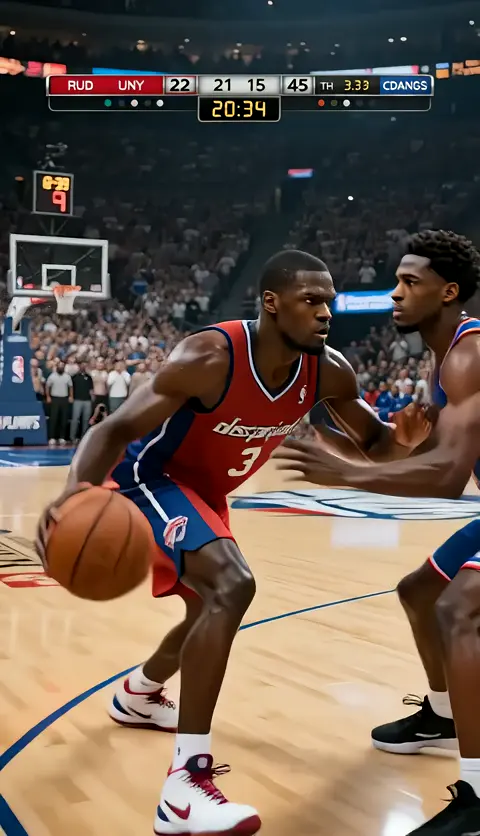
Why short-form video ads reward a repeatable production system
Every marketer eventually learns the same lesson: a single brilliant video ad is a lottery ticket, while a reliable production system is an annuity. Platforms built around vertical feeds reward accounts that publish consistently, and they punish creative that loses viewers early. That means the skill worth developing is not "making one great ad" but "making many ads quickly, measuring them honestly, and improving the next batch."
This guide walks through the whole chain: objectives, hooks, story structure, technical delivery, AI-assisted production, testing, and the mistakes that quietly drain budget. It is written for small teams and in-house marketers who do not have a film crew on retainer, but who still need creative that looks intentional rather than improvised.
The core premise is simple. Short-form feeds compress attention into a matter of seconds, so almost every decision in your ad should be evaluated against one question: does this keep the right viewer watching for one more second, and does the payoff justify the wait?
Set objectives before you touch a timeline
Most underperforming video ads are not badly produced. They are produced without a decision about what they are supposed to do. A brand awareness clip, a direct-response ad, and a retargeting reminder look completely different even when they promote the same product.
Pick one primary objective per ad
Write it down in a single sentence before writing a script. Examples:
- Drive qualified visits to a landing page for a free trial.
- Increase add-to-cart rate among people who already viewed the product page.
- Build recall for a new product category the audience does not yet search for.
- Collect leads through an in-feed form with minimal friction.
- Warm up cold audiences so a later direct-response ad performs better.
Each objective implies a different first three seconds, a different length, and a different definition of success. Awareness ads can afford atmosphere. Direct-response ads cannot afford a single wasted frame.
Define the audience and the moment
Describe two things: who the viewer is, and what they are doing when the ad appears. Someone scrolling at 7 a.m. on a train behaves differently from someone comparing prices at 11 p.m. on a couch. The same creative cannot serve both equally well without deliberate adaptation.
Choose one call to action
One ad, one CTA. When you ask viewers to follow, subscribe, shop, and download in the same 20 seconds, the brain simply drops all four requests. Repetition of a single instruction is far more effective than a menu of options.
Write a measurable success statement
Before launch, define what "working" means. A useful template:
This ad succeeds if [audience] achieves [metric] at a rate above [benchmark] within [window].
For example: "This ad succeeds if cold viewers in the 25–40 bracket reach a 25% three-second hold rate and a 1.2% click-through rate within the first ten days." Vague goals produce vague edits.
The first three seconds: engineering the hook
The opening of a short-form ad is not an introduction. It is a filter. Its job is to qualify the right viewer and repel the wrong one as fast as possible. A hook that appeals to everyone usually converts no one.
Visual hooks that interrupt the scroll
Motion patterns in feeds are relatively predictable: talking heads, slow pans, product beauty shots. Anything that breaks the pattern earns a fraction of a second of extra attention. Reliable approaches:
- Unexpected scale. A hand holding a tiny product next to an enormous version of it.
- Motion in the first frame. Movement should already be happening when the video begins, not start after a beat.
- Faces with expression. Surprise, concentration, or a visible reaction reads instantly at small sizes.
- Text that completes a thought. A short phrase that demands resolution ("I stopped doing this after one week") outperforms a brand name card.
- Before/after framing. The contrast has to be legible even if the viewer sees only the first frame.
- Pattern break in color. A saturated block or an unusual palette stops the eye against muted feed surroundings.
Avoid opening with a logo animation, a slow establishing shot, or a title card. Those are holdovers from television grammar and they cost you the scroll.
Sound design and text overlays for muted viewing
Assume the majority of viewers begin with sound off. That does not mean sound is unimportant; it means the video must work as a silent film first and a sound experience second.
Practical rules:
- Burn in captions. Auto-captions are a starting point, but edit them. Misrendered product names and numbers are worse than no captions.
- Place key text in the upper-middle third, clear of interface elements at the bottom and edges.
- Use sound to add texture, not to carry meaning. A satisfying click, a whoosh on a transition, or a short musical sting can reinforce what the viewer already understands visually.
- Keep dialogue brief and mix it forward. If a viewer has to strain, they leave.
- Design a distinct audio signature — a short, consistent motif — so returning viewers recognize your ads within a second.
Native formats, aspect ratios, and safe zones
Vertical, square, and horizontal placements each have their own composition logic. Do not simply crop a landscape edit. Reframe for the dominant placement and adjust the composition so the subject sits within the central safe area.
- Vertical (9:16): primary placement for most short-form feeds. Compose tightly; leave breathing room at top and bottom for interface overlays.
- Square (1:1): useful for in-feed and carousel placements where vertical crops feel cramped.
- Horizontal (16:9): still valuable for pre-roll and long-form placements, but treat it as a separate edit, not the master.
Label each export clearly by placement so nobody publishes the wrong file at 11 p.m.
Story structure for ads that run 6 to 60 seconds
Short-form does not mean structureless. It means compressed. A six-second ad has time for a hook and a payoff. A sixty-second ad has time for hook, tension, resolution, and CTA. In between, choose the shortest structure that still lands the point.
The four-beat skeleton
- Hook (0–3s). A visual or verbal interruption that frames the problem or promise.
- Tension (3–10s). Why the obvious solution fails, or what the viewer is currently losing.
- Turn (10–20s). The mechanism: how the product changes the outcome. Show, do not declare.
- Payoff + CTA (final 5s). The concrete result plus one clear instruction.
Compress or expand these beats based on runtime, but keep the order. Viewers tolerate a lot of information as long as the sequence feels inevitable.
One objective, one call to action
Repeating the CTA is fine; adding a second one is not. If you must promote multiple outcomes, build multiple ads. Splitting attention inside a single video splits results across a single test, which makes learning impossible.
Maintaining character and scene consistency across a campaign
When a campaign runs across several ads, viewers should recognize the same world. Consistency comes from locking down a small set of variables before production:
- Character sheet. A reference description or image set for each recurring person: age range, hair, wardrobe palette, signature accessory.
- Environment palette. Two or three recurring locations with consistent lighting direction and color temperature.
- Camera language. Whether the campaign uses handheld intimacy, locked-off product framing, or macro detail shots.
- Graphic system. Typeface, caption position, transition style, and end-card layout.
If you generate visuals with AI tools, this is where they earn their keep: consistent references let you produce variations without re-shooting, provided you keep the reference set stable and document it.
Pacing, length, and where to cut
A practical diagnostic: watch your edit at double speed. If it feels comfortable rather than frantic, it is probably too slow. Then watch it muted. If meaning disappears, your visual storytelling is too weak.
Cut points should follow the beats, not a music grid. Cuts on beat look polished but can flatten emphasis. A useful compromise is to cut slightly before the beat so the new shot lands on it.
Runtime guidance:
| Runtime | Best used for | Risk |
|---|---|---|
| 6s | Recall, bumpers, retargeting reminders | Too little context for cold audiences |
| 10–15s | Most direct-response ads | Rushed payoff if the script is loose |
| 20–30s | Story-driven product explanations | Drop-off after the hook if tension sags |
| 45–60s | Considered purchases, demos | Requires strong mid-section pacing |
Technical delivery: specs, encoding, and compliance
Creative that looks perfect in an editor can look soft, dark, or distorted after platform processing. A few habits prevent most delivery problems.
Resolution, frame rate, and bitrate
Export at the highest resolution the platform accepts for the placement, in the aspect ratio native to that placement. Shoot or render at a consistent frame rate — 24, 25, or 30 fps for most advertising — and avoid mixing rates within one project unless you know exactly why. For files with fast motion, keep bitrates generous; platform re-encoding amplifies compression artifacts in gradients and dark scenes.
Practical safeguards:
- Deliver a high-bitrate master per placement and keep it archived.
- Avoid heavy compression before upload; let the platform handle the final pass.
- Check loudness targets so your ad is not noticeably quieter or louder than surrounding content.
- Test gradient backgrounds and dark scenes on a phone before launch; banding is most visible there.
Captions, safe areas, and accessibility
Accessibility is not a compliance chore; it is reach. Captions increase completion rates, and clear contrast helps in bright outdoor viewing. Keep text within safe areas, use a minimum legible size, and avoid placing critical information behind likely interface elements.
File naming and versioning
Adopt a naming convention that encodes campaign, placement, runtime, version, and language — for example, spring-offer_vertical_15s_v3_en. It sounds tedious until you are managing forty files across three placements and two languages.
An AI-assisted production workflow that scales
AI tools do not replace judgment, but they remove the friction that stops small teams from producing enough variations to learn anything. The workflow below is deliberately linear so you can hand pieces to different people.
Step 1 — Concept and script
Start with five hook variations and one body. Write each hook as a single line a stranger could understand with no context. Then write the body in three sentences maximum, one per beat. If the body needs six sentences, your ad probably needs to be longer or your message is too broad.
AI drafting is useful here for volume: generate twenty hooks, then choose the five that sound like your brand actually talking. Never publish raw generated copy; the flattened, generic tone is detectable and it weakens trust.
Step 2 — Shot list and asset planning
Convert the script into a shot list with a purpose for every shot: this shot proves the problem exists, this shot shows the mechanism, this shot shows the result. Shots without a purpose become filler, and filler is what viewers skip.
Decide in advance which shots require live footage, which can be product stills with motion, and which can be generated or animated. Generated visuals are strongest for conceptual or impossible scenes: macro abstractions, stylized environments, and transitions. Live footage still wins for authenticity, faces, and hands doing real tasks.
Step 3 — Generation and consistency control
When using AI video generation, lock the reference set first. Keep character descriptions, lighting direction, and lens feel identical across shots. Generate more takes than you need, then select ruthlessly. Watch for common tells: warping hands, inconsistent logos, drifting wardrobe, or environments that subtly change between shots.
Step 4 — Assembly and edit
Edit for rhythm, not for completeness. If a shot does not advance a beat, cut it. Add captions early, since caption length often forces script tightening you would otherwise miss.
Step 5 — Localization and variation
Once the master works, produce variants: different hooks, different opening frames, different CTAs, different lengths. Each variant should test one variable. Changing the hook, the thumbnail, the soundtrack, and the CTA simultaneously produces a result you cannot interpret.
Testing, iteration, and reading the numbers
Metrics in short-form advertising are diagnostic, not decorative. Each stage of the funnel tells you which part of the creative to fix.
Stage-by-stage diagnostics
- Impression-to-play rate: low numbers point to weak thumbnails, opening frames, or audience targeting.
- Three-second hold rate: low numbers point to the hook — visual, audio, or first captioned line.
- Mid-video retention: sharp drop-offs point to pacing problems, an unresolved promise, or a slow turn.
- Completion rate: tells you whether the payoff justified the wait.
- Click-through rate: low numbers usually mean a weak or late CTA, or a mismatch between ad promise and landing page.
- Conversion rate: if clicks are healthy but conversions are not, the problem is downstream of the video.
How to run a clean test
Change one variable at a time, hold audience and budget constant, and let each variant accumulate enough impressions before judging. Short tests on small budgets produce noise that feels like insight. Give every variant a fair window, then cut the weakest and promote the winner into a new test against a fresh challenger.
When to refresh creative
Frequency is the enemy of performance. When the same viewer sees the same ad repeatedly, engagement decays regardless of quality. Build a refresh cadence into your calendar: rotate hooks every few weeks, refresh the body when performance plateaus, and retire creative before it collapses.
Common mistakes that waste budget and attention
- Leading with the brand. The logo earns its place at the end, once the viewer cares.
- Too many messages. Two value propositions in one ad usually produce zero recall.
- Silent-first failure. If the ad only makes sense with audio, most viewers miss the point.
- Borrowed aesthetics without substance. Trend-chasing formats with no product relevance read as noise.
- Ignoring the landing experience. A great ad pointing at a slow, cluttered page wastes the click.
- No naming convention. Unlabeled variants make results unreadable.
- Over-polishing. Slightly raw, human-feeling creative often outperforms glossy production in social feeds.
- Never testing. Running one concept indefinitely is not a strategy; it is a guess with a budget.
A reusable production checklist
Run this before every launch:
- Objective written in one sentence, with one CTA.
- Hook legible in the first frame, muted.
- Captions burned in and proofread.
- Text inside safe areas for every placement.
- Aspect-ratio-specific edits, not crops.
- Loudness consistent with platform norms.
- Character and palette consistent across the campaign set.
- File names encode campaign, placement, runtime, version.
- Landing page matches the ad promise and loads fast.
- Success metric defined before launch, not after.
Keep the checklist short enough that a tired person at the end of a long day will actually use it.
FAQ
How long should a social video ad be?
As short as the message allows. Ten to fifteen seconds covers most direct-response needs. Use longer runtimes only when the product genuinely requires explanation, and keep the mid-section tight.
Do I need professional production quality?
Clarity beats polish. Viewers forgive handheld footage and simple graphics, but they do not forgive confusion, poor audio, or unreadable captions.
Should captions always be burned in?
Yes for social feeds. Burned-in captions survive muted autoplay, platform caption failures, and interface overlays that hide optional caption tracks.
How many variants should I test per concept?
Start with three to five hooks against a single body. That is usually enough to identify a direction without fragmenting your budget across too many weak contenders.
Can AI video generation replace shooting entirely?
It can carry conceptual, abstract, and stylized scenes very well. For faces, hands, and authenticity cues, live footage still converts more reliably. Most strong campaigns blend both.
What is the fastest fix for a low three-second hold rate?
Change the first frame. Start mid-action, add a face with expression, or open with a short text line that demands resolution. Then test again with everything else held constant.
How often should creative be refreshed?
Watch frequency and engagement decay rather than the calendar. When results begin to soften at stable spend, refresh the hook first — it is usually the cheapest and fastest lever.
Closing thought
Effective social video advertising is less about a single flash of inspiration and more about a loop: define the objective, build a hook worth stopping for, tell a compressed story with one instruction, deliver clean files, measure honestly, and iterate. Teams that run that loop consistently beat teams that wait for a perfect concept. Build the system, and the good ads become a byproduct rather than an accident.

Alexander
More Blogs
Read MoreVidu Q4 Alternatives: 4K AI Video Models Compared (2026)
Vidu Q4 alternatives compared: Kling 4.0, Seedance 2.5, Wan 3.0, and Runway Gen-4 — 4K support, input modes, durations, audio, and what each costs in credits on Domer.
Top 4K AI Image Generators in 2026: 5 Models Compared on Real Costs
The top 4K AI image generators on Domer compared: Flux 3 Klein, Nano Banana 2.1, GPT Image 2.5, GPT Image 2, and Nano Banana Pro — 4K credit costs, reference limits, and speed.
Nano Banana 2.1 vs GPT Image 2.5: Which Image Model Should You Use? (2026)
Nano Banana 2.1 vs GPT Image 2.5 Flare compared: credit costs per resolution, aspect ratios, reference images, text rendering, and which tasks fit each model.