
Create
Sora-Style AI Video Creation: A Complete Workflow Guide
Oct 14, 2026
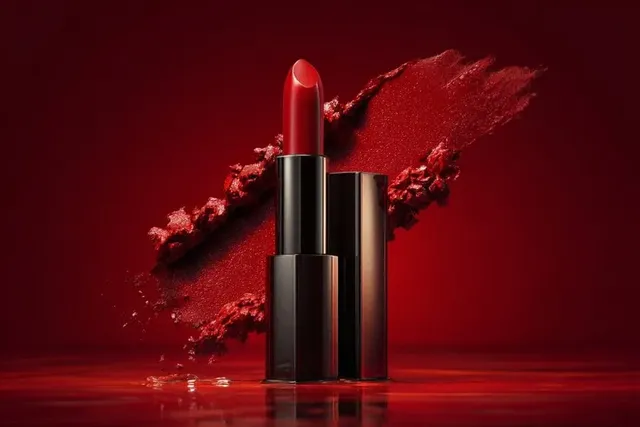
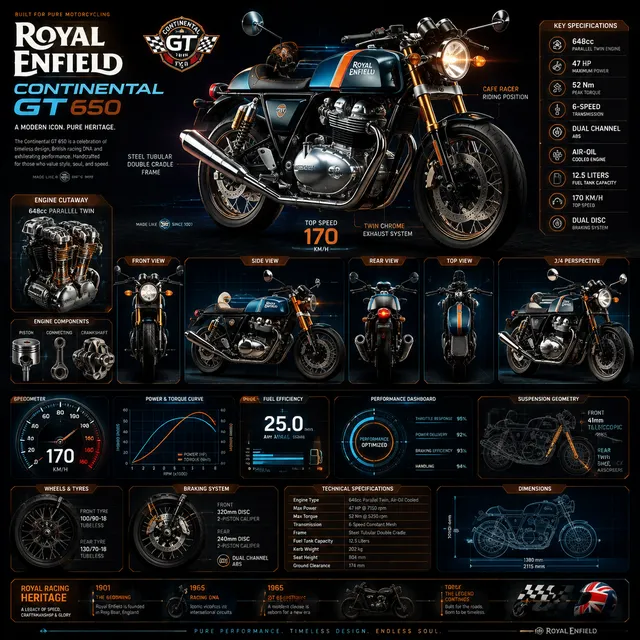
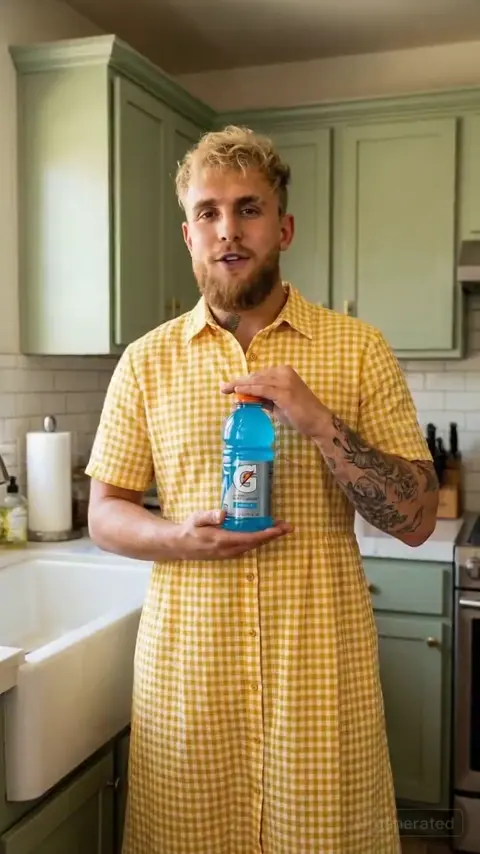
Why Sora-Style Text-to-Video Changes Production Planning
For decades the real bottleneck in video production was not the idea, it was the iteration. A script revision cost nothing; a reshoot cost a day, a crew, and a location permit. Text-to-video models in the Sora family collapsed that distance. A shot can now be rewritten, regenerated, and compared against three alternatives in the time it takes to make coffee. That single change rewires how you plan a project: you can previsualize an entire sequence before a camera exists, test two endings for a commercial before committing budget, and assemble b-roll that would previously have required a travel day.
The practical insight, though, is that these models work best as a shot-level tool rather than a project-level replacement. Nobody gets a polished three-minute film from one prompt. What you get is a fast, strange, occasionally brilliant clip generator that responds well to structure, constraints, and repetition. Teams that treat it like a virtual second unit — responsible for specific inserts, transitions, and atmosphere shots — ship faster than teams hoping for a magic button.
What becomes newly possible when shot iteration is nearly free:
- Animatics that look real. Directors can cut a full sequence with generated footage before the first location scout.
- B-roll libraries on demand. Establishing shots, weather, city movement, and texture footage can be generated to match a project's palette.
- Style exploration at speed. Three visual directions can be rendered, compared side by side, and pitched the same afternoon.
- Motion posters and social cutdowns. Vertical fragments that would never justify a shoot day suddenly become affordable.
- Localization inserts. Scenes can be regenerated with different settings, seasons, or product colors without rebooking anything.
The new discipline this requires is unglamorous: shot logs, prompt versions, asset naming conventions, and review gates. Without them, a fast workflow becomes an unmanageable folder of near-identical clips. The rest of this guide builds that discipline step by step, from first brief to final export.
What Sora-Style Models Do Well — and Where They Break Down
Understanding a model's failure modes is more valuable than memorizing prompt tricks, because it tells you which shots to attempt and which to hand to a camera, a stock library, or a motion designer.
Reliable strengths
- Physical plausibility. Objects fall, fabric folds, water splashes, and crowds move with a surprisingly consistent sense of mass.
- Camera language. The models understand terms like slow dolly in, handheld follow, aerial orbit, and macro rack focus, and they translate them into believable movement.
- Scene coherence within a clip. A single eight-second shot usually holds together: lighting stays consistent, subjects keep their identity, and the environment does not melt mid-take.
- Style blending. You can ask for a documentary look, a 1970s commercial finish, or a clean studio product shot and get a usable starting point immediately.
Persistent limits
- Exact timing and beat sync. If a cut must land on a specific musical beat, generate slightly longer and trim in the edit.
- On-screen text and logos. Legible typography is still unreliable; add all text in post-production instead of asking the model for it.
- Precise choreography. Complex hand interactions, sports rules, and multi-person stunts drift. Simplify or break them into cuts.
- Character consistency across many shots. Without a locked reference image, faces and wardrobe shift between generations.
- Long continuous takes. Quality decays as duration grows; the sweet spot is usually five to ten seconds per generation.
A useful rule: use generative shots where mood, motion, and atmosphere carry the meaning, and reserve real footage for shots where specific information must be read precisely — product labels, dialogue, demonstrations, and anything a legal team will examine frame by frame.
A Repeatable Prompt-to-Video Workflow
The workflow below assumes a short deliverable: a 30 to 60 second piece with eight to twelve shots. It scales up or down without changing its logic.
Stage 1 — Compress the brief into one sentence
Before prompting anything, write the entire piece as a single sentence: whose story, what changes, and what the viewer should feel at the end. Every shot must serve that sentence. This one habit prevents the most common failure in AI video projects, which is a beautiful collection of clips that never becomes an argument.
Stage 2 — Break the sentence into a shot list
Work in shots of five to ten seconds. For each shot, write three things: what the camera sees, what moves, and why the shot exists. If you cannot explain why a shot exists, cut it. A typical 45-second piece needs 8 to 12 shots plus two or three alternates.
Stage 3 — Build prompt scaffolds, not one-off prompts
Create a reusable prompt template so every shot shares the same vocabulary for lens, light, and grade. Consistency across shots comes more from identical descriptive language than from any single prompt being clever.
Stage 4 — Generate in batches and keep a shot log
Generate two or three variants per shot, not ten. Keep a simple log with columns for shot number, prompt version, model used, duration, aspect ratio, and a select or reject note. A markdown table in a shared doc is enough.
| Shot | Prompt version | Model | Duration | Decision |
|---|---|---|---|---|
| 03 | v2 — lower camera, warmer light | any capable text-to-video model | 8s | select |
| 04 | v1 — product insert | image-to-video variant | 5s | regenerate |
Stage 5 — Select, then hand off to the edit immediately
Do not polish individual clips in isolation. Assemble a rough cut with placeholders for the shots that still need work, and judge the sequence as a whole. Problems that look fatal in a single clip often disappear in a cut, and problems invisible in a clip — pacing, repetition, tonal drift — become obvious in the timeline.
Prompt Anatomy for Reliable Shots
A prompt that produces a predictable result reads like a shot card, not a poem. Build it from five layers, in the same order every time.
Layer 1 — Subject and action
Name one primary subject and one primary action. Two subjects and two actions is where chaos begins.
A ceramic coffee cup, steam rising, placed onto a wooden counter by a hand entering from the right.
Layer 2 — Environment and time of day
Environment sets the lighting logic. Be specific about location, weather, and hour, because the model infers shadows and color temperature from these cues.
Morning kitchen, large window on the left, soft overcast light, shallow depth of field.
Layer 3 — Camera, lens, and movement
This layer controls the emotional register more than any other. A 35mm handheld follow feels documentary; a 100mm macro on a locked tripod feels premium.
Slow push in, 85mm equivalent, eye level, subtle handheld sway.
Layer 4 — Light, palette, and texture
Reference a visual tradition rather than a brand: editorial food photography, 1990s film stock, clean studio product lighting with a single softbox. Add palette words — warm amber highlights, desaturated teal shadows — to keep multiple shots in the same family.
Layer 5 — Constraints
State what must not appear or change. Constraints reduce unpredictable motion, keep framing stable, and stop the model from inventing a second character nobody asked for.
No text, no logos, no camera shake, single continuous take.
Combine the layers into one flowing paragraph of roughly 40 to 80 words. Longer prompts tend to dilute the important instruction, and shorter prompts hand control back to the model's imagination. Once a shot works, save the exact wording as a template and change only one variable at a time when testing alternatives.
Reference-Based and Multi-Modal Control
Pure text prompting is the fastest way to explore, and the slowest way to lock a look. Most serious work moves quickly into reference-driven generation.
- Image-to-video. Supply a still frame — a photograph, a product render, a frame from a previous generation — and ask the model to animate it. This is the single most effective way to keep a character, wardrobe, or environment stable across shots.
- First and last frame control. Define where the shot begins and where it ends. This is invaluable for match cuts, transitions, and shots that must land on a specific composition.
- Style references. Use a color script, a mood board frame, or a photograph to steer grade and texture instead of describing them in words.
- Motion guidance. Depth maps, pose references, and motion brushes let you direct movement without writing choreography in prose.
- Audio-driven generation. Feeding a voice track or music bed into the pipeline is an efficient way to synchronize lip movement or drive abstract visuals on the beat.
A practical consistency system: build a character sheet first — one front-facing still, one three-quarter, one profile — then generate every shot featuring that character using the same reference and identical wardrobe, hair, and lighting language. When a shot still drifts, regenerate with a tighter framing rather than rewriting the whole prompt.
Choosing the Right AI Video Tool: Decision Criteria
The market changes monthly, so evaluate tools on criteria that stay stable rather than on feature lists.
- Shot length and resolution. Check the maximum usable duration and whether upscaling is native or a separate step. A tool that outputs crisp five-second clips may beat one that outputs mushy twelve-second clips.
- Control surface. Do you get image-to-video, first and last frame, style references, camera controls, and motion masks? Control is what separates a lucky clip from a reproducible one.
- Consistency features. Character references, seed control, and the ability to reuse a previous generation as a starting point matter enormously on multi-shot projects.
- Speed versus quality. Draft mode at low resolution for exploration, high-quality mode for finals. Any workflow that forces you into the expensive path for every test will slow you down.
- Iteration economics. Estimate how many generations a finished shot realistically needs — usually between three and eight — and choose a tool whose pricing model tolerates that.
- Commercial rights and safety. Read the usage terms for commercial work, and know how the platform handles likeness, brand assets, and prohibited content. This is a production issue, not a legal footnote.
- Export and post fit. Confirm frame rates, aspect ratios, and codecs that match your editing software. A tool that exports only vertical 24fps clips will fight you on a horizontal 30fps project.
A sensible stack uses two tools: one generalist model for exploring ideas quickly, and one controllability-focused model for the shots that must match a reference precisely. Add a traditional editing suite, an upscaler, and an audio tool, and you have a complete pipeline that fits on one page.
Common Mistakes and How to Avoid Them
- Over-prompting. Ten stylistic instructions cancel each other out. Keep three to five concrete directives.
- Ignoring aspect ratio. Generate in the delivery ratio. Cropping a widescreen shot to vertical destroys compositions you carefully built.
- Chasing a single perfect clip. Sequences win. A slightly imperfect shot that cuts well beats a stunning shot that does not.
- No shot log. Without version tracking you will regenerate the same shot twice and lose the version you liked.
- Inconsistent lighting language. Shots described in different vocabularies will not match in the edit, no matter how good each one looks alone.
- Forgetting sound. Silence makes even excellent generated footage feel artificial. Plan ambience, foley, and music from the first assembly.
- Baking in text or logos. Add all typography in the edit; generated lettering is where audiences notice the trick fastest.
- Skipping review gates. Route every finished cut through brand, legal, and subject-matter review before you fall in love with it.
Finishing: Editing, Sound, and Continuity
Generated footage is raw material, and raw material always needs finishing. The gap between amateur and professional AI video is almost entirely in this stage.
Editing. Cut on motion and match action across clips so the eye does not register the seam. Use J-cuts and L-cuts to overlap audio and picture. If two shots of the same subject do not match in color, cut away to an insert rather than trying to force a match.
Stabilization and interpolation. Subtle unwanted drift is common. Apply stabilization sparingly, then use frame interpolation only where motion looks choppy — over-interpolated footage develops a soap-opera smoothness that reads as fake.
Upscaling. For anything destined for a large screen, upscale and then add a light grain pass so the added detail does not look plastic.
Color. Grade all shots in one timeline with shared look development. Matching generative clips to real footage usually means reducing contrast slightly on the generated material, since models tend to over-light.
Sound design. Layer three elements in every scene: an ambient bed, specific foley tied to visible action, and music or tone. This single step does more for believability than any prompt refinement.
Continuity pass. Watch the cut once with the sound off and once with your eyes closed. Picture-only reveals visual mismatches; audio-only reveals pacing problems. Fix both before export.
A Short Project Walkthrough and How to Scale
Imagine a 45-second brand film for a small coffee roaster: opening exterior at dawn, interior grind and pour, a hand placing a cup, a community shot of people talking, and a closing product frame.
- Write the one-sentence brief: a quiet morning ritual that turns into shared conversation.
- Break it into nine shots, five to eight seconds each, with two alternates.
- Build one prompt scaffold using a shared vocabulary: warm amber highlights, soft window light on the left, 50mm equivalent, subtle handheld.
- Generate three variants per shot at draft quality. Log everything.
- Assemble a rough cut with a temporary music bed. Replace the two weakest shots.
- Upscale only the selected shots, grade the full timeline, and layer ambience and foley.
- Route for review, then export masters in horizontal and vertical ratios.
Scaling this to a team requires three assets: a prompt library organized by shot type (establishing, insert, transition, product, character), a naming convention that includes project, shot number, and version, and a two-gate review process — one after rough assembly, one before final grade. Teams that add those three things can produce consistent work weekly instead of heroically once a quarter.
Frequently Asked Questions
Do I need a script before prompting? Yes. Even a five-line outline prevents the wandering, disconnected output that happens when each shot is generated on impulse.
How many generations does a finished shot usually take? Plan for three to eight. If you need more than ten, the prompt is probably doing too much at once.
Can AI video replace a real shoot entirely? For b-roll, atmosphere, and previsualization, often yes. For dialogue-driven scenes, precise demonstrations, and anything requiring exact product representation, real footage remains more reliable.
What is the most common reason generated shots do not match? Inconsistent descriptive language. Shared lighting, lens, and palette vocabulary across every prompt fixes more continuity problems than any single model upgrade.
Should I generate long clips and cut them down? Generate slightly longer than you need so you have trimming room, but do not expect long takes to stay coherent. Five to ten seconds is the practical working range.
How do I make generated footage look less artificial? Add sound design, apply a consistent grade, add subtle grain, and avoid over-smoothing motion. Perfection is what makes audiences suspicious.
Where does text belong in the process? Always in post-production. Generate clean plates, then add typography, logos, and captions in your editing software.
What should I do first if a project is failing? Go back to the one-sentence brief. Most broken AI video projects are not broken technically — they are broken editorially, and no amount of regeneration fixes a shot that should not exist.
Treat these models as an exceptionally fast, occasionally unpredictable collaborator. Give them clear shot-level instructions, keep a record of what worked, finish the work with sound and grade, and the technology stops being a novelty and becomes a dependable part of how you make video.

Alexander
More Blogs
Read MoreVidu Q4 Alternatives: 4K AI Video Models Compared (2026)
Vidu Q4 alternatives compared: Kling 4.0, Seedance 2.5, Wan 3.0, and Runway Gen-4 — 4K support, input modes, durations, audio, and what each costs in credits on Domer.
Top 4K AI Image Generators in 2026: 5 Models Compared on Real Costs
The top 4K AI image generators on Domer compared: Flux 3 Klein, Nano Banana 2.1, GPT Image 2.5, GPT Image 2, and Nano Banana Pro — 4K credit costs, reference limits, and speed.
Nano Banana 2.1 vs GPT Image 2.5: Which Image Model Should You Use? (2026)
Nano Banana 2.1 vs GPT Image 2.5 Flare compared: credit costs per resolution, aspect ratios, reference images, text rendering, and which tasks fit each model.