

Text to Animation AI: Build Pro Animations From Prompts
Oct 15, 2026

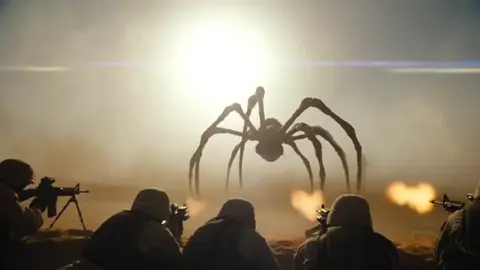

What Text-to-Animation AI Actually Changes
Animation has always been a resource trade. Every second on screen costs rigging, keyframing, render time, and revision cycles. Text-to-animation models collapse a large part of that cost into prompt iteration. You describe a shot — subject, action, environment, camera movement, mood — and the model returns motion. That does not retire animators; it relocates their attention. Instead of building every frame, you spend your hours directing, selecting, and repairing.
The real shift is that iteration becomes cheap while specificity becomes valuable. A vague prompt produces a generic, drifting clip that is unusable in an edit. A precise prompt produces a shot that is roughly eighty percent right, and the remaining twenty percent is usually a smaller problem — a malformed hand, a background element, a cut timing — than the original problem of creating the shot from nothing.
Three capabilities matter most in daily work:
- Motion synthesis. The model infers plausible movement between described states rather than interpolating from keyframes you set by hand.
- Style transfer from language. Adjectives such as "paper cutout," "clay stop-motion," "ink wash," or "isometric pixel" steer rendering almost as strongly as reference images do.
- Shot continuity. Modern pipelines let you hold a character, palette, and camera language steady across several clips. That continuity is what makes a sequence feel authored rather than assembled.
What has not changed: story still beats spectacle. A dull twenty-second animation with flawless lighting is still dull.
The End-to-End Pipeline at a Glance
Professional text-to-animation work follows a repeatable loop, whether you are a solo creator or part of a five-person team.
- Script. Write the narration or dialogue first. Animation timing follows language rhythm, so the words should exist before any shot is generated.
- Beat sheet. Break the script into emotional or informational beats. Each beat becomes one to three shots.
- Shot list. For every shot, note duration, subject, action, environment, camera move, and emotional tone. This is your generation spec.
- Prompt assembly. Convert each shot into a structured prompt using a consistent template so results stay comparable.
- Generation passes. Produce three to six variations per shot. Do not judge on the first output; models are stochastic and quality varies between runs.
- Selection. Pick the best take per shot. Keep second choices — they often rescue later cuts.
- Assembly. Cut in a timeline editor, trimming heads and tails where motion settles.
- Sound. Add voice-over, ambience, and music. Sound hides a surprising amount of minor visual jitter.
- Finishing. Color, grain, captions, and export presets.
- Archive. Store prompts alongside final clips so the sequence is reproducible.
Step ten is the one almost everyone skips, and the one that saves the most time on the next project.
Writing Prompts for Motion, Not Just Pictures
Most disappointing generations come from image-style prompts used for video. The model receives a still-life description and returns something that barely moves. A motion-first prompt fixes most of this.
The five-slot shot prompt
Use one sentence per slot, in this order:
- Subject: who or what, with two to three identifying details.
- Action: a verb phrase describing continuous motion, not a pose.
- Environment: location, time of day, weather, background density.
- Camera: shot size plus movement.
- Style: look, palette, film stock or medium, mood.
Example: A stocky lighthouse keeper in a salt-stained coat hauls a rope hand over hand, storm waves breaking below; rocky outcrop at dusk, rain streaking sideways; medium shot slowly pushing in; desaturated teal palette, hand-painted 2D animation, heavy grain.
Camera language models understand
Terms like dolly in, truck left, crane up, handheld follow, orbit, and rack focus generally map to recognizable motion. Vague instructions such as "cinematic camera" produce drift, not intent. If you want stillness, say "locked-off tripod shot" explicitly — otherwise the model will invent a slow push.
Continuity tokens
Once you approve a character, freeze a description string and reuse it verbatim across every shot: hair, build, clothing, color accents. Drift usually starts at the adjectives, not the model. Keep a small text file of approved character and environment strings and paste from it rather than retyping.
What to leave out
Avoid stacking more than two style references, avoid contradictory lighting notes, and avoid on-screen text requests. Most models render lettering as decorative noise. Add typography in your editor instead.
Pre-Production: Storyboards, Shot Lists, and Asset Planning
You do not need to draw to pre-produce, but you do need to decide before you generate. Rough thumbnails or even text sketches of each shot's composition save hours of wasted generation.
A useful shot list has six columns: shot number, duration, subject, action, camera, and notes on how it connects to the previous shot. The connection column prevents the classic mistake of generating twenty beautiful but unrelated clips.
Asset planning deserves more attention than it usually gets. Decide early whether you need:
- A recurring character across multiple clips.
- A recurring environment with consistent lighting.
- Specific props that must match between shots.
- A color script — the intended color progression across the piece.
Performance tip: generate establishing shots first. They take the longest to approve, and every later shot must match their lighting and palette.
Budget your time against risk. Complex hands, crowds, animals in motion, and liquid are high-risk subjects. Where a shot only needs atmosphere, use it for atmosphere — do not ask a generator for a hero moment it is likely to fail at.
Choosing a Model per Shot: Decision Criteria
No single model wins every shot. Treat model selection as a routing decision based on five criteria.
Motion realism versus stylization. Some engines excel at physical, grounded movement — walking, running water, fabric. Others shine at graphic, illustrative motion. Match the engine to the shot's register rather than forcing one look across the whole piece.
Prompt obedience. Test how closely a model follows compound instructions. Generate the same three-shot test prompt across candidate tools and compare which one respects camera direction and action verbs.
Consistency across clips. If your project needs a character in ten shots, continuity discipline matters more than peak frame quality. A slightly softer render that stays on-model beats a stunning clip that changes your protagonist's face.
Duration and pacing. Short native clips are easier to control and cheaper to iterate. For longer shots, generate two shorter segments and cut them together rather than fighting a single long render.
Iteration speed. Fast drafts change how you work. If a tool returns a rough preview in seconds, you can explore more shot ideas and reserve slower, higher-fidelity renders for approved shots.
A practical routing habit: use a fast engine for exploration, a mid-tier engine for most final shots, and a specialized high-fidelity engine for hero moments such as title sequences or product reveals. That mix keeps both schedule and look under control.
Sound, Voice, and Timing
Sound is where generated animation stops looking generated. Three rules carry most of the weight.
Cut to the audio, not the frame. Lay narration first and let shot boundaries land on syllable or beat changes. Cuts that ignore audio rhythm feel accidental.
Layer ambience beneath every shot. A continuous bed of room tone, wind, or city hum smooths transitions and masks minor visual inconsistencies between clips.
Use sound to imply off-screen motion. If a generated walk cycle is weak, cut to the reaction and let footsteps carry the action. Audio sells what the frames cannot show.
For dialogue, generate voice separately and animate to it. Lip-sync driven by a real audio track is far more convincing than motion generated without a reference. If perfect lip-sync is not achievable, use silhouette, over-the-shoulder framing, or cutaways — an established animation tradition for a reason.
Quality Control: Diagnosing Common Failures
Build a review pass that runs the same checks on every clip.
- Warping or melting subjects. Usually caused by too much action in too little time. Split the action across two shots or shorten the clip.
- Identity drift. Re-anchor the character description and reduce competing style words.
- Frozen background. Add explicit background motion notes: drifting clouds, passing pedestrians, swaying foliage.
- Nervous micro-jitter. Trim the first and last half-second where motion has not stabilized.
- Unstable camera. Specify one movement only. Two simultaneous moves confuse most engines.
- Inconsistent lighting between shots. Lock a single lighting phrase and reuse it everywhere.
- Uncanny faces. Change shot size. Close-ups expose artifacts; medium and wide shots conceal them.
Review at 100 percent zoom, then again at playback speed on a phone screen. Problems that vanish at thumbnail size are not worth another render pass.
Editing, Finishing, and Reuse
Assembly is where generated clips become a film. Work in a timeline editor with the audio track already in place. Trim aggressively — generated clips usually contain one strong second and several weak ones.
Finishing touches that pay off:
- Unified color pass. Even a light grade pulls disparate clips into one world.
- Grain or texture overlay. Adds cohesion and hides render differences between engines.
- Motion blur or speed ramps on cuts. Bridges jarring transitions.
- Captions and typography. Add text in the editor, never in the prompt.
Reuse is the quiet advantage of this workflow. Approved character strings, environment prompts, and transition presets become a personal library. A project that took two weeks the first time often takes three days the second, because the hardest part — finding the look — is already solved.
Team Workflow, Review, and Version Control
When more than one person touches a project, informal prompt tweaking becomes chaos. A few lightweight conventions prevent it.
One source of truth for prompts. Keep a shared document where approved prompt strings live. Editing a character description in one person's notes but not the shared file is the most common cause of continuity breaks.
Version clips, not just files. Name exports with shot number and revision, for example sc04_sh02_v03. Reviewers should always know what they are watching.
Separate creative and technical review. First pass asks whether the shot tells the story. Second pass checks artifacts, timing, and audio sync. Combining them leads to arguments about pixels when the real issue is pacing.
Time-box exploration. Give each shot a fixed number of generation attempts. When the budget runs out, either accept the best take or simplify the shot. Endless iteration is the fastest way to lose a schedule.
Frequently Asked Questions
Do I need animation experience to use text-to-animation tools?
No, but you need editing and storytelling judgment. The people who get the best results understand pacing, framing, and sound design — skills borrowed from filmmaking rather than from traditional animation.
How long should a generated clip be?
Start with three to five seconds. Short clips are easier to control, cheaper to iterate, and cut together cleanly. Reserve longer durations for locked-off shots with minimal action.
Why does my character change appearance between shots?
Almost always because the description changed slightly. Freeze an exact string for hair, clothing, build, and color accents, and paste it unchanged into every prompt.
Can I generate text inside the animation?
Rarely with acceptable quality. Generate the scene clean and add titles, labels, and captions in your editor.
What is the biggest beginner mistake?
Writing prompts that describe a picture instead of an action. If your prompt has no verb describing continuous movement, expect a near-static result.
Should I use one model for the whole project?
Only if continuity is your top priority. Most polished pieces route different shots to different engines and unify the result in color and sound.
How do I handle shots the model keeps failing?
Change the framing, not the wording. A wide shot of a hard action is often easier than a close-up. If it still fails, redesign the shot so the action happens off-screen and let audio carry it.
How much of a finished piece should be generated?
In a typical short, most background and transition shots can be generated, while hero character moments often benefit from hand refinement or stricter generation discipline. Plan the mix deliberately instead of committing to an all-or-nothing approach.
Final Checklist Before You Export
Run through this list once per project: every shot has a purpose in the beat sheet, character strings are identical across shots, no clip has an unplanned camera move, audio leads the cuts, color is unified, captions are legible on a phone, and prompts are archived with the final clips. Do those seven things and your work will look intentional — which is the only thing that separates professional animation from a folder of impressive clips.

Alexander
More Blogs
Read MoreVidu Q4 Alternatives: 4K AI Video Models Compared (2026)
Vidu Q4 alternatives compared: Kling 4.0, Seedance 2.5, Wan 3.0, and Runway Gen-4 — 4K support, input modes, durations, audio, and what each costs in credits on Domer.
Top 4K AI Image Generators in 2026: 5 Models Compared on Real Costs
The top 4K AI image generators on Domer compared: Flux 3 Klein, Nano Banana 2.1, GPT Image 2.5, GPT Image 2, and Nano Banana Pro — 4K credit costs, reference limits, and speed.
Nano Banana 2.1 vs GPT Image 2.5: Which Image Model Should You Use? (2026)
Nano Banana 2.1 vs GPT Image 2.5 Flare compared: credit costs per resolution, aspect ratios, reference images, text rendering, and which tasks fit each model.