
Create
Text to Video AI Workflow: From Prompt to Polished Clip
Oct 1, 2026
Why Text-to-Video Changed the Production Calculus
A decade ago, turning a written idea into moving footage meant equipment, crew, locations, permits, and a schedule measured in weeks. Today a single sentence can produce a four-second clip that looks like it came from a modest commercial shoot. That shift is not just a novelty for hobbyists — it changes how teams plan campaigns, pitch concepts, and decide what is worth filming for real.
The practical consequence is that the expensive part of video production has moved. Cameras are cheap. Distribution is free. What costs money now is clarity: knowing what you want to say, in what order, and with what visual logic. Text-to-video tools are extremely good at rendering a described moment and extremely bad at guessing intent. The more precise your thinking, the less you spend on regenerations.
This guide walks through a repeatable workflow for producing finished, publishable video from text prompts. It covers how the underlying models behave, how to write prompts that survive the render, how to choose between competing tools for a given shot, how to assemble clips into something coherent, and how to avoid the failure modes that quietly eat entire afternoons. It is written for creators, marketers, and small production teams who need output, not experiments.
One framing note before diving in: treat these systems as a camera with a very literal imagination. They will not fill gaps in your thinking with taste. They will fill them with whatever the training data suggests is statistically plausible — which is sometimes brilliant and sometimes nonsense.
How Text-to-Video Models Actually Work
Understanding the mechanics at a conceptual level makes troubleshooting dramatically faster. You do not need to read research papers, but you do need to know why a prompt produces drift, flicker, or a sudden extra limb.
From noise to motion
Most modern video models are diffusion-based. They start with random visual noise and iteratively denoise it, guided by your text prompt, until a coherent image sequence emerges. The difference between image diffusion and video diffusion is the temporal dimension: the model must keep frames consistent with each other while also satisfying the prompt. Early approaches generated frames independently and stitched them, which caused visible flicker. Contemporary systems model motion directly, which is why a well-prompted clip can hold a subject's face and clothing steady across several seconds.
What the model understands — and what it does not
Text encoders convert your prompt into a numerical representation the model can condition on. They are strong at nouns, adjectives, materials, lighting conditions, and named visual styles. They are weaker at spatial relationships ("a red cup to the left of a blue book"), negations ("no people"), and multi-step actions ("she opens the door, then turns and smiles"). Long prompts also dilute attention: every additional clause competes for the model's focus, and the weakest-specified element often gets dropped.
That is why the single most common cause of a disappointing result is an overloaded prompt. A tight, specific description of one moment beats a paragraph describing a scene.
A Prompt Formula That Survives the Render
Prompting for video is closer to briefing a cinematographer than to writing prose. You are specifying subject, action, camera, lighting, style, and duration constraints — usually in that priority order.
The six-slot structure
- Subject: who or what, with two or three distinguishing details (age range, wardrobe, material, texture).
- Action: one continuous verb phrase. "Walks slowly toward the camera," not "walks in, sits down, then laughs."
- Setting: environment, time of day, weather, background density.
- Camera: shot size, angle, and movement — "medium close-up, slow dolly in, shallow depth of field."
- Lighting: source and quality — "soft window light from the left, warm tones, gentle falloff."
- Style: filmic reference or technical descriptor — "documentary realism, 35mm grain, muted palette."
A working example: Medium close-up of a middle-aged ceramicist with clay-dusted hands, slowly rotating a bowl on a wheel, in a cluttered studio at dusk, soft tungsten light from the right, shallow depth of field, documentary realism, 35mm grain.
That is roughly 45 words. It specifies one moment, one action, and one camera behavior. Every element is checkable against the output.
Words that reliably change output
Camera vocabulary transfers surprisingly well: dolly in, tracking shot, handheld, crane up, macro, wide establishing. So does lighting vocabulary: golden hour, overcast diffusion, hard key with rim light, practical neon. Motion modifiers like slow, smooth, subtle drift help prevent the manic over-animation that plagues short clips.
Conversely, abstract quality words do almost nothing: beautiful, stunning, viral, high quality. They add noise rather than signal. Swap them for observable properties.
Negative prompting and its limits
If a tool accepts negative prompts, use them sparingly and for recurring artifacts — text overlays, watermarks, distorted hands, extra fingers, jump cuts. Negations inside the main prompt ("no cars") are frequently ignored or backfire, because the encoder still represents the concept. Restating what you want is more reliable than listing what you do not.
Planning Before Generating: Story Beats Into Shots
The fastest way to waste time is to start generating before the sequence exists on paper. A simple beat sheet prevents that.
Step 1: Write beats, not shots
Describe the sequence in five to eight plain sentences. For a 30-second product teaser: a designer stares at a blank screen; hands sketch a rough form; the sketch becomes a physical prototype; the prototype is tested; the finished product sits on a windowsill in morning light.
Step 2: Convert beats into shot cards
Each beat becomes one or two shot cards containing the six-slot prompt, an intended duration (typically three to six seconds), and a note on how it connects to the next shot. This is where you notice continuity problems early: wardrobe changes, inconsistent time of day, mismatched locations.
Step 3: Identify your anchor shots
Anchor shots carry the story — a face, a product close-up, a reveal. Generate these first, at higher resolution, and iterate until they are right. Everything else can be generated faster and looser once the anchors set the visual tone.
Step 4: Lock a style reference
Pick three to five adjectives you will reuse in every prompt: muted earth tones, soft contrast, documentary realism. Repeating identical style language across prompts is the cheapest way to make separately generated clips feel like one film.
Step 5: Only then start rendering
Generating without this plan usually produces attractive orphan clips that never assemble into a story. The plan costs twenty minutes; the rework costs hours.
Generating Efficiently: Batching, Duration, and Resolution
Generation behaves like a slot machine if you let it. Systematic batching turns it into a production line.
Work in short segments. Most tools produce best results between three and eight seconds. Longer requests tend to introduce warping, identity drift, or abrupt motion changes. If you need a twelve-second shot, generate two overlapping segments and cut on motion.
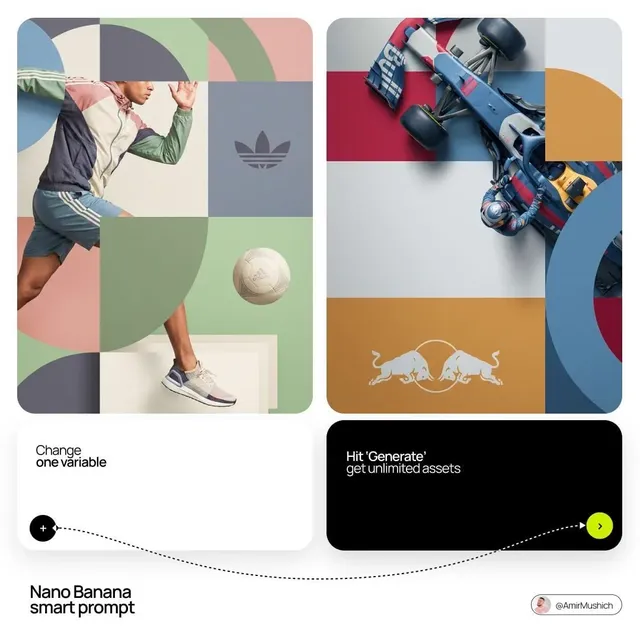
Batch variations of one prompt, not five different prompts. Change a single variable at a time — camera movement, then lighting, then action speed. This isolates what actually improved the result and gives you reusable knowledge for the next project.
Separate exploration from finals. Generate at low resolution until composition and motion are right, then re-render the winner at full quality. High-resolution iteration is the primary driver of unnecessary compute spend.
Respect aspect ratio early. Vertical for short-form social, 16:9 for web and presentations, square for certain ad placements. Cropping a finished 16:9 render into vertical rarely works, because the framing was composed for landscape.
Save prompt metadata. Keep a simple spreadsheet: prompt text, tool, model, seed (if exposed), duration, and a one-line verdict. After twenty generations, this log becomes your most valuable asset — it tells you which phrasing your chosen model actually responds to.
Choosing the Right Model for the Shot
No single system wins on every dimension. Professional practice is to route shots to the model best suited to them.
| Shot type | Common strength | What to prioritize |
|---|---|---|
| Photoreal human close-up | Skin texture, eye detail | Face stability, lighting control |
| Fast action or sport | Motion coherence | Temporal consistency, physics |
| Stylized animation | Strong art direction | Style adherence, bold color |
| Product beauty shot | Clean surfaces, reflections | Detail fidelity, camera control |
| Landscape or establishing | Scale, atmosphere | Resolution, depth, slow motion |
| Text and graphics in frame | Layout awareness | Prompt accuracy for signage |
Decision criteria that matter more than leaderboards
- Duration per generation. Longer native clips reduce stitching work.
- Camera control. Does the tool accept explicit camera language, or does it need to be implied?
- Image-to-video support. Starting from a still you already like is often faster than prompting from scratch.
- Consistency tools. Reference images, character locks, or seed control for multi-shot sequences.
- Iteration cost. How fast and how cheaply can you try again? This usually outweighs marginal quality differences.
- Licensing and commercial terms. Confirm whether output can be used in paid advertising and client work.
Run the same three-prompt test across candidate tools before committing to a subscription: a human close-up, a fast-motion shot, and a product detail. That ten-minute test predicts real-world fit better than any showcase reel.
Common Failure Modes and How to Fix Them
Most problems are diagnosable. Below are the ones that recur across every text-to-video system.
Morphing and identity drift
Faces and objects change shape mid-clip. Fixes: shorten the duration, simplify the action, add explicit subject descriptors (hair color, clothing), and use image-to-video with a locked reference frame.
Flicker and texture crawl
Fine textures — foliage, fabric patterns, crowds — shimmer between frames. Fixes: reduce background complexity, add slight motion blur language, or shift to a wider shot where texture detail occupies fewer pixels.
Over-animated motion
Everything moves too fast and too much. Fixes: add slow, subtle, gentle; specify a static camera; reduce the number of moving elements to one.
Ignored prompt elements
Something you clearly described never appears. Fixes: move the element earlier in the prompt, remove competing clauses, and shorten the total length. If it still fails, the concept may be underspecified in the model's training distribution — describe it differently rather than repeating it louder.
Unwanted on-screen text
Video models generate garbled lettering when a scene implies signage. Fixes: avoid prompts that mention signs, labels, or screens with text, or use negative prompts. Never rely on generated text for brand assets; composite real typography afterward.
Anatomy errors
Hands, fingers, and teeth remain the classic weak points. Fixes: keep hands out of frame or in motion, use medium shots instead of extreme close-ups, and consider image-to-video starting from a clean still.
Assembling Clips Into Something Watchable
Raw generated clips rarely work when played back to back. The connective tissue is where craft lives.
Cut on motion. End a clip while the subject is still moving and begin the next shot with matching motion direction. This masks the visual discontinuity between generations.
Match color deliberately. Generated clips from different prompts rarely share a palette. A single color grade — consistent contrast curve and a unified white balance — does more for perceived quality than any individual clip.
Design the sound before the picture is locked. Footsteps, ambience, room tone, and music carry continuity across cuts that images alone cannot. A weak shot with strong sound reads as intentional; a strong shot with silence reads as unfinished.
Use rhythm, not uniformity. Shot lengths between 1.5 and 4 seconds feel energetic; 5 to 8 seconds feel observational. Varying them keeps attention.
Add typography and motion graphics last. Clean text overlays, lower thirds, and end cards unify otherwise disparate material and reinforce brand identity — and they avoid the garbled-text problem entirely.
Cost, Time, and Team Implications
Text-to-video does not eliminate production; it relocates it. The time formerly spent on scheduling and travel shifts toward prompting, reviewing, and editing. Realistic planning for a 30-second finished piece looks something like: one hour of concept and beat sheet, two to three hours of generation and iteration, two to four hours of editing, sound, and graphics. That is a half-day to a day for one person, versus weeks for a comparable live shoot — with the caveat that highly specific requirements, real people, or regulated claims may still demand a conventional camera.
The right hybrid is usually obvious once you try both: generate everything that is expensive, slow, or impossible to film, and capture for real the things that must be authentic — testimonials, product macro detail, hands-on demonstrations, and anything where a viewer must trust that a real event occurred.
On teams, the workflow benefits from clear role separation. One person owns prompt writing and visual consistency; another owns edit, sound, and delivery specs. Asking one person to do both tends to produce either beautiful clips that never assemble or a tight edit built from mediocre footage.
Rights, Disclosure, and Practical Guardrails
Before publishing, confirm your tool's commercial usage terms and whether the output can be registered or protected in your jurisdiction. Keep a record of prompts and generation dates for client work; provenance documentation is increasingly requested in professional contracts.
Avoid prompting for recognizable public figures, trademarked characters, or existing brand assets. Beyond legal risk, such prompts often produce uncanny results that undermine credibility.
Disclosure norms vary by platform and market, but the direction of travel is consistent: audiences tolerate synthetic imagery when it is not deceptive, and punish it when it pretends to be evidence. For editorial, news-adjacent, or testimonial content, label synthetic visuals. For stylized advertising where no reasonable viewer assumes a real event was filmed, disclosure is usually unnecessary — but a quick legal review of your specific market is cheap insurance.
Frequently Asked Questions
How long should a generated clip be?
Three to six seconds for most work. Longer clips are possible but tend to drift, which usually costs more time in rework than stitching two shorter shots.
Do better prompts mean better models?
No. A precise prompt on a mid-tier model beats a vague prompt on a frontier model. Start with prompt discipline, then upgrade tools when you hit a ceiling you can name.
Why does the same prompt give different results each time?
Diffusion generation is stochastic. If your tool exposes a seed value, reuse it to lock a result you like, then vary other parameters around it.
Can I use generated video for paid ads?
Often yes, but it depends on the tool's license and your market's advertising rules. Check the terms of service and keep documentation.
What is the fastest way to improve quality?
Shorten the clip, simplify the action, describe the lighting, and specify the camera. Most quality complaints trace back to one of those four.
Should I generate in vertical or horizontal?
Decide before you generate. Composition baked into one aspect ratio rarely survives a crop, and re-rendering everything for a second format doubles your timeline.
Do I still need an editor?
Yes. Generation produces material, not narrative. Pacing, sound design, color, and typography are what turn a folder of clips into a video people finish watching.
The Practical Takeaway
Text-to-video rewards planning more than it rewards experimentation. The teams getting reliable results are not the ones with the longest prompt libraries — they are the ones who write beats first, describe one moment per shot, reuse a locked visual vocabulary, generate short segments at low resolution before committing to finals, and treat the edit and sound design as the actual finished product.
Start small: one product, one 20-second sequence, five shots, one afternoon. Log every prompt and verdict. By the third project you will have a personal playbook that no generic tutorial can give you — a precise, tested understanding of what your tools do well and exactly where a real camera still earns its place.

Alexander
More Blogs
Read MoreThumbnail efficaci per TikTok e YouTube: guida pratica
Come progettare thumbnail che fermano lo scroll: strumenti, workflow, criteri di test e ottimizzazione per TikTok e YouTube, con esempi pratici.
Cómo descargar portadas de Reels de Instagram con criterio
Guía práctica para descargar, elegir y reutilizar portadas de Reels de Instagram sin perder calidad, con flujos de trabajo, errores y consejos de diseño.
AI Voiceover and Music Workflows for Better Video Sound
Build a repeatable workflow for AI voiceover and generated music: script prep, voice selection, mixing levels, loudness targets, and QA checks.