
Create
Text-to-Video Workflow: A Practical Guide for Creators
Oct 1, 2026
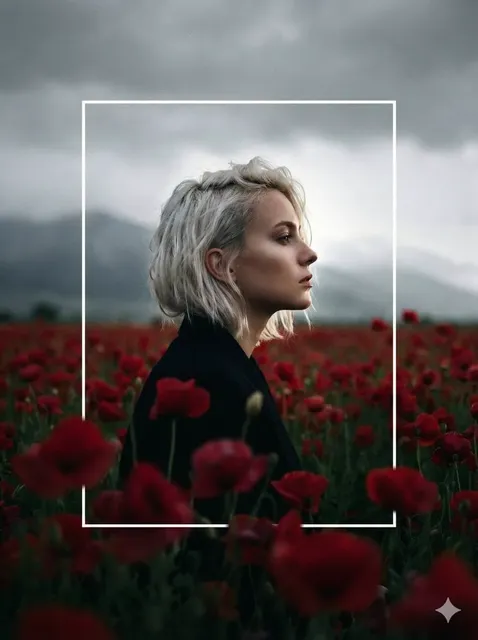
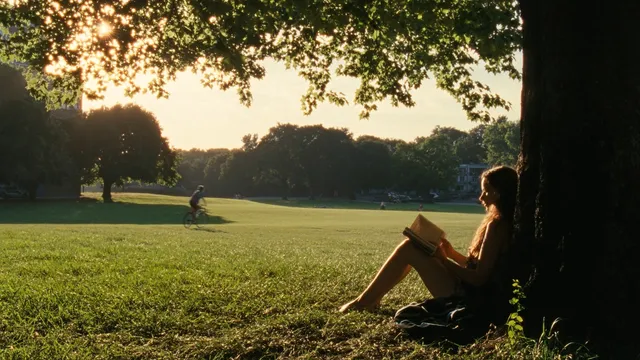
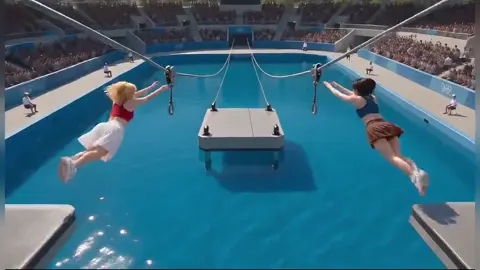
Generating video from a written prompt stopped being a novelty the moment teams started shipping real deliverables with it. The interesting question is no longer whether a model can produce a moving image from a sentence, but whether a producer, marketer, or solo creator can run that ability as a dependable process. This guide walks through a complete text-to-video workflow: how to brief shots, pick the right model for each moment, keep characters and locations stable, handle sound, assemble a finished cut, and catch problems before a client or audience does.
Nothing here depends on a single product. Model names appear as categories and examples, because the tools rotate quickly and the process outlives them.
Why text-to-video changes production planning, not just production
The first wave of generative video was treated as a magic trick: type something absurd, watch something absurd appear. That framing hid the real shift. What text-to-video actually changes is the cost structure of iteration.
In traditional production, changing a camera angle, a wardrobe choice, or the time of day means re-shooting. Each variation carries a fixed cost in crew time, location access, and equipment. In a generated workflow, a variation costs a prompt rewrite and a render. The marginal cost of trying a different framing collapses, which means planning can move from "decide once, execute carefully" to "decide approximately, explore cheaply, converge deliberately."
That sounds liberating, and it is, until you notice the new bottleneck: coherence. Cheap iteration produces a pile of beautiful, unrelated clips. A finished video needs those clips to feel like they belong to the same world, the same character, the same afternoon. The craft of modern AI video work is largely the craft of maintaining continuity across many independent generations.
A useful mental model is to treat generation as a shoot day with an infinitely patient but extremely literal crew. They will do exactly what you describe, they will not infer intent, and they will not remember yesterday's setup unless you tell them. Your job is to be an unusually precise director.
The end-to-end pipeline: from brief to finished cut
A repeatable workflow has five stages. Skipping stages does not save time; it moves the cost downstream where it becomes harder to fix.
Stage 1: Write a shot brief, not a prompt
Before touching a model, write a one-page brief that lists every shot in order. For each shot capture: duration, subject, action, camera behavior, lighting, palette, and the emotional beat it serves. If a shot cannot be described in a sentence that a stranger could visualize, the model will not do better than the stranger.
This brief becomes the shared reference for prompts, edits, and revisions. It also reveals shots you do not actually need, which is one of the cheapest forms of savings available.
Stage 2: Translate the brief into structured prompts
A prompt is not a sentence about a video. It is a specification. The most reliable structure is: subject and wardrobe, action in progress, environment, camera movement and lens feel, lighting and time of day, color and texture, mood, and technical constraints such as aspect ratio or frame rate.
Write the action as something that is already happening rather than something that will happen. "She lifts the lid and steam curls upward" reads better to a model than "she will open the pot." Continuous, mid-motion actions give the generator something to extend.
Stage 3: Generate in the cheapest acceptable quality first
Almost every professional workflow uses a draft tier before a final tier. Generate a low-resolution, short-duration version to test composition, motion, and continuity. Only shots that survive the draft pass get promoted to a high-fidelity render. This single habit can reduce total render time by more than half on a typical project.
Stage 4: Assemble early
Do not wait for every clip to be final before editing. Drop drafts into a timeline, set pacing to music or voiceover, and watch it end to end. Rough assemblies expose structural problems, a missing reaction shot or an overlong establishing beat, that no amount of per-clip polish will fix.
Stage 5: Finish and deliver
Final pass means color matching across clips, stabilization where needed, sound design, captions, and export to the formats each platform requires. Generated footage often has small inconsistencies in contrast, grain, or color temperature, so a light grade is not optional polish, it is the glue that makes disparate clips read as one piece.
Choosing a model per shot, not per project
A common mistake is committing to one generator for an entire project. Different models have different strengths, and treating them as interchangeable wastes their best qualities.
Ask four questions per shot:
- How much motion realism does this need? A talking-head product demo and a sweeping landscape have almost nothing in common in terms of motion handling.
- How important is text or logo fidelity? If a sign, package, or interface must be readable, plan to composite it later rather than trusting generation.
- How long is the shot? Many tools degrade in coherence past a few seconds. Break long shots into consecutive beats and join them in the edit.
- How repeatable is the subject? Recurring characters need a model or feature set that supports reference images or identity conditioning.
A practical default is to use a general-purpose model for environment and b-roll, a reference-driven model for character work, and a stylized model for transitions, abstract inserts, and title sequences. Mixing three tools on one project is normal and usually produces a better result than forcing one tool to do everything.
Prompt patterns that hold up in production
Prompts that work in a demo often fail in a sequence. These patterns are the ones that survive repetition.
Lock the subject description. Copy the character paragraph verbatim from shot to shot, changing only the action and camera. Small paraphrases cause large identity drift.
Describe light before mood. Lighting is concrete and heavily influences rendering, while mood words are interpretive. "Late afternoon sun through blinds, warm highlights on the left cheek" outperforms "nostalgic feeling."
Name the camera move once. "Slow dolly in" is a complete instruction. Adding "cinematic camera movement, dynamic angle, epic pan" creates conflicting directions and produces mush.
Use negative guidance sparingly and specifically. Blanket negatives like "no artifacts" do little. "No text overlays, no lens flare" is actionable.
Keep a prompt log. Save every prompt that produced a usable clip along with the model and settings. In a project with fifty shots, the ability to reproduce one shot exactly is worth more than any single clever prompt.
Keeping characters, locations, and props consistent
Continuity is where most AI video projects either look professional or look generated. Four techniques do most of the work.
Reference-driven identity
Use image references or identity conditioning when available. A single clear reference frame of a character, front-lit and unobstructed, does more for consistency than a page of descriptive text.
Shot geography
Decide where the camera is allowed to be before you generate. If a scene has a window on the left and a door at the back, keep those anchors in every prompt. Viewers track spatial logic subconsciously; when it breaks, the scene reads as fake even if they cannot articulate why.
Wardrobe and palette rules
Write a short style block that specifies two or three colors, one fabric texture, and one lens character. Paste it into every prompt in the sequence. This is the cheapest form of visual branding available.
Coverage discipline
When a character will appear across multiple shots, generate the tightest, clearest shot first, then use it as a reference for wider and more complex framing. Building from the anchor outward reduces the number of spoiled renders.
Sound, voice, and motion that matches the cut
Silent clips feel unfinished, and audiences forgive visual imperfection far more readily than bad audio.
Start with the voice. Generate or record dialogue before finalizing shot durations, then cut picture to the audio rather than the reverse. This keeps lip movement plausible and pacing natural.
Layer ambience underneath everything. A room tone bed, distant traffic, or soft HVAC hum makes generated footage feel grounded. Music should support the emotional beat list from your original brief, not just fill space.
For motion, prefer several short clips with clear movement over one long clip that drifts. Transitions, whip pans, and match cuts hide the seams between generations and give the edit a rhythm that reads as intentional even when clips came from different models.
Finally, check audio-visual sync in the timeline at full speed. Small offsets are invisible when scrubbing and obvious when playing.
Assembling and finishing the cut
Editing generated footage is closer to documentary editing than to animation. You are selecting from takes rather than authoring every frame, so the timeline is where the story actually gets built.
Work in three passes. The first is structural: order shots, set rough durations, verify the narrative works with no effects at all. The second is rhythmic: tighten to music, adjust cut points on motion, add transitions only where a hard cut feels abrupt. The third is finishing: color match, stabilize, sound design, captions, and export.
Keep a "maybe" bin. Clips that did not fit the current edit often become the strongest moments in a revision or a follow-up piece.
Common mistakes and how to avoid them
Overprompting. Long prompts with contradictory instructions produce averaged, bland results. Cut anything that does not change the image.
Chasing single-shot perfection. A shot that is 95 percent right is usually deliverable. Spending an hour on the last 5 percent is the most common budget leak in AI video work.
Ignoring aspect ratio until the end. Generate in the final delivery ratio. Cropping a wide frame to vertical later destroys composition and reduces usable resolution.
No draft tier. Rendering everything at maximum quality wastes time on shots that will be cut.
Forgetting the audio plan. Deciding on voiceover after picture lock forces awkward re-edits and unnatural pacing.
Skipping the continuity log. Without written subject and location descriptions, consistency becomes guesswork by the tenth shot.
A realistic time and resource model
For a sixty-second piece with roughly twenty shots, a comfortable schedule looks like this: half a day for the brief and shot list, one day for prompt drafting and draft renders, one to two days for high-fidelity generation and retries, half a day for voice and sound, and one day for editing and finishing. That is three to five working days for a polished result, with the generation stage absorbing the most variability.
Budget in attention, not just time. The expensive part is not rendering, it is reviewing hundreds of takes and deciding quickly. Teams that review in batches, with a written checklist, move two to three times faster than teams that review one clip at a time and debate each one.
A quality control checklist before delivery
Run this list on every project:
- Character identity holds across every appearance
- Lighting direction is consistent within each scene
- No unintended text, watermarks, or logos appear in frame
- Motion has no warping around hands, faces, or fine details
- Audio levels are consistent and no clip clips or distorts
- Captions are accurate, timed, and legible on mobile
- Export formats and aspect ratios match each destination
- The first three seconds communicate the premise without sound
If a shot fails more than three checks, regenerate it rather than trying to fix it in post. Generation is cheaper than repair.
FAQ
How long should each generated clip be?
Short clips, generally three to six seconds, hold coherence best. Build longer sequences from multiple clips rather than pushing a single generation.
Do I need multiple tools?
Not always, but most polished projects use at least two: one for environments and b-roll, one for character-driven shots. Choose based on shot requirements rather than brand loyalty.
How do I keep a character consistent across shots?
Use image references with a clear, front-lit portrait, copy the same descriptive block into every prompt, and build out from your clearest anchor shot.
Why does my footage look generated even when it is technically clean?
Usually because of inconsistent lighting direction, drifting color, or missing ambience. Matching light and adding room tone fixes more perceived realism than adding detail ever will.
Can I generate readable text on screen?
Rarely with reliable results. Composite titles, signage, and interface text in the editor instead.
What is the fastest way to improve output quality?
Generate a low-resolution draft for every shot first, approve only the strongest takes, and render those at full quality. Draft-first workflows improve both speed and final quality.
Should I write the script before or after generating footage?
Script and shot list first, always. Generating without a plan produces attractive clips that cannot be assembled into a story.
How do I handle revisions from a client?
Keep your prompt log and continuity notes. Being able to regenerate a specific shot from documented settings turns a stressful revision into a routine task.
Is a specific model the deciding factor in quality?
Less than most people assume. Prompt clarity, continuity discipline, and editing skill account for the majority of the gap between amateur and professional-looking output.
What is the biggest mistake beginners make?
Treating generation as the whole job. It is one stage in a pipeline. The planning before it and the assembly after it determine whether the result feels like a video or like a folder of clips.

Alexander
More Blogs
Read MoreAutomate Video Transcripts with AI: A Practical Workflow Guide
Learn how to turn video into accurate transcripts with AI automation, timecodes, speaker labels, SEO-friendly formatting, QA checks, and reusable workflows.
Change an iPhone Video Thumbnail: Mobile Workflow Guide
Learn how to change an iPhone video thumbnail with a reliable mobile editing workflow, from frame selection and cover design to export checks.
Boise Video Agencies: AI Workflow Guide for Local Teams
Discover how Boise video agencies can use AI video workflows to plan, produce, and deliver local campaigns with consistent brand voice and audio.