
YouTube Shorts Thumbnails: Best Practices for Higher CTR
Oct 15, 2026
Why the Thumbnail Now Carries the Weight of the Whole Video
Short-form feeds move faster than any other surface in video. A viewer's thumb is already loaded, the next swipe is already half-committed, and your cover image has roughly one second to interrupt that motion. The video itself is no longer the first thing evaluated. The still frame is.
That shift matters because the default behavior for most creators is still passive: upload the clip, let the platform pick a frame, move on. The problem with automated frame selection is that it optimizes for a technically valid image, not a persuasive one. It grabs a frame near the middle, often mid-blink, mid-gesture, or mid-transition, and presents a blurry shoulder or a half-finished sentence to an audience that has no context for either.
A deliberate cover image changes the economics of a Short. Instead of hoping the algorithm finds a receptive audience, you give the algorithm a stronger signal to work with. Higher click-through means more impressions tested, more sessions started, and more chances for the retention curve to do its job. The thumbnail is not decoration. It is the first unit of storytelling.
This guide covers the technical constraints, the perceptual psychology, a repeatable production workflow, AI-assisted design options, and a measurement framework you can run without a big team.
Technical Specifications That Keep Your Cover Frame Sharp
Technical compliance is unglamorous and non-negotiable. A beautiful concept that uploads soft, cropped wrong, or letterboxed will underperform a plain image that renders cleanly in the feed.
Resolution, aspect ratio, and the 9:16 question
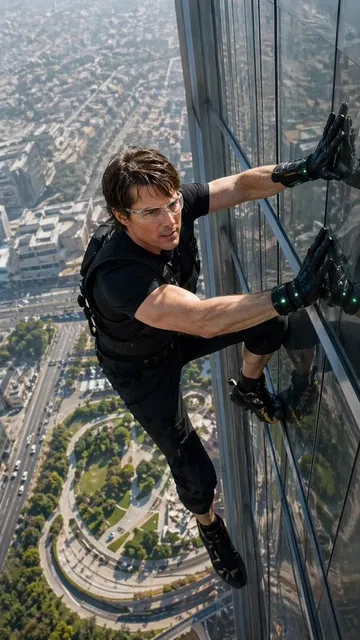
Short-form video is natively vertical, and the mobile feed is where nearly all impressions happen. The practical target is a tall composition that reads well at small size. If your cover image is designed at a wide 16:9 ratio, the feed will either crop it aggressively or pad it with blurred bars, and both outcomes waste the pixel real estate you paid attention to create.
Design on a tall canvas from the start. Keep the main subject centered horizontally and placed in the upper-middle third, because the lower portion of a Shorts cover is frequently covered by interface elements: the channel handle, caption snippet, sound label, and action buttons. Anything you place at the very bottom is decoration at best and clutter at worst.
Safe zones you should treat as hard rules
Draw two guide boxes on your template before you design anything else. The inner box is your essential content: face, product, or key object. The outer box is your tolerance zone for cropping and overlays. Everything that must survive compression and interface overlap lives inside the inner box. Everything that is merely nice to have can drift outward.
A useful habit is to preview your cover at thumbnail size on an actual phone, not on a 27-inch monitor. Designers consistently over-trust large previews. The feed is a small screen seen at arm's length, sometimes in bright daylight, sometimes at 40 percent brightness on a train.
File size, compression, and upload hygiene
Export at high quality with moderate compression rather than maximum compression with maximum sharpness. Oversharpened edges create halos that turn into visible noise after the platform re-encodes your file, and heavy grain becomes mud. Flat, clean shapes and strong edges survive re-encoding far better than fine texture and thin hairline strokes.
Check the following before every upload:
- The image is tall, not wide.
- The subject's face or focal object sits above the lower third.
- Text is large enough to read in a two-second glance.
- No critical detail touches the extreme edges.
- The file is exported at high quality and re-checked on a phone screen.
- The cover image matches the first two seconds of the video, so there is no bait-and-switch feeling.
That last point is the one most creators skip, and it is the one that quietly damages retention.
Designing for the Zero-Second Glance
Perception research is consistent on a few things: the brain processes color, contrast, and human faces before it processes text. Your cover image should be built in that order.
Contrast and visual hierarchy
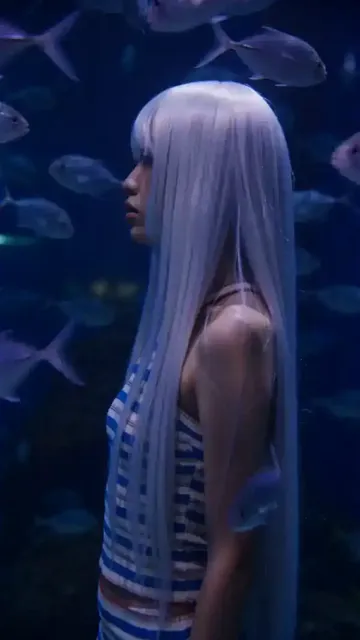
Contrast does more work than color choice. A high-contrast image with a muted palette will usually beat a rainbow-bright image with low internal contrast, because contrast is what defines edges and edges are what the eye locks onto when scrolling.
Build hierarchy in three layers:
- Primary: one high-contrast element that acts as the anchor, usually a face or a single object.
- Secondary: a supporting shape, color block, or gesture that explains the anchor.
- Tertiary: optional text or graphic detail that adds meaning.
If every layer competes at the same intensity, the viewer's eye has nowhere to land and the swipe continues. A common failure mode is a busy background with a subject wearing a patterned shirt and three words of text on top. Three competing elements equal zero communication.
A practical trick is to convert your design to grayscale and squint. If the primary element is still the first thing you see, your hierarchy is working. If everything collapses into a similar gray mass, your contrast is relying on color alone.
Faces, emotion, and the attention shortcut
Human faces are processed faster than almost any other visual category, and expressive faces outperform neutral ones. This does not mean every thumbnail needs a shocked open-mouth reaction. It means the face should communicate a legible state: curiosity, concentration, delight, skepticism, amusement. The emotion should match the promise of the video.
Avoid mid-sentence frames where the mouth is half-open and the eyes are unfocused. Those read as accidental. Also avoid frames where the subject is looking away from the camera unless the gaze direction points at something meaningful in the composition, such as an object or a text callout.
For talking-head content, shoot a dedicated set of cover stills after the main take. Ten seconds of deliberate poses, three expressions, two angles, and you have a library for the next twenty uploads. This single habit removes most of the friction from cover design.
Text overlays: context versus curiosity
Text on a cover image serves two possible jobs, and mixing them poorly is a common mistake.
Context text tells the viewer what the video is. Examples: "3-minute pasta," "Fix this mic setting," "Cheap Tokyo lunch." It works when the topic is ambiguous from the image alone and the audience is searching for utility.
Curiosity text creates an information gap. Examples: "I was wrong," "Nobody does this," "Wait for the end." It works when the visual already establishes the subject and the text only needs to add tension.
The safest structure is a two-to-four-word overlay: a short noun phrase plus a modifier. Long sentences get truncated by the eye long before they get truncated by the interface.
Mechanics matter too. Use a heavy, geometric sans-serif at large size. Place the text in one of the empty quadrants rather than across the subject's face. Add a subtle shadow, stroke, or semi-transparent plate behind it so it survives against both light and dark backgrounds. Never place text in the bottom strip where interface controls live.
A Repeatable Production Workflow
Consistency beats inspiration over a hundred uploads. Here is a workflow that takes twenty to thirty minutes per cover once you have templates.
Step 1: Harvest candidate frames
After editing, scrub the timeline and screenshot six to ten frames that have: a clear subject, a readable expression, and no motion blur. Save them into a folder named after the video. Do not choose yet.
Step 2: Choose one anchor, then write the promise
Before opening a design tool, write one sentence describing what the viewer will get. That sentence is your design brief. If you cannot write it, the cover will be vague because the concept is vague.
Step 3: Build on a template
Maintain two or three layout templates: a face-forward layout, an object-hero layout, and a text-dominant layout for list or explainer content. Templates keep your channel visually recognizable in a feed where viewers rarely read the channel name before tapping.
Step 4: Composite and correct
Place the anchor, add a background treatment (blurred frame, gradient, or solid color block), add one text element, then adjust contrast. Resist adding a second text element. If the concept needs more explanation, the video title will handle it.
Step 5: Export, preview, upload
Export at a quality level that survives re-encoding, view it on a phone, then upload. Then verify how the cover appears in the feed, in search results, and on the channel grid, because the same image is cropped slightly differently in each surface.
Step 6: Log the result
Keep a simple spreadsheet: video, cover concept, text used, color scheme, click-through trend, average view duration. After thirty entries, patterns appear that no amount of theory can replace.
AI-Assisted Cover Design Without Losing Your Brand
Image generation tools are genuinely useful here, but only when they are pointed at the right part of the job. Generating an entire photorealistic scene with a synthetic person is usually the wrong use case, because synthetic faces drift toward a generic look and viewers increasingly recognize it.
The stronger applications are supporting elements:
- Backgrounds and textures. Generate abstract gradients, paper textures, studio backdrops, or environment plates, then composite your real subject on top.
- Set extensions. Expand a frame captured in a small room into a wider, more atmospheric environment.
- Style exploration. Generate five distinct visual directions in the time it takes to sketch one, then pick a direction that fits the channel.
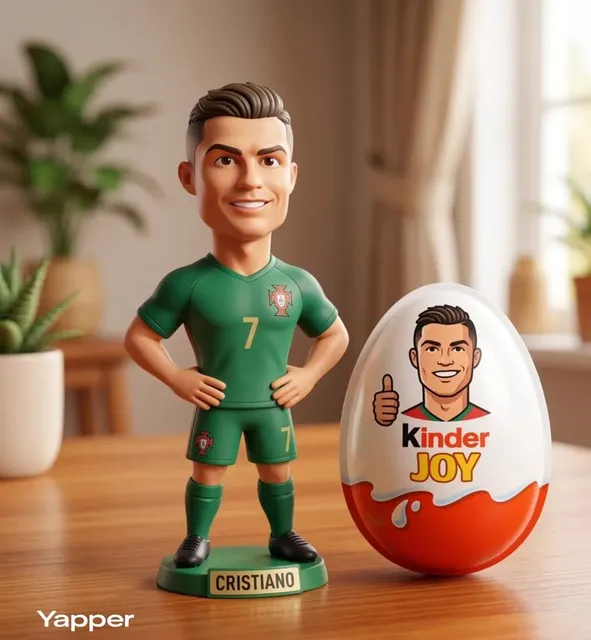
- Object props. Create graphic props, icons, or 3D-style elements that reinforce the topic without requiring a shoot.
- Layout variants. Feed a description of your layout and produce variations in color and composition to test which reads best at small size.
Prompt patterns that produce usable output
When prompting an image model for thumbnail support assets, be explicit about the constraints of the final canvas. Specify the aspect ratio, whether there should be empty space for text, and whether the image must be uncluttered. Vague prompts return busy, centered compositions that leave nowhere to place a subject or a headline.
Three prompt patterns that work well:
- Clean backdrop: "minimal studio backdrop, soft gradient, uncluttered, empty space in the upper center, vertical composition."
- Atmospheric environment: "moody outdoor scene at dusk, shallow depth of field, negative space on the left, vertical composition, no people."
- Graphic treatment: "bold geometric color blocks, high contrast, flat design, large empty area for text overlay, vertical composition."
Post-processing is where quality happens
Generated assets rarely arrive ready to use. Run them through a cleanup pass: upscale, denoise, adjust curves for contrast, and unify the color temperature with your captured footage. When the background is generated and the subject is photographed, subtle mismatches in color temperature and grain are the tell that makes an image look assembled rather than designed.
A quick unification trick: add a very light color overlay or grain layer across the whole composite at low opacity. It is a cosmetic step, but it is the difference between "a collage" and "a frame."
Finally, keep a brand kit. Three fonts, five colors, two recurring graphic devices. AI generation is a variation engine; the brand kit is what keeps the variations recognizable as yours.
Testing and Reading the Data
You cannot judge a cover by whether you like it. You judge it by whether it changes behavior.
Metrics that matter
- Click-through rate on feed impressions. The headline number, but noisy at small volume.
- Average view duration. A high click-through with a collapsing retention curve means the cover over-promised.
- Views per impression across surfaces. Search, suggested, and the feed behave differently; a cover that wins in one may lose in another.
- Return viewer rate. Over time, strong covers build a recognizable channel identity and lift returning viewers.
A simple testing framework
You do not need formal experiments to learn. Rotate one variable at a time across a series of uploads: text versus no text, warm versus cool palette, face versus object. Compare results across at least five to eight uploads per variant before drawing a conclusion, because single-video results are dominated by topic and timing.
A more direct approach when the platform allows it: publish two covers for the same video on a schedule and compare the click-through trend over the first several hours. Keep the winner. Document the reason in one sentence. That documentation is what turns testing into intuition.
One caution: do not chase click-through at the cost of honesty. A cover that implies something the video does not deliver will produce short sessions, negative feedback signals, and eventually weaker distribution. The cover's job is to attract the right viewer, not just any viewer.
Common Mistakes and How to Fix Them
Mistake: using the auto-selected frame. Fix: always upload a designed cover, even if it is just a clean crop with a text label.
Mistake: text too small or too long. Fix: cut the words until the overlay is a phrase, then increase the size until it is readable at arm's length on a phone.
Mistake: the cover does not match the video. Fix: place the cover side by side with the first two seconds and check that the promise aligns.
Mistake: every cover looks identical. Fix: keep consistency in fonts, colors, and layout, but vary the subject, expression, and framing so the channel does not look like a wall of clones.
Mistake: crowded composition. Fix: remove one element. If it still feels crowded, remove another. Empty space is a design tool, not waste.
Mistake: ignoring dark mode and bright ambient light. Fix: check the cover on a phone at low brightness and outdoors. If text disappears in either condition, add a backing plate or a stroke.
Mistake: designing at 100 percent zoom. Fix: zoom out until the image is roughly the size of a postage stamp. That is closer to reality than your editing window.
Systemizing Covers for Series and Teams
Once a channel posts daily, cover design becomes a production problem, not a creative one.
Build a naming convention that ties each cover file to its video, so nothing gets lost between editor and publisher. Keep a shared folder of approved backgrounds, icon sets, and text presets. Write a one-page style note that specifies fonts, minimum text size, allowed color range, and placement rules. Anyone on the team should be able to produce a compliant cover in under fifteen minutes.
For recurring series, create a visual signature: a consistent corner badge, a color code per series, or a fixed typographic treatment. Viewers who recognize the series will click faster because the cover carries prior trust.
Batch the work. Design covers for a week of uploads in one session while the brand palette and templates are already open. Context switching is the real cost, not the design time. If you use AI generation, batch the asset creation too: one session for backgrounds, one for props, one for compositing.
Finally, revisit templates quarterly. Feed interfaces change, viewer expectations shift, and a layout that read perfectly a year ago may now feel dated. Small adjustments to type weight, contrast, and spacing keep the system fresh without a full redesign.
Frequently Asked Questions
Does a custom cover image actually change performance for vertical video?
Yes, when the cover is designed for the feed rather than cropped from a wide frame. The main gains come from clearer subject recognition and stronger contrast at small size. The secondary gain is channel identity: viewers begin to recognize your visual style before they read your name.
What is the ideal amount of text on a cover?
Two to four words in most cases. Text should add information the image cannot convey on its own, not repeat what the image already shows. If the headline needs a full sentence to make sense, the concept is probably too complicated for a one-second glance.
Should the cover image be a frame from the video or a separate design?
A separate composition that uses a frame as its base works best. Pull a clean, expressive frame, then add background treatment, contrast correction, and a short text element. Pure video frames tend to carry lighting and framing compromises that a composited cover can fix.
How often should I change my cover style?
Keep the core identity, refresh the execution. Fonts, colors, and layout family can stay stable for a long time. What should evolve is the variety of framing, expression, and background treatment so the channel does not look repetitive in a scrolling feed.
Can AI tools replace a designer for cover work?
They replace parts of the workflow, not the judgment. AI is excellent for backgrounds, textures, props, and rapid variation. Deciding what the image should communicate, which frame to choose, and how the cover aligns with the video remains a human decision. The best results pair generated assets with deliberate composition and a strict brand kit.
How do I know if a cover worked?
Compare click-through rate and average view duration against your channel baseline, not against an absolute ideal. A cover that lifts click-through while holding retention is a win. A cover that lifts click-through but drops retention is a promise problem, and the fix is usually in the text overlay, not the image.
Bringing It Together
The cover image for short-form video is a small canvas with an outsized role. It is the only part of your work that is evaluated before it plays, and it is evaluated in under a second, on a small screen, usually by someone who was not looking for you.
Treat it accordingly. Design vertically. Build contrast before you build color. Choose one anchor and give it room. Use text as a scalpel, not a caption. Keep a template so you can move fast without degrading quality. Generate supporting assets with AI when it saves time, and finish every composite with a real cleanup pass. Then measure, log, and repeat.
The creators who grow steadily are rarely the ones with the single best idea. They are the ones whose covers reliably earn the click, whose videos reliably reward it, and who have turned that loop into a system they can run every single day.

Alexander
More Blogs
Read MoreVidu Q4 Alternatives: 4K AI Video Models Compared (2026)
Vidu Q4 alternatives compared: Kling 4.0, Seedance 2.5, Wan 3.0, and Runway Gen-4 — 4K support, input modes, durations, audio, and what each costs in credits on Domer.
Top 4K AI Image Generators in 2026: 5 Models Compared on Real Costs
The top 4K AI image generators on Domer compared: Flux 3 Klein, Nano Banana 2.1, GPT Image 2.5, GPT Image 2, and Nano Banana Pro — 4K credit costs, reference limits, and speed.
Nano Banana 2.1 vs GPT Image 2.5: Which Image Model Should You Use? (2026)
Nano Banana 2.1 vs GPT Image 2.5 Flare compared: credit costs per resolution, aspect ratios, reference images, text rendering, and which tasks fit each model.