

Advanced AI Photo Generator
Use advanced ai photo generator to describe lighting, composition, and material detail in professional terms, then review and refine until the image meets.
AI Image Generator
0/20000 characters
My images
Loading...
What makes this photo generator advanced?
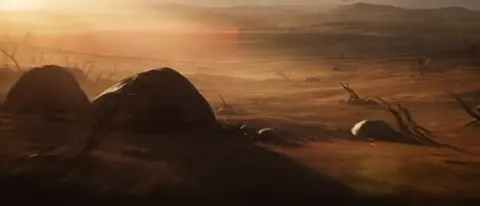
An advanced AI photo generator lets you control the output through professional language about lighting, camera perspective, and composition. By including terms like rim light, shallow depth of field, or macro perspective in your prompt, you direct the visual result toward editorial, product, or commercial quality instead of relying on generic descriptions.
Advanced AI Photo Generator
Marketing product visual
Input
A matte black smartwatch with a bright orange silicone band, floating above a clean white surface with a subtle shadow beneath, dramatic rim lighting highlighting the watch edges, macro perspective, studio-quality lighting
Expected output
A product-focused image with clean background separation, visible rim light accent on the watch, precise shadow behavior, and high detail on the watch face and band texture
Editorial fashion portrait
Input
A model wearing a structured red velvet blazer, standing against a textured concrete wall, dramatic side lighting creating strong shadows on one side of the face, magazine-style composition, shallow depth of field blurring the background
Expected output
An editorial portrait with strong contrast between the red blazer and concrete background, dramatic shadow play on the face, visible velvet texture, and a professional depth-of-field effect
Complex still life composition
Input
A wooden cutting board with a wheel of aged gouda cheese, a bunch of purple grapes, a half-bottle of red wine, a single stem of rosemary, warm golden lighting from above, rustic kitchen table background, textured linen cloth underneath
Expected output
A still life image with multiple elements arranged naturally, warm consistent lighting across all subjects, visible food textures, and a rustic atmosphere with depth between foreground and background items
Generate high-quality images with fine control over lighting, composition, and visual detail
Describe with professional detail
Include lighting setup, materials, composition, and depth effects in your prompt to push the output toward a professional visual standard.
Use advanced generation settings
Available settings let you control aspect ratio, style direction, and other parameters for finer creative control.
Iterate until the quality meets your standard
Generate multiple versions and refine prompts between iterations to polish lighting, composition, and detail.
How It Works
1
Describe the desired image.
Describe the desired image.
2
Choose the available generation settings.
Choose the available generation settings.
3
Generate, review, and download a suitable result.
Generate, review, and download a suitable result.
Advanced Prompt Writing
Professional-grade prompts use precise language about lighting, materials, and composition.
Input Constraints
- Describe lighting in studio terms — rim light, softbox, hard light, fill light, backlight
- Specify the composition type — macro, wide-angle, eye-level, overhead, dutch angle
- Include post-production cues — color graded, desaturated, high contrast, matte finish
Practical Tips
- Use depth cues like shallow depth of field or sharp focus throughout to control the viewer's attention
- Describe the background separately from the foreground for layered compositions
- Reference editorial, commercial, or cinematic styles to set the visual direction
- Specify the color palette in professional terms — complementary, monochromatic, warm-toned, cool-toned
Privacy
- Do not upload personal or sensitive material unless you have permission to use it.
Usage Rights
- Confirm that you have the rights needed for the inputs and intended use of the result.
Prompt recipes
Copy a structure, then adjust the subject, lighting, camera, and output details for your own result.
Hero product shot for e-commerce
A sleek silver laptop open at 45 degrees on a white marble desk, screen showing a colorful dashboard, soft natural window light from the left creating gentle shadows, shallow depth of field with the background softly blurred, professional product photography
Specifies exact product angle, surface material, light direction, and depth control, giving the generator clear cues for a clean commercial look.
Moody portrait with dramatic lighting
A close-up portrait of a person in profile looking left, strong side light creating sharp shadows on the opposite side of the face, dark blue background, high contrast black-and-white treatment, cinematic mood
Calls out specific light placement, shadow behavior, and color grading, which are essential for a dramatic editorial portrait.
Overhead flat-lay for social media
A flat-lay composition of a notebook, pen, coffee cup, and succulent plant arranged on a pale pink desk, shot from directly above, even soft lighting with no harsh shadows, minimal and Instagram-ready
Defines camera angle, lighting quality, and intended platform aesthetic, making it easy to generate a social-media-ready image.
Atmospheric food photography
A rustic wooden table with a cast-iron skillet of sizzling vegetables, steam rising, warm golden-hour light streaming from the side, shallow focus on the foreground with the background kitchen softly blurred, editorial food magazine style
Combines action (steam, sizzling), lighting quality, and depth of field to create a compelling food narrative.
Clean architectural interior
A modern minimalist living room with a gray sectional sofa, large floor-to-ceiling windows letting in bright daylight, white walls, wooden floor, shot from eye level, sharp focus throughout, real estate photography style
Specifies camera height, focus plane, and architectural style, which are critical for interior real estate visuals.
Best use cases
Match the workflow to the input you have and the result you need before opening the generator.
Creating product images for an online store
Input: Detailed description of the product, surface, background color, lighting direction, and camera angle
Result: Clean, professional product photos with consistent lighting and sharp detail suitable for e-commerce listings
Tool: Text to Image with studio lighting keywords and macro or eye-level perspective
Generating editorial portraits for a magazine feature
Input: Subject description, clothing details, background texture, dramatic lighting cues, and depth of field notes
Result: High-contrast editorial portraits with strong visual mood and professional composition
Tool: Text to Image with cinematic or magazine-style keywords and side or rim lighting
Building a mood board for a creative project
Input: Scene description, color palette, lighting mood, and compositional style
Result: Atmospheric images that capture the desired aesthetic direction and can be refined iteratively
Tool: Text to Image with color grading and mood keywords, adjusting prompts between rounds
Limitations to know before generating
- Professional-sounding prompts improve results but do not guarantee flawless technical execution on the first try.
- Complex multi-element compositions may require several iterations to balance lighting and focus correctly.
- Generated images are interpretations of your description, not identical to real photographs.
- Results should be reviewed for accuracy, especially when product details or material textures are critical.
- Commercial use may require rights verification, particularly when prompts reference specific brands or recognizable settings.
Creative Suite: AI Video Generator & AI Image Generator Tools
Power up your creative workflow with our AI-driven tools. Generate stunning videos, create images, and apply custom adjustments - our AI Video Generator and AI Image Generator offer a complete solution for all your creative needs.
Strictly Prohibits Adult/NSFW Content








Pricing
Choose the credit package that works best for you.
No hidden fees • Cancel anytime • Unused credits roll over
Starter
Perfect for trying out AI creation.
Credits
200 credits / month
- Up to 20 videos per month
- Up to 100 images per month
$6.99/ month$9.9930% OFF
Billed monthly
First-time subscribers get 30% off their first month, then standard price
What's included
- Credits never expire
- Standard models
- HD, Watermark-Free Downloads
- Private Generation
- Faster Generation Speed
- Ad-free experience
Basic
Perfect for light creators.
Credits
500 credits / month
- Up to 50 videos per month
- Up to 250 images per month
$13.99/ month$19.9930% OFF
Billed monthly
First-time subscribers get 30% off their first month, then standard price
What's included
- Credits never expire
- Standard models
- HD, Watermark-Free Downloads
- Private Generation
- Faster Generation Speed
- Ad-free experience
Pro
PopularBest value for creators
Credits
1,200 credits / month
- Up to 120 videos per month
- Up to 600 images per month
$39.99/ month
Billed monthly
What's included
- Credits never expire
- All models + Early access to new models
- HD, Watermark-Free Downloads
- Private Generation
- Faster Generation Speed
- Ultra HD resolution
- Ad-free experience
Ultra
For video creators and power users.
Credits
5,000 credits / month
- Up to 500 videos per month
- Up to 2,500 images per month
$99.99/ month
Billed monthly
What's included
- Credits never expire
- All models + Early access to new models
- HD, Watermark-Free Downloads
- Private Generation
- Faster Generation Speed
- Ultra HD resolution
- Ad-free experience
Free
Standard models only — upgrade to unlock premium models.
Credits
10 free credits on signup
Questions? Contact us at support@domer.io
Create Polished Visuals From Your Descriptions
Write a prompt with the professional detail you want and generate an image. Refine lighting and composition until the quality matches your project needs.