
AI 8 Bit Image Generator
Use ai 8 bit image generator to generate 8-bit pixel art from text. Describe retro game scenes, characters, or objects to create nostalgic visuals instantly.
AI Image Generator
0/20000 characters
My images
Loading...
What is an AI 8 bit image generator?
An AI 8 bit image generator creates images with the pixelated, limited-color aesthetic of classic 8-bit video games and computer graphics. You describe the subject, scene, and retro style elements—like pixel art, blocky shapes, or limited color palette—and the tool generates an image that captures the nostalgic look of early gaming and digital art from the 1980s and early 1990s.
AI 8 Bit Image Generator
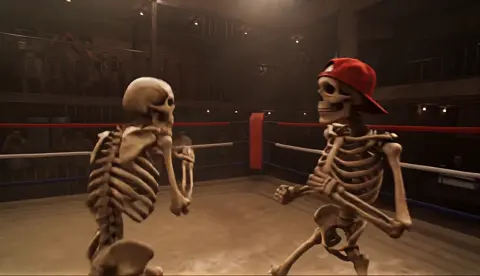
Retro game character
Input
A pixelated knight character in 8-bit style, holding a sword and shield, standing on a green grass tile, limited color palette
Expected output
An 8-bit style pixel art character with blocky shapes and retro game aesthetics
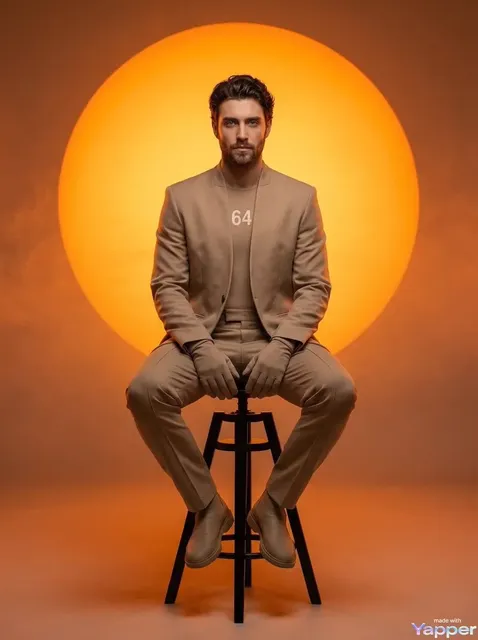
Pixel art landscape
Input
An 8-bit forest scene with pixelated trees, a small river, and mountains in the background, retro game graphics style
Expected output
A pixelated landscape with limited colors and classic video game tile-based composition
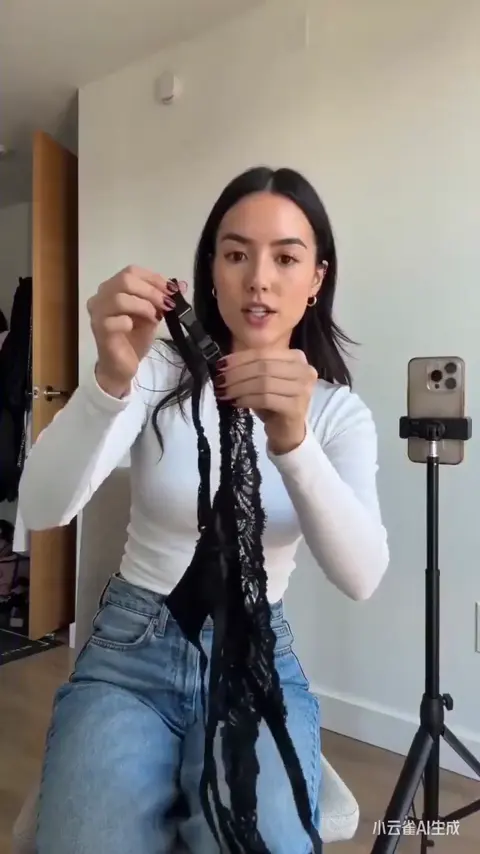
Arcade game item
Input
A pixelated treasure chest in 8-bit style, glowing with golden light, simple blocky design, classic arcade color palette
Expected output
An 8-bit style game item with simplified geometric shapes and retro color scheme
Create pixel art images with an 8-bit retro aesthetic from text descriptions for game mockups, retro designs, or nostalgic projects.
Describe, Then See
Write a natural description of the image you have in mind and review the generated result.
Iterate on Style
Adjust your prompt or generation settings to explore different visual directions.
Quick Visual Drafts
Skip the blank canvas. Generate image ideas from text in moments.
How It Works
1
Describe the image
Describe the desired image.
2
Choose settings
Choose the available generation settings.
3
Generate and review
Generate, review, and download a suitable result.
Tips for AI 8 Bit Image Generator
Get more useful results with these practical suggestions.
Input Constraints
- Describe visual elements rather than abstract concepts
- Specify composition, style, and mood when possible
- Keep descriptions focused on what the image should contain
Practical Tips
- Start with the main subject then add detail layers
- Mention lighting, color palette, and framing for better control
- Review each result and adjust the prompt for closer alignment
Privacy
- Do not upload personal or sensitive material unless you have permission to use it.
Usage Rights
- Confirm that you have the rights needed for the inputs and intended use of the result.
Prompt recipes
Copy a structure, then adjust the subject, lighting, camera, and output details for your own result.
Classic RPG hero sprite
An 8-bit pixel art hero character with a red cape and silver armor, holding a glowing sword, front-facing view, classic NES color palette, simple blocky design
Combines character details with specific retro gaming reference and color palette to create a recognizable 8-bit RPG character aesthetic.
Retro platformer level
An 8-bit side-scrolling platform scene with brick platforms, floating coins, pipes, and clouds in the sky, limited color palette, pixel art style
Describes iconic platformer elements with tile-based composition cues to trigger classic arcade game visual structure.
Pixel art creature
A cute 8-bit pixel art dragon with stubby wings and a friendly expression, breathing small fire pixels, standing on a stone platform, retro game monster design
Uses character personality, action, and retro game monster context to create a charming, game-ready creature sprite.
Arcade food item
A pixelated pizza slice in 8-bit style with glowing cheese, floating above a checkered tile floor, bright arcade colors, power-up item aesthetic
Describes a collectible game item with visual cues that signal function and appeal in retro game context.
Dungeon room scene
An 8-bit top-down dungeon room with stone walls, a treasure chest in the center, torches on the walls casting pixel light, classic zelda-style layout
References specific game perspective and layout convention to guide tile-based room design with functional game elements.
Best use cases
Match the workflow to the input you have and the result you need before opening the generator.
Indie game mockup
Input: Game character or scene description with 8-bit, pixel art, and limited palette keywords plus game genre context
Result: A retro game-style image suitable for concept art or visual reference
Tool: Text to Image with pixel art and game style keywords
Retro design element
Input: Simple object or icon description with 8-bit, blocky, and specific color palette cues
Result: A pixel art graphic for use in retro-themed designs or interfaces
Tool: Text to Image with style and color constraints
Social media nostalgia post
Input: Recognizable retro game scene or character type with classic gaming reference
Result: A shareable pixel art image that evokes gaming nostalgia
Tool: Text to Image with gaming and era references
Educational retro illustration
Input: Subject or scene description with 8-bit style reference and simplified composition
Result: A pixel art image that communicates clearly with retro aesthetic
Tool: Text to Image with clarity and style balance
Limitations to know before generating
- The 8-bit look depends on style keywords like pixel art or blocky; omitting these may produce modern images
- Exact pixel dimensions and color palette limitations are stylistic interpretations, not technical specifications
- Complex scenes with many elements may lose clarity in simplified pixel art style
- Generated images are inspired by 8-bit aesthetics, not actual game sprites or copyrighted characters
- Fine detail and smooth gradients are replaced with blocky approximations in 8-bit style
Creative Suite: AI Video Generator & AI Image Generator Tools
Power up your creative workflow with our AI-driven tools. Generate stunning videos, create images, and apply custom adjustments - our AI Video Generator and AI Image Generator offer a complete solution for all your creative needs.
Strictly Prohibits Adult/NSFW Content








Pricing
Choose the credit package that works best for you.
No hidden fees • Cancel anytime • Unused credits roll over
Starter
Perfect for trying out AI creation.
Credits
200 credits / month
- Up to 20 videos per month
- Up to 100 images per month
$6.99/ month$9.9930% OFF
Billed monthly
First-time subscribers get 30% off their first month, then standard price
What's included
- Credits never expire
- Standard models
- HD, Watermark-Free Downloads
- Private Generation
- Faster Generation Speed
- Ad-free experience
Basic
Perfect for light creators.
Credits
500 credits / month
- Up to 50 videos per month
- Up to 250 images per month
$13.99/ month$19.9930% OFF
Billed monthly
First-time subscribers get 30% off their first month, then standard price
What's included
- Credits never expire
- Standard models
- HD, Watermark-Free Downloads
- Private Generation
- Faster Generation Speed
- Ad-free experience
Pro
PopularBest value for creators
Credits
1,200 credits / month
- Up to 120 videos per month
- Up to 600 images per month
$39.99/ month
Billed monthly
What's included
- Credits never expire
- All models + Early access to new models
- HD, Watermark-Free Downloads
- Private Generation
- Faster Generation Speed
- Ultra HD resolution
- Ad-free experience
Ultra
For video creators and power users.
Credits
5,000 credits / month
- Up to 500 videos per month
- Up to 2,500 images per month
$99.99/ month
Billed monthly
What's included
- Credits never expire
- All models + Early access to new models
- HD, Watermark-Free Downloads
- Private Generation
- Faster Generation Speed
- Ultra HD resolution
- Ad-free experience
Free
Standard models only — upgrade to unlock premium models.
Credits
10 free credits on signup
Questions? Contact us at support@domer.io
Start generating 8 bit images
Open the text-to-image tool and describe the 8 bit image image you want to create.