

AI Comic Photo Generator – Comic Art from Text
Use ai comic photo generator to create comic-style images from text. Describe scenes in superhero, manga, or cartoon styles and generate bold illustrated.
AI Image Generator
0/20000 characters
My images
Loading...
What is an AI comic photo generator?
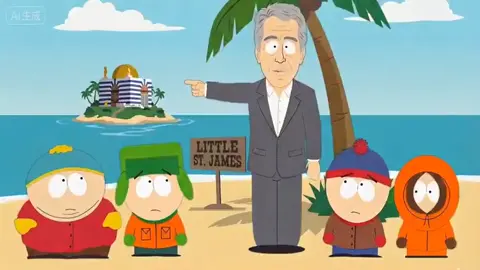
An AI comic photo generator creates comic-style illustrated images from text descriptions. Describe your scene with comic genre terms like superhero, graphic novel, manga, or cartoon strip to generate artwork with comic-book aesthetics including bold outlines, halftone shading, and dramatic compositions.
AI Comic Photo Generator – Comic Art from Text
Superhero action panel
Input
A caped hero standing on a rooftop at night, bold outlines, halftone dot shading, comic book style, dramatic lighting
Expected output
A comic-style illustration with strong black outlines, limited color palette, and halftone shading effects
Graphic novel street scene
Input
A detective walking down a rainy city street, noir comic style, dark shadows, high contrast, speech bubble area left open
Expected output
A moody graphic-novel-style scene with heavy shadows, rain streaks, and high-contrast lighting
Humorous comic strip moment
Input
A cartoon dog chasing its tail in a park, exaggerated expressions, bright colors, Sunday comic strip style
Expected output
A vibrant comic panel with cartoon proportions, bright flat colors, and expressive character poses
Turn text descriptions into comic-style illustrated images
Comic visuals without drawing
Describe any scene and get comic-style artwork without needing illustration skills or reference materials.
Multiple comic aesthetics
Generate images in superhero, graphic novel, manga, or cartoon strip styles from a single text prompt.
Rapid visual iteration
Experiment with different compositions, color schemes, and character poses by adjusting your description.
How It Works
1
Describe the image
Describe the desired image.
2
Choose settings
Choose the available generation settings.
3
Generate and download
Generate, review, and download a suitable result.
Tips for comic-style generations
Get the best comic-book results from your prompts
Input Constraints
- Results are static images, not multi-panel comic strips or animations
- Style accuracy depends on prompt details and available settings
- Speech bubbles and text overlays are not generated in the image
Practical Tips
- Specify the comic sub-genre: superhero, noir, manga, or cartoon strip
- Use terms like bold outlines, halftone, or flat colors for specific comic effects
- Describe panel composition with terms like close-up or wide shot for framing
Privacy
- Do not upload personal or sensitive material unless you have permission to use it.
Usage Rights
- Confirm that you have the rights needed for the inputs and intended use of the result.
Prompt recipes
Copy a structure, then adjust the subject, lighting, camera, and output details for your own result.
Dynamic superhero splash page
A superhero team of four characters in action poses, explosions and debris in background, bold black ink outlines, primary color palette, classic Marvel style comic art
Combines multiple characters with action elements and names a specific comic publisher style for recognizable superhero aesthetic.
Manga emotional close-up
Close-up of a character with a determined expression, speed lines in background, large expressive eyes, black and white manga style with screentone shading
Uses manga-specific visual conventions like speed lines and screentone to create authentic Japanese comic book style.
Underground comix counterculture
A crowded city street scene with exaggerated characters and surreal elements, crosshatching and detailed linework, 1970s underground comix style with social commentary
References a specific comic art movement and rendering technique for a distinct alternative comic aesthetic.
Newspaper comic strip gag
Three-panel layout showing a character's escalating reaction to a simple problem, simple rounded character design, flat colors, Sunday funnies newspaper comic style
Specifies panel structure and references the simplified, accessible style of syndicated newspaper comics for broad appeal.
Gritty crime noir graphic novel
A lone detective in a fedora and trench coat in a dark alley with rain, dramatic shadows across face, monochromatic palette with spot red, mature graphic novel style
Combines noir atmosphere with limited color for dramatic effect, targeting adult graphic novel visual language.
Webcomic slice-of-life moment
Two friends sitting at a coffee shop table talking, relaxed poses, soft colors, clean digital line art, modern webcomic style with simple backgrounds
Describes everyday setting with the cleaner, simplified aesthetic common in modern digital webcomics for relatable content.
Best use cases
Match the workflow to the input you have and the result you need before opening the generator.
Comic book pitch art
Input: Key story scenes with genre and style specified
Result: Sample comic pages to show publishers or collaborators
Tool: Text to Image
Social media comic content
Input: Single-panel gag or commentary with clear visual hook
Result: Shareable comic image for Instagram or Twitter
Tool: Text to Image
Character design exploration
Input: Character description with multiple comic style variations
Result: Different aesthetic takes on the same character concept
Tool: Text to Image
Educational comic illustration
Input: Informational scene with clear comic-style rendering
Result: Engaging visual for educational content or explainers
Tool: Text to Image
Limitations to know before generating
- Generated images are single panels; multi-panel strips require multiple generations and manual layout.
- Text and speech bubbles are not generated; add lettering in post-production using editing software.
- Exact replication of specific comic artist styles may not be achievable; results approximate requested aesthetics.
- Character consistency across multiple images requires identical description details and careful prompt crafting.
Creative Suite: AI Video Generator & AI Image Generator Tools
Power up your creative workflow with our AI-driven tools. Generate stunning videos, create images, and apply custom adjustments - our AI Video Generator and AI Image Generator offer a complete solution for all your creative needs.
Strictly Prohibits Adult/NSFW Content








Pricing
Choose the credit package that works best for you.
No hidden fees • Cancel anytime • Unused credits roll over
Starter
Perfect for trying out AI creation.
Credits
200 credits / month
- Up to 20 videos per month
- Up to 100 images per month
$6.99/ month$9.9930% OFF
Billed monthly
First-time subscribers get 30% off their first month, then standard price
What's included
- Credits never expire
- Standard models
- HD, Watermark-Free Downloads
- Private Generation
- Faster Generation Speed
- Ad-free experience
Basic
Perfect for light creators.
Credits
500 credits / month
- Up to 50 videos per month
- Up to 250 images per month
$13.99/ month$19.9930% OFF
Billed monthly
First-time subscribers get 30% off their first month, then standard price
What's included
- Credits never expire
- Standard models
- HD, Watermark-Free Downloads
- Private Generation
- Faster Generation Speed
- Ad-free experience
Pro
PopularBest value for creators
Credits
1,200 credits / month
- Up to 120 videos per month
- Up to 600 images per month
$39.99/ month
Billed monthly
What's included
- Credits never expire
- All models + Early access to new models
- HD, Watermark-Free Downloads
- Private Generation
- Faster Generation Speed
- Ultra HD resolution
- Ad-free experience
Ultra
For video creators and power users.
Credits
5,000 credits / month
- Up to 500 videos per month
- Up to 2,500 images per month
$99.99/ month
Billed monthly
What's included
- Credits never expire
- All models + Early access to new models
- HD, Watermark-Free Downloads
- Private Generation
- Faster Generation Speed
- Ultra HD resolution
- Ad-free experience
Free
Standard models only — upgrade to unlock premium models.
Credits
10 free credits on signup
Questions? Contact us at support@domer.io
Create comic-style images now
Open the text-to-image tool and describe the comic scene you want to generate.