
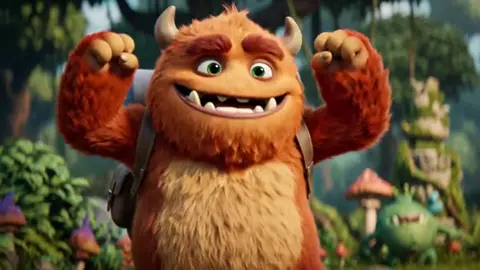
AI Cute Image Generator
Use ai cute image generator to describe any cute scene, character, or concept in text and generate a matching visual in seconds. No drawing skills required.
AI Image Generator
0/20000 characters
My images
Loading...



What is an ai cute image generator?
An ai cute image generator creates visuals from text prompts. You describe the cute scene, character, style, or mood you want, choose generation settings, and the tool produces an image you can review and download.
AI Cute Image Generator
Kawaii character illustration
Input
A cute chibi-style cat wearing a tiny wizard hat, holding a glowing wand, pastel purple background with sparkles
Expected output
A kawaii-style illustration of a chibi cat in a wizard hat with sparkles and a pastel background.
Adorable animal scene
Input
A fluffy corgi puppy sitting in a field of wildflowers, sunny day, soft watercolor style
Expected output
A soft watercolor scene of a corgi puppy in a sunny wildflower field.
Cute fantasy creature
Input
A tiny dragon with big eyes and colorful scales, curled up on a pile of gemstones, warm lighting
Expected output
An adorable dragon illustration with big eyes, colorful scales, and warm lighting on gemstones.
Turn a text description into a cute or appealing visual
Bring ideas to life without drawing
Describe what you imagine and let the generator create a cute visual from your words.
Iterate quickly
Adjust your prompt or settings and generate again to explore different styles and compositions.
No artistic skill needed
A clear text prompt is all the tool needs to produce a result you can review and refine.
How It Works
1
Describe the image
Describe the desired image.
2
Pick generation settings
Choose the available generation settings.
3
Generate and download
Generate, review, and download a suitable result.
Getting the best cute image result
A clear prompt and deliberate style choices help you get a result that matches your vision.
Input Constraints
- Keep prompts clear and specific for better results.
- Review generated images before using them.
- Respect content guidelines when describing subjects.
Practical Tips
- Start with a simple prompt and add details gradually.
- Mention style references like kawaii, watercolor, or pastel for more control.
- Include mood, lighting, and setting to shape the final look.
- Experiment with different word choices to vary results.
Privacy
- Do not upload personal or sensitive material unless you have permission to use it.
Usage Rights
- Confirm that you have the rights needed for the inputs and intended use of the result.
Prompt recipes
Copy a structure, then adjust the subject, lighting, camera, and output details for your own result.
Kawaii animal sticker
A cute round panda with big sparkling eyes, holding a pink bubble tea, kawaii sticker style, soft pastel colors, white outline
Kawaii style and soft pastels create an instantly appealing aesthetic; bubble tea adds a relatable detail.
Cozy illustration for social media
A tiny bunny reading a book inside a teacup, warm lighting, autumn leaves around the cup, soft watercolor style
Cozy scene with relatable details; watercolor style and warm lighting create comfort.
Fantasy creature concept
A small fluffy dragon with pastel rainbow scales and butterfly wings, sitting on a cloud, dreamy soft lighting
Fantasy creature with cute proportions; pastel rainbow and soft lighting enhance the dreamy feel.
Chibi character design
A chibi-style girl with oversized sweater and cat ears, holding a stack of books, library background, warm colors
Chibi proportions are inherently cute; relatable setting and warm colors add charm.
Cute food illustration
A smiling cupcake with tiny arms and legs, dancing on a kitchen counter, cartoon style, bright cheerful colors
Anthropomorphic food is playful and fun; cartoon style and bright colors amplify cuteness.
Adorable nature scene
A baby fox curled up asleep under a giant mushroom, morning mist, soft natural lighting, peaceful forest setting
Baby animal and peaceful setting create tenderness; soft lighting and mist add atmosphere.
Best use cases
Match the workflow to the input you have and the result you need before opening the generator.
Creating social media content
Input: Cute character or animal with relatable activity, soft colors, cozy setting
Result: Eye-catching, shareable illustration that fits your feed aesthetic
Tool: Text to Image
Designing stickers or emotes
Input: Simple character with big expressive features, kawaii or chibi style, white outline
Result: Clean, recognizable sticker design that works at small sizes
Tool: Text to Image
Illustrating children's content
Input: Friendly animal or character, bright cheerful colors, simple shapes
Result: Age-appropriate, engaging illustration for kids
Tool: Text to Image
Concept art for games or apps
Input: Fantasy creature or character with unique traits, appealing proportions, detailed setting
Result: Character concept that conveys personality and style
Tool: Text to Image
Limitations to know before generating
- Results depend on prompt clarity; vague prompts produce generic images.
- Fine details like text, small patterns, or intricate accessories may not render clearly.
- Consistency across multiple generations is not guaranteed; save versions you like.
- The tool does not understand complex multi-step narratives; describe one clear scene.
- Review images for unintended elements before sharing or publishing.
Creative Suite: AI Video Generator & AI Image Generator Tools
Power up your creative workflow with our AI-driven tools. Generate stunning videos, create images, and apply custom adjustments - our AI Video Generator and AI Image Generator offer a complete solution for all your creative needs.
Strictly Prohibits Adult/NSFW Content








Pricing
Choose the credit package that works best for you.
No hidden fees • Cancel anytime • Unused credits roll over
Starter
Perfect for trying out AI creation.
Credits
200 credits / month
- Up to 20 videos per month
- Up to 100 images per month
$6.99/ month$9.9930% OFF
Billed monthly
First-time subscribers get 30% off their first month, then standard price
What's included
- Credits never expire
- Standard models
- HD, Watermark-Free Downloads
- Private Generation
- Faster Generation Speed
- Ad-free experience
Basic
Perfect for light creators.
Credits
500 credits / month
- Up to 50 videos per month
- Up to 250 images per month
$13.99/ month$19.9930% OFF
Billed monthly
First-time subscribers get 30% off their first month, then standard price
What's included
- Credits never expire
- Standard models
- HD, Watermark-Free Downloads
- Private Generation
- Faster Generation Speed
- Ad-free experience
Pro
PopularBest value for creators
Credits
1,200 credits / month
- Up to 120 videos per month
- Up to 600 images per month
$39.99/ month
Billed monthly
What's included
- Credits never expire
- All models + Early access to new models
- HD, Watermark-Free Downloads
- Private Generation
- Faster Generation Speed
- Ultra HD resolution
- Ad-free experience
Ultra
For video creators and power users.
Credits
5,000 credits / month
- Up to 500 videos per month
- Up to 2,500 images per month
$99.99/ month
Billed monthly
What's included
- Credits never expire
- All models + Early access to new models
- HD, Watermark-Free Downloads
- Private Generation
- Faster Generation Speed
- Ultra HD resolution
- Ad-free experience
Free
Standard models only — upgrade to unlock premium models.
Credits
10 free credits on signup
Questions? Contact us at support@domer.io
Ready to generate a cute image?
Open the text-to-image tool and describe the cute scene or character you want to see.