
AI Digital Photo Generator
Use AI digital photo generator to create realistic photo-style images from text. Generate options, review details, and download the best fit.
AI Image Generator
0/20000 characters
My images
Loading...



What is an AI digital photo generator?
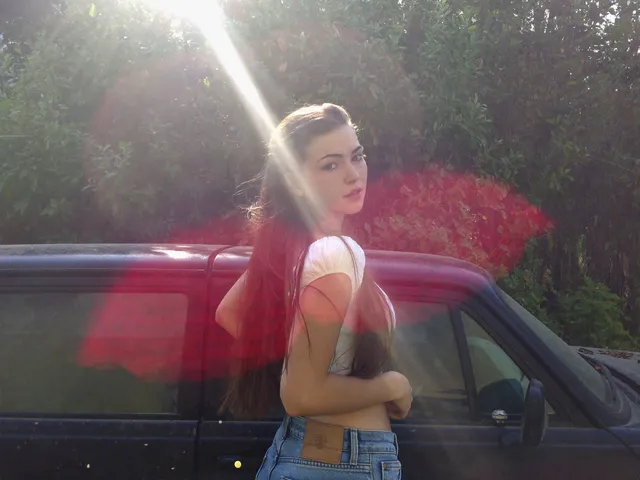
An AI digital photo generator creates photographic-style images from written descriptions. You describe the subject, lighting, setting, and composition, then the tool generates a digital photo to review. It's useful for creating visual references, mockups, or concept images without a camera or studio setup.
AI Digital Photo Generator
Realistic portrait
Input
A woman in her thirties with freckles and red hair tied back, wearing a linen shirt, soft window light from the left
Expected output
A realistic portrait with natural skin texture, visible freckles, soft directional lighting, and a calm expression
Product-style photograph
Input
A pair of leather boots on a wooden surface, side lighting, visible stitching and leather grain, neutral background
Expected output
A product-style image showing detailed boot texture, leather grain visible, warm side lighting, and a clean composition
Landscape photograph
Input
A misty mountain lake at dawn with pine trees on the shoreline, soft pink and orange sky, perfectly still water
Expected output
A realistic landscape photograph with atmospheric mist, warm dawn colours, glass-like water reflection, and layered mountain depths
Generate realistic digital photos from text descriptions for design references, mockups, or creative projects.
No camera or studio needed
Describe any subject in natural language and generate a photographic-style image without equipment or location setup.
Describe any photo subject in words
Create portraits, landscapes, product shots, or still life images purely from descriptive text.
Adjust scene details through prompt iteration
Refine lighting, composition, or subject details between generations to perfect the photographic result.
How It Works
1
Step 1
Describe the desired image.
2
Step 2
Choose the available generation settings.
3
Step 3
Generate, review, and download a suitable result.
Tips for better results
Follow these guidelines to get the most out of the image generation tool.
Input Constraints
- Describe the subject, setting, and mood clearly.
- Use specific visual details rather than vague terms.
- Keep prompts focused on one main scene or concept.
Practical Tips
- Start with a simple prompt and add details gradually.
- Adjust one generation setting at a time to see its effect.
- Review each result and note what you would change.
- Use descriptive colours, lighting, and texture terms.
- Try different style keywords to explore visual directions.
Privacy
- Do not upload personal or sensitive material unless you have permission to use it.
Usage Rights
- Confirm that you have the rights needed for the inputs and intended use of the result.
Prompt recipes
Copy a structure, then adjust the subject, lighting, camera, and output details for your own result.
Natural light portrait with shallow depth
A young man with short dark hair and casual sweater, sitting by a window, warm afternoon light from the side, shallow depth of field, natural skin tones, photographic portrait style
Specifies subject details, pose, natural lighting direction, depth of field for background blur, and photographic treatment for realistic portraits.
Product flat-lay with textures
A leather wallet, brass keychain, and vintage watch arranged on a dark wood surface, overhead view, soft diffused light, visible wood grain and leather texture, commercial product photography
Combines multiple products, surface material, camera angle, lighting quality, texture emphasis, and commercial style for cohesive product imagery.
Atmospheric landscape at golden hour
Rolling wheat fields under a golden sunset, warm orange and amber light, long shadows across the field, wispy clouds in the sky, wide-angle landscape photography
Uses time-of-day lighting, color temperature, shadow direction, cloud detail, and lens perspective to create emotional landscape depth.
Urban architecture detail shot
A geometric concrete building facade with repeating window patterns, dramatic side lighting creating strong shadows, blue sky background, architectural photography style, clean composition
Focuses on architectural form, pattern repetition, dramatic lighting, color contrast, and compositional clarity for striking architectural images.
Food close-up with natural textures
A rustic loaf of sourdough bread on a linen cloth, torn open showing the crumb structure, crumbs scattered around, warm morning light, macro food photography, shallow depth of field
Emphasizes tactile texture, action moment, surface detail, natural lighting, close-up perspective, and depth control for appetizing food imagery.
Best use cases
Match the workflow to the input you have and the result you need before opening the generator.
Design mockup visuals
Input: Clear descriptions of products, environments, or scenes with photographic lighting and composition notes
Result: Photo-style images to use in design presentations, website mockups, or client pitches
Tool: Text to Image with photography terminology, lighting direction, and commercial style references
Stock photo alternative
Input: Generic subjects and scenes without identifiable people, brands, or copyrighted locations
Result: Custom photo-style images for blogs, marketing materials, or presentations when stock photos are too expensive or generic
Tool: Text to Image with neutral subjects, clear composition, and careful rights review before publication
Concept visualization
Input: Imagined or hypothetical scenes with realistic lighting, textures, and photographic treatment
Result: Believable photo-style images of scenes that are difficult or expensive to photograph in reality
Tool: Text to Image with detailed visual descriptions and photographic style keywords for realism
Creative portfolio pieces
Input: Artistic or surreal concepts described with photographic techniques and visual atmosphere
Result: Unique photo-style images for creative portfolios, personal projects, or artistic exploration
Tool: Text to Image with imaginative subjects combined with realistic photographic rendering techniques
Limitations to know before generating
- Photorealism varies by subject complexity; simple scenes tend to look more realistic than complex multi-element compositions.
- Fine details like facial features, text, or intricate textures may appear blurred, distorted, or inaccurate.
- Lighting and color accuracy depend heavily on clear descriptions; vague prompts produce inconsistent photographic quality.
- Generated images may contain artifacts, unnatural elements, or compositional issues that require review before use.
- Consistency across multiple generated photos of the same subject is difficult; each generation produces variations.
- You are responsible for confirming appropriate use, rights, and permissions for all inputs and intended applications of the result.
Creative Suite: AI Video Generator & AI Image Generator Tools
Power up your creative workflow with our AI-driven tools. Generate stunning videos, create images, and apply custom adjustments - our AI Video Generator and AI Image Generator offer a complete solution for all your creative needs.
Strictly Prohibits Adult/NSFW Content








Pricing
Choose the credit package that works best for you.
No hidden fees • Cancel anytime • Unused credits roll over
Starter
Perfect for trying out AI creation.
Credits
200 credits / month
- Up to 20 videos per month
- Up to 100 images per month
$6.99/ month$9.9930% OFF
Billed monthly
First-time subscribers get 30% off their first month, then standard price
What's included
- Credits never expire
- Standard models
- HD, Watermark-Free Downloads
- Private Generation
- Faster Generation Speed
- Ad-free experience
Basic
Perfect for light creators.
Credits
500 credits / month
- Up to 50 videos per month
- Up to 250 images per month
$13.99/ month$19.9930% OFF
Billed monthly
First-time subscribers get 30% off their first month, then standard price
What's included
- Credits never expire
- Standard models
- HD, Watermark-Free Downloads
- Private Generation
- Faster Generation Speed
- Ad-free experience
Pro
PopularBest value for creators
Credits
1,200 credits / month
- Up to 120 videos per month
- Up to 600 images per month
$39.99/ month
Billed monthly
What's included
- Credits never expire
- All models + Early access to new models
- HD, Watermark-Free Downloads
- Private Generation
- Faster Generation Speed
- Ultra HD resolution
- Ad-free experience
Ultra
For video creators and power users.
Credits
5,000 credits / month
- Up to 500 videos per month
- Up to 2,500 images per month
$99.99/ month
Billed monthly
What's included
- Credits never expire
- All models + Early access to new models
- HD, Watermark-Free Downloads
- Private Generation
- Faster Generation Speed
- Ultra HD resolution
- Ad-free experience
Free
Standard models only — upgrade to unlock premium models.
Credits
10 free credits on signup
Questions? Contact us at support@domer.io
Ready to generate your images?
Open the /text-to-image tool, describe your scene, and start creating visuals from your imagination.