

AI Image Generator Accurate Prompting
Generate images that match your description by being specific about subjects, placement, lighting, and style. The more detail you provide, the closer the.
AI Image Generator
0/20000 characters
My images
Loading...
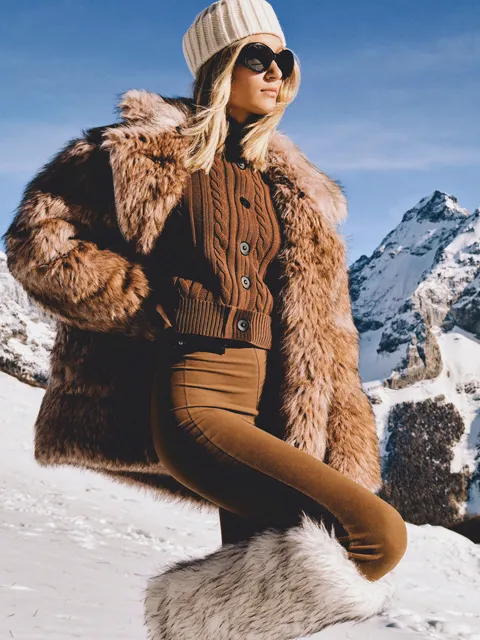

How do I get accurate results from an AI image generator?
Write detailed prompts that specify exactly what you want: name the subject clearly, describe its position and relationship to other elements, include lighting direction and quality, mention colors precisely, and state the visual style or mood. Instead of 'a person in a room,' write 'a tall woman with short black hair wearing a blue jacket, standing by a window with afternoon sunlight from the left, modern apartment interior.' Precise language produces more predictable results.
AI Image Generator Accurate Prompting
Detailed instruction
Input
A red apple on a blue ceramic plate, directly to the left of a white coffee mug, bright kitchen lighting
Expected output
An image matching precise object placement and colors
Specific scene
Input
A rainy street in Tokyo at night, neon signs reflecting on wet pavement, an umbrella, a taxi
Expected output
An accurate image of a Tokyo street scene
Character description
Input
A tall man with a beard, wearing a brown leather jacket and sunglasses, standing in a desert
Expected output
An image matching the described character details
Generate images that closely match detailed text descriptions through precise prompting
Describe, don't draw
Skip design software and generate visuals directly from the words you type.
Refine with text
Adjust your description and settings to iterate toward the result you want.
Export and use
Download generated images for personal projects, concepts, and visual drafts.
How It Works
1
1. Describe your image
Describe the desired image.
2
2. Adjust the settings
Choose the available generation settings.
3
3. Generate and save
Generate, review, and download a suitable result.
Tips for better results
Small adjustments to your prompt can improve output quality.
Input Constraints
- Describe the subject, setting, and lighting clearly.
- Include style cues if you want a specific visual direction.
- Avoid competing instructions in the same prompt.
- Keep descriptions concise but specific.
Practical Tips
- Add color and mood words to set the tone.
- Mention perspective or framing when composition matters.
- Use comparisons like 'in the style of' for visual direction.
- Start broad and add detail on the second pass.
- Review results and adjust the prompt for a different outcome.
Privacy
- Do not upload personal or sensitive material unless you have permission to use it.
Usage Rights
- Confirm that you have the rights needed for the inputs and intended use of the result.
Prompt recipes
Copy a structure, then adjust the subject, lighting, camera, and output details for your own result.
Precise product placement
A silver laptop open at a 45-degree angle on the left side of a white desk, a black notebook and pen directly to its right, a potted succulent in the background on the far right corner, bright diffused window light from the left creating soft shadows
Specifies exact spatial relationships and lighting direction, reducing ambiguity and increasing the likelihood that objects appear where you want them.
Controlled portrait lighting
A woman in her thirties with shoulder-length brown hair and glasses, facing the camera with a slight smile, wearing a dark blue blazer, against a plain gray background, studio lighting with key light from camera left at 45 degrees creating defined cheekbone shadow
Combines detailed subject description with professional lighting terminology to achieve a portrait that matches specific photography standards.
Architectural perspective accuracy
A two-story modern house with large glass windows, viewed from ground level looking up at a slight angle, positioned in the center of the frame, surrounded by native shrubs in the foreground, clear blue sky in the upper third, architectural photography with deep focus
Describes viewpoint, framing, and depth of field explicitly, which helps control perspective and composition in architectural subjects.
Action scene with clear subjects
A skateboarder mid-jump wearing a red hoodie, captured in the center of the frame with motion frozen, concrete skate park ramps visible in the background, low afternoon sun creating long shadows on the ground, sports photography style with fast shutter effect
Pins down the subject position, specifies the frozen-motion effect, and describes lighting and setting to create a coherent action shot.
Food photography composition
A round plate of spaghetti carbonara with visible black pepper flakes on top, placed in the lower right third of the frame, a glass of white wine to its upper left, natural light from above creating highlights on the food surface, rustic wooden table background
Uses rule-of-thirds positioning, describes garnish and surface details, and specifies overhead lighting—all standard in food photography—for a professional result.
Still life with material detail
Three vintage glass bottles in green, amber, and clear, arranged in a triangular composition on a weathered wooden surface, morning sunlight streaming through the clear bottle casting a refracted rainbow pattern, soft focus background, fine art still life style
Describes material properties, light interaction, and composition structure, which helps the generator render realistic glass and lighting effects.
Best use cases
Match the workflow to the input you have and the result you need before opening the generator.
Product mockups and concept visualization
Input: Detailed object descriptions with exact placement, lighting angle, and background context
Result: Product images with controlled composition suitable for client presentations or early design review
Tool: Text to Image with precise spatial and lighting details
Character reference sheets
Input: Comprehensive character descriptions including clothing, pose, facial features, and consistent lighting across multiple prompts
Result: Reference images that maintain character consistency for illustration or story development
Tool: Text to Image with detailed character and style consistency keywords
Editorial and blog illustrations
Input: Scene descriptions that match article tone with clear subject focus and appropriate visual metaphors
Result: Relevant illustrations that support written content without literal repetition
Tool: Text to Image with concept and mood keywords
Storyboard frames
Input: Shot-by-shot descriptions with camera angle, subject position, and lighting that match your script
Result: Sequential images that communicate scene flow and visual direction for film or animation planning
Tool: Text to Image with cinematography terminology
Real estate and space planning visuals
Input: Room or building descriptions with viewpoint, dimensions, furnishings, and natural light sources specified
Result: Architectural visualizations that help clients understand spatial proposals
Tool: Text to Image with architectural and perspective details
Limitations to know before generating
- Accuracy depends on prompt clarity; vague descriptions produce unpredictable results regardless of generation quality
- Complex spatial relationships with more than three or four elements often misalign and require multiple generation attempts
- Fine details like text, hands, and consistent faces across images remain challenging even with detailed prompts
- Lighting and material realism improve with specific terminology but may still require post-processing for professional use
- The generator interprets language literally; idioms, metaphors, or ambiguous phrasing produce unintended visual results
Creative Suite: AI Video Generator & AI Image Generator Tools
Power up your creative workflow with our AI-driven tools. Generate stunning videos, create images, and apply custom adjustments - our AI Video Generator and AI Image Generator offer a complete solution for all your creative needs.
Strictly Prohibits Adult/NSFW Content








Pricing
Choose the credit package that works best for you.
No hidden fees • Cancel anytime • Unused credits roll over
Starter
Perfect for trying out AI creation.
Credits
200 credits / month
- Up to 20 videos per month
- Up to 100 images per month
$6.99/ month$9.9930% OFF
Billed monthly
First-time subscribers get 30% off their first month, then standard price
What's included
- Credits never expire
- Standard models
- HD, Watermark-Free Downloads
- Private Generation
- Faster Generation Speed
- Ad-free experience
Basic
Perfect for light creators.
Credits
500 credits / month
- Up to 50 videos per month
- Up to 250 images per month
$13.99/ month$19.9930% OFF
Billed monthly
First-time subscribers get 30% off their first month, then standard price
What's included
- Credits never expire
- Standard models
- HD, Watermark-Free Downloads
- Private Generation
- Faster Generation Speed
- Ad-free experience
Pro
PopularBest value for creators
Credits
1,200 credits / month
- Up to 120 videos per month
- Up to 600 images per month
$39.99/ month
Billed monthly
What's included
- Credits never expire
- All models + Early access to new models
- HD, Watermark-Free Downloads
- Private Generation
- Faster Generation Speed
- Ultra HD resolution
- Ad-free experience
Ultra
For video creators and power users.
Credits
5,000 credits / month
- Up to 500 videos per month
- Up to 2,500 images per month
$99.99/ month
Billed monthly
What's included
- Credits never expire
- All models + Early access to new models
- HD, Watermark-Free Downloads
- Private Generation
- Faster Generation Speed
- Ultra HD resolution
- Ad-free experience
Free
Standard models only — upgrade to unlock premium models.
Credits
10 free credits on signup
Questions? Contact us at support@domer.io
Start creating ai image generator accurate images now
Open the /text-to-image tool and describe the image you want to create.