
AI Image Generator Definition & How It Works
Learn what an AI image generator is and see how text-to-image tools turn descriptions into visuals. Understand inputs, outputs, and practical use.
AI Image Generator
0/20000 characters
My images
Loading...
Defining AI Image Generators
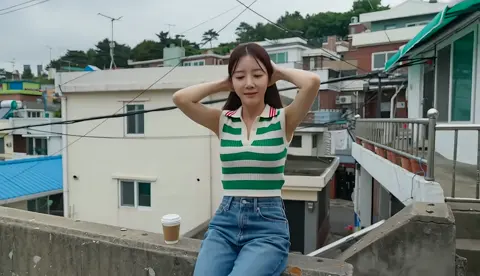
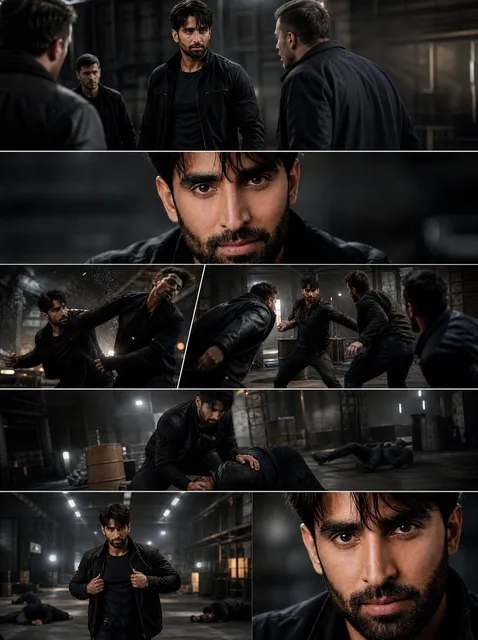
An AI image generator is a tool that creates images from text descriptions using machine learning models trained on large visual datasets. You write a prompt describing the desired image, and the AI interprets your text to generate a corresponding visual. These tools enable rapid visual creation without photography or design software, making image production accessible to anyone who can describe what they want to see.
AI Image Generator Definition & How It Works
Landscape Scene
Input
A calm lake at sunset reflecting orange and pink clouds, with pine trees silhouetted along the shoreline
Expected output
A serene landscape image with warm sunset colors, mirrored reflections, and dark tree silhouettes
Portrait Concept
Input
A young woman with flowing red hair wearing a white dress, standing in a field of lavender under golden hour light
Expected output
A portrait-style image with dramatic golden lighting, vibrant purple foreground, and a soft atmospheric background
Abstract Composition
Input
Swirling lines of electric blue and magenta intersecting on a dark background with small sparkling particles
Expected output
An abstract fluid art composition with bright neon colors, smooth curves, and a luminous particle effect
Understand what an AI image generator is, how it works, and how to use one effectively
Clear Understanding
Learn exactly what an AI image generator does and how it interprets text prompts.
See Examples
Understand the tool through concrete input-output examples showing prompt structure and results.
Practical Use
Know how to start generating images immediately with effective prompt techniques.
How It Works
1
Describe the image
Describe the desired image.
2
Choose settings
Choose the available generation settings.
3
Generate and review
Generate, review, and download a suitable result.
Tips for Better Results
How to get the most out of the image generator
Input Constraints
- Be specific about subject, style, and composition
- Include color, lighting, and mood details in prompts
- Keep prompts focused on one main subject
Practical Tips
- Start simple and add detail gradually
- Use descriptive adjectives for style and atmosphere
- Regenerate with refined prompts to improve results
Privacy
- Do not upload personal or sensitive material unless you have permission to use it.
Usage Rights
- Confirm that you have the rights needed for the inputs and intended use of the result.
Prompt recipes
Copy a structure, then adjust the subject, lighting, camera, and output details for your own result.
Detailed Natural Scene
A serene Japanese garden in spring with cherry blossoms in full bloom, a traditional wooden bridge over a koi pond, stone lanterns along the path, soft morning mist, tranquil atmosphere
Combines specific location type, seasonal details, architectural elements, and atmospheric conditions to produce a richly detailed scene that demonstrates how descriptive prompts yield better results.
Stylized Character Concept
A steampunk inventor character wearing brass goggles on their forehead, leather apron, standing in a workshop filled with gears and blueprints, warm gaslight illumination, illustrated style
Specifies character occupation, costume details, environment, lighting, and artistic style to show how layering descriptive elements creates a cohesive character concept.
Minimalist Product Photography
A single white ceramic coffee cup on a light grey surface, overhead view, soft natural lighting from the side, clean minimalist composition, professional product photography
Uses simple subject with precise lighting, angle, and style descriptors to demonstrate how clarity in simple prompts produces clean, professional results.
Dynamic Action Scene
A mountain climber reaching the summit at sunrise, arms raised in triumph, dramatic orange and pink sky, snow-covered peaks in the background, sense of achievement and scale, cinematic composition
Combines action, emotion, time of day, environmental details, and cinematic framing to illustrate how dynamic scenes require both action and atmosphere descriptors.
Textured Still Life
A rustic still life arrangement with aged leather-bound books, a vintage brass compass, dried flowers in a glass bottle, weathered wooden table surface, warm side lighting with visible texture
Emphasizes materials and textures (leather, brass, wood, glass) with lighting that reveals surface details, showing how texture-focused prompts create depth and realism.
Atmospheric Interior
A cozy library room at dusk with floor-to-ceiling bookshelves, a leather armchair by a window, warm lamp light, rain visible on the window pane, inviting and peaceful mood
Layers interior elements, lighting sources, weather conditions, and emotional mood to demonstrate how atmospheric details transform a simple room into an evocative scene.
Best use cases
Match the workflow to the input you have and the result you need before opening the generator.
Learning how AI generation works
Input: Simple descriptive prompts with clear subject and style
Result: Understandable results that show the connection between text and image
Tool: Text to Image with straightforward, concrete descriptions
Testing prompt effectiveness
Input: Varied prompts with different levels of detail and specificity
Result: Results that reveal which descriptive elements produce better outputs
Tool: Text to Image with iterative prompt refinement
Understanding generation capabilities
Input: Prompts exploring different subjects, styles, and complexity levels
Result: A range of outputs showing what the tool can and cannot produce well
Tool: Text to Image with exploratory diverse prompts
Building prompt writing skills
Input: Structured prompts following subject-style-mood-composition patterns
Result: Consistent quality results that validate effective prompt structure
Tool: Text to Image with systematic prompt templates
Limitations to know before generating
- AI image generators interpret prompts but may not produce exactly what you envision on the first attempt
- Complex scenes with multiple subjects or intricate details may require prompt refinement and multiple generations
- Generated images may contain visual inconsistencies or artifacts, especially in fine details like hands or text
- The tool's interpretation of abstract concepts or emotions may vary from your intent
- Understanding of prompt structure and effective descriptors improves with practice and experimentation
Creative Suite: AI Video Generator & AI Image Generator Tools
Power up your creative workflow with our AI-driven tools. Generate stunning videos, create images, and apply custom adjustments - our AI Video Generator and AI Image Generator offer a complete solution for all your creative needs.
Strictly Prohibits Adult/NSFW Content








Pricing
Choose the credit package that works best for you.
No hidden fees • Cancel anytime • Unused credits roll over
Starter
Perfect for trying out AI creation.
Credits
200 credits / month
- Up to 20 videos per month
- Up to 100 images per month
$6.99/ month$9.9930% OFF
Billed monthly
First-time subscribers get 30% off their first month, then standard price
What's included
- Credits never expire
- Standard models
- HD, Watermark-Free Downloads
- Private Generation
- Faster Generation Speed
- Ad-free experience
Basic
Perfect for light creators.
Credits
500 credits / month
- Up to 50 videos per month
- Up to 250 images per month
$13.99/ month$19.9930% OFF
Billed monthly
First-time subscribers get 30% off their first month, then standard price
What's included
- Credits never expire
- Standard models
- HD, Watermark-Free Downloads
- Private Generation
- Faster Generation Speed
- Ad-free experience
Pro
PopularBest value for creators
Credits
1,200 credits / month
- Up to 120 videos per month
- Up to 600 images per month
$39.99/ month
Billed monthly
What's included
- Credits never expire
- All models + Early access to new models
- HD, Watermark-Free Downloads
- Private Generation
- Faster Generation Speed
- Ultra HD resolution
- Ad-free experience
Ultra
For video creators and power users.
Credits
5,000 credits / month
- Up to 500 videos per month
- Up to 2,500 images per month
$99.99/ month
Billed monthly
What's included
- Credits never expire
- All models + Early access to new models
- HD, Watermark-Free Downloads
- Private Generation
- Faster Generation Speed
- Ultra HD resolution
- Ad-free experience
Free
Standard models only — upgrade to unlock premium models.
Credits
10 free credits on signup
Questions? Contact us at support@domer.io
Start Generating Your Images
Open the text-to-image tool and describe your vision to create custom visuals instantly.