

AI Image Generator Extender
Generate wide-format images with extended horizontal compositions. Describe a panoramic scene, banner layout, or pattern design to create images that span.
AI Image Generator
0/20000 characters
My images
Loading...
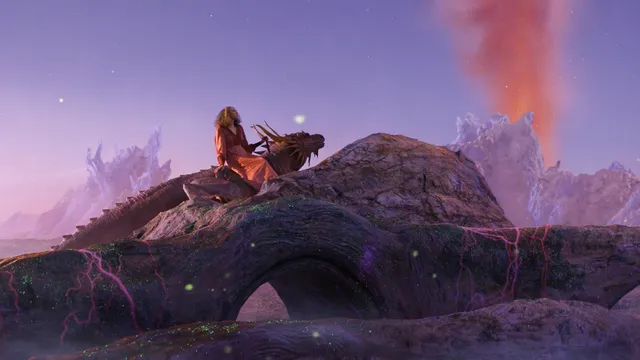
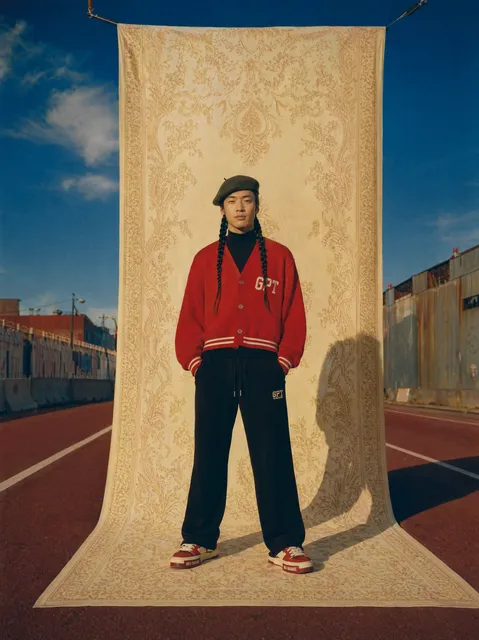
How do I create extended or wide-format images?
Describe your scene as a wide composition and include the aspect ratio you need, such as '2:1 panoramic' or '16:9 banner format.' Mention the central subject and what should appear on each side to guide the full-width layout. The tool generates the entire frame for comparison with consistent style and lighting across the extended area.
AI Image Generator Extender
Panoramic Mountain View
Input
A wide panoramic mountain landscape with a snow-covered peak as the central focus, extending to pine forests on both sides, a river valley below, wide 2:1 composition
Expected output
A broad panoramic landscape composition with the mountain peak centered between extended forested slopes and a winding valley
Wide Banner Composition
Input
A wide format banner featuring a central product display of a modern smartphone, extended on both sides with matching gradient background and floating tech icons
Expected output
A balanced wide banner with a central product focal point and complementary extended background elements maintaining visual harmony
Extended Pattern Design
Input
A seamless floral pattern with large central roses, extending to smaller blossoms and leaves on both sides, soft watercolor style, cream background
Expected output
A flowing extended floral pattern with a central motif that naturally expands outward into a cohesive repeating design
Create wide-format images by describing extended horizontal compositions
Beyond Single Frame
Describe a scene or subject and extend it into a wider, more immersive composition that covers more visual territory.
Banner-Ready Outputs
Generate images in wider formats suitable for website banners, hero sections, and presentation headers without needing to stitch multiple images.
Cohesive Expansions
The extended areas maintain the same style, color palette, and detail level as the central subject for a unified final image.
How It Works
1
Describe the desired image
Describe the desired image.
2
Choose the available generation settings
Choose the available generation settings.
3
Generate, review, and download a suitable result
Generate, review, and download a suitable result.
Composing Extended Images
Mention the aspect ratio and how the scene should expand.
Input Constraints
- Avoid descriptions of real living people by name.
- Do not upload personal or sensitive reference material.
- Keep prompts focused on visual composition.
Practical Tips
- Specify the aspect ratio like '2:1' or 'panoramic' in your prompt.
- Describe what should appear on each side of the central subject.
- Ensure the background style is consistent across the full width.
Privacy
- Do not upload personal or sensitive material unless you have permission to use it.
Usage Rights
- Confirm that you have the rights needed for the inputs and intended use of the result.
Prompt recipes
Copy a structure, then adjust the subject, lighting, camera, and output details for your own result.
Website hero banner with product focus
Wide 16:9 banner layout with a sleek laptop centered on a clean desk, extended left side shows a coffee mug and notebook, right side shows a potted plant and soft window light
Describing balanced flanking elements keeps the central product prominent while filling the wide frame naturally.
Panoramic nature scene
Panoramic 3:1 mountain vista with a glacier-fed lake in the center, left side extends to rocky cliffs and wildflowers, right side extends to evergreen forest and distant peaks, golden hour lighting
Explicit aspect ratio and side-by-side scene elements guide the model to compose a cohesive wide landscape.
Seamless pattern for textile or wallpaper
Horizontal seamless pattern 2:1 ratio, large hibiscus flowers in the center, smaller tropical leaves and buds extending symmetrically to both edges, soft pastel watercolor style
Symmetrical extension and repeating elements help the pattern tile smoothly when used in design projects.
Conference stage backdrop
Wide 21:9 stage backdrop with abstract geometric shapes radiating from the center, gradient from deep blue in the middle to lighter tones at the edges, modern corporate style
Radial composition and gradient description ensure the extended areas feel intentional rather than cropped.
Social media cover photo
Wide 3:1 cover image with a cityscape skyline centered at sunset, left side extends to a harbor with boats, right side extends to a bridge and hills, vibrant orange and purple sky
Describing distinct landmarks on each side creates visual interest across the full width and works well for profile banners.
Best use cases
Match the workflow to the input you have and the result you need before opening the generator.
Website hero section
Input: 16:9 or 21:9 aspect ratio, central product or message, balanced flanking elements
Result: A banner-ready image with a clear focal point and extended context that fills the frame
Tool: Text to Image with aspect ratio and layout keywords
Print panorama or wall art
Input: 2:1 or 3:1 panoramic composition, natural landscape or cityscape with depth
Result: A wide scenic image suitable for panoramic printing or large wall display
Tool: Text to Image with panoramic ratio and scene description
Seamless pattern design
Input: 2:1 ratio, repeating motifs extending symmetrically from center, consistent style
Result: A tileable pattern image for textile, wallpaper, or digital backgrounds
Tool: Text to Image with symmetry and pattern keywords
Limitations to know before generating
- Aspect ratio keywords like '2:1' or '16:9' guide composition but do not guarantee pixel-perfect output dimensions.
- Complex extended scenes with many elements may show inconsistencies; simpler compositions with fewer subjects are more reliable.
- The tool generates the full frame for comparison; it does not extend an existing image outward from a base.
- Review the full-width result for alignment, style consistency, and composition before using it in published materials.
Creative Suite: AI Video Generator & AI Image Generator Tools
Power up your creative workflow with our AI-driven tools. Generate stunning videos, create images, and apply custom adjustments - our AI Video Generator and AI Image Generator offer a complete solution for all your creative needs.
Strictly Prohibits Adult/NSFW Content








Pricing
Choose the credit package that works best for you.
No hidden fees • Cancel anytime • Unused credits roll over
Starter
Perfect for trying out AI creation.
Credits
200 credits / month
- Up to 20 videos per month
- Up to 100 images per month
$6.99/ month$9.9930% OFF
Billed monthly
First-time subscribers get 30% off their first month, then standard price
What's included
- Credits never expire
- Standard models
- HD, Watermark-Free Downloads
- Private Generation
- Faster Generation Speed
- Ad-free experience
Basic
Perfect for light creators.
Credits
500 credits / month
- Up to 50 videos per month
- Up to 250 images per month
$13.99/ month$19.9930% OFF
Billed monthly
First-time subscribers get 30% off their first month, then standard price
What's included
- Credits never expire
- Standard models
- HD, Watermark-Free Downloads
- Private Generation
- Faster Generation Speed
- Ad-free experience
Pro
PopularBest value for creators
Credits
1,200 credits / month
- Up to 120 videos per month
- Up to 600 images per month
$39.99/ month
Billed monthly
What's included
- Credits never expire
- All models + Early access to new models
- HD, Watermark-Free Downloads
- Private Generation
- Faster Generation Speed
- Ultra HD resolution
- Ad-free experience
Ultra
For video creators and power users.
Credits
5,000 credits / month
- Up to 500 videos per month
- Up to 2,500 images per month
$99.99/ month
Billed monthly
What's included
- Credits never expire
- All models + Early access to new models
- HD, Watermark-Free Downloads
- Private Generation
- Faster Generation Speed
- Ultra HD resolution
- Ad-free experience
Free
Standard models only — upgrade to unlock premium models.
Credits
10 free credits on signup
Questions? Contact us at support@domer.io
Create an Extended Image
Open the text-to-image tool and describe your wide-format vision.