

AI Image Generator for Realistic Images
Generate lifelike images from text. Describe a scene in natural language, then review and download the photorealistic result.
AI Image Generator
0/20000 characters
My images
Loading...

What is an AI image generator for realistic images?
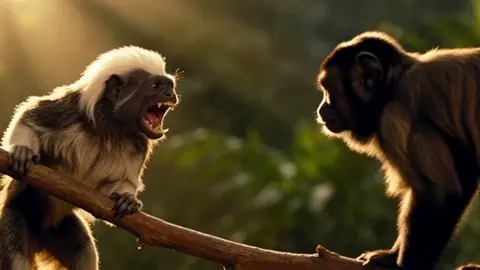
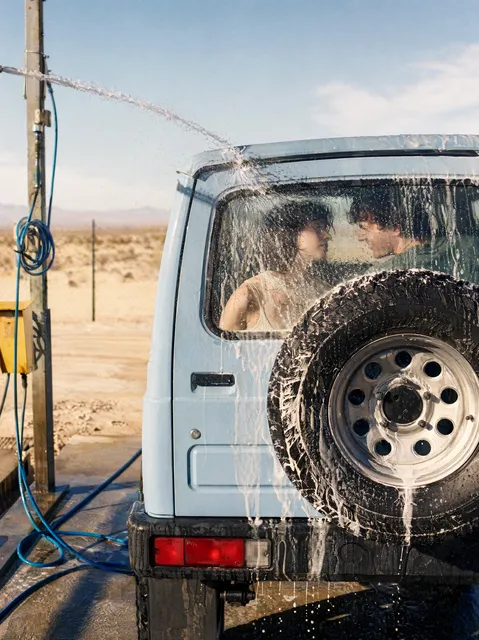
An AI image generator for realistic images creates photorealistic visuals from text descriptions. You describe a scene, subject, lighting, and mood, then the tool generates an image that looks like a photograph. Review the result before downloading.
AI Image Generator for Realistic Images
Elderly portrait
Input
Close-up of an elderly man with deep wrinkles, grey stubble, hazel eyes, wearing a weathered coat, soft natural lighting
Expected output
A realistic portrait with visible skin texture, natural lighting, and detailed facial features
Dew on leaf macro
Input
A green leaf with a single large water droplet at the tip, morning sunlight backlighting the drop, shallow depth of field
Expected output
A macro photograph-style image with sharp focus on the droplet, bokeh background, and natural light refraction
Urban street scene
Input
A brick street in a small European town, warm stone buildings, a bicycle leaning against a wall, potted flowers, afternoon sunlight
Expected output
A realistic street scene with warm tones, detailed brick textures, and natural shadow patterns
Generate photorealistic images from text descriptions for concept work, marketing, or creative projects
Describe any visual in natural language
Turn a text description into an image without needing design or art skills.
Iterate quickly on ideas
Adjust your prompt and generate again to refine the result without manual editing.
Works for any creative need
From concept art to social media visuals, describe what you want and the tool handles the rendering.
How It Works
1
Describe the desired image
Describe the desired image.
2
Choose settings
Choose the available generation settings.
3
Generate and review
Generate, review, and download a suitable result.
Tips for better results
Clear and specific descriptions produce more useful images.
Input Constraints
- Keep descriptions focused on visual elements and composition
- Avoid including real people or trademarked characters
- Do not generate images that could be used to deceive or impersonate
Practical Tips
- Be specific about colors, lighting, and composition
- Mention the mood or atmosphere you want
- Include details about perspective and framing
- Describe what should be in the foreground and background
Privacy
- Do not upload personal or sensitive material unless you have permission to use it.
Usage Rights
- Confirm that you have the rights needed for the inputs and intended use of the result.
Prompt recipes
Copy a structure, then adjust the subject, lighting, camera, and output details for your own result.
Portrait with natural lighting and detail
Close-up portrait of a middle-aged woman with freckles, brown eyes, soft smile, wearing a cream sweater, window light from the left, shallow depth of field
Specifying lighting direction, depth of field, and fine details like freckles creates a realistic, photographic portrait.
Nature macro with atmospheric depth
A butterfly resting on a purple wildflower, morning dew on petals, soft bokeh background, golden hour sunlight, macro photography style
Combining macro focus, time-of-day lighting, and bokeh creates a lifelike nature image with photographic depth.
Urban scene with architectural detail
A narrow cobblestone alley in an old European city, wrought-iron balconies, hanging flower baskets, warm afternoon light casting long shadows
Architectural details, material textures, and specific lighting create a realistic urban scene with depth and atmosphere.
Still life with texture and reflections
A ceramic coffee cup on a wooden table, steam rising, soft window light reflecting off the glazed surface, shallow focus on the cup rim
Describing texture, reflections, and subtle details like steam adds realism and photographic quality to still-life compositions.
Landscape with weather and mood
A misty forest path at dawn, tall pine trees disappearing into fog, damp ground reflecting pale morning light, serene and quiet atmosphere
Weather conditions, time of day, and mood descriptions combine to create an atmospheric, realistic landscape image.
Best use cases
Match the workflow to the input you have and the result you need before opening the generator.
Concept art for creative projects
Input: Scene description with mood, lighting, and composition details
Result: Photorealistic concept image suitable for storyboards or visual pitches
Tool: AI Image Generator with detailed scene and lighting prompts
Marketing or social media visuals
Input: Subject, setting, and desired mood or atmosphere
Result: Eye-catching realistic image for posts, ads, or campaigns
Tool: AI Image Generator with clear subject and mood keywords
Stock-style photography replacement
Input: Generic scene description with neutral composition and lighting
Result: Clean, versatile realistic image suitable for presentations or articles
Tool: AI Image Generator with stock-photography language
Visualization for planning or design
Input: Specific setting, materials, and lighting conditions
Result: Realistic visual reference for design reviews or client presentations
Tool: AI Image Generator with material and lighting detail
Limitations to know before generating
- Generated images are stylized realistic visuals, not actual photographs of real scenes or people
- Fine details like text, complex mechanical parts, or intricate patterns may not render accurately
- Lighting and shadows are approximations; professional photography may be needed for critical accuracy
- The tool cannot photograph real subjects; it creates images from descriptions
- Review each result for unintended artifacts, distortions, or compositional issues before publication
Creative Suite: AI Video Generator & AI Image Generator Tools
Power up your creative workflow with our AI-driven tools. Generate stunning videos, create images, and apply custom adjustments - our AI Video Generator and AI Image Generator offer a complete solution for all your creative needs.
Strictly Prohibits Adult/NSFW Content








Pricing
Choose the credit package that works best for you.
No hidden fees • Cancel anytime • Unused credits roll over
Starter
Perfect for trying out AI creation.
Credits
200 credits / month
- Up to 20 videos per month
- Up to 100 images per month
$6.99/ month$9.9930% OFF
Billed monthly
First-time subscribers get 30% off their first month, then standard price
What's included
- Credits never expire
- Standard models
- HD, Watermark-Free Downloads
- Private Generation
- Faster Generation Speed
- Ad-free experience
Basic
Perfect for light creators.
Credits
500 credits / month
- Up to 50 videos per month
- Up to 250 images per month
$13.99/ month$19.9930% OFF
Billed monthly
First-time subscribers get 30% off their first month, then standard price
What's included
- Credits never expire
- Standard models
- HD, Watermark-Free Downloads
- Private Generation
- Faster Generation Speed
- Ad-free experience
Pro
PopularBest value for creators
Credits
1,200 credits / month
- Up to 120 videos per month
- Up to 600 images per month
$39.99/ month
Billed monthly
What's included
- Credits never expire
- All models + Early access to new models
- HD, Watermark-Free Downloads
- Private Generation
- Faster Generation Speed
- Ultra HD resolution
- Ad-free experience
Ultra
For video creators and power users.
Credits
5,000 credits / month
- Up to 500 videos per month
- Up to 2,500 images per month
$99.99/ month
Billed monthly
What's included
- Credits never expire
- All models + Early access to new models
- HD, Watermark-Free Downloads
- Private Generation
- Faster Generation Speed
- Ultra HD resolution
- Ad-free experience
Free
Standard models only — upgrade to unlock premium models.
Credits
10 free credits on signup
Questions? Contact us at support@domer.io
Create your image now
Open the tool, type your description, and generate the image you need.