

AI Image Generator From Face
Describe facial features, expression, and framing in text. Generate portrait images from your description and download the best result.
AI Image Generator
0/20000 characters
My images
Loading...
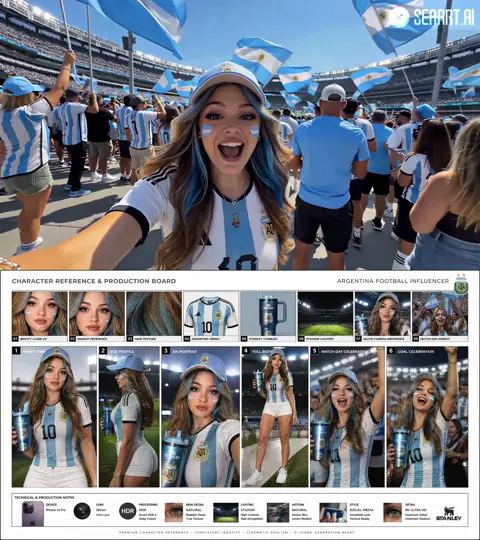

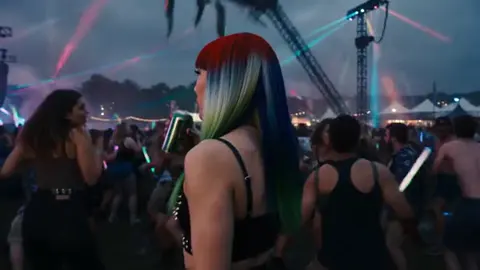
How do I generate a portrait from a face description?
Write a text description of the face you want to see — include age, hair color and style, eye color, facial hair, expression, and framing. The tool generates a portrait based on your description. You can refine the description and regenerate until you get the likeness and expression you want.
AI Image Generator From Face
Fictional character portrait
Input
An elderly man with a long gray beard, deep wrinkles across his forehead, wise green eyes, wearing a dark blue robe with silver trim, stern but calm expression, head and shoulders framing
Expected output
A portrait image with clear facial details, consistent age-appropriate features, visible robe texture and trim, and a neutral studio-style background
Stylized profile for a social avatar
Input
A young woman with shoulder-length wavy dark hair, round glasses with thin gold frames, a subtle smile, warm brown eyes, soft pink blush on cheeks, three-quarter profile angle
Expected output
A portrait with recognizable facial proportions, glasses correctly positioned, natural skin tone, and a soft, approachable expression
Period character reference
Input
A man in his 40s with slicked-back dark hair, a trimmed mustache, high cheekbones, wearing a 1920s tweed suit with a pocket watch chain visible, stern look, chest-up framing, sepia-toned lighting
Expected output
A period-style portrait with period-appropriate hairstyle and clothing, visible pocket watch detail, sepia color treatment, and a composed formal expression
Generate portrait images centered on a described face using text descriptions of facial features and framing.
Describe faces with natural detail
Include age, hair, eye color, facial hair, expression, and angle in your prompt to guide the generated portrait.
Control portrait style and framing
Available settings let you choose visual direction and aspect ratio suited for portraits, headshots, or character references.
Review and select the best likeness
Generate multiple face variations from the same description and compare results before downloading.
How It Works
1
Describe the desired image
Describe the desired image.
2
Choose the available generation settings
Choose the available generation settings.
3
Generate, review, and download a suitable result
Generate, review, and download a suitable result.
Tips for Face and Portrait Prompts
Facial details benefit from clear, ordered descriptions.
Input Constraints
- Describe one person per prompt for clean facial focus
- Include age indicators, hair style and color, and expression
- Specify the framing — headshot, bust, three-quarter, or full face
Practical Tips
- Lead with the most distinctive facial features first — eyes, hair, facial hair
- Add expression and mood to produce more natural-looking portraits
- Specify lighting direction on the face — soft front light, dramatic side light
- Avoid describing multiple people in one prompt for face-focused results
Privacy
- Do not upload personal or sensitive material unless you have permission to use it.
Usage Rights
- Confirm that you have the rights needed for the inputs and intended use of the result.
Prompt recipes
Copy a structure, then adjust the subject, lighting, camera, and output details for your own result.
Young professional headshot
A woman in her late 20s with straight shoulder-length brown hair, confident smile, professional navy blazer, neutral gray background, natural lighting from above, headshot framing
Focuses on professional context with clear age, clothing, expression, and lighting cues for a business-appropriate portrait.
Fantasy character with distinctive features
A male elf with sharp features, long platinum blonde hair tied back, pointed ears, pale skin, piercing silver eyes, wearing dark leather armor, serious expression, dramatic side lighting
Combines genre-specific features (pointed ears, silver eyes) with clear physical descriptors and lighting for a fantasy character portrait.
Elderly person with life experience
An elderly woman with short curly gray hair, deep smile lines, warm hazel eyes, wearing a knit cardigan, gentle smile, soft natural light from a window, chest-up framing
Uses age-appropriate details (gray hair, smile lines) and warm lighting to create a portrait that conveys warmth and character.
Stylized avatar for gaming or social media
A young man with bright teal hair in a modern undercut style, blue eyes, small nose ring, wearing a black hoodie, neutral expression, illustrated style with bold colors, square framing
Blends unconventional features (teal hair, nose ring) with style cues (illustrated, bold colors) for a stylized digital avatar.
Historical figure portrait
A Victorian-era gentleman with a full dark beard, center-parted hair, monocle over one eye, high-collared white shirt with cravat, dignified expression, sepia-toned, formal studio pose
Uses period-specific clothing, accessories, and color treatment to create a historically styled portrait.
Best use cases
Match the workflow to the input you have and the result you need before opening the generator.
Create character portraits for stories or games
Input: Detailed facial features, age, expression, and genre-specific elements
Result: Character portraits that match the described appearance
Tool: Text to Image with character and style guidance
Generate profile pictures or avatars
Input: Clear facial description with expression, framing, and style preference
Result: Portrait images suitable for social media or professional use
Tool: Text to Image with portrait framing and style keywords
Design reference faces for illustration work
Input: Specific facial proportions, features, and expression with lighting notes
Result: Reference portraits that guide further artwork
Tool: Text to Image with detailed feature descriptions
Explore diverse character designs quickly
Input: Varied descriptions of age, ethnicity, features, and period styling
Result: A range of diverse portrait concepts for creative projects
Tool: Text to Image with varied descriptive prompts
Limitations to know before generating
- Generated faces are not real people; they are AI-created interpretations of your description.
- Fine control over exact facial proportions or specific likeness is difficult with text descriptions alone.
- Multiple people in one prompt often lead to blended or unclear facial features.
- Text elements like visible text on clothing may not render clearly.
- Results depend on how clearly you describe facial features, expression, and framing.
Creative Suite: AI Video Generator & AI Image Generator Tools
Power up your creative workflow with our AI-driven tools. Generate stunning videos, create images, and apply custom adjustments - our AI Video Generator and AI Image Generator offer a complete solution for all your creative needs.
Strictly Prohibits Adult/NSFW Content








Pricing
Choose the credit package that works best for you.
No hidden fees • Cancel anytime • Unused credits roll over
Starter
Perfect for trying out AI creation.
Credits
200 credits / month
- Up to 20 videos per month
- Up to 100 images per month
$6.99/ month$9.9930% OFF
Billed monthly
First-time subscribers get 30% off their first month, then standard price
What's included
- Credits never expire
- Standard models
- HD, Watermark-Free Downloads
- Private Generation
- Faster Generation Speed
- Ad-free experience
Basic
Perfect for light creators.
Credits
500 credits / month
- Up to 50 videos per month
- Up to 250 images per month
$13.99/ month$19.9930% OFF
Billed monthly
First-time subscribers get 30% off their first month, then standard price
What's included
- Credits never expire
- Standard models
- HD, Watermark-Free Downloads
- Private Generation
- Faster Generation Speed
- Ad-free experience
Pro
PopularBest value for creators
Credits
1,200 credits / month
- Up to 120 videos per month
- Up to 600 images per month
$39.99/ month
Billed monthly
What's included
- Credits never expire
- All models + Early access to new models
- HD, Watermark-Free Downloads
- Private Generation
- Faster Generation Speed
- Ultra HD resolution
- Ad-free experience
Ultra
For video creators and power users.
Credits
5,000 credits / month
- Up to 500 videos per month
- Up to 2,500 images per month
$99.99/ month
Billed monthly
What's included
- Credits never expire
- All models + Early access to new models
- HD, Watermark-Free Downloads
- Private Generation
- Faster Generation Speed
- Ultra HD resolution
- Ad-free experience
Free
Standard models only — upgrade to unlock premium models.
Credits
10 free credits on signup
Questions? Contact us at support@domer.io
Describe a Face, Get a Portrait
Write a description of the face you want to see and generate a portrait. Adjust details until the expression and features match what you imagined.