

AI Image Generator from Own Image Ideas
Describe the image you have in mind. Generate new visuals from your own mental reference using text prompts and available settings.
AI Image Generator
0/20000 characters
My images
Loading...
How to generate images based on your own reference ideas
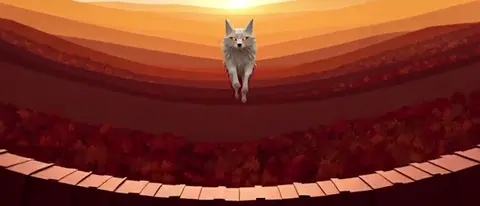
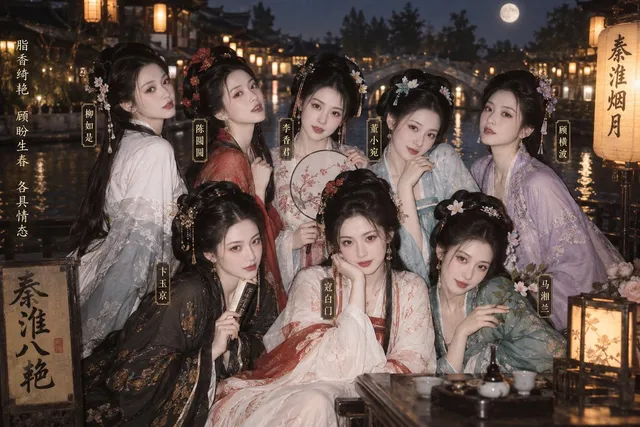
Write a detailed text description of the image you want, including the subject, setting, style, lighting, and mood. The AI creates a new image from your words. You can refine the prompt and regenerate to get closer to the result you imagined. This approach works well when you have a clear mental picture or a photo you want to reinterpret without uploading it.
AI Image Generator from Own Image Ideas
A new version of a photo you have in mind
Input
A detailed description of the subject with specific visual elements.
Expected output
An image showing the described subject with the specified details and composition.
A similar scene with different elements through words
Input
Alternative prompt focusing on different visual aspects and style choices.
Expected output
A version of the image reflecting the alternative description and settings.
Concept variations by describing changes to a known reference
Input
Third prompt variation with unique creative direction and mood.
Expected output
A distinct visual outcome matching the third prompt direction.
Create new images by describing variations or reinterpretations of images you already have in mind, without needing to upload the original.
Start from a mental reference and describe what you want
Use descriptive text to start from a mental reference and describe what you want.
Generate multiple interpretations of the same visual idea
Use descriptive text to generate multiple interpretations of the same visual idea.
Adjust descriptions to get closer to what you imagine
Use descriptive text to adjust descriptions to get closer to what you imagine.
How It Works
1
1. Describe your image
Describe the desired image.
2
2. Adjust settings
Choose the available generation settings.
3
3. Generate and download
Generate, review, and download a suitable result.
Tips for better results
Small changes in wording can produce noticeably different outcomes.
Input Constraints
- Focus on the subject, setting, lighting, and mood.
- Avoid contradictory or impossible descriptions.
- Specify style preferences where relevant.
- Mention key details like color palette and composition.
- Keep prompts clear and specific rather than overly long.
Practical Tips
- Lead with the main subject, then add context.
- Use adjectives for mood, light, and texture.
- Mention art style or medium if you want a specific look.
- Review the result and refine the prompt for closer matches.
- Try different phrasings to explore visual alternatives.
Privacy
- Do not upload personal or sensitive material unless you have permission to use it.
Usage Rights
- Confirm that you have the rights needed for the inputs and intended use of the result.
Prompt recipes
Copy a structure, then adjust the subject, lighting, camera, and output details for your own result.
Personal portrait in vintage film style
A portrait of a person in casual clothing, shot on 35mm film with slight grain, warm color grading, soft natural window light from the left, shallow depth of field, neutral indoor background
Combines specific technical photography details with a clear subject, giving the AI concrete visual references for lighting, texture, and mood.
Childhood memory scene reimagined
A small-town park on a summer afternoon, wooden swing set under an oak tree, children playing in the distance, golden hour sunlight, nostalgic painterly style with soft brushstrokes
Uses sensory and emotional cues alongside concrete scene elements, helping the AI balance realism with an idealized memory quality.
Product photo concept with custom background
A ceramic coffee mug on a wooden table, steam rising, blurred kitchen window in the background showing morning light, shallow focus on the mug handle, lifestyle photography style
Specifies foreground, background, and depth of field separately, creating a layered composition that mimics professional product photography.
Travel destination in a specific season
A cobblestone street in a European village during autumn, orange and yellow leaves on the ground, overcast sky, old stone buildings with ivy, wet pavement reflecting the muted daylight
Anchors the scene in a specific time and weather condition, which controls color palette, lighting, and atmosphere without needing a reference image.
Pet portrait with artistic interpretation
A golden retriever sitting in a field of wildflowers, impressionist oil painting style, thick visible brushstrokes, vibrant but natural color palette, focus on the dog's expressive eyes
Merges a common subject with a specific art style and compositional focus, making the personal reference feel both familiar and creatively reinterpreted.
Home interior redesign visualization
A modern living room with large windows, minimalist Scandinavian furniture, light wood floors, indoor plants, soft afternoon sunlight, neutral beige and white tones, clean uncluttered space
Lists design style, materials, lighting, and color scheme in sequence, helping the AI construct a cohesive interior that matches a mental reference.
Best use cases
Match the workflow to the input you have and the result you need before opening the generator.
Reimagining personal photos in new artistic styles
Input: Detailed description of the original photo's composition with a new art medium or stylistic treatment added
Result: An artistic reinterpretation that keeps the scene recognizable while applying the requested style
Tool: Text to Image with style keywords like 'oil painting,' 'watercolor,' or 'charcoal sketch'
Visualizing home or space redesigns
Input: Written description of the current space with desired changes in furniture, color, lighting, or layout
Result: A reimagined interior or exterior that reflects the design direction without needing an uploaded photo
Tool: Text to Image with interior design vocabulary and specific material names
Creating character concepts from personal ideas
Input: Description of a character's appearance, clothing, setting, and mood based on your own creative vision
Result: A character illustration that matches the personality and visual details from your mental reference
Tool: Text to Image with character design prompts including pose, expression, and background context
Generating variations of a product or object you own
Input: Description of the object with specific changes to color, material, background, or presentation style
Result: A product image showing the requested variations without needing to photograph each version
Tool: Text to Image with precise material and lighting descriptions
Limitations to know before generating
- This tool does not accept uploaded images; all visual direction must come from your written description
- Results depend on prompt clarity; vague descriptions produce unpredictable outputs
- Fine details like specific facial features or exact object proportions may require multiple iterations
- The tool interprets your description but cannot read your mind; missing details will be filled in by the AI's training
- Complex scenes with many elements may not all appear correctly in the first generation
Creative Suite: AI Video Generator & AI Image Generator Tools
Power up your creative workflow with our AI-driven tools. Generate stunning videos, create images, and apply custom adjustments - our AI Video Generator and AI Image Generator offer a complete solution for all your creative needs.
Strictly Prohibits Adult/NSFW Content








Pricing
Choose the credit package that works best for you.
No hidden fees • Cancel anytime • Unused credits roll over
Starter
Perfect for trying out AI creation.
Credits
200 credits / month
- Up to 20 videos per month
- Up to 100 images per month
$6.99/ month$9.9930% OFF
Billed monthly
First-time subscribers get 30% off their first month, then standard price
What's included
- Credits never expire
- Standard models
- HD, Watermark-Free Downloads
- Private Generation
- Faster Generation Speed
- Ad-free experience
Basic
Perfect for light creators.
Credits
500 credits / month
- Up to 50 videos per month
- Up to 250 images per month
$13.99/ month$19.9930% OFF
Billed monthly
First-time subscribers get 30% off their first month, then standard price
What's included
- Credits never expire
- Standard models
- HD, Watermark-Free Downloads
- Private Generation
- Faster Generation Speed
- Ad-free experience
Pro
PopularBest value for creators
Credits
1,200 credits / month
- Up to 120 videos per month
- Up to 600 images per month
$39.99/ month
Billed monthly
What's included
- Credits never expire
- All models + Early access to new models
- HD, Watermark-Free Downloads
- Private Generation
- Faster Generation Speed
- Ultra HD resolution
- Ad-free experience
Ultra
For video creators and power users.
Credits
5,000 credits / month
- Up to 500 videos per month
- Up to 2,500 images per month
$99.99/ month
Billed monthly
What's included
- Credits never expire
- All models + Early access to new models
- HD, Watermark-Free Downloads
- Private Generation
- Faster Generation Speed
- Ultra HD resolution
- Ad-free experience
Free
Standard models only — upgrade to unlock premium models.
Credits
10 free credits on signup
Questions? Contact us at support@domer.io
Try it with your own text
Open the generator, write a description of the image you want to create, choose your preferred settings, and see what the tool produces.