
Create
AI Image Generator From Sample
Describe the style, colors, and feel of a sample image in text, then generate new visuals inspired by that reference. No upload needed.
AI Image Generator
0/20000 characters
My images
Loading...


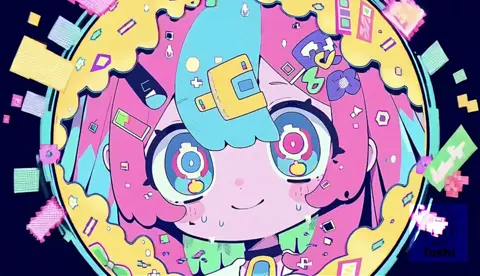
What does an AI image generator from sample do?
It creates new images inspired by a sample you describe in words. You write down the visual style, color palette, texture, and composition of a reference, and the tool generates a fresh image matching those qualities. Useful for emulating a look without uploading files or copying directly.
AI Image Generator From Sample
Vintage photograph style
Input
A street scene in the style of a 1970s Kodachrome photograph, warm saturated color tones, slightly grainy texture, a classic car parked by a sidewalk cafe, nostalgic feel
Expected output
A warm-toned vintage-style street photograph with classic color grading, subtle grain texture, and retro atmosphere
Watercolor painting emulation
Input
A coastal landscape in the style of a loose watercolor painting, soft edges, visible brush strokes, blue and teal washes with white paper showing through, light and airy feel
Expected output
A watercolor-style coastal scene with soft pigment washes, visible brush texture, and the characteristic lightness of the medium
Cyberpunk reference style
Input
A neon-lit alley at night in the style of a cyberpunk anime frame, deep purples and electric blues, rain-slicked pavement with reflections, holographic signs glowing overhead
Expected output
A cyberpunk anime-style alley scene with saturated neon lighting, wet reflections on pavement, and holographic signage elements
Generate new images inspired by a sample style or reference described in text
Describe a reference, get a creation
No upload required. Describe the style, texture, color palette, or mood you want to emulate and the tool generates a new image in that vein.
Explore style variations
Take one subject and describe different sample references—watercolor, noir, retro, futuristic—to see how it looks in each treatment.
Focus on the essence
Capture the feel of a reference style without copying it directly. Describe what makes the sample distinctive and let the generator interpret it.
How It Works
1
Describe the desired image
Describe the desired image.
2
Choose the available generation settings
Choose the available generation settings.
3
Generate, review, and download
Generate, review, and download a suitable result.
Writing sample-inspired prompts
Describe the characteristics of the sample style you want to emulate.
Input Constraints
- Do not upload actual sample images without permission.
- Avoid describing real people by name or identifiable details.
- Keep prompt descriptions focused on visual attributes.
Practical Tips
- Lead with the medium or style you are referencing.
- Describe the color palette and texture qualities.
- Mention the era or artistic movement if relevant.
- Separate the style qualities from the new subject you want to create.
Privacy
- Do not upload personal or sensitive material unless you have permission to use it.
Usage Rights
- Confirm that you have the rights needed for the inputs and intended use of the result.
Prompt recipes
Copy a structure, then adjust the subject, lighting, camera, and output details for your own result.
Film noir still emulation
A detective standing under a streetlamp in the rain, high-contrast black and white, deep shadows with single strong light source, grainy 1940s film texture, dramatic mood
Describes the visual style (film noir), lighting setup, texture, era, and mood—all key to emulating a classic cinematic reference.
Impressionist garden scene
A garden path with blooming flowers, dappled sunlight through trees, visible short brushstrokes in pastel colors, soft edges, impressionist painting style from the 1880s
Identifies the art movement, brushwork technique, color approach, and era to guide the style emulation.
Retro travel poster look
A mountain landscape with a train in the foreground, flat color blocks in orange, teal, and cream, bold simplified shapes, vintage 1950s travel poster illustration style
Specifies graphic style (flat color, simplified shapes), palette, subject, and era reference for a cohesive vintage aesthetic.
Japanese woodblock print style
A wave crashing near a rocky shore, bold outlines, flat areas of deep blue and white, simplified forms, ukiyo-e woodblock print style from Edo period
Names the specific art form, describes its visual signatures (outlines, flat color, simplified forms), and provides historical context.
Studio Ghibli landscape feel
A rolling green hillside with a small cottage, fluffy white clouds, soft pastel sky, hand-painted animation background style with visible brush texture and gentle lighting
Describes the animation background aesthetic, color approach, texture, and lighting quality without copying a specific frame.
Best use cases
Match the workflow to the input you have and the result you need before opening the generator.
Emulate a photographic style
Input: Camera era or film type, color grading, grain or texture, lighting quality, subject in that style
Result: A new photograph-style image with the described vintage or cinematic qualities
Tool: Text to Image with style, era, and texture keywords
Create in a painting style
Input: Art movement or artist technique, brushwork description, color palette, medium qualities, new subject
Result: A painted-style image with the visual signatures of the described medium
Tool: Text to Image with painting style and technique details
Design in a graphic style
Input: Graphic design era, color approach (flat, gradient), shape simplification, layout style, new subject
Result: A graphic illustration or poster with the described design aesthetic
Tool: Text to Image with graphic style and era keywords
Match an animation background feel
Input: Animation studio style or era, hand-painted vs digital, color mood, texture visibility, new scene
Result: A background-style scene with the described animation aesthetic
Tool: Text to Image with animation style and texture details
Limitations to know before generating
- The tool works from text descriptions only. You cannot upload a sample image file to reference directly.
- Results are inspired by your description, not exact replicas of a sample. Expect interpretation, not duplication.
- Describing complex styles accurately requires familiarity with visual terms like texture, composition, and lighting.
- Some artistic styles or eras may be harder to emulate than others depending on how distinctive their visual signatures are.
- Review generated images for style match and appropriateness before use, especially for professional or commercial purposes.
Creative Suite: AI Video Generator & AI Image Generator Tools
Power up your creative workflow with our AI-driven tools. Generate stunning videos, create images, and apply custom adjustments - our AI Video Generator and AI Image Generator offer a complete solution for all your creative needs.
Strictly Prohibits Adult/NSFW Content








Pricing
Choose the credit package that works best for you.
No hidden fees • Cancel anytime • Unused credits roll over
Starter
Perfect for trying out AI creation.
Credits
200 credits / month
- Up to 20 videos per month
- Up to 100 images per month
$6.99/ month$9.9930% OFF
Billed monthly
First-time subscribers get 30% off their first month, then standard price
What's included
- Credits never expire
- Standard models
- HD, Watermark-Free Downloads
- Private Generation
- Faster Generation Speed
- Ad-free experience
Basic
Perfect for light creators.
Credits
500 credits / month
- Up to 50 videos per month
- Up to 250 images per month
$13.99/ month$19.9930% OFF
Billed monthly
First-time subscribers get 30% off their first month, then standard price
What's included
- Credits never expire
- Standard models
- HD, Watermark-Free Downloads
- Private Generation
- Faster Generation Speed
- Ad-free experience
Pro
PopularBest value for creators
Credits
1,200 credits / month
- Up to 120 videos per month
- Up to 600 images per month
$39.99/ month
Billed monthly
What's included
- Credits never expire
- All models + Early access to new models
- HD, Watermark-Free Downloads
- Private Generation
- Faster Generation Speed
- Ultra HD resolution
- Ad-free experience
Ultra
For video creators and power users.
Credits
5,000 credits / month
- Up to 500 videos per month
- Up to 2,500 images per month
$99.99/ month
Billed monthly
What's included
- Credits never expire
- All models + Early access to new models
- HD, Watermark-Free Downloads
- Private Generation
- Faster Generation Speed
- Ultra HD resolution
- Ad-free experience
Free
Standard models only — upgrade to unlock premium models.
Credits
10 free credits on signup
Questions? Contact us at support@domer.io
Start With a Sample Description
Open the text-to-image tool and describe the style reference you want to work from.