

AI Image Generator Generate Anything
Use ai image generator generate anything to describe any subject—fantastical creatures, product mockups, surreal landscapes—and turn text into visuals in.
AI Image Generator
0/20000 characters
My images
Loading...
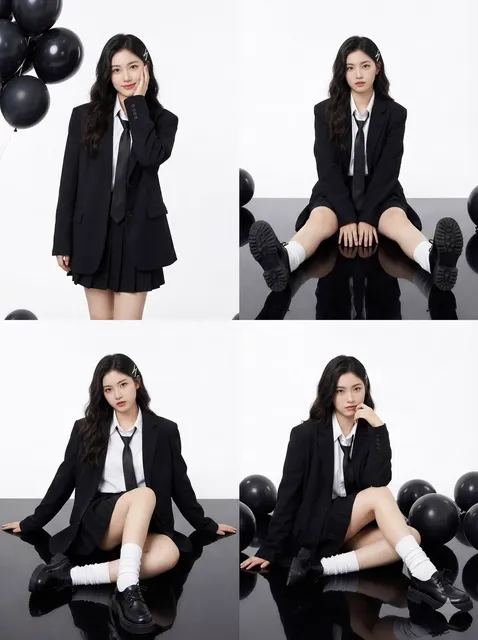
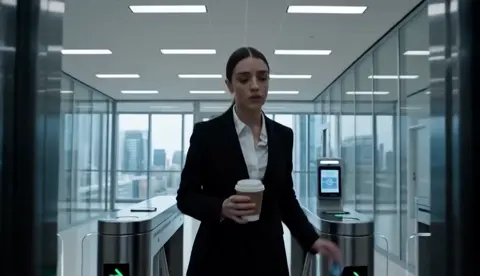

Can AI really generate any kind of image I describe?
Yes, within content policy limits. You can describe scenes, characters, objects, abstract concepts, products, landscapes, and more. The tool interprets your text and produces a visual that matches your description. More specific prompts—subject, setting, colors, mood—produce more targeted results.
AI Image Generator Generate Anything
Fantastical creature
Input
A glowing crystal phoenix with translucent blue feathers, wings spread in flight, floating in a dark cavern, bioluminescent light
Expected output
A luminous crystal phoenix in mid-flight with translucent blue feathers against a dark cavern background
Product mockup
Input
A sleek wireless earbud case in matte black, open with earbuds visible, on a marble surface, studio lighting, minimalist
Expected output
A clean product mockup of a black wireless earbud case on marble, styled for a product catalog
Surreal landscape
Input
A desert with crystal-clear lakes reflecting alien moons, two suns in the sky, vibrant orange and purple color palette, wide vista
Expected output
A surreal desert landscape with mirrored lakes reflecting twin moons and a colorful alien sky
Turn any text description into a visual—creatures, products, landscapes, or abstract ideas
Broad subject range
Describe anything from creatures to products to landscapes and generate a visual from the text alone.
Iterate by changing one detail
Modify a single element in your prompt, such as color or setting, and generate a new version immediately.
Explore visual ideas freely
Test different concepts and see how the tool visualizes each description.
How It Works
1
Describe the desired image.
Describe the desired image.
2
Choose the available generation settings.
Choose the available generation settings.
3
Generate, review, and download a suitable result.
Generate, review, and download a suitable result.
Tips for diverse subjects
A clear main subject makes the result more relevant.
Input Constraints
- Do not describe harmful, illegal, or violent content.
- Avoid generating misleading images that could be mistaken for real photographs of events.
- Respect intellectual property when describing characters or settings from existing works.
Practical Tips
- Start with the main subject and add context in order of importance.
- Specify the visual style if you want something other than realistic.
- Use concrete descriptive words rather than abstract concepts.
Privacy
- Do not upload personal or sensitive material unless you have permission to use it.
Usage Rights
- Confirm that you have the rights needed for the inputs and intended use of the result.
Prompt recipes
Copy a structure, then adjust the subject, lighting, camera, and output details for your own result.
Product shot with mood lighting
A luxury wristwatch on a black velvet surface, soft golden spotlight from the upper left, dark background, reflections on the watch face, high-end product photography style
Describes the product, surface, lighting direction, and photography style. This gives the tool enough structure to produce a polished product visual.
Character in dramatic environment
A lone astronaut standing on a red rocky cliff, looking up at a massive ringed planet dominating the sky, distant stars visible, sense of scale and solitude
Combines a clear subject (astronaut), setting (cliff, planet), and emotional tone (solitude). The sense of scale guides composition.
Abstract concept visualization
Flowing rivers of light in deep blue and violet, swirling through a dark void, trails of glowing particles, dreamlike and ethereal atmosphere
Uses visual metaphors (rivers of light) and color palette cues. Abstract prompts benefit from mood and motion words.
Architectural interior with natural light
A modern minimalist living room with floor-to-ceiling windows, sunlight streaming across a concrete floor, white walls, single potted plant, clean lines
Describes space, lighting source, materials, and style. Architectural prompts work best with structural and lighting details.
Wildlife in natural habitat
A Bengal tiger walking through tall grass at golden hour, warm orange light, shallow depth of field, ears forward, alert expression
Includes animal, behavior (walking), environment (grass), and time of day. Wildlife prompts improve with lighting and posture cues.
Best use cases
Match the workflow to the input you have and the result you need before opening the generator.
Concept art for a fantasy game
Input: Detailed description of a creature or environment with mood, lighting, and color palette
Result: A visual reference for character design, environment design, or storyboarding
Tool: /text-to-image
Product mockup for a pitch deck
Input: Clear product description with material, lighting, background, and perspective
Result: A polished product visual suitable for presentation slides or marketing drafts
Tool: /text-to-image
Social media graphic with abstract theme
Input: Abstract visual concept with colors, shapes, and mood words
Result: An eye-catching graphic for Instagram, Twitter, or LinkedIn posts
Tool: /text-to-image
Illustration for a blog post or article
Input: Scene description matching the article topic, with style direction (flat, realistic, sketchy)
Result: A unique visual that complements written content without stock photo look
Tool: /text-to-image
Limitations to know before generating
- Results depend on prompt clarity—vague descriptions produce unpredictable visuals.
- Complex scenes with many subjects or interactions may not render as intended.
- The tool cannot guarantee exact replication of copyrighted characters or trademarked designs.
- Facial features, text, and fine details may require multiple generations to match your vision.
- Generated images are interpretations, not photorealistic recreations of real-world subjects.
Creative Suite: AI Video Generator & AI Image Generator Tools
Power up your creative workflow with our AI-driven tools. Generate stunning videos, create images, and apply custom adjustments - our AI Video Generator and AI Image Generator offer a complete solution for all your creative needs.
Strictly Prohibits Adult/NSFW Content








Pricing
Choose the credit package that works best for you.
No hidden fees • Cancel anytime • Unused credits roll over
Starter
Perfect for trying out AI creation.
Credits
200 credits / month
- Up to 20 videos per month
- Up to 100 images per month
$6.99/ month$9.9930% OFF
Billed monthly
First-time subscribers get 30% off their first month, then standard price
What's included
- Credits never expire
- Standard models
- HD, Watermark-Free Downloads
- Private Generation
- Faster Generation Speed
- Ad-free experience
Basic
Perfect for light creators.
Credits
500 credits / month
- Up to 50 videos per month
- Up to 250 images per month
$13.99/ month$19.9930% OFF
Billed monthly
First-time subscribers get 30% off their first month, then standard price
What's included
- Credits never expire
- Standard models
- HD, Watermark-Free Downloads
- Private Generation
- Faster Generation Speed
- Ad-free experience
Pro
PopularBest value for creators
Credits
1,200 credits / month
- Up to 120 videos per month
- Up to 600 images per month
$39.99/ month
Billed monthly
What's included
- Credits never expire
- All models + Early access to new models
- HD, Watermark-Free Downloads
- Private Generation
- Faster Generation Speed
- Ultra HD resolution
- Ad-free experience
Ultra
For video creators and power users.
Credits
5,000 credits / month
- Up to 500 videos per month
- Up to 2,500 images per month
$99.99/ month
Billed monthly
What's included
- Credits never expire
- All models + Early access to new models
- HD, Watermark-Free Downloads
- Private Generation
- Faster Generation Speed
- Ultra HD resolution
- Ad-free experience
Free
Standard models only — upgrade to unlock premium models.
Credits
10 free credits on signup
Questions? Contact us at support@domer.io