
Create
ai image generator insert face guide
Generate custom images from text for your creative projects. Describe your vision and create visuals in landscapes, portraits, and abstract styles.
AI Image Generator
0/20000 characters
My images
Loading...
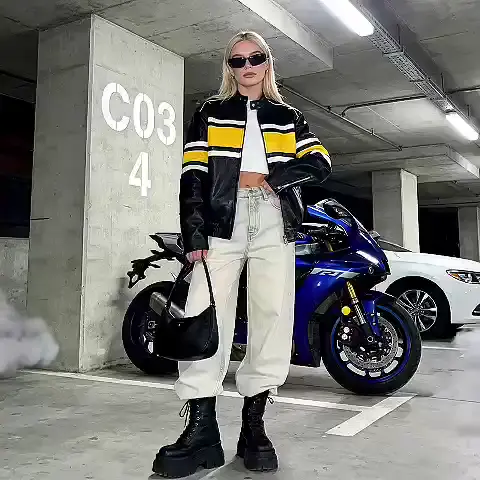
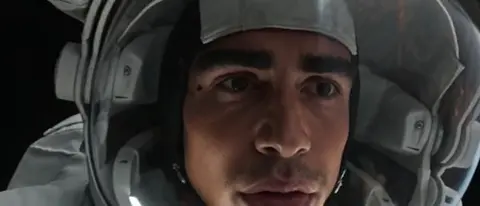
How do I use a text-to-image generator?
A text-to-image generator creates custom visuals from your written description. You write a prompt describing the scene, subject, style, colors, and mood, choose generation settings, and review the result. The tool interprets your text and produces an image matching your description. You can create landscapes, portraits, concept art, abstract designs, and many other image types by adjusting what you describe.
ai image generator insert face guide
Quick landscape creation
Input
A peaceful mountain lake at sunrise with mist rising from the water, pine trees on the shore, soft pink and orange sky, photorealistic style
Expected output
A realistic landscape photo with the described lake, mist, and sunrise colors
Rapid portrait concept
Input
A portrait of a person in vintage 1920s fashion, sepia tone, art deco styling, elegant pose, studio lighting
Expected output
A vintage-style portrait with period clothing and classic photography aesthetic
Instant abstract artwork
Input
Abstract watercolor style art in ocean blues and greens, flowing organic shapes, soft edges, peaceful mood
Expected output
A flowing abstract watercolor piece in ocean tones
Generate custom images from text descriptions for creative projects
Create custom images on demand
Turn your text ideas into custom images for creative projects and visual content without design skills.
Simple text-to-image process
Describe what you want to see in plain text and generate images in seconds.
Versatile image styles
Generate images in various visual styles by describing your preferences—realistic, illustrated, abstract, or stylized.
How It Works
1
Describe your image
Describe the desired image.
2
Choose settings
Choose the available generation settings.
3
Generate and download
Generate, review, and download a suitable result.
Tips for best results
Include subject, style, setting, and mood in your description for the most relevant results.
Input Constraints
- Avoid prompts that describe harmful or explicit content
- Use only material you have permission to reference
Practical Tips
- Describe the main subject clearly
- Include the setting and background
- Specify the desired art style or aesthetic
- Add color and lighting preferences
Privacy
- Do not upload personal or sensitive material unless you have permission to use it.
Usage Rights
- Confirm that you have the rights needed for the inputs and intended use of the result.
Prompt recipes
Copy a structure, then adjust the subject, lighting, camera, and output details for your own result.
Atmospheric landscape
A foggy forest path at dawn with rays of sunlight breaking through the trees, moss-covered stones, ethereal atmosphere, cinematic lighting, photorealistic
Specific time of day, lighting effect, setting details, and style create a strong atmospheric scene.
Character concept art
A futuristic space explorer in a detailed spacesuit, helmet with reflective visor, standing on an alien planet with two moons visible, concept art style, dramatic lighting
Character details, setting context, and style reference combine for focused concept art.
Product photography style
A modern smartwatch on a minimalist white surface, soft shadows, studio lighting from the upper left, product photography style, crisp details
Product subject, background, lighting direction, and photography style produce a clean product visual.
Editorial illustration for ai image generator insert face
An illustration of hands holding a growing plant with roots visible, symbolizing growth and sustainability, modern flat illustration style, earth tone color palette
Symbolic subject, clear message, style, and palette create a focused editorial image.
Architectural visualization
A modern glass and steel building with clean lines, reflecting the sunset sky, surrounded by a minimalist plaza, architectural rendering style, golden hour lighting
Building description, surrounding context, style, and lighting create an architectural visualization.
Best use cases
Match the workflow to the input you have and the result you need before opening the generator.
Blog post hero images
Input: Scene description with mood and composition suitable for article theme
Result: A custom header image matching your blog topic
Tool: Text to Image
Social media graphics
Input: Visual description with open space for text overlay and on-brand colors
Result: A background or scene ready for social post text
Tool: Text to Image
Concept art for projects
Input: Character, scene, or environment description with style reference
Result: Visual concept to guide creative direction
Tool: Text to Image
Presentation backgrounds
Input: Abstract or subtle scene description with even tone for text readability
Result: A professional background that supports slide content
Tool: Text to Image
Limitations to know before generating
- Results depend on how clearly and specifically you describe the scene, subject, and style
- The generator interprets your text but cannot read unstated intentions—vague prompts produce unpredictable results
- Complex compositions with many elements may require multiple attempts and prompt refinements
- Generated images should be reviewed for quality and accuracy before publishing or commercial use
- You are responsible for confirming you have the rights needed for your intended use
Creative Suite: AI Video Generator & AI Image Generator Tools
Power up your creative workflow with our AI-driven tools. Generate stunning videos, create images, and apply custom adjustments - our AI Video Generator and AI Image Generator offer a complete solution for all your creative needs.
Strictly Prohibits Adult/NSFW Content








Pricing
Choose the credit package that works best for you.
No hidden fees • Cancel anytime • Unused credits roll over
Starter
Perfect for trying out AI creation.
Credits
200 credits / month
- Up to 20 videos per month
- Up to 100 images per month
$6.99/ month$9.9930% OFF
Billed monthly
First-time subscribers get 30% off their first month, then standard price
What's included
- Credits never expire
- Standard models
- HD, Watermark-Free Downloads
- Private Generation
- Faster Generation Speed
- Ad-free experience
Basic
Perfect for light creators.
Credits
500 credits / month
- Up to 50 videos per month
- Up to 250 images per month
$13.99/ month$19.9930% OFF
Billed monthly
First-time subscribers get 30% off their first month, then standard price
What's included
- Credits never expire
- Standard models
- HD, Watermark-Free Downloads
- Private Generation
- Faster Generation Speed
- Ad-free experience
Pro
PopularBest value for creators
Credits
1,200 credits / month
- Up to 120 videos per month
- Up to 600 images per month
$39.99/ month
Billed monthly
What's included
- Credits never expire
- All models + Early access to new models
- HD, Watermark-Free Downloads
- Private Generation
- Faster Generation Speed
- Ultra HD resolution
- Ad-free experience
Ultra
For video creators and power users.
Credits
5,000 credits / month
- Up to 500 videos per month
- Up to 2,500 images per month
$99.99/ month
Billed monthly
What's included
- Credits never expire
- All models + Early access to new models
- HD, Watermark-Free Downloads
- Private Generation
- Faster Generation Speed
- Ultra HD resolution
- Ad-free experience
Free
Standard models only — upgrade to unlock premium models.
Credits
10 free credits on signup
Questions? Contact us at support@domer.io
Start creating custom images
Describe what you want to create and generate custom images in seconds.