
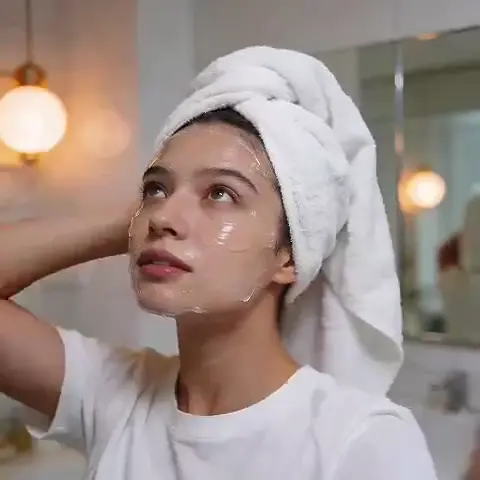
AI Image Generator Llama: Turn Text Into Images
Generate images from text with ease. Describe your vision, choose settings, and create visuals from realistic scenes to abstract art in seconds.
AI Image Generator
0/20000 characters
My images
Loading...
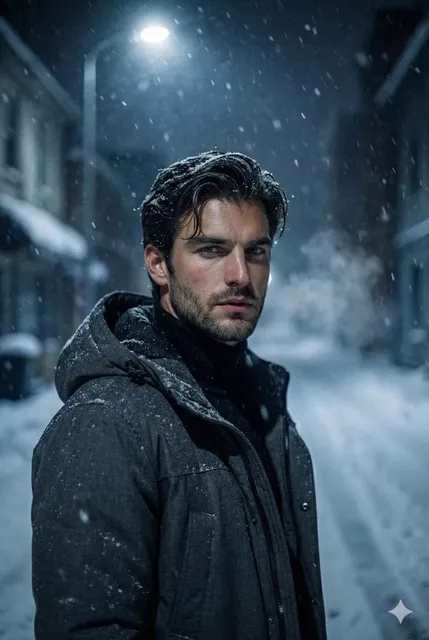

What is an AI image generator llama?
An AI image generator llama is a text-to-image tool that creates visuals from natural language descriptions. You describe the subject, style, colors, and mood you want, choose generation settings, and the tool produces an image you can review and download. It works for any creative need, from realistic photos to fantasy art.
AI Image Generator Llama: Turn Text Into Images
Creative concept visualization
Input
A futuristic city skyline at night with neon reflections on wet streets
Expected output
A vivid cyberpunk cityscape with glowing signs, reflective surfaces, and deep blue-purple lighting
Product mockup
Input
A ceramic coffee mug on a wooden table with morning sunlight and steam rising
Expected output
A realistic product-style image with warm lighting, shallow depth of field, and subtle textures
Abstract design asset
Input
A flowing ribbon of gradient colors on a dark background with particle sparkles
Expected output
A smooth abstract composition with fluid curves, color transitions, and ambient glow
Generate images from text descriptions using an accessible text-to-image tool
Describe and create
Turn your ideas into visuals by describing them in natural language. No drawing skills needed.
Control the output
Adjust generation settings to match the look, style, and mood you want for each image.
Iterate quickly
Generate multiple variations in seconds and pick the result that fits your project best.
How It Works
1
Describe your image
Describe the desired image.
2
Choose settings
Choose the available generation settings.
3
Generate and review
Generate, review, and download a suitable result.
Tips for better results
Write clear, specific descriptions to get the most useful outputs.
Input Constraints
- Keep descriptions clear and direct
- Specify style, lighting, and mood when relevant
- Avoid ambiguous terms that could lead to unexpected results
- Review outputs before using them in finished work
Practical Tips
- Start simple and add detail if the first result isn't what you expected
- Experiment with different styles and settings to explore variations
- Use references to moods or visual styles rather than copying specific works
Privacy
- Do not upload personal or sensitive material unless you have permission to use it.
Usage Rights
- Confirm that you have the rights needed for the inputs and intended use of the result.
Prompt recipes
Copy a structure, then adjust the subject, lighting, camera, and output details for your own result.
Realistic portrait with depth
A portrait of a person in their 40s wearing a denim jacket, soft natural light from a window, neutral background, shallow depth of field, warm tones
Specifies subject age, clothing, lighting source and quality, background, camera effect, and color palette for a realistic, editorial-style portrait.
Fantasy environment
A crystal cave with glowing blue stalagmites, underground pool reflecting light, misty atmosphere, wide cinematic angle
Combines fantastical setting, lighting effects, environmental details, atmosphere, and camera framing for an immersive fantasy scene.
Product photography style
A minimalist watch on a marble surface, overhead lighting, clean shadows, white background, luxury product photography
Describes product, surface material, lighting setup, background, and photographic style for a polished commercial image.
Abstract motion graphic
Swirling ribbons of neon pink and electric blue on a black background, motion blur, energetic and dynamic composition
Focuses on movement, color contrast, background, visual effect (motion blur), and mood for a striking abstract visual.
Cozy interior scene
A reading nook with a plush armchair, warm lamp light, bookshelves in the background, rain on the window, cozy and inviting mood
Sets environment, furniture, lighting, background elements, weather detail, and emotional tone for a warm, atmospheric interior.
Best use cases
Match the workflow to the input you have and the result you need before opening the generator.
Social media content
Input: Bold, simple subjects with clear composition and eye-catching colors
Result: Engaging visuals optimized for feeds and stories
Tool: Text to Image
Blog or article headers
Input: Horizontal scenes with relevant subject matter and professional tone
Result: Polished header images that support written content
Tool: Text to Image
Concept art or brainstorming
Input: Detailed descriptions of imaginative scenes, characters, or environments
Result: Visual references to guide creative projects
Tool: Text to Image
Design assets and backgrounds
Input: Abstract patterns, gradients, or textures with specified colors and mood
Result: Versatile design elements for layouts and presentations
Tool: Text to Image
Limitations to know before generating
- Text rendering within images is unreliable; add text separately in an editor.
- Fine details like hands, faces, and intricate patterns may require multiple attempts.
- Consistent characters or branding across images needs careful prompt discipline.
- Complex scenes with many interacting elements can produce unexpected compositions.
- Results depend on prompt clarity; vague or ambiguous descriptions yield unpredictable outputs.
Creative Suite: AI Video Generator & AI Image Generator Tools
Power up your creative workflow with our AI-driven tools. Generate stunning videos, create images, and apply custom adjustments - our AI Video Generator and AI Image Generator offer a complete solution for all your creative needs.
Strictly Prohibits Adult/NSFW Content








Pricing
Choose the credit package that works best for you.
No hidden fees • Cancel anytime • Unused credits roll over
Starter
Perfect for trying out AI creation.
Credits
200 credits / month
- Up to 20 videos per month
- Up to 100 images per month
$6.99/ month$9.9930% OFF
Billed monthly
First-time subscribers get 30% off their first month, then standard price
What's included
- Credits never expire
- Standard models
- HD, Watermark-Free Downloads
- Private Generation
- Faster Generation Speed
- Ad-free experience
Basic
Perfect for light creators.
Credits
500 credits / month
- Up to 50 videos per month
- Up to 250 images per month
$13.99/ month$19.9930% OFF
Billed monthly
First-time subscribers get 30% off their first month, then standard price
What's included
- Credits never expire
- Standard models
- HD, Watermark-Free Downloads
- Private Generation
- Faster Generation Speed
- Ad-free experience
Pro
PopularBest value for creators
Credits
1,200 credits / month
- Up to 120 videos per month
- Up to 600 images per month
$39.99/ month
Billed monthly
What's included
- Credits never expire
- All models + Early access to new models
- HD, Watermark-Free Downloads
- Private Generation
- Faster Generation Speed
- Ultra HD resolution
- Ad-free experience
Ultra
For video creators and power users.
Credits
5,000 credits / month
- Up to 500 videos per month
- Up to 2,500 images per month
$99.99/ month
Billed monthly
What's included
- Credits never expire
- All models + Early access to new models
- HD, Watermark-Free Downloads
- Private Generation
- Faster Generation Speed
- Ultra HD resolution
- Ad-free experience
Free
Standard models only — upgrade to unlock premium models.
Credits
10 free credits on signup
Questions? Contact us at support@domer.io
Ready to create?
Open the tool, describe your image, and generate your first result in seconds.