

AI Image Generator Nvidia
Generate high-quality images from detailed text prompts. Describe materials, lighting, textures, and composition, choose settings, and download results.
AI Image Generator
0/20000 characters
My images
Loading...
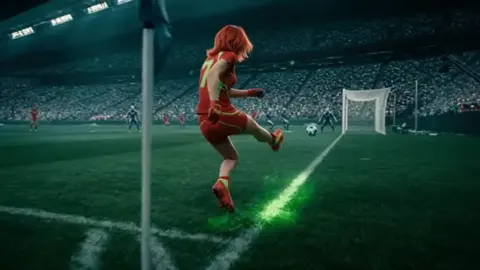
What is an AI image generator Nvidia?
An AI image generator Nvidia refers to text-to-image tools that generate high-quality, detailed images from descriptive prompts. You describe the subject, materials, lighting, textures, and composition in detail, then choose generation settings to control aspect ratio and style. The more specific your prompt about surfaces, reflections, and rendering quality, the richer and more refined the output.
AI Image Generator Nvidia
High-detail vehicle render
Input
A pearl white sports car with carbon fiber accents, parked on a wet city street at night, neon light reflections on the glossy body surface, raindrops on the hood, sharp reflections in the puddles, cinematic city background, ultra-detailed
Expected output
A detailed car image with glossy paint reflections, visible carbon fiber accents, wet street with neon reflections, raindrop detail on the hood, and a sharp city background with depth
Hyper-realistic animal portrait
Input
A gray wolf with yellow eyes, fur textured with individual strands visible, snow on the fur around the muzzle, standing in a snowy forest clearing, misty breath visible, soft natural winter lighting, extreme close-up detail
Expected output
A wildlife portrait with visible fur strand detail, yellow eye color, snow on facial fur, visible breath vapor in cold air, natural winter lighting, and sharp focus on the subject
Complex sci-fi cityscape
Input
A sprawling futuristic city with layered elevated highways between skyscrapers, hovering vehicles in organized traffic lanes, holographic billboards on building surfaces, a mix of glass and metallic architecture, sunset sky with visible stars beginning to appear, wide epic shot
Expected output
A futuristic cityscape with multiple layers of elevated roads, hover vehicles, visible holographic advertisements, reflective glass surfaces, and a sunset-to-night sky transition
Generate high-quality, detailed images from text prompts with rich material, lighting, and texture descriptions
Detailed prompts for rich results
Use specific language about surfaces, lighting, and textures to guide the generation toward high-quality, detailed outputs
Settings for fine control
Available generation settings let you adjust aspect ratio and visual direction for optimal composition
Review and compare for quality
Generate multiple versions of the same prompt and select the result with the best detail fidelity and rendering
How It Works
1
Describe the desired image.
Describe the desired image.
2
Choose the available generation settings.
Choose the available generation settings.
3
Generate, review, and download a suitable result.
Generate, review, and download a suitable result.
Writing for High-Quality Results
Prompt detail directly affects output quality.
Input Constraints
- Use specific material descriptions—carbon fiber, brushed metal, tempered glass, pearl finish, leather texture
- Include surface condition details—polished, weathered, wet, frosted, textured, glossy, matte
- Describe lighting conditions precisely—studio strobe, neon ambient, natural overcast, direct sun, rim lighting, soft diffused
Practical Tips
- Add resolution cues like ultra-detailed, sharp focus, or high resolution for quality direction
- Describe reflections, shadows, and highlights for dimensional depth
- Include surface imperfections for realism—scratches, dust, condensation, wear marks, rust, weathering
- Use contrast references—high contrast, soft gradation, dramatic lighting, flat lighting
Privacy
- Do not upload personal or sensitive material unless you have permission to use it.
Usage Rights
- Confirm that you have the rights needed for the inputs and intended use of the result.
Prompt recipes
Copy a structure, then adjust the subject, lighting, camera, and output details for your own result.
Photorealistic product with materials
A luxury watch with a polished steel case, sapphire crystal face, leather strap with visible texture, resting on a black marble surface, soft studio lighting from the side, reflections on the metal and glass, ultra-detailed, high resolution
Naming specific materials—steel, sapphire, leather, marble—and describing lighting, reflections, and detail level guides the generator toward a high-quality product render with realistic surfaces
Detailed architectural render
A modern glass and steel building exterior at dusk, floor-to-ceiling windows reflecting the orange sunset, polished concrete plaza with puddles reflecting the building, sharp architectural lines, high contrast, cinematic lighting, ultra-detailed
Describing materials, reflections, time of day, and lighting conditions creates an architectural render with depth, detail, and atmospheric quality
Hyper-realistic nature scene
A close-up of a dew-covered spider web in a forest, individual water droplets reflecting the morning sunlight, soft green foliage in the background, shallow depth of field, extreme detail on the web structure, natural lighting
Focusing on small-scale detail, reflections, lighting, and depth of field produces a nature macro shot with high realism and visual impact
Fantasy scene with realistic materials
A medieval sword with a worn leather grip, tarnished steel blade with scratches and rust spots, embedded in a stone covered in moss, forest background with shafts of sunlight, detailed texture on all surfaces, high resolution
Combining fantasy subject matter with realistic material descriptions—leather, steel, rust, moss—creates a grounded, detailed fantasy image with tactile quality
Vehicle detail shot with reflections
A close-up of a motorcycle engine, chrome exhaust pipes with visible reflections, black matte frame, oil residue and dust on the metal surfaces, workshop background with blurred tools, dramatic side lighting, ultra-detailed
Describing materials, surface imperfections, reflections, and lighting produces a vehicle detail shot with realism, depth, and mechanical authenticity
Best use cases
Match the workflow to the input you have and the result you need before opening the generator.
Product rendering and visualization
Input: A prompt with specific materials, surface conditions, lighting direction, and detail cues—e.g., polished steel, leather texture, studio lighting, reflections, ultra-detailed
Result: A high-quality product render suitable for presentations, marketing, or design mockups
Tool: Text to Image with material and lighting keywords
Architectural and environmental scenes
Input: A prompt describing materials, reflections, time of day, and atmospheric conditions—e.g., glass and steel, reflections, dusk, puddles, cinematic lighting
Result: An architectural or environmental scene with realistic materials, depth, and atmospheric quality
Tool: Text to Image with material, lighting, and atmospheric keywords
Detailed character or object close-ups
Input: A prompt with texture details, surface imperfections, lighting, and depth of field—e.g., individual fur strands, snow, breath vapor, close-up, natural lighting
Result: A close-up image with high detail, realistic textures, and depth suitable for concept art or reference
Tool: Text to Image with texture, detail, and lighting keywords
Limitations to know before generating
- Generated detail depends on prompt specificity; vague material or lighting descriptions produce generic or lower-quality results
- Complex scenes with many detailed elements may require multiple attempts and incremental prompt refinement
- Not all text-to-image tools support the same level of detail control; results may vary by tool and model
- Review the output carefully for material accuracy, lighting consistency, and detail fidelity before using it in professional projects
- The tool generates images based on text descriptions and does not guarantee specific hardware acceleration or rendering backend
Creative Suite: AI Video Generator & AI Image Generator Tools
Power up your creative workflow with our AI-driven tools. Generate stunning videos, create images, and apply custom adjustments - our AI Video Generator and AI Image Generator offer a complete solution for all your creative needs.
Strictly Prohibits Adult/NSFW Content








Pricing
Choose the credit package that works best for you.
No hidden fees • Cancel anytime • Unused credits roll over
Starter
Perfect for trying out AI creation.
Credits
200 credits / month
- Up to 20 videos per month
- Up to 100 images per month
$6.99/ month$9.9930% OFF
Billed monthly
First-time subscribers get 30% off their first month, then standard price
What's included
- Credits never expire
- Standard models
- HD, Watermark-Free Downloads
- Private Generation
- Faster Generation Speed
- Ad-free experience
Basic
Perfect for light creators.
Credits
500 credits / month
- Up to 50 videos per month
- Up to 250 images per month
$13.99/ month$19.9930% OFF
Billed monthly
First-time subscribers get 30% off their first month, then standard price
What's included
- Credits never expire
- Standard models
- HD, Watermark-Free Downloads
- Private Generation
- Faster Generation Speed
- Ad-free experience
Pro
PopularBest value for creators
Credits
1,200 credits / month
- Up to 120 videos per month
- Up to 600 images per month
$39.99/ month
Billed monthly
What's included
- Credits never expire
- All models + Early access to new models
- HD, Watermark-Free Downloads
- Private Generation
- Faster Generation Speed
- Ultra HD resolution
- Ad-free experience
Ultra
For video creators and power users.
Credits
5,000 credits / month
- Up to 500 videos per month
- Up to 2,500 images per month
$99.99/ month
Billed monthly
What's included
- Credits never expire
- All models + Early access to new models
- HD, Watermark-Free Downloads
- Private Generation
- Faster Generation Speed
- Ultra HD resolution
- Ad-free experience
Free
Standard models only — upgrade to unlock premium models.
Credits
10 free credits on signup
Questions? Contact us at support@domer.io
Generate Detailed, High-Quality Images
Write a prompt with rich detail about materials, lighting, and composition. Generate and review until the quality matches your expectations.